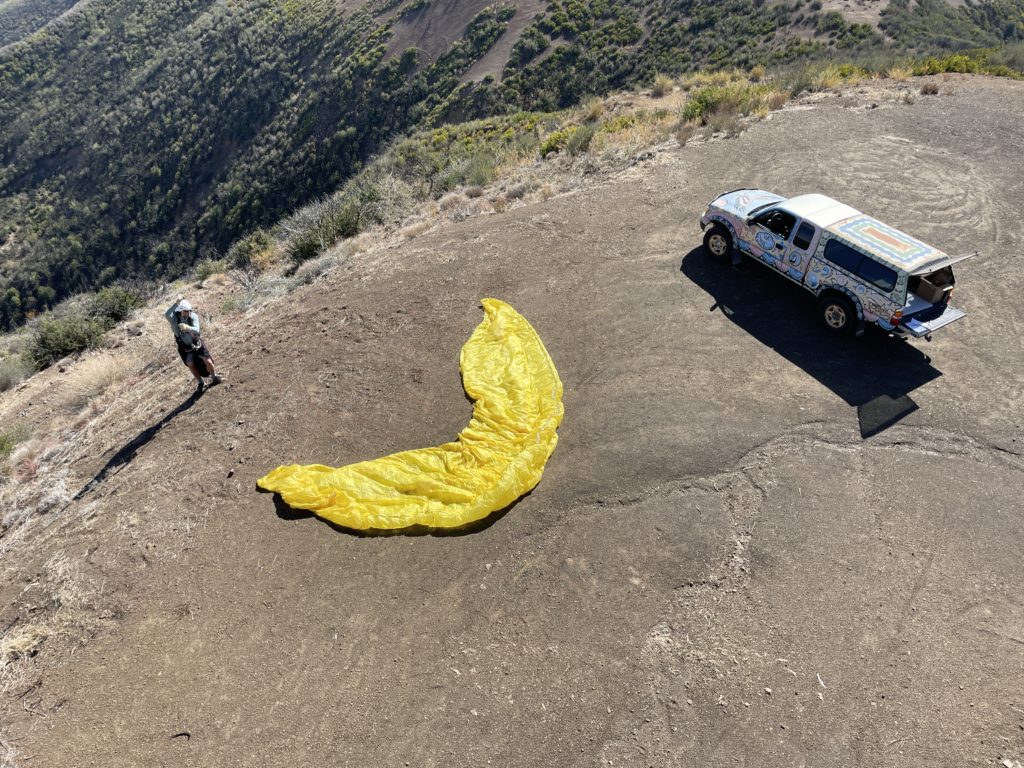
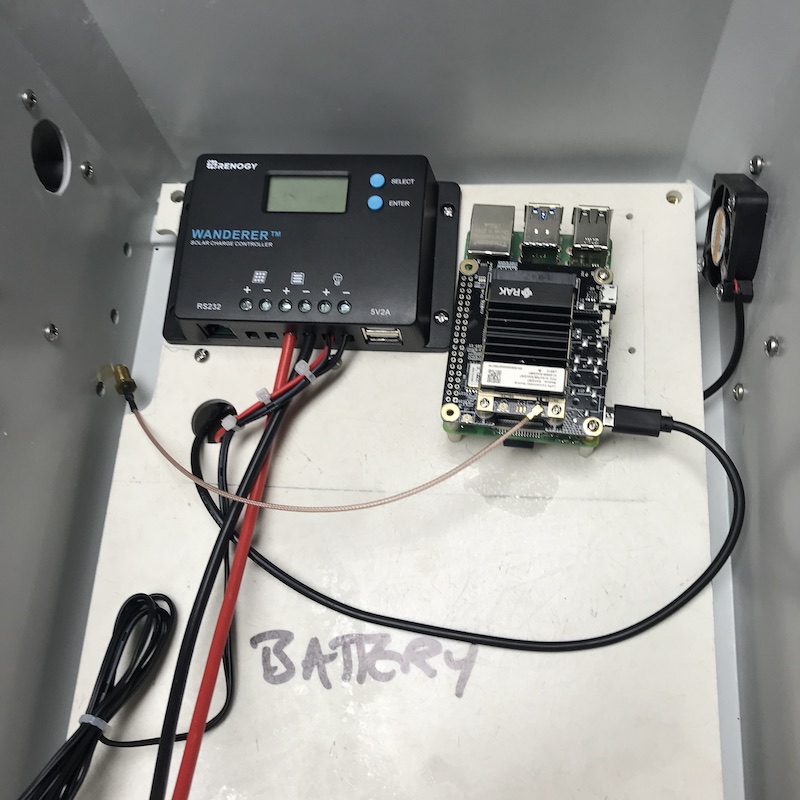
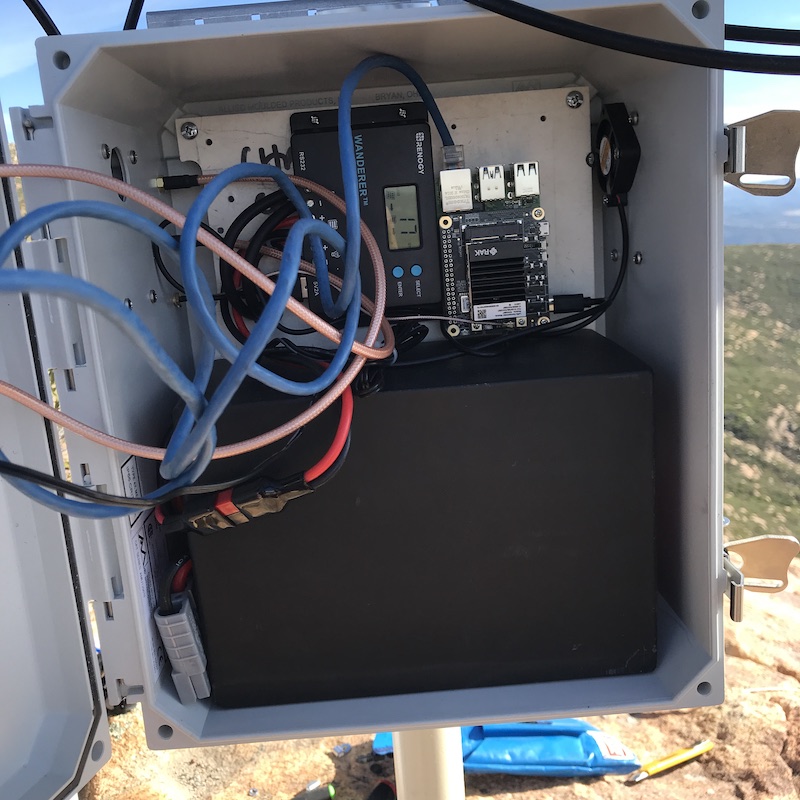
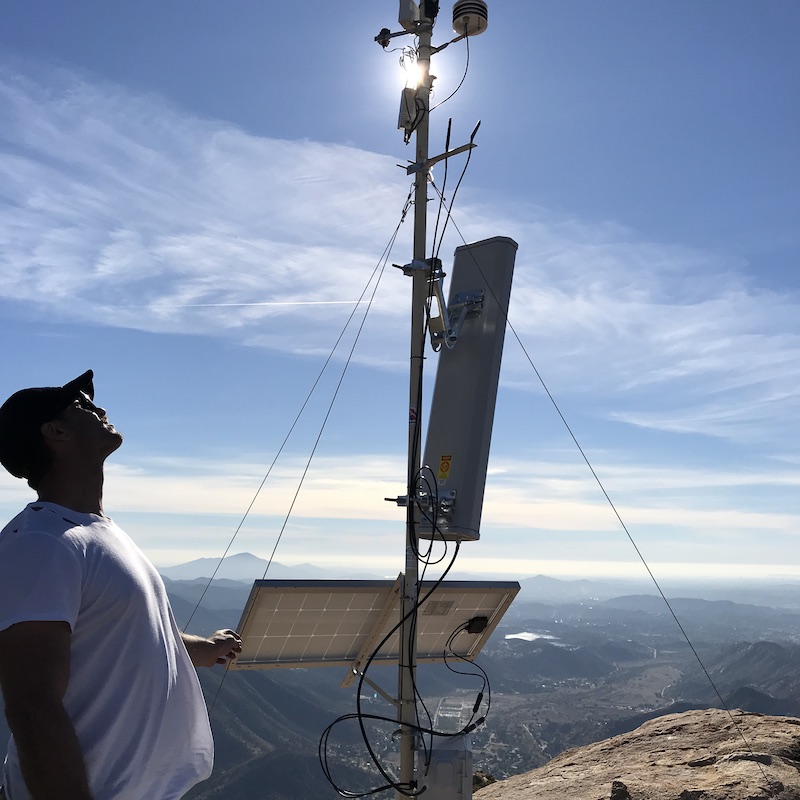
8 posts tagged with "Off Grid"

View All Tags

Does Your Helium Hotspot Need A Security Camera?

· 6 min read
Nik
Site Owner

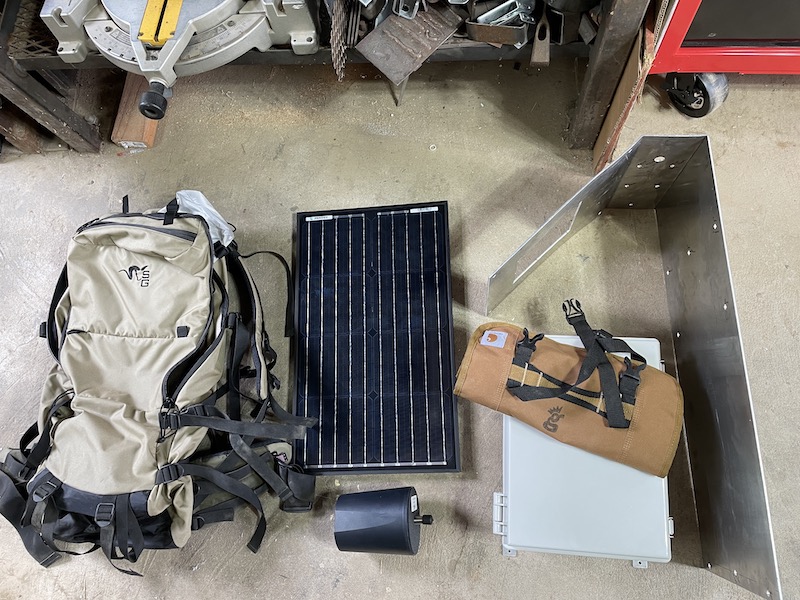
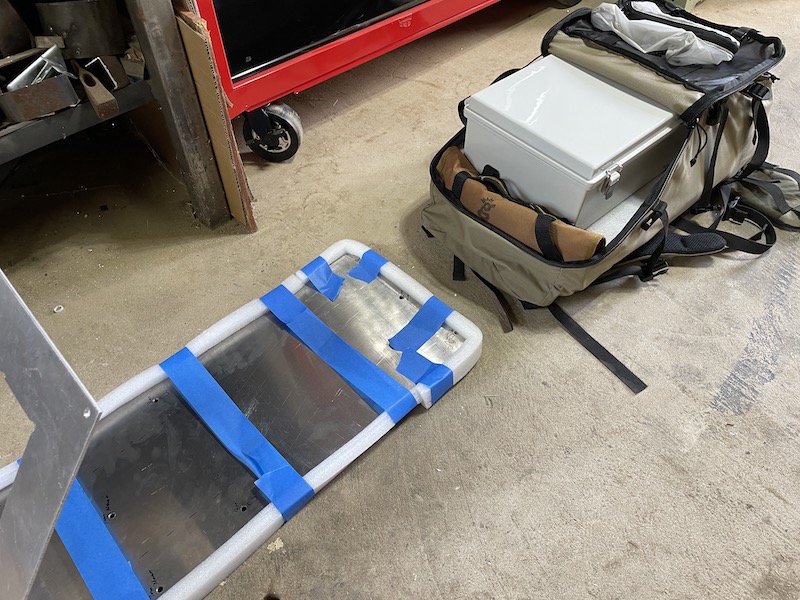
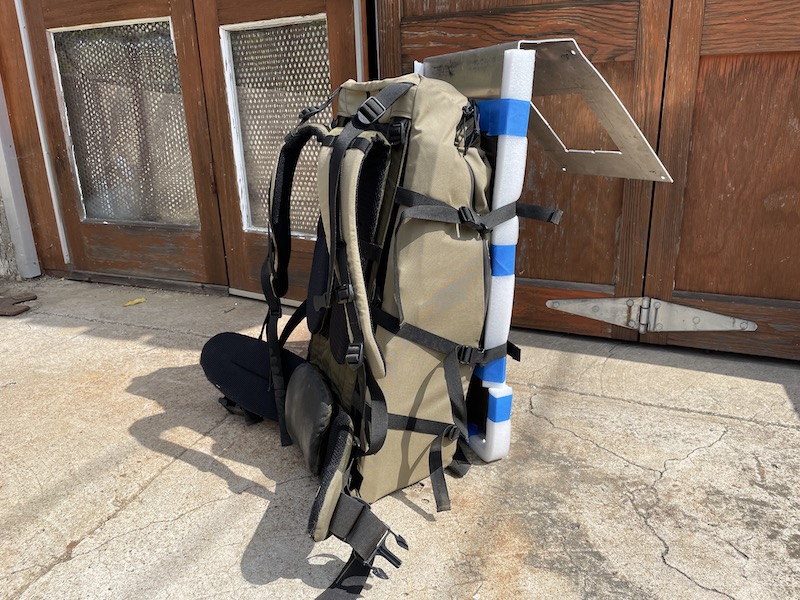
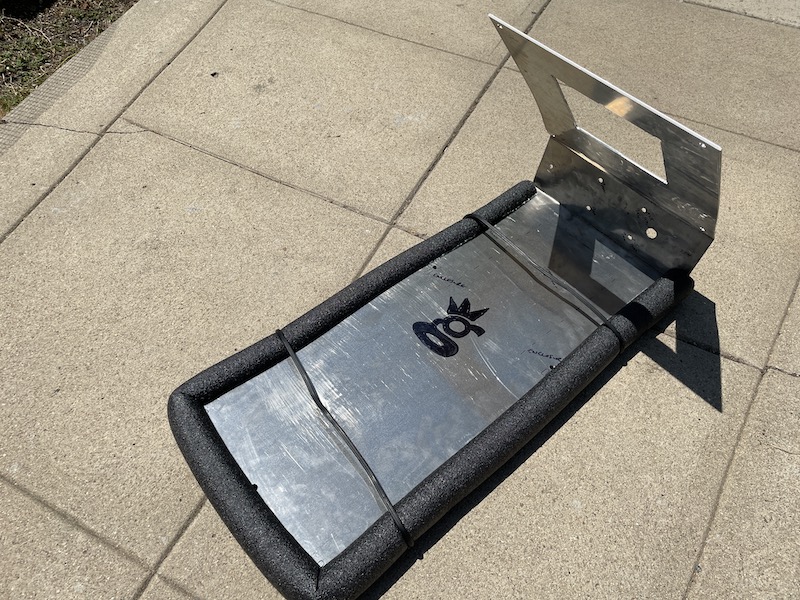
"Do you worry about your off grid hotspot getting stolen?"  I get that question a lot.  My short answer is "No".  In general, I follow what I consider a few security best practices:

  • Make it hard to find.
  • Make it hard to get to.
  • Don't leave your valuables unprotected.

In the world of Helium off grids, however, you can't always meet those criteria.  For one, you've got to assert your location.  Anyone in the world can get pretty darn close to where you should be.  So, hiding your valuable thing, in this case a Helium Hotspot, is hard.

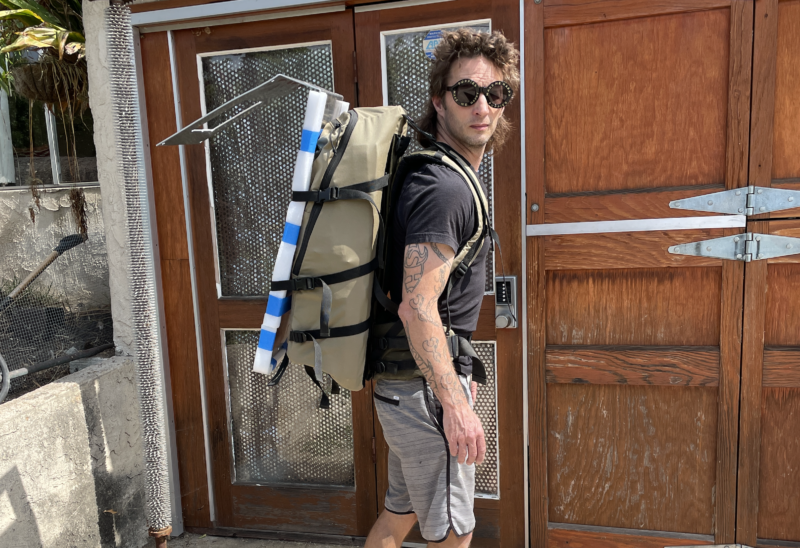
For my off grids, a love of the mountains and hard work combine naturally to make my installs hard to get to. They're not impossible; I mean, I'm not the only person on the planet who can carry a giant backpack 6 miles one way.  TJ Ferrara, for one, does that much better than I do.  Still, for most people, the juice is not worth the squeeze.

That brings us to an interesting aspect of a Helium miner:  They're not really worth anything to a thief.  Once the hotspot is attached to your wallet, it will faithfully deposit HNT into your wallet, no matter who has physical control over it. 

Still, an off grid isn't just a miner.  It's the antenna, and the solar panel, and the battery, and a long list of accessories you need for the whole thing to work.  I've heard of thieves taking everything BUT the miners.  In fact, they left the miners double bagged.  Yeah, weird.

In that particular instance, the thieves did something  incredibly stupid which led the original owner to find his stolen off grids and recover them, but you don't always get that lucky.

One of the obvious deterrents is a camera, so I started looking around for one I could use.  I wanted a camera that was rugged enough to be outside, would communicate over LTE so I wouldn't have to hike out to check it, and would keep a running "memory" that it uploaded to the cloud, so if someone did get their grubby little dickbeaters on my gear, I'd be able to download their picture without having access to the memory card.  I also wanted the thing to give me more than just one view; I wanted some of that pan & tilt action.

Trail cams are the obvious fit here.  Surprisingly, a bunch of 'em are missing some critical element.  Either they don't have connection to solar so the batteries run out, or no ability to upload to the cloud, or no ability to move around and give me a wider view and scope.  

I settled on a ReoLink Go PT.  It met my criteria, although I made a few modifications when it arrived.

First, I painted it tan.  The thing arrives in a blinding white, and just on general principle I wanted it to blend in at least a little bit.

Second, I replaced the fabric strap for pole (or tree) mounting with a hose clamp.  Way more stable, and I'm guessing will last far longer.

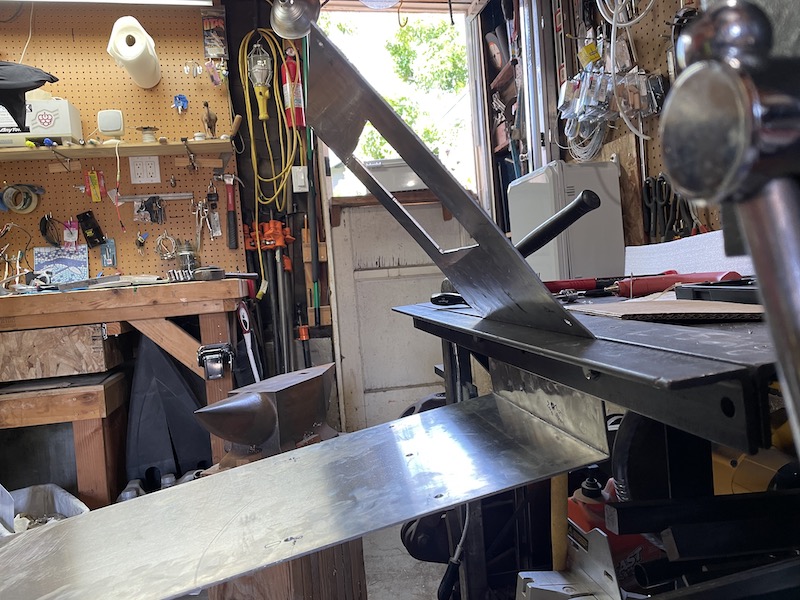
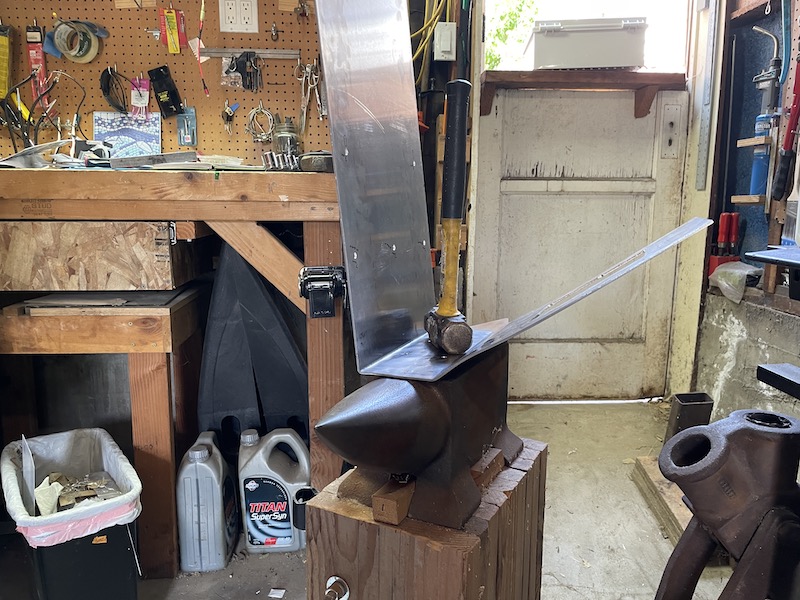
Third, I mounted the solar panel arm with a bolt and a zip tie.  It ain't the prettiest install you've ever seen, but the folks at ReoLink seem to only account for people mounting this thing to flat surfaces, and the pole diameter I had wasn't enough to get all 3 recommended screws in.

With my prep work done, it was out to one of my favorite places to test this out on an off grid Helium Hotspot install.

https://youtu.be/S0-kBL4VcHk

Now, one of the most frequent questions I get asked is, "How do you get permission to put it out there?"   It's pretty simple; you just ask. For the record, yes, I have permission to put this hotspot here.  This is the result of a multi-year relationship that has involved spending blood and treasure on all sides.  We flew a helicopter out here for the initial install of a weather station years ago where we custom fabricated the pole, drilled and mounted it to the rock, and have maintained the site for years now.  There's no real secret to it:  Find the owners of the property, figure out what (if anything) they want, and provide it to them.  

With that out of the way, there's only one question left:  Does the camera work to stop thieves?

I think of it this way.  A security camera is like a reserve parachute:  You hope they're a complete waste of money and you never need to use 'em, but if you do, they're worth every penny. 

As far as the mounting & use of it, it's dead simple.  If you can put together an Ikea kitchen sink, you're about 4 intelligence levels above what it takes to get this camera to work.  Plug in, sign up, and play. 

With that said, I have had a few instances where the camera doesn't immediately connect when I pull up the app.  So far, just quitting the app and re-loading it seems to work.

The big downside is the monthly data cost for the cloud imagery.  Still, it's less than running a miner; I bought a 10 GB/month plan for $35 on Mint.  Mint is super easy, and for the price of 30 rolled tacos and a few high priced coffees every month I'll get high def pictures of someone's bald spot as they're stealing my hotspot setup.  Worth it. 

That brings me to the last high point of the ReoLink PT: you can pan and tilt the thing. If I want to catch a rad sunset out there, or see my buddies paragliding while I hammer away on the keyboard, or even watch as the coyotes howl up at a gibbous moon on a summer's eve, I can dial in and check 'em out.  That, my friends, is worth every penny.

Archived Comments

Sam Andrews - 1/15/2023

Wow, what an interesting article. You did a great job sharing with us that setting up security cameras close to our off-grid hotspots could possibly deter thieves from stealing them. I know a friend who's been living in a remote area near South Carolina for almost a year now and always loses his hotspot once in a while. Never mind, I'm just gonna make sure he considers this option so the perfect installation can be made in the end.


Lessons Learned From A Year Of Helium Deployments

· 11 min read
Nik
Site Owner

It's been a little over a year since I started deploying Helium Hotspots. In that year, after deploying Hotspots both on grid and off grid on homes, commercial buildings, and (my favorite) in the mountains, I've learned a ton about what to do, what not to do, and how to make the most of the Helium experience.

I've had the great privilege of helping hundreds of clients deploy their hotspots as well, whether it's a family in Oregon putting one up on their house or a fleet owner out of NYC deploying thousands. What I've learned from all this can be summed up in three main points below.

First, Helium is simple.

It can seem intimidating, and the details can get overwhelming, but at the end of the day, the deployments that earn the most provide 4 types of coverage. I call this WUPU coverage. Here's what WUPU stands for:

Wide - The coverage your Hotspots provides should have as great a range as possible. It should go from right where your hotspot is, and waaay out to the visible horizon. Your first job when deploying a Hotspot is to make sure you can get the antenna in a place where it has a ton of long, open views. Being blocked in by trees, mountains, or buildings can kill your wide coverage.

Unique - Any network benefits from a little redundancy, but not too much. The coverage your Hotspot provides (IF you want a high earning Hotspot) should ideally be something like a 75/25 split between unique and redundant. Now, that's more of a guideline and very difficult to assess, but as a general rule of thumb, if you want a high earning Hotspot, put it in a place that opens up new ground for the Helium Network whilst also providing a little redundancy for other Hotspots close by.

Proveable - We prove our location solely through the strength of radio signals as assessed by the laws of physics. We don't use GPS as it's too easy to spoof. I know, most of us don't know how to spoof GPS. That doesn't mean it's not possible, and the Helium Network has to protect itself against all attack vectors, one of which is GPS spoofing. Helium does that by relying on your Hotspot to transmit and receive precisely measured radio signals, and to compare those measurements against humanity's understanding of physics. It's not perfect, but it's the best we can do, and Helium is ALWAYS working to improve it.

You prove your location by correctly entering the details of your antenna and your locations so Helium knows what variables to enter in their distance/signal strength equation. If you enter incorrect variables, you can expect to miss out on rewards because your "proof" is not matching up with the expected outcome.

Useful - Finally, high earning coverage is useful. The Network has to be useful to provide value, and the highest earners generally process actual data on the Helium network. They may not process a lot of data right now, but a high earning placement will always be in a position to process a ton of data from a variety of sensors.

While the rewards for processing that data are small now, we can expect that to grow, and grow, and grow over time.

Second, Helium is complicated

Helium is more or less an ambitious engineer's dream. It's a system that grows itself through basic human incentives. Because these incentives are so powerful, there's a constant game of cat and mouse with the good guys (the majority of the Helium community) and "gamers", or people who are gaming the system to cheat and earn more HNT. As HNT gains in value, these incentives become more powerful, attracting smarter and more capable gamers to attempt to exploit the system.

https://youtu.be/\_kWCs3TH9GI

This ends up as a battle between many very smart competitors. The stack of talent at Helium Inc is gob-smackingly capable, but the array of skills that gamers bring to the table is equally impressive.

That's great for a robust network, but it can make things difficult to understand for those of us who are not technologically savvy. Knowing the difference between a packet forwarder and a miner, a gateway and a sensor, a server, a router, and a Validator and the languages they all speak can mean the difference between earning a ton of HNT or having to (frustratingly) sit on the sidelines wondering why your miner isn't working.

This complexity is both the shield that protects us and the obstacle that can temporarily slow or stop our earnings. In order to participate in the Helium Network at an above average level, you'll have to be ready to roll up your sleeves and learn a little more about radio signals, code, and the physical act of deploying Hotspots (and specifically, getting your antenna in the right location and up high.)

Third, Helium as an avenue for both personal growth and wealth creation is unlike anything I've ever experienced.

As you may have already experienced, just learning about the Helium ecosystem can expand your world in ways you never thought possible. Whether you decide to get geeky and build a test setup just to see how the whole thing works, or you wade through the complexities of HIP 15 & 17, Helium has a way of forcing you to expand your capabilities.

Take it from me; at the start of this thing, about all I knew was that *something* was going on. I didn't know about turning a Raspberry Pi into an HNT earning Helium Hotspot (which you can no longer do, though you can still build a non-earning one). I didn't know about code. I'd never used Docker, or Python (or BASH, or Shell, or anything).

I knew that I could work hard, use tools in a workshop, read and study just as well as anyone else on the planet, and I put in the work required for extraordinary placements. Everything else I learned on the job. You can do the same. I've done it and I've watched and helped hundreds of people do it; I know it's possible.

That leaves us with the final piece of Helium, which is wealth creation. When I saw a Hotspot down the street from me making the equivalent of US$3,000/month back in September of 2020, well, I thought the same thing you would: How do I get into this?

As it turns out with many cryptocurrency and blockchain projects where you find it early, that journey of discovery has turned out well for me so far. Crypto in general can create life-changing wealth, and Helium is no exception. I'm not talking about just me, although it's certainly changed my life from one where I struggled to pay off credit card debt to one where I don't check my bank account before buying groceries at the store.

Anyone who is involved at this early stage, who takes the time to learn about Helium and how best to participate in the eco-system in order to grow the Network in healthy ways, and takes action, well, they're going to change the course of their financial lives.

That's been one of the coolest parts for me; sharing this journey with YOU, and making sure you're along for the ride. Very early on (my very first Hotspot), I had a good friend step in and hold my hand as I walked through the steps of getting a Hotspot put together and online. It helped build an extraordinary friendship, and was such a positively charged example of how one person can help another achieve independence that I am driven to try and pass that experience on to you.

This blog is one of the results of that. All of the information on here is free, so you can follow my journey, learn from my mistakes and victories, and develop your own understanding of how you can best participate in Helium. If you'd like a guided tour, well, I offer that too.

About 5 months into this, after writing the first few articles (the Rough Guide and the one on choosing an antenna specifically), I started getting phone calls from people needing help. At first it was fun to get those, especially the one at 9 o'clock at night from the Ukranian guy out of Buffalo considering a 1,000 Hotspot purchase. It was like being in a spy-thriller movie. "Chello, I hav some qvuestions for you."

Still, my phone started ringing non-stop, so I had to manage my time somehow. I started charging for consulting time, walking people through a condensed version of all I'd learned about Helium. I found that conversation usually takes at least an hour, sometimes longer. At the end of the hour, you have a much better understanding of what to do, and almost invariably we've corrected a few misunderstandings about Helium. Like I said above, Helium is complicated.

After doing hundreds of those consults, I developed a standard flow that addressed 80-90% of all misunderstandings, and tailored the other 10-20% to individual questions for each unique situation.

I decided to record that standard flow and make it available for more people at a much lower price than my one-on-one consulting fee. This makes it more affordable for more people and gives you the ability to learn when you're ready and not on my schedule, which can be booked out further in the future than you want to wait.

That recorded presentation is here if you want to check it out. In just under an hour it'll take you through all the most important parts of the Helium Network, and cover most of the things I cover on this site. To be very clear, you can get the same information for free if you read every page on this site; this is just the faster, easier, more efficient way of getting information into your brain. Your choice, your time. Rock on, Helium peeps!

p.s. If you're wondering what happened to that 13 dBi antenna in the video, well, check it here. :)

Archived Comments

Kyle - 11/16/2021

Ordered in May. Delivered in September. 10x'd my exposure and have been enjoying the process to built a fleet of them. The installs are challenging and rewarding for a good setup. Thanks for your content. Glad I found you on youtube this evening


Alex Wildgoose - 11/24/2021

How do you get landowner permission to place these free standing hot spots out in the wild?


Nik - 11/24/2021

Hi Alex, just ask 'em. If you can figure out who owns it, what the restrictions are, and what might benefit them, that's a great start. For long term placements I'd connect with local WISPs.


How To Map The Helium Network for Coverage and Profit - Gristle King - A Guide to Helium - 12/1/2021

[…] Lessons Learned From A Year Of Helium Deployments November 15, 2021 […]


nick - 12/10/2021

I think we are neighbors. Amatuer Jade Hare. Im have long basil eel, falky gauz bird, tricky gunmetal bull which just got replaced by Curved brown baboon. Thats the new 5g. I have 6 more on the way. Blossom Valley will be done:)


Nik - 12/10/2021

Right on, love me some Blossom/El Monte Valley action!


Nick S - 12/11/2021

My buddy and I seen your miner on the map and we were trying to figure out how you got it out there. He lives on CreekHills. He has the highest house in Blossom Valley . We tried to find it with a drone with no luck. Once I seen that picture I knew that it had to be AJH. Very cool set up.


Nik - 12/11/2021

Right on Nick, Blossom/El Monte Valley is one of my favorite places to be, and good to know we have robust Helium coverage there. :)


Andy - 12/23/2021

Just a big Thank YOU. Using some of your knowledge along with some of my existing experience, I was able to put up a new hotspot at a great location that just jumped to #2 in the USA for daily rankings with nearly 2 HNT/day. I've got some additional good locations in mind, but I'm finding out that internet access is a pain. I wish I had tripped across you & Helium 6 months ago, but I'm glad I made it.


Reports From The Field: Tracking With Helium

· 9 min read
Nik
Site Owner

I recently drove up to participate in the USA Hike & Fly's Ojai race on October 31st, both as an athlete and a provider of tracking with Helium. The athlete side was fun, but expensive. I landed in the bushes and tore up my wing enough to warrant buying a new one. Not cheap. Still, rad to blast up the backside of the range then launch off the ridge in an attempt to fly the course instead of hike it.

The other reason I went up was to provide custom tracking for race participants. Having recently done the very first paragliding tracking event up in Utah, for the X Red Rocks race, I managed to avoid a few mistakes, repeat a few more, and learn a ton about how best to run tracking for people who move fluidly from earth to air.

As a quick recap, a "hike and fly" race is one where you attempt to complete a course by hiking on the ground or flying your paraglider. Typically these races start in a valley and you hike up to the top of a mountain or ridge, then launch off from the high point and tag other points, either in the air or on the ground. These "points" are usually cylinders of various sizes, from 10m radius to a 5 km radius.

Ok, so what does it take to track a paragliding race with Helium?

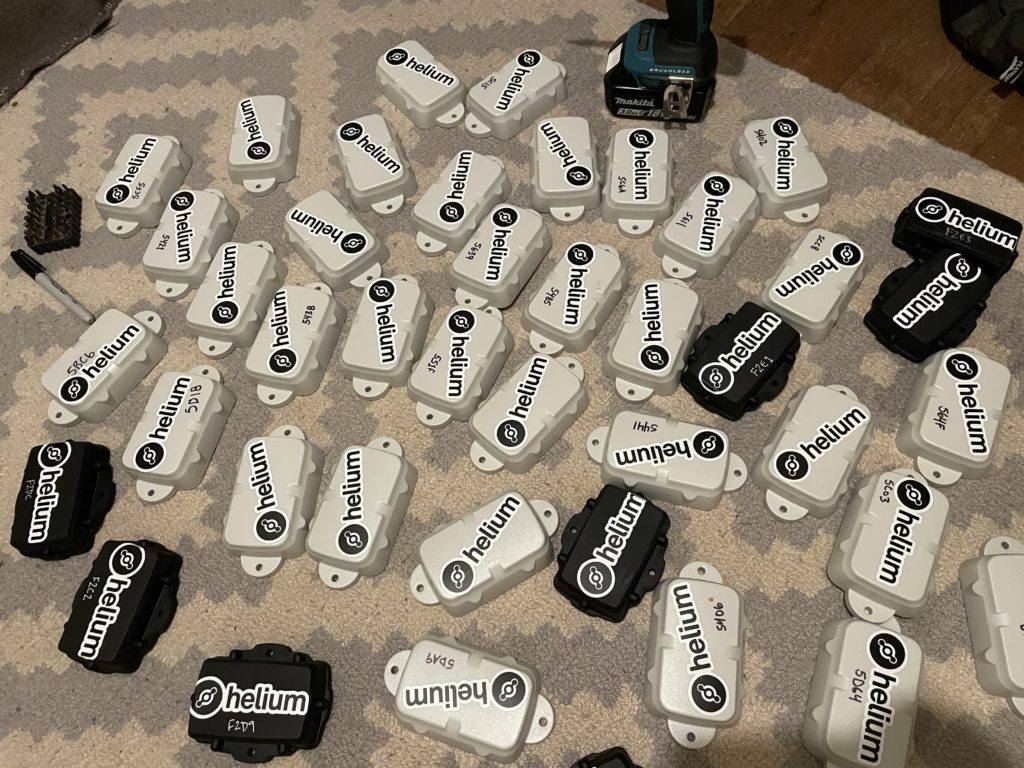
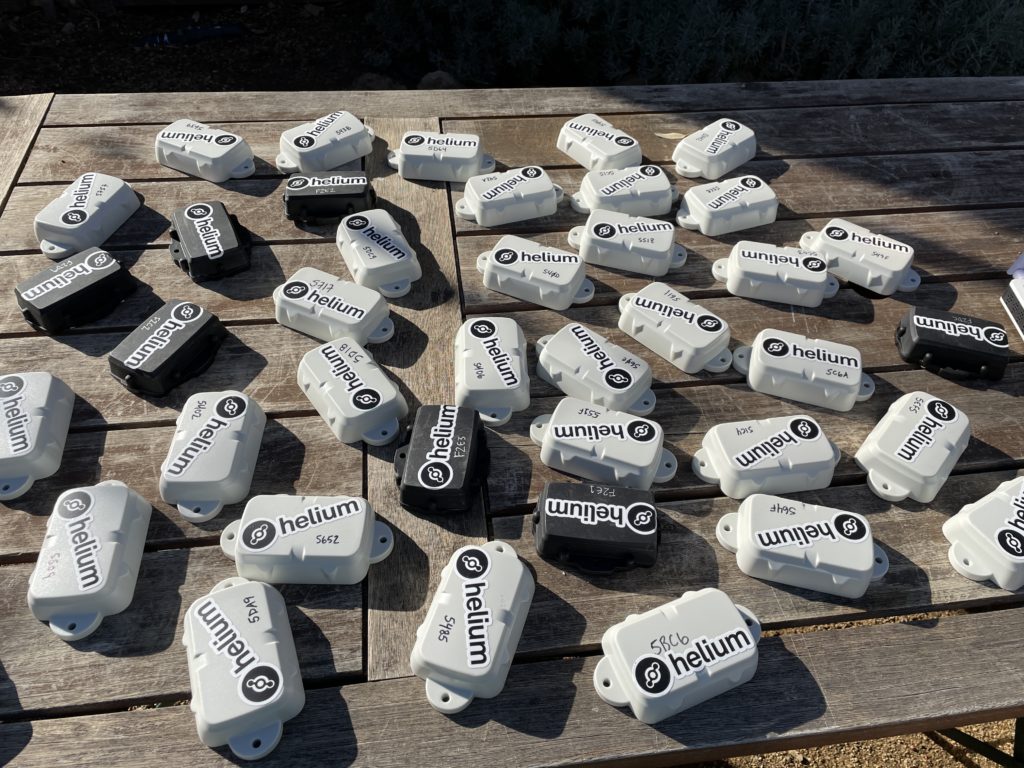
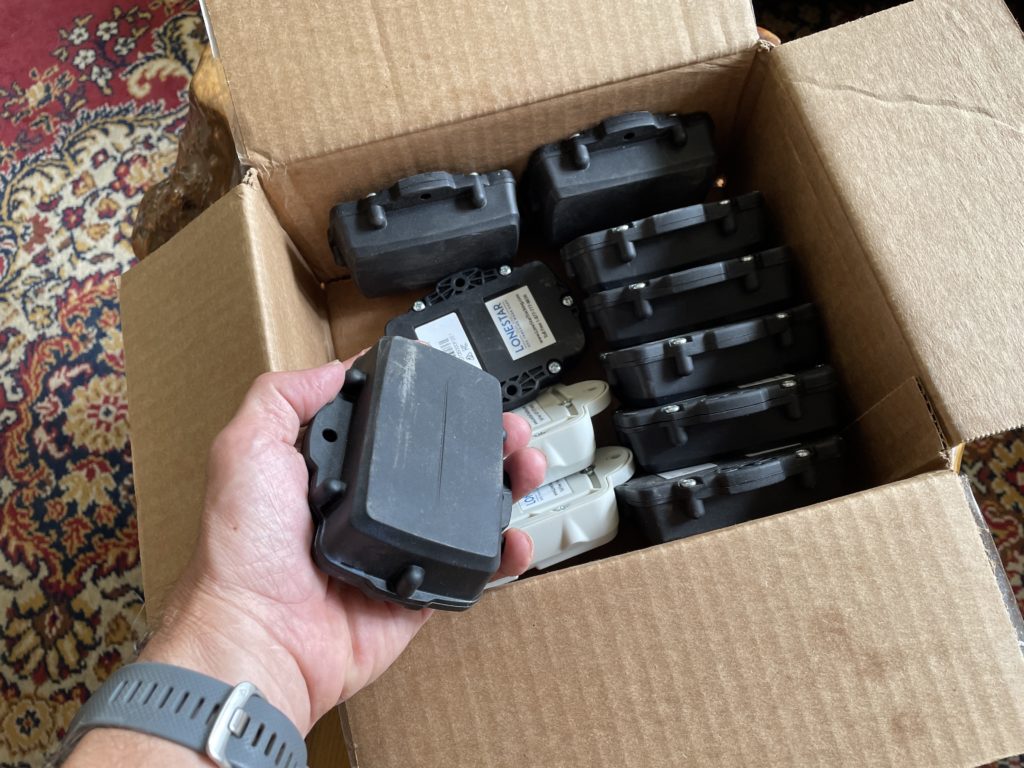
Let's start with the prep work. With 30 participants, I wanted to have more than enough trackers ready. My wife Lee & I prepped 40 Digital Matter Oysters, which were originally designed for vehicles but work well enough OTS (Off The Shelf) for paraglider tracking. Here they are after we'd gotten stickers on 'em, labeled 'em with a useful number, and put the GKI contact info on the back, in case anyone forgot to return theirs at the end of the day.

Yes, I used a driver to pull the back plates off all of 'em. At 6 screws each that would've taken forever manually.

The next step was getting up to Ojai, where the race would be held. Lee & I loaded up the truck and headed north, arriving in the evening at The Hummingbird Inn. The next morning I laid out all my gear for initial function checks. So far, so good.

One thing I was doing as a test run this time was running a mobile hotspot, Late Rainbow Bee. I built a Data Only Hotspot using directions over on the Helium site and using a Dragino LPS8, a RUT240 cell modem, and small Goal Zero Yeti 200X battery I had laying around from another project. On this project I wasn't able to get it to pass data via the RUT240, so work remains to be done. Probably an issue with the RUT240 setup. Still, that in and of itself has been a fun little project. Ok, onward!

I rallied fellow San Diego pilot Kris Souther to head up with Lee & I to place the two GKI Hotspots, Atomic Blood Wolverine & Fierce Honey Badger. We bumped over a bunch of dirt roads together and got everything sorted out.

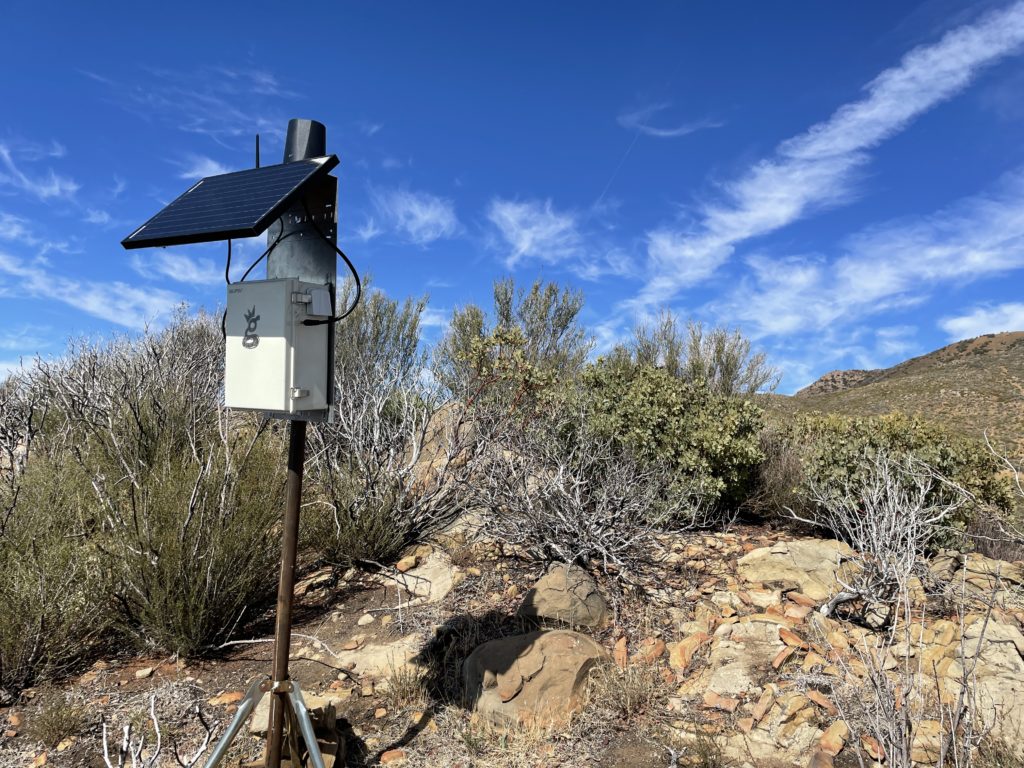
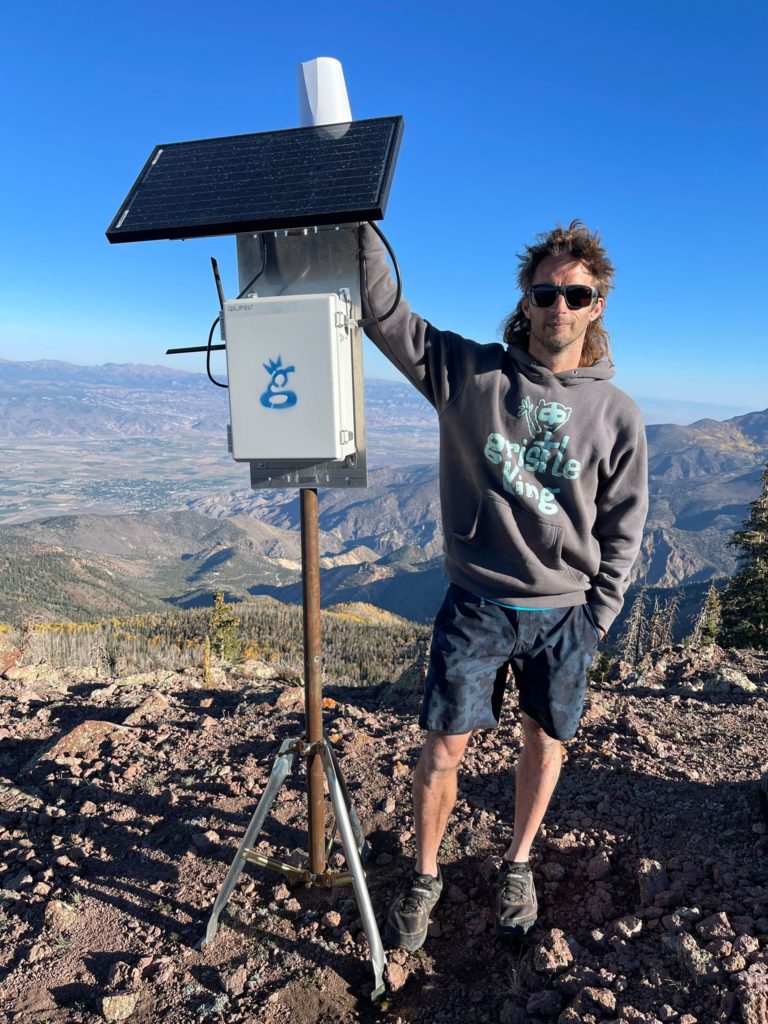
Here's the Badger over by Chief Peak. For those of you way into building these things, this is a slightly older build mode (directions here). Notice the RP-SMA connector (not an N-type) for the bulkhead connection. N-types are way sturdier. That's 3' of LMR400 cable, a 30 watt panel, and a 20 Ah battery. Oh, and of course, an HNTenna.

Once the Badger was up we drove the long and rough road over to Nordoff, which had stunning views, a fire observation tower, and a paragliding launch.

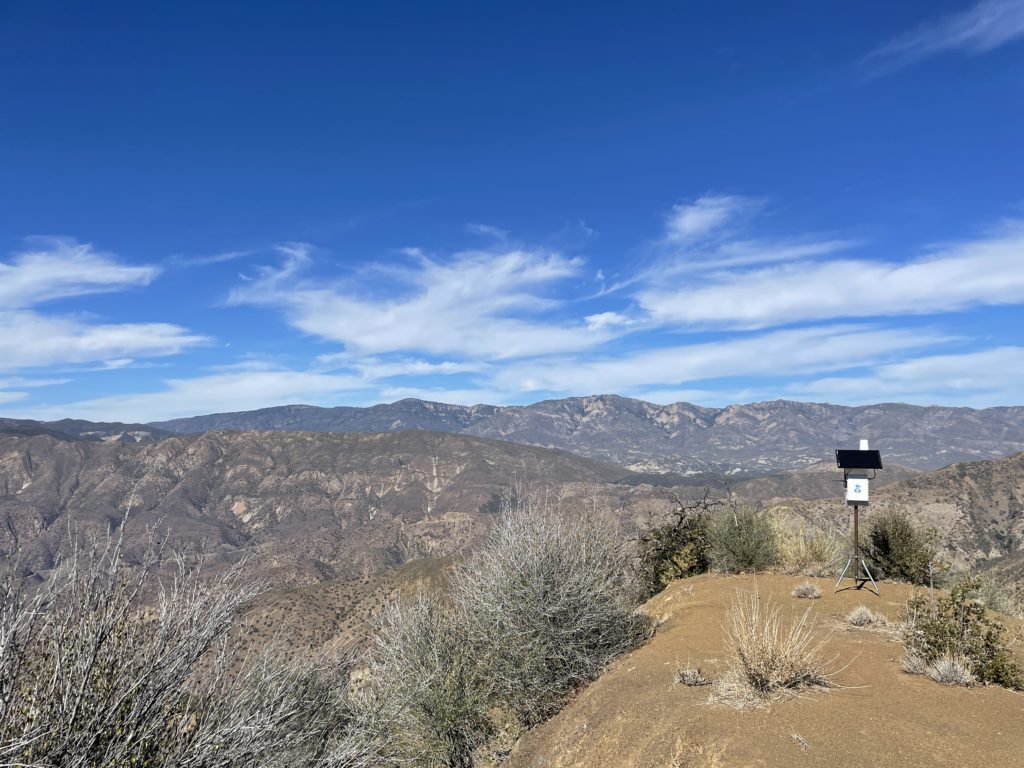
I set up Atomic Blood Wolverine on a flat spot with giant views, and our work was done.

Kris brought along his wing, and once ABW was up, laid out his wing and launched off Nordoff Peak.

Lee & I drove back down, and I checked in on my two hotspots to make sure they were running. One wasn't, most likely due to no cell signal. One of many lessons learned was to make sure I check the function of the cell modem and the hotspot BEFORE leaving the thing up and running.

I spent the rest of the afternoon checking and re-checking all my trackers, needing to shake a few of 'em to get them to connect (movement triggers a radio transmission). Tommy over at LoneStar Tracking was super helpful walking me through basic troubleshooting processes, and by the end of it I had all the units I needed for race day.

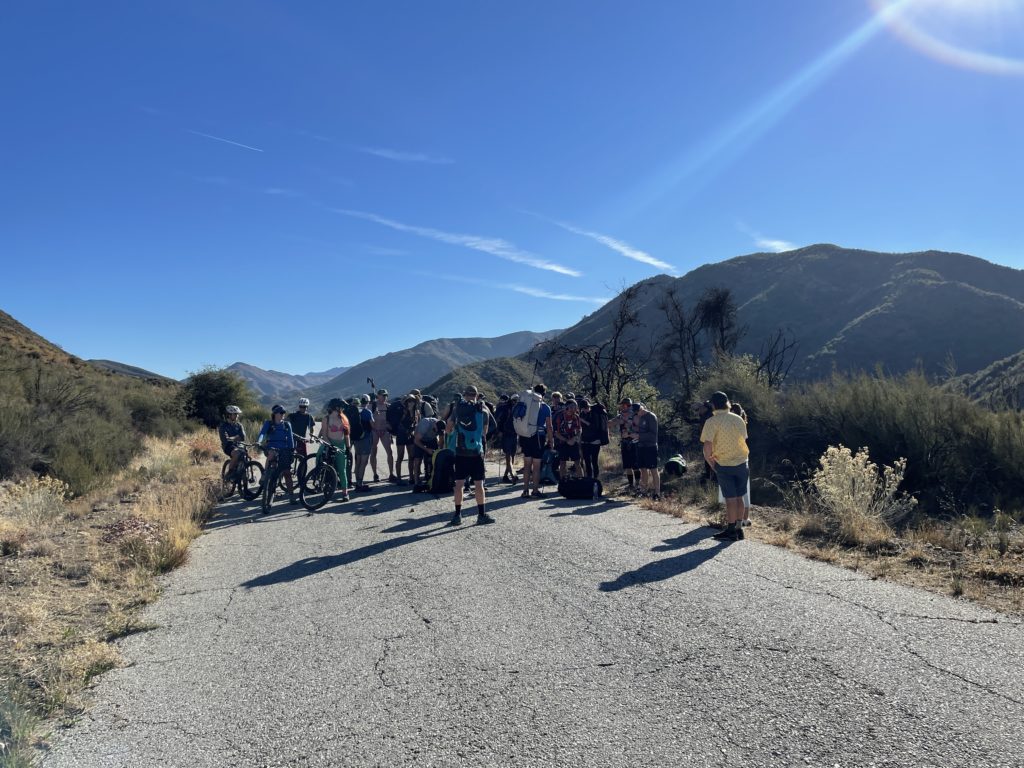
Lee & I got up early Sunday morning and drove over to the meeting point to hand out trackers. I gave a brief overview to the racers about what was happening, what Helium was, and the benefits & shortfalls of a custom deployed LoRa tracking system, then I turned off "Gristleking" mode and went into athlete mode. Here's the start line down on Rose Valley Road.

We had a couple of mountain bikers as part of it, they biked the whole thing, which was pretty cool. A few of 'em even carried trackers!

From there it was a straight grind fest to gain the ridge, including some off-piste action within minutes of the start when we missed our turn off. That's how adventures go, right?

https://youtu.be/BAPwteMjLkc

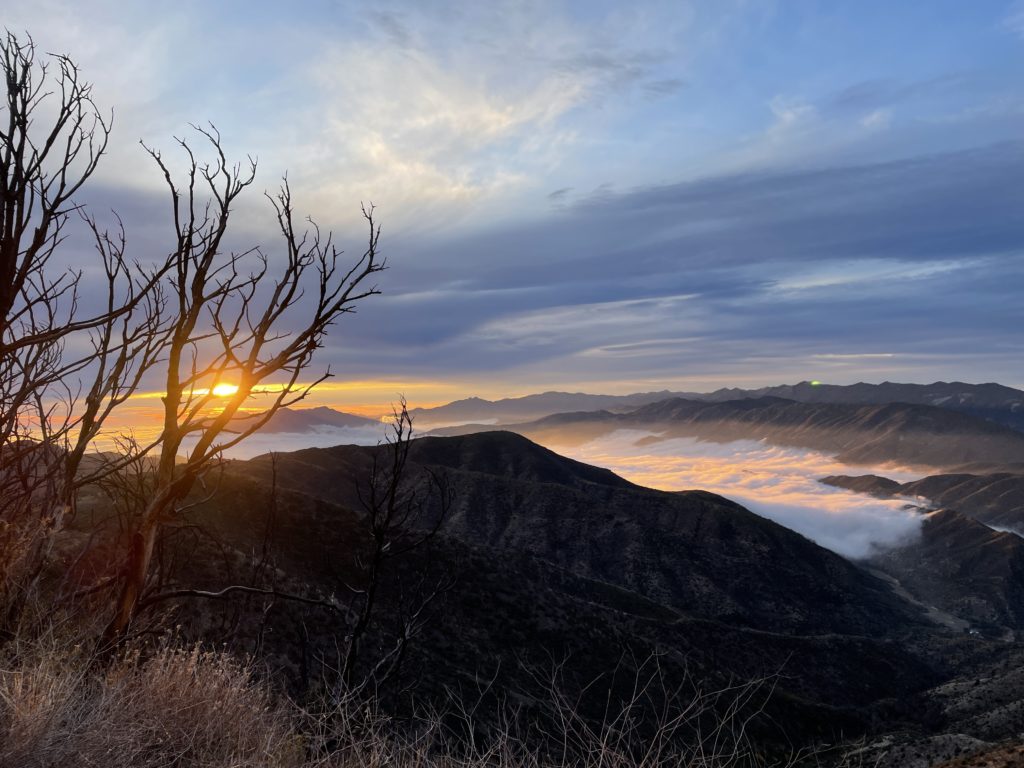
After managing to land in thick brush unscathed and yet tear up my wing so badly I needed to buy a new one, I packed it all up, hiked down 6 miles down Gridley Trail to meet Lee, and we drove around for almost 4 hours picking up the hotspots back in the mountains. Dirt roads are slow going! The sun was setting and the marine layer was rolling in fast as we came back down the mountain.

Lessons Learned

  • easier way to power cycle the trackers is needed, both to save battery & as a function check
  • always check a remote hotspot BEFORE walking away from it
  • the Data Only Hotspots are a neat idea but require a fair amount of geekery to get going
  • without cell signal (or some kind of internet connection) your hotspot won't be useful
  • simple method of having a written chart to keep track of (no pun intended) who got what tracker worked really well
  • it takes a ton of time to get to some of these places. You probably want to be on site at least 2 days early
  • prior map study and thinking about coverage is essential; need to shift out of "High Earning" mode and into "Best Coverage" mode

Hope that helps YOU as you deploy and use the Helium Network. Here's to all of us growing and crushing it together. Rock on!

Archived Comments

Joseph Campos - 11/15/2021

Nik, great post. In my mind it appears a major limiting factor is the deployment of the miners due to the time/energy required to get to each location. I have spent the last year learning the in's and out's of Digi's Xbee modules, specifically leveraging their ability to do mesh networking. It would mean pivoting away from the Helium side of things, but think if each user's tracker through the mesh network provided connectivity for other users. You can still use the same central gateway with a cellular backhaul (I actually was able to create a standalone xbee compatible solar cellular gateway that is about the size of a brick), but the differentiator is leveraging the whole team to achieve dynamic connectivity. Once people are up in the air, they become your best located "hotspot" because they have the elevation advantage. Current Digi's most user friendly programable module is the Xbee3 (https://www.digi.com/products/embedded-systems/digi-xbee/rf-modules/2-4-ghz-rf-modules/xbee3-zigbee-3), but it uses 2.4ghz. They are suppose to be launching a 915mhz version in the next few months (hopefully) which could be a game changer for this application. I have created custom modules for another application (mine measure something else so they don't have GPS) that fit in the palm of your hand, use mesh, and can last all day on a rechargeable battery so I think achieving a similar form factor to the oyster is possible. I'm happy to brainstorm if you are interested.


Helium Deployed: The Network In Action

· 12 min read
Nik
Site Owner

Our pilot project is complete, and boy have we learned a ton from this one! While many are still focusing on earning HNT for Helium Hotspot deployments, the obvious move for those of us interested in longevity is actually USING the Network.

Over the course of a week, supported by Tommy and Ryan at Lonestar Tracking, Matthew at Digital Matter, Travis at Helium, and Jeremy C (@jerm on Discord), I deployed 2 off-grid Helium Hotspots high in the mountains of Utah (one at over 8,000' and one above 11,000') to track 30+ paragliders as they flew during the annual Red Rocks Fly In as well as raced during the inaugural X Red Rocks Hike & Fly race.

I've written about the prep for that here, as well as how paragliding got me into Helium. For now, let's follow along with what it looks like when you actually deploy Helium Hotspots for real world usage.

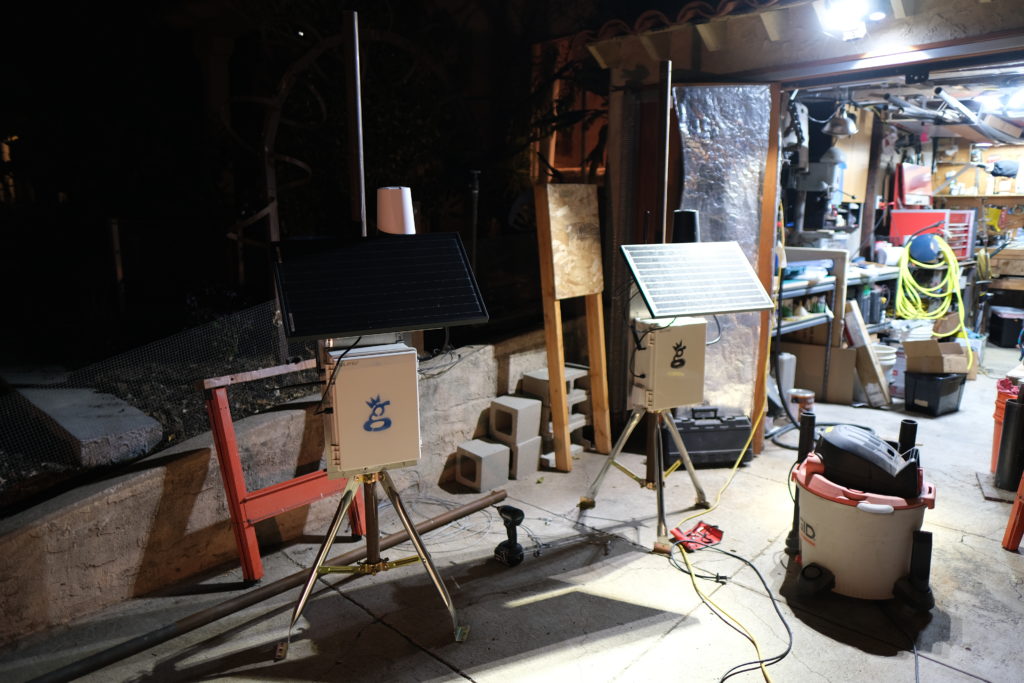
It started with the usual last minute scramble to get everything ready for a big project. The night before I was out in the shop cutting masts and prepping enclosures to make sure I had everything ready for a big week! During the past year, I've learned a bunch about getting these things out in the wild. The latest improvement I learned from a client (thanks Dave H!) was using these little tripods for a "plant it anywhere" setup that's easy to carry.

When you get where you're going, just fasten the tripods into the ground with long lag bolts and you're set!

The trackers I used were Digital Matter Oyster trackers, about 160 grams and the size of a few phones stacked on top of each other. The advantages these trackers have is that there aren't any buttons to turn off or on, the battery life is measured from weeks to years, and they're pretty rugged. Originally designed to track vehicles, they were an excellent step in the direction of tracking far less predictable things. A paraglider has the entire sky within which to move.

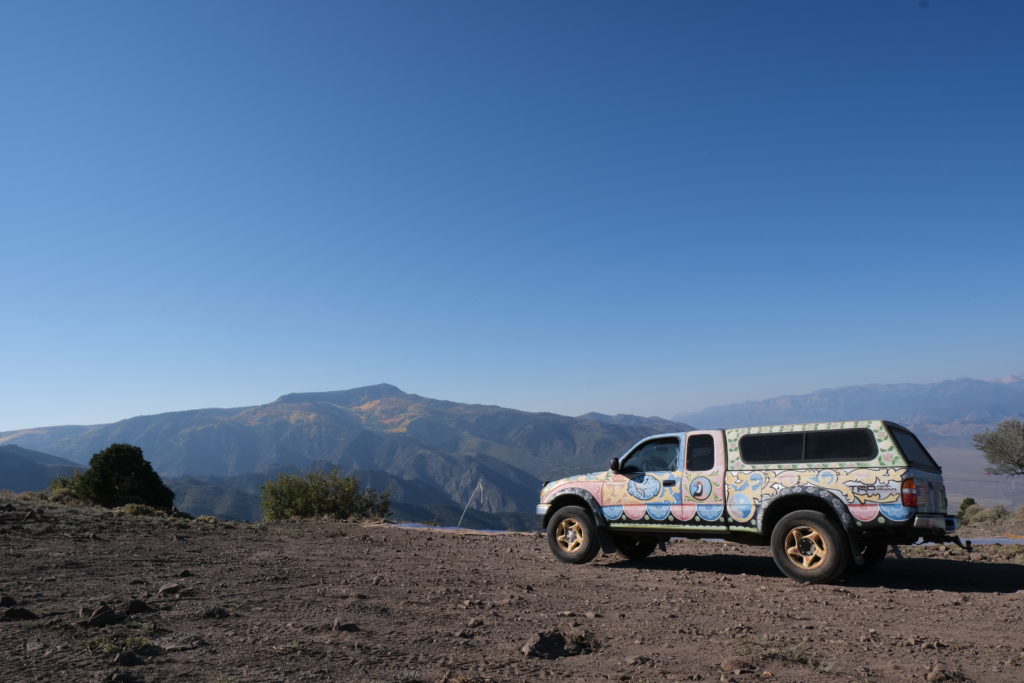
I arrived late Friday night into Monroe, Utah, then met up the next morning with Stacy Whitmore, president of the local flying club, CUASA. We jumped in my truck (which is pretty easy to pick out in a crowd) and headed up to place the two Helium Hotspots, one at Cove Launch, and one on top of Monroe Peak.

Cove was first up, and after a 40 minute drive up a rough road, we arrived at a truly glorious place to put a hotspot. With a view of the Sevier Valley to the north and south, it was an excellent first step.

https://youtu.be/qsoJ-\_zuxrU

As you can see in the video above, these 2 hotspots weren't the only ones providing coverage. Since pilots can get up to 18,000' (the legal limit) the trackers have a clear line of sight..everywhere. We were seeing 80+ mile sensor communication to the gateways, which is impressive!

With the gateways set up, it was time to start flying!

https://youtu.be/ijnTEm6Mrf8

As I handed out trackers to paragliders and watched their progress through the sky, a few things became clear.

First, the Network works. While the tech can be complicated and the whole thing is not yet push-a-button easy, it does work. That's rad.

Second, the deployment pattern of Hotspots becomes far more important when you start to optimize for Network coverage and not just earnings. I jumped at the first two locations because both were high and had great views. It worked, but there were plenty of coverage holes that I could've filled in with a different pattern. When I cover this event next year, I'll use 2 or 3 more hotspots and place them in a ring around the valley rather than on just one side. I'll also use Kudzu to estimate coverage, which was something I'd wanted to do but ran out of time.

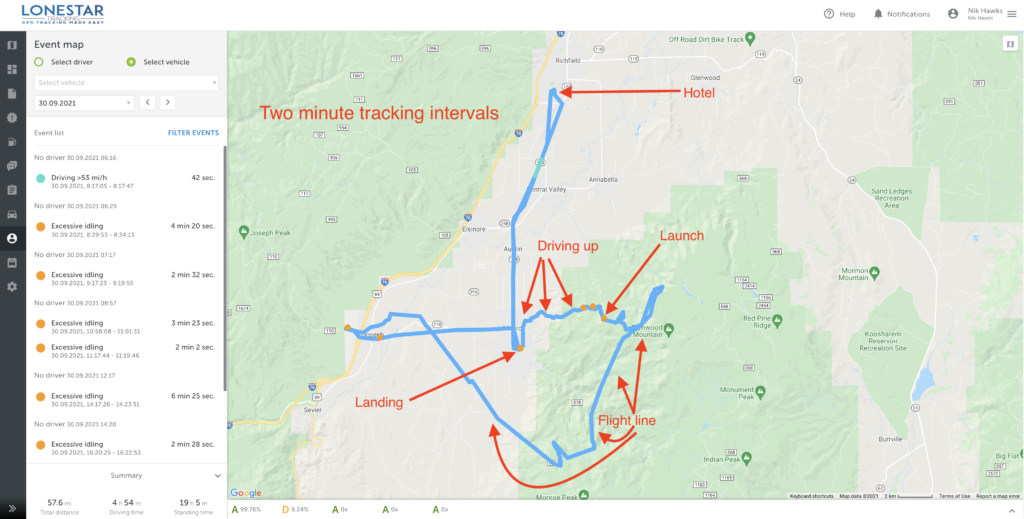
Third, using vehicle trackers to track paragliders is an excellent start, but free flight pilots in general (paraglider and hang gliders) need a few options that we hadn't configured in the trackers. Here's an example of the day in the life of a tracker, from the time I handed it out in the LZ (landing zone, which is where pilots in Monroe usually meet to start the day) all the way to the end of the day when the pilot went back to their hotel.

Before going further, I want to make it clear that this was a pilot program. This is NOT what the end product of a free flight tracker will look like. The goal of this project was to see what was possible and where we needed to improve.

Most of the improvements can come from better Hotspot placement and configuration settings within the tracker. Some improvements specific to free flight will come from hardware modifications. We started off with 2 minute intervals and eventually got 'em down to 30 second intervals by the end of the week. While that pushes out more *potential* data points, if you don't have coverage from a Hotspot it doesn't matter how much data your sensor is pushing out; it won't get seen.

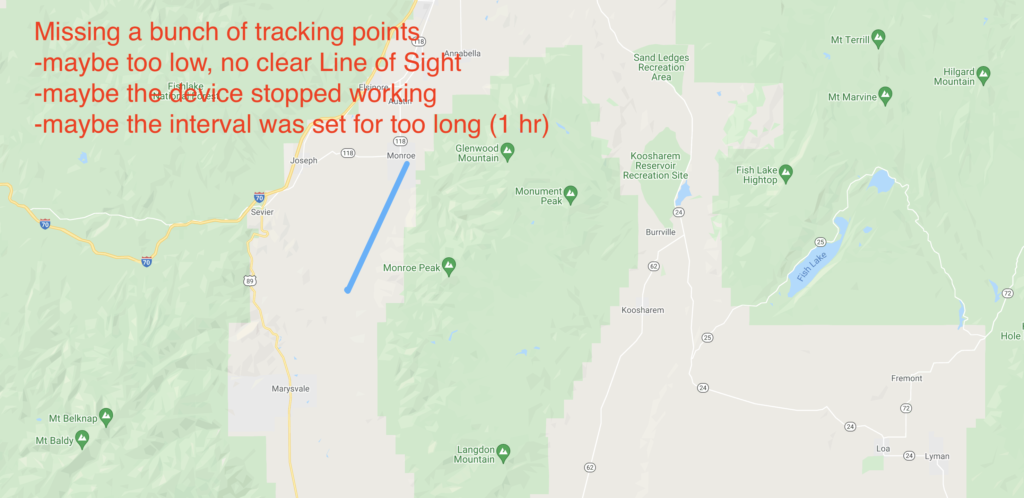
A bunch of things can go wrong. The interval is important; if you set it for an hour you'll have a battery life measured in years, but for a 2 hour flight you'll only get 2 data points, like this:

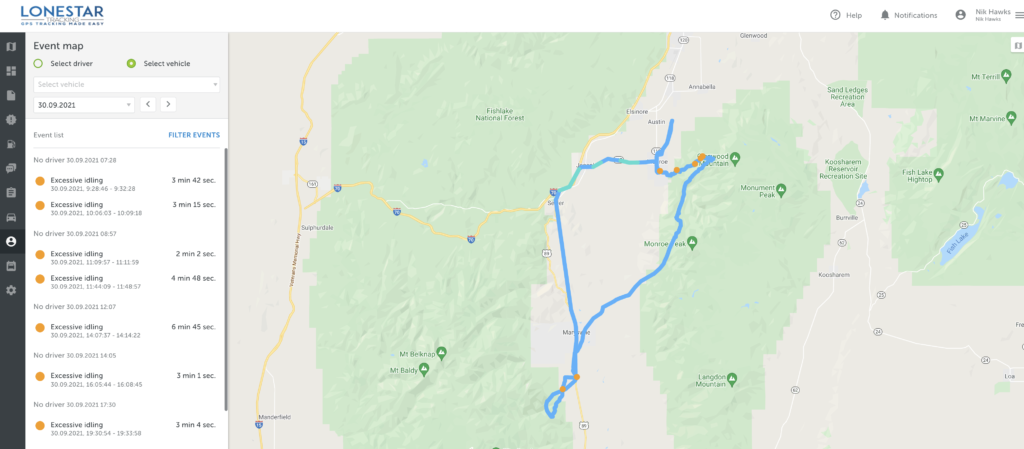
Here's another pilot who did that same flight but had a tracker with much shorter intervals. You can see the difference it makes!

The configuration settings presented an additional set of challenges. For paragliding, I wanted a tracker that could be found if the pilot either had an emergency and landed conscious (and able to push a button), or landed and was unconscious. These trackers were set up for long battery life, so once they stopped moving for a period of time they went to sleep. That's very useful for tracking vehicles on land, but not very useful for paragliders flying in adventure country.

Keep in mind that these trackers only report their positions if they can communicate with a Hotspot. No Hotspot, no comms.

Going to sleep once movement has stopped presents the issue of not being able to be found if a pilot crashes and is unconscious or just not able to move. The solutions for solving that could be creating an on/off button for the tracker so that you can conserve battery at home, when you don't need to be tracked, but push out signals every 2 minutes when you go flying.

The rad aspect of creating off grid Helium Hotspots is that you could put a Hotspot in a helicopter and fly a search pattern with a very wide "bubble" of coverage. As long as trackers are on and pinging, you're very likely to find them. This creates another potential solution for "crash detection" in trackers where they'd continue to ping at 1 or 2 minute intervals if they detected a sudden stopping of movement.

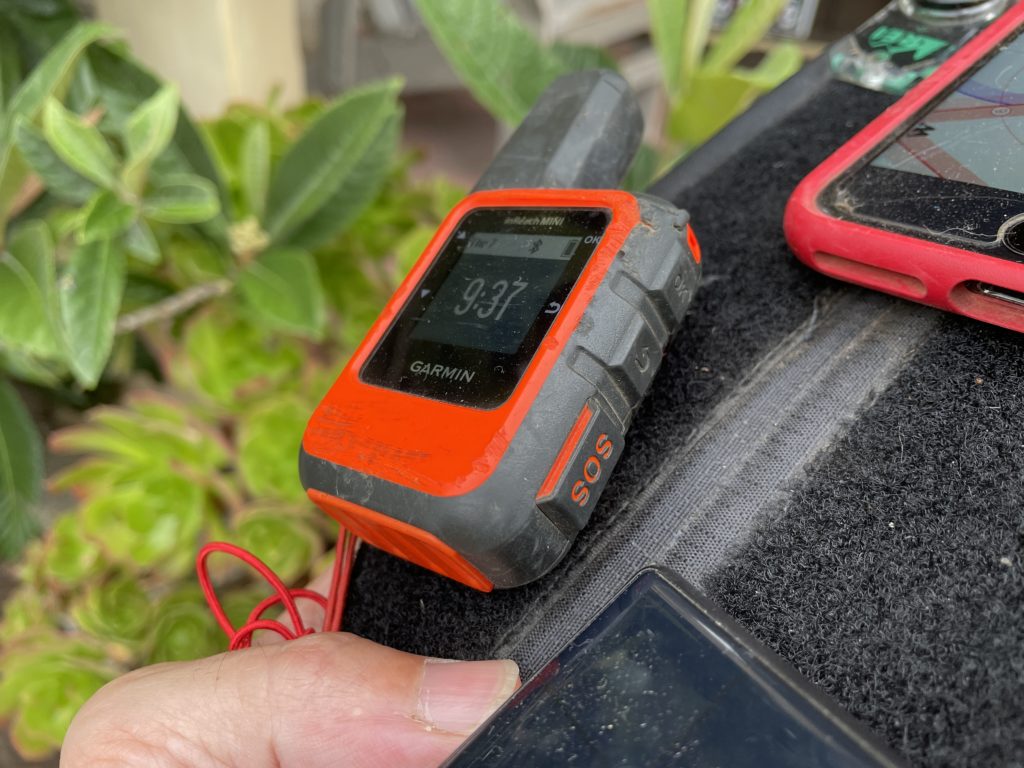
Finally, this project brought to light the usefulness of an "emergency" button, just like you have on an inReach mini.

You might ask, "What's the point of having another device that does the same thing?" Well, there are three good reasons. First, when working in high consequence environments, a basic rule of safety is "Two is one and one is none." Having a backup can be the difference between being found within hours of a crash and not being found for days.

Second, because these two devices work using different technologies, they offer a wider spectrum of "findability." While an inReach can be found by communicating with satellites, if it's deep in a canyon and doesn't have a clear "view" of a satellite, it becomes less useful. A LoRa tracker, on the other hand, puts out an omnidirectional beacon at a minimum range of 60 meters in dense brush and a max range of 80+ miles with clear line of sight. A helo carrying a mobile Helium-compatible Hotspot can fly around and provide a bubble of fairly focused coverage, greatly speeding up the tracking possibilities.

Third, as gruesome as it sounds, if you auger in and hit hard, the impact is likely to break not only your bones but also the electronic tracking devices you're carrying. If those electronic devices are on opposite sides of your body, it is more likely that at least one of them will not bear the full force of the impact and will remain trackable. I know, ugly and terrible, but also practical.

Practicality is the watchword here. The long term health of the Network is based upon the usability of it. Projects like these, where we put sensors and gateways (Hotspots) out into the wild and see how they do, go a long way towards all of us leaning how to use this fantastically cool technology to improve our lives.

If you'd like to see the presentation I gave at the 2021 Red Rocks Fly In about Helium for paragliders, here it is:

https://www.youtube.com/watch?v=MsNQa0fL0WI

My entire involvement with Helium started with a lost paraglider, but finding lost paragliders is just a beginning. I am super pumped to be on this journey and to share as much as I can with you, so that together we can build a superbly useful tool for whatever problem you want to solve. Here's to safe flying, to useful Networks, and to advancing our knowledge and understanding that this giant new realm of IoT opportunity available to us all.

To life!

Resources

Feel free to reach out to any of these companies for help with your projects, and of course, tell 'em the Gristle King sent ya! :)

Lonestar Tracking - Based out of Texas, Lonestar makes it super easy to buy devices and start tracking whatever you'd like.

Digital Matter devices

Helium Network

CUASA - Central Utah Air Sports Association - If you have hotspots you want to place off grid, this crew is way open to having you put them up on high sites around the Sevier Valley. Reach out to Stacy or Jeff to see if you can work with them.

If you're looking for work in the Helium ecosystem, please check out this rad project I'm a part of called Helium Jobs. You can post and find jobs there, help support the ecosystem by making it easier to connect professionally, and let the world know that YOU exist and want to help contribute within the Network. Rock on!

Archived Comments

Mario - 10/10/2021

Inspiring. Dreaming of the day when I finish setting up my helium miners (for good) and start to think off, how can I, using Helium network, make other people's life easier/better. :)


Joseph Campos - 10/12/2021

Great job Nik! Your passion shows and it is awesome that it is aligned with helping keep people safe. Good job in the presentation video, you do a good job of explaining what can be a complicated subject sticking to the "why" the group would care.


Nik - 10/12/2021

Thanks Joseph, much appreciated!


Reports From The Field: Tracking With Helium - Gristle King - A Guide to Helium - 11/2/2021

[…] up was to pro­vide cus­tom track­ing for race par­tic­i­pants. Hav­ing recent­ly done the very first paraglid­ing track­ing event up in Utah, for the X Red Rocks race, I man­aged to avoid a few mis­takes, repeat a few more, and learn a […]


Precios Louzado - 11/8/2021

great job. Is it possible to integrate 3rd party appliances on helium devices as a hub for transacting on the blockchain.


Nik - 11/8/2021

You should be able to use just about any sensor. Helium maintains a list of "Helium ready" ones here.


Cody - 5/5/2022

You are doing incredible work Nik. Appreciate you sharing.


Nik - 5/6/2022

Thanks Cody!


Is Helium A Better "Last Chance"?

· 12 min read
Nik
Site Owner

I got into Helium accidentally. I was looking for a way to find and communicate with other paragliders out back of beyond. I had participated in a Search and Rescue for a well known paraglider out in remote Nevada at the end of summer 2020.

The missing paraglider pilot (James Johnston, aka Kiwi) had GPS and a cell phone, and it still took hundreds of people, including hunters, hikers, bike riders, ATV mounted search parties, planes, helicopters, drones, and satellite imagery 30 days to find him. Here's a 20 minute presentation on just the crowd-source satellite imagery side.

https://www.youtube.com/watch?v=2UgtrcyWreE

I flew up with my friend David Hunt in his small plane to help with the aerial search. We left early in the morning on the third day after Kiwi was reported missing and it became clear that the more people searching, the better.

We got bumped around in turbulent Nevada desert air for a few days before flying back to San Diego without having found the missing pilot. For almost the entire journey, David and I talked about better options for being found. Should we have a backup GPS, or was there another device or technology that could be useful? We found Recco Reflectors, which are useful if a local SAR crew has a helicopter with the technology, but...not many crews in the US have that.

Then another paraglider pilot and buddy of mine, Zach Armstrong, stumbled across this thing called LoRa. LoRa stands for LOng RAnge, and is the radio protocol used by Helium. As we searched around the internet for more on LoRa, we found two cool options. One was Meshtastic, a system designed by a paraglider that used LoRa to form mesh groups of communications nets. You and your buddies can all talk to each other across long distances using devices you build.

We built a couple devices and tested 'em out, thinking of them as a good option, but to be honest, pretty fiddly.

I found a way to 3D print cases locally, made a couple more devices and handed out my extras to local pilots to test while we flew in the mountains. They weren't easy to use unless you really like to tinker. Not everyone does.

Then I stumbled on Helium. It came up when you looked for "LoRa" back in August 2020 on the Googs. I'd been involved with crypto before, so I wasn't afraid of it and didn't think it was a scam. I saw a Helium "Hotspot" down the street from my house earning a tremendous amount of HNT, or Helium Network Tokens. That caught my attention. I got onto the Helium Discord back when you could read through every thread from the start in about a week and a half, and did just that.

Serendipitously, Helium opened up a DIY program at about the same time, where you could buy the parts to make your own Helium Hotspot and onboard it onto the Network. Along with my buddy TJ Ferrara, we applied for and received "alpha codes", then dug into how to actually use the things.

Here's TJ getting our first one online.

Here's TJ up on my roof, putting the finishing cable management touches on that first miner. We were so pumped to have one up and running!

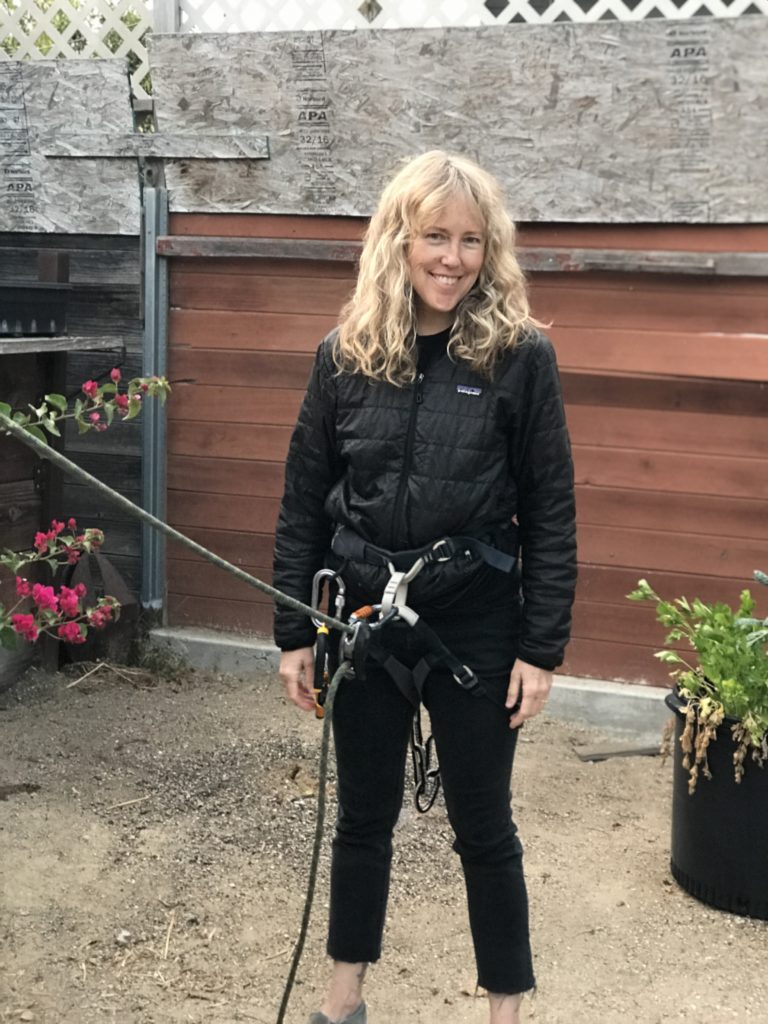
Of course, I had to constantly tinker with it (it was all new and exciting), and the pole was too much for me to manage safely by myself, so I hooked my wife Lee up to the pole with a climbing harness and rope, and she patiently belayed the pole as I tilted it up and down to dial in the hotspot and antenna at the top. She's seen my many phases of crazy, and she gamely went along with this one.

Ok, so that got us into Helium, but how does that relate to paragliding?

Well, with our first hotspot done, I set my sights on getting an antenna way out in the mountains near my favorite paragliding spot. It'd provide us a way to test Helium Network coverage and see if we could use trackers to, well, track paragliders.

We started with Helium Tabs, but those left something to be desired. Form factor = cool, Performance = Not so much. I put one on my new bike and it managed to stop tracking within about a day.

I started ordering parts to build a giant off grid setup. I was so excited about the whole thing I'd send blow-by-blow videos to my Dad.

https://youtu.be/whRloJZ\_9RE

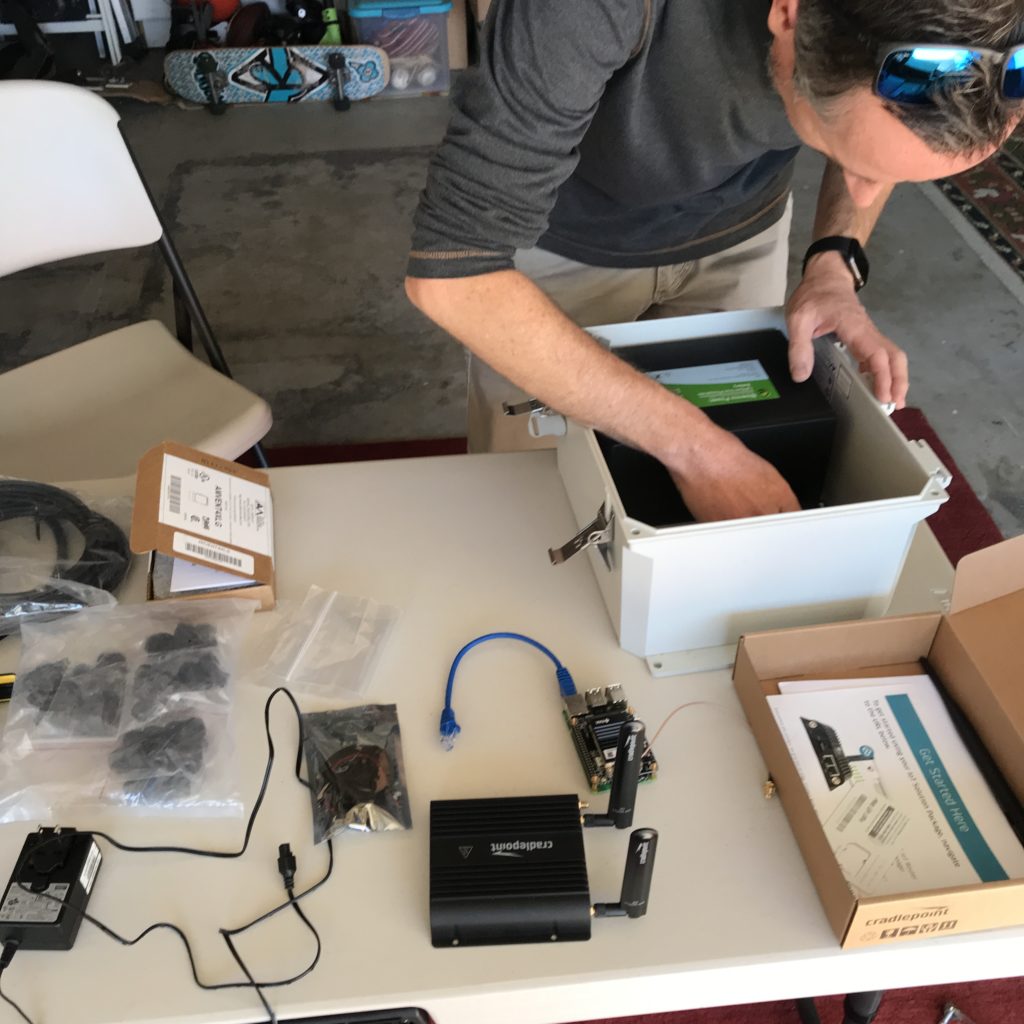
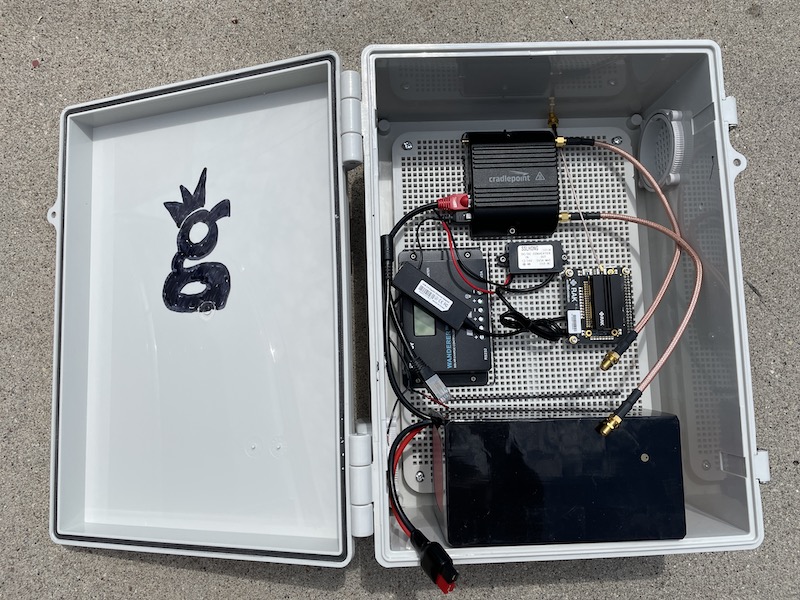
Guided by Paul over at Tourmaline Wireless, who drilled the holes and walked me through the layout, I got the first hotspot put together and ready to hike in. Here's Paul sussing out the best interior setup in his shop.

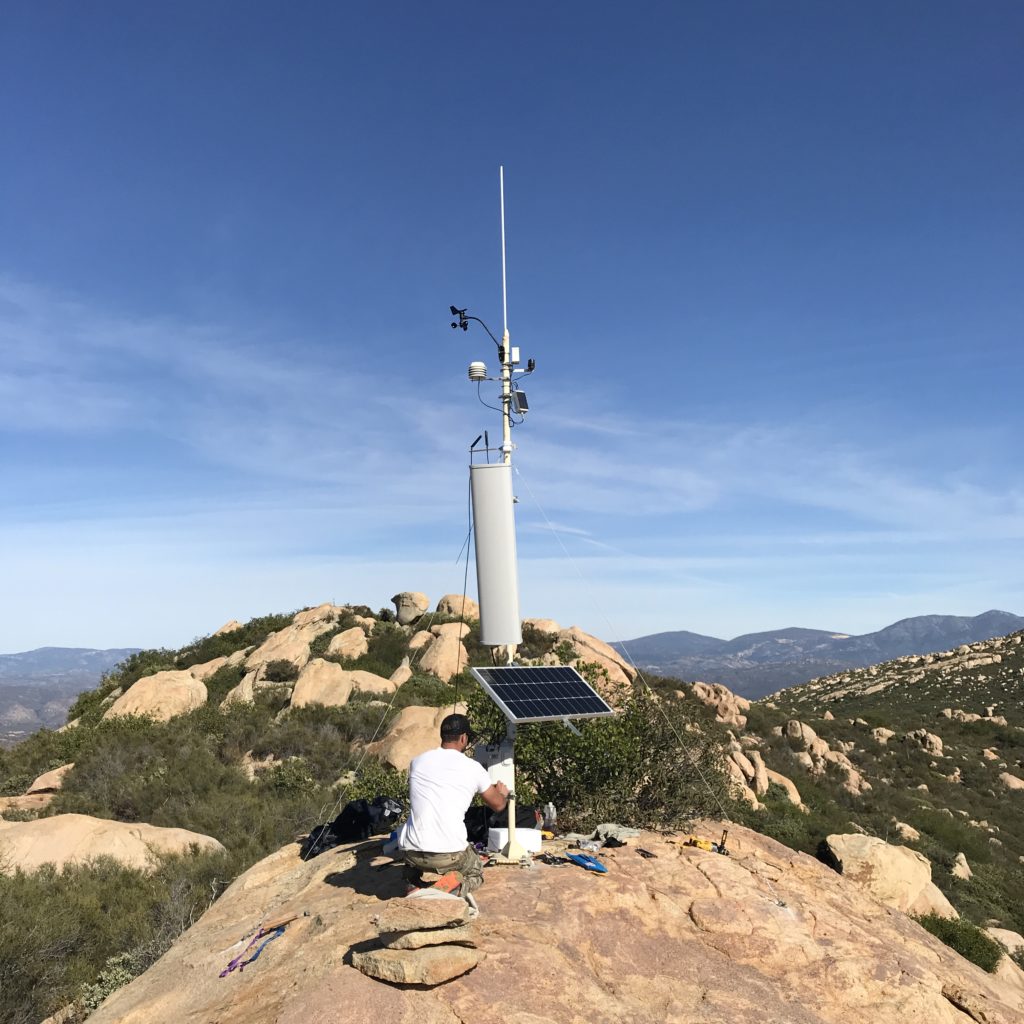
I got permission to place the thing on a mountain the backcountry of San Diego, then TJ & I hiked in 60+ lb backpacks filled with gear and set the thing up. Fun, and unfun. It was a giant antenna that I didn't need, plus more solar panel and battery than was necessary, but it was my first one. I ended up having to dial the antenna gain down with software, a project that introduced to some really cool and competent people (looking at you, @jerm on Discord), and it taught me a lot about what you actually want in an antenna vs what looks cool.

With the off grid hotspot in place and providing coverage from the Mexican border up to north of Los Angeles, I figured we could start testing tracking, but I needed more rugged tracking devices. I turned to Lonestar Tracking and bought a few Digital Matter Oysters from them along with a tracking subscription plan.

I handed out the devices to local paragliders, and we tested them. They worked (I've written about these tests over here.)

So that brings us now, October 2021, a year after the Kiwi SAR, to the Red Rocks Fly In and the XRed Rocks. The Fly In is an annual gathering of paragliding and hang gliding pilots, over 300 of us! It happens up in Monroe, Utah, and is a week of sharing the skies with other free flight enthusiasts. This year, there's something new: The X Red Rocks.

X Red Rocks (XRR) is a paragliding "hike and fly" race organized by one of my free flight heroes, Gavin McClurg. Gavin has participated in the super gnarly hike and fly race called the The Red Bull X Alps, held in (you guessed it) the Alps. He wanted to share that joy (and the joy of type 2 and 3 fun) with the rest of us back here in the US, so he put together the XRR.

In fact, it was Gavin's movie, The Rocky Mountains Traverse, that got me into paragliding back in 2016.

Unlike the month long journey that Gavin went on, the XRR is a 3 day event where, each day you hike up into the mountains to a launch with your paraglider, unpack, unfold, and launch off the mountain, fly as far as you can and land, then pack up, hike up, unpack, unfold, and launch again until you've finished whatever the day's task is.

Of course, I registered for it. :)

I wanted to participate, but I also wanted to combine business and pleasure, and to give back to both my free flight (paraglider and hang glider) community as well as showcase what Helium could do.

The way this event is set up is basically the reason I got into Helium; flying in remote to semi-remote areas without perfect cell coverage.

I wanted a way for my paragliding community to have a third option, maybe a last chance, after GPS & cell phones, to be tracked in case we got lost. I know that LoRa isn't a magic pill, and that it won't replace a Garmin inReach Mini with a global constellation of satellites, or telcos with their giant cell tower sites everywhere.

Still, it's a way for regular people, just like you and me, to deploy a wireless network that provides actual use. That is (pardon my language) fucking radical. I love radical things.

So, with this in mind, I rallied the troops. I called Tommy at Lonestar, Matthew at Digital Matter, talked with the Helium crew about what I wanted to do and why, and all of them very generously volunteered to donate time, materials, and expertise to the project.

I'll be bringing up 2 of my off grid hotspots, Helium is sending me a few of the off grid setups that Paul built for them as well as a bunch of trackers, Lonestar is covering tracking, and Digital Matter is providing enough trackers to cover all the rest of the pilots. If YOU want to be involved in some way, reach out!

I'll be driving up Friday the 24th of September and will spend the weekend setting up Helium Hotspots in the mountains around Monroe. On Tuesday the 28th I'll be giving a presentation on Helium to my paragliding community up in Richfield, UT (8 pm, swing on by!) and on Thursday the XRR kicks off. Ryan from Lonestar and Travis from Helium are coming up to help everything run smoothly and to answer questions, and hopefully to help convince free flight clubs that wherever we have a launch, we should probably add a Helium compatible hotspot to it.

I would love for you to follow along on the journey as we hike, fly, race, and use the Helium Network to demonstrate what a small, committed group of people can actually do. If you're in Utah and want to come help out with setup, troubleshooting, lending us a Helium Hotspot, or just participating in a joyous effort, please reach out or just post to comments.

Come along for the ride!

Archived Comments

Richard Ogden - 9/24/2021

Life is for living ! Well done fella.


Derek Clair - 9/24/2021

I am in Riverton (Salt Lake), and would actually be very interested in hearing/talking all the Helium things; willing to make the drive too if you’ll have me. What is the venue? Or an address, I’m there!


Nik - 9/24/2021

Hi Derek, 8:00 PM. Tuesday, Monroe City Park (Across from Bullies) Main St. Monroe.


FRED GARNER - 9/25/2021

Hi Guys I am in I have been trying to do just what you are going with Helium I am an aircraft and anything that flies on the airstreams I have track aircraft use ADS-b Sillite Radar in and out of airports and I and also a stock that misses with Crypto and that is how I got into Helium hots I am interested in helping people that are doing what they love and I want to help them stay safe would love to help that is all I do is track planes and would to help there is more to this whole thing. use my email I would love to talk. You every here of Mike Patty, Steve Fosit he died doing what he loved and they never found Him. I will do what I can do I have 3 gigs of bandwidth Please get back to me. FRED GARNER


Darin Johnson - 9/27/2021

I'm kinda like you. I found Helium by accident. I was watching videos on mining cryptocurrency, and one came up along the lines of "plug this box in and make money." Another one said before you get into mining something, do your research. What's the usage, is it covered by something already established, etc? So I watch more videos, and while some are talking about "optimum antenna placement" and the like, NONE are talking about what Helium can DO!!! So I keep looking around and when I finally found it, IT BLEW MY (language) FUCKING MIND!!!!!!!!!!!!!!!!!!!!!!!!!! Apple's AirTag just came out a few months ago and it's claim to fame is that other user's phones can help you locate your lost things. Imagine if Google, or Tile, or another company came out with a platform agnostic tracker that uses the Helium Network. All Helium needs is a little push, the right company making something that shows off the power of the network and it will absolutely EXPLODE!!!! I want to be there, I want to be part of this!!!!!!!


G - 10/6/2021

Hi Nik, Can you please give a reasonable explanation to the best of your knowledge how is this possible. And if so can your expertise replicate it? Thanks! G https://explorer.helium.com/hotspots/11ZMRjPTazmb9Gf2s4qpZCW5yEd9Bb1gbSUhGGiobxjDAfxTjve


Nik - 10/6/2021

Probably cheating. I can't/won't replicate cheating. :)


How To Set Up a RUT 240 for an Off Grid Helium Hotspot - Prepare for Challenge!

· 37 min read
Nik
Site Owner

With a generous assist from the folks over at HNTenna, here's a step by step method for setting up your RUT 240 (the cell modem that allows an off grid Helium Hotspot to connect to the internet.)

I'll start by saying that off grid set ups are not for the faint of heart, the easily discouraged, or folks who avoid challenges. You WILL run into challenges. Batteries will go bad. Miners will overheat. Your data plan will need to be far larger than normal (100 GB/month is what you want as of Nov 2021.) Don't do off grids unless you're willing to proactively solve those, usually on your own.


UPDATE -- OFF GRID DATA PLANS

The latest advice (25Nov2021) is to NOT do any of the below, but to get a standard SIM card plan (I know this doesn't sound right) of 2 GB @ 4G and unlimited at 3G $15/month T-mobile and let them be relayed.

If you're determined to still go forward with this, try Proslashers instructions for the 240, over here. If you buy a pre-built VPN from him, use gristleking at checkout for $10 off your order.


Off grid set ups ARE for folks who love rad projects, who are willing to problem solve, and who get more joy out of figuring shit out rather than having a plug 'n play solution handed to 'em. Nothing wrong with either one, but there's a definite success formula here that does not favor "Please do this for me" mindsets.

Before we dig in, let me make a semi-official disclaimer: This post is a set of guidelines that have been successfully used to set up a RUT 240. No one involved in this is offering any official support, though I'll help as best I can via the Comments section at the bottom of the post. If this setup doesn't work for you, please do NOT DM me. Post to comments so we can all learn from your challenges.

Teltonkia (makers of the RUT240) have recently posted a video on how to set it up. I'll leave our old guide in here for posterity, but here's how Teltonika recommends you do it:

https://www.youtube.com/watch?v=ek\_moDNr5Is


The "Old" Way (for Posterity only, we no longer recommend this)

Start by turning off your computer WiFi, then connecting your computer via an ethernet cable to the RUT240's LAN port. I used an adaptor to get from Ethernet to USB-C; you can get those on Amazon.
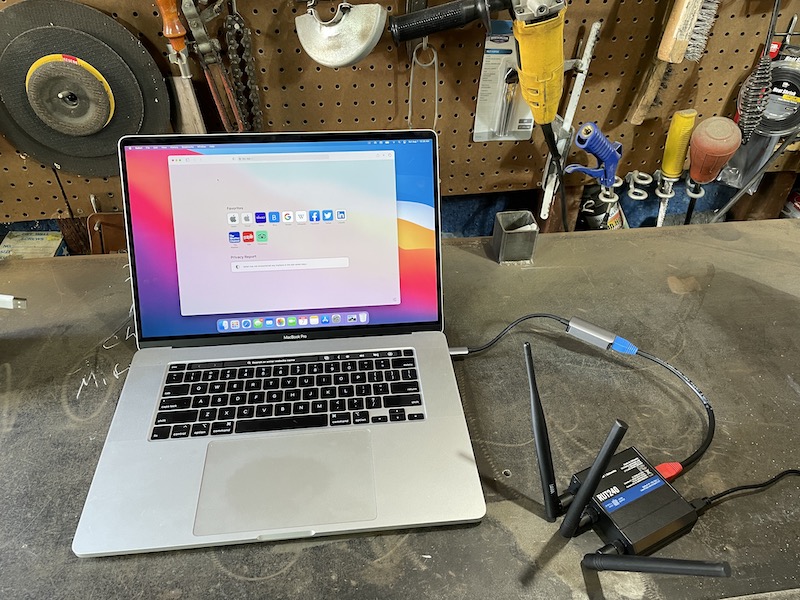
Power up the RUT 240. Wait.

On your computer, navigate to 192.168.1.1 in your URL.
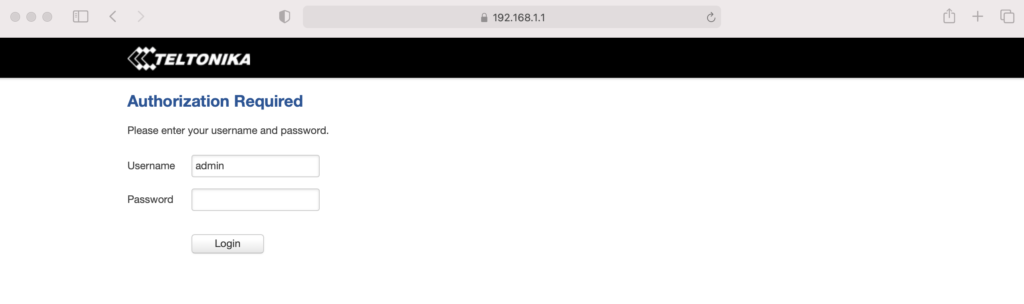
Enter admin01 for the password and click the LOGIN button.

You will be prompted to enter a new password. Do it, then click SAVE. Keep in mind that the modem can take a while to "think", so just be patient after you hit SAVE on this, and any other screen.

You now have 2 options, one simple, one complicated. They have both worked. Try the simple one and see if it works. If it doesn't, try the complicated one.

Option 1 - Setup Wizard

System —> Setup Wizard —> 

Step 1 

Set local time, enter password

Step 2

Uncheck Auto APN

APN —> Custom—> [enter your APN if you got a static IP]

Step 3 —> Skip

Step 4 Wifi —>

WiFi SSID: [Name it whatever you want]

Password: [your password]

Leave WiFi enabled for now, it’ll make setup easier later on when the system is installed, you’ll just need the laptop to access it.

Write down the Router Serial & MAC address, then log into to rms.teltonika.lt

Add Device using the MAC address & Serial number

Go to System Management and look for:

Reboot

Select auto-reboot every 24 hours by checking every day of the week.

Log out. You're done.

Option 2 - Let's Get Geeky: Not true static IP, but static DHCP lease

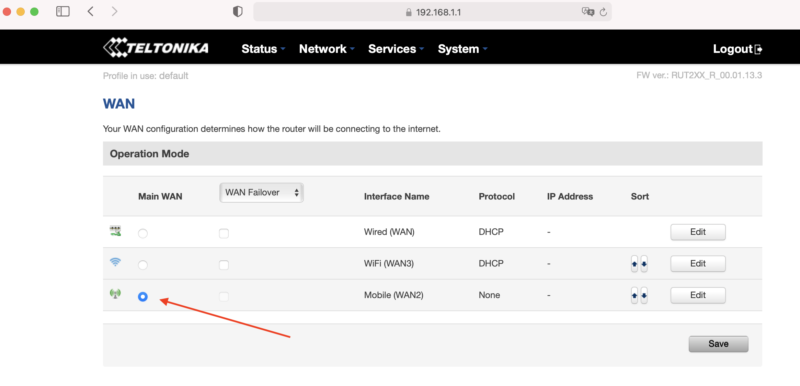
Start from just after you set the password on your RUT 240, above. Now, on the top menu bar, navigate to Network --> WAN. You'll see a screen like this, usually with Wired (WAN) selected.

Select Mobile as the Main WAN, then SAVE.

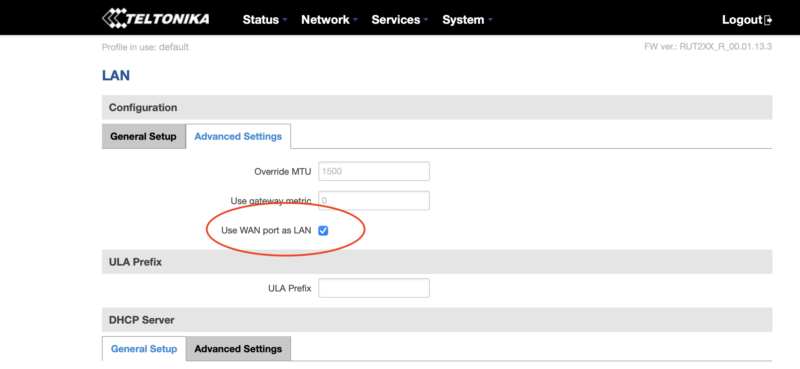
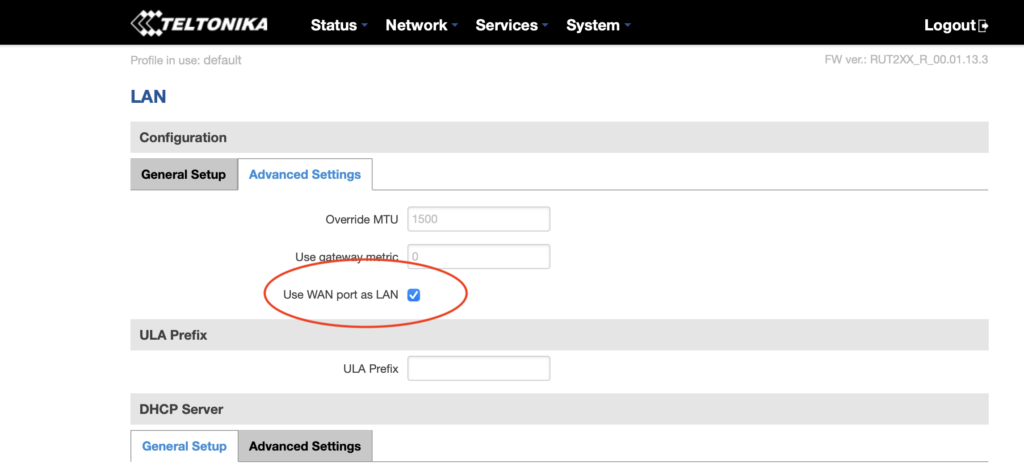
Next, in the top menu bar go to Network --> LAN and select the Advanced Settings tab.

Select Use WAN port as LAN, then SAVE.
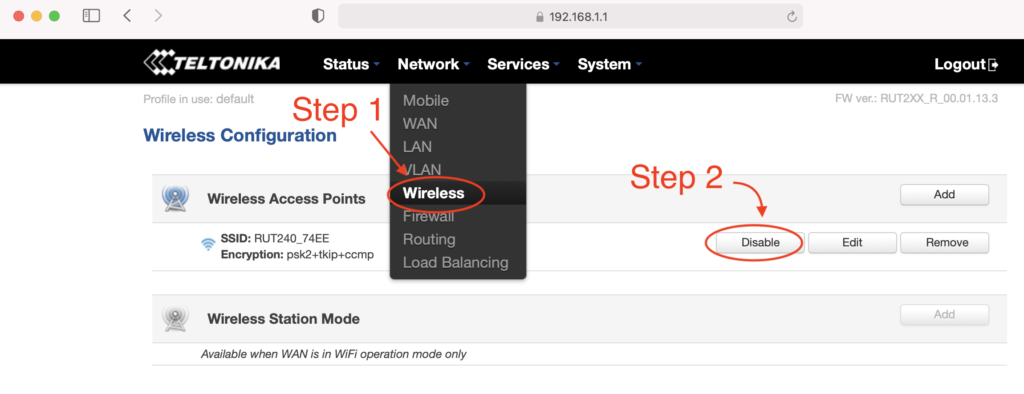
Now navigate to Network --> Wireless, where you'll disable the WiFi. This'll disable the wireless access point and save you power, which is important for off-grid setups :)
You're crushing it. Just keep going. Ready for the next part? Read it carefully first, then execute.

Before continuing, do the following in order:

  • Unplug the ethernet cable that is connected to your computer from the LAN port on the RUT240
  • Plug the ethernet cable into the WAN port on the RUT240.
  • Connect the Helium Hotspot to the LAN port on the RUT240 with the ethernet cable supplied
  • Power on the Hotspot.

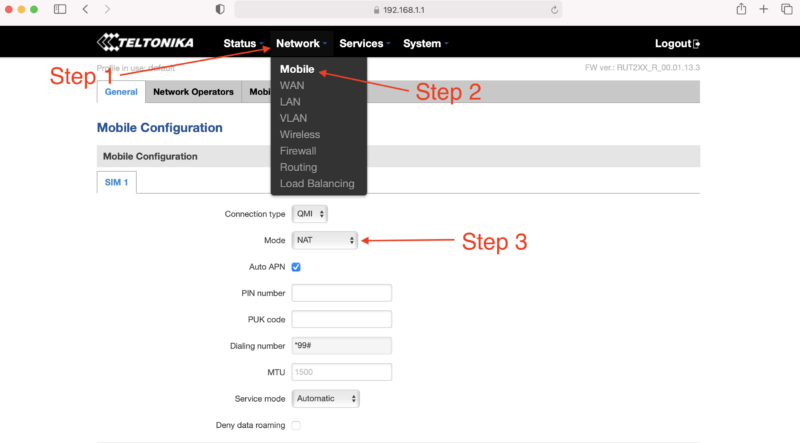
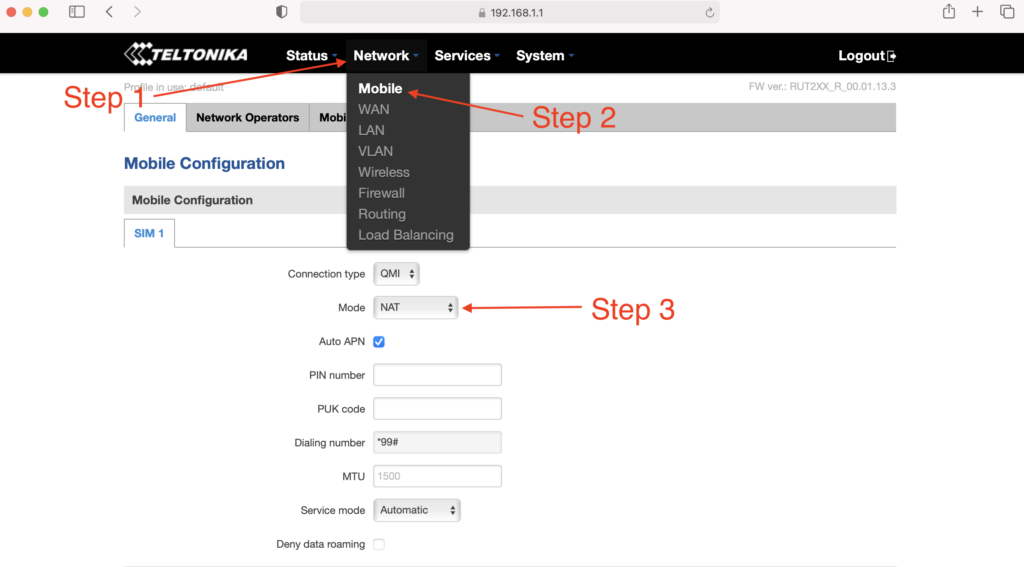
Nice work! Now, navigate to Status --> Network and click on the LAN tab. Find the MAC address of the Helium hotspot, highlight the MAC and copy it.
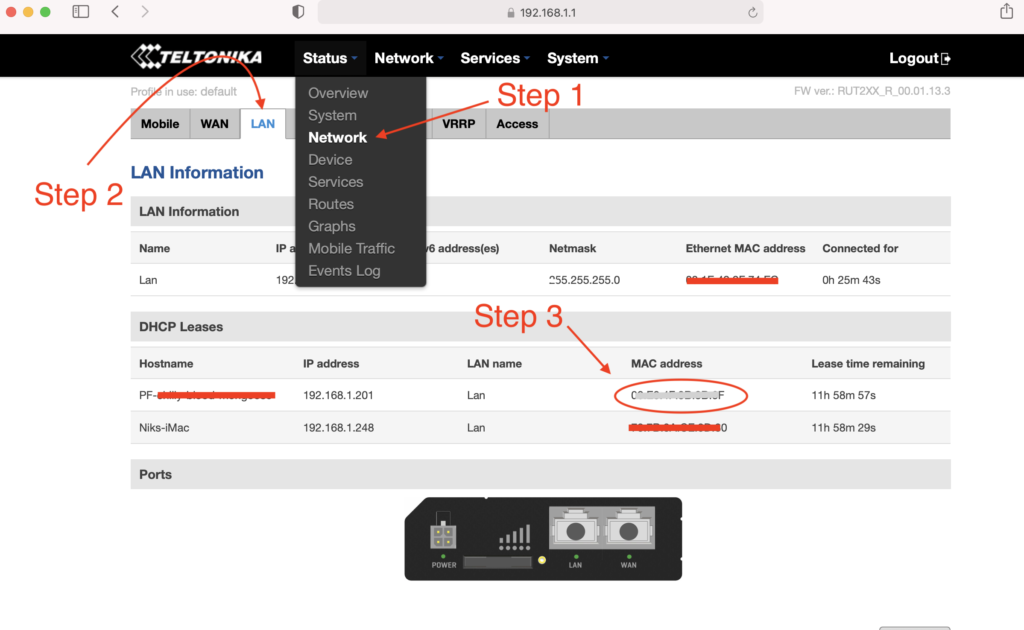
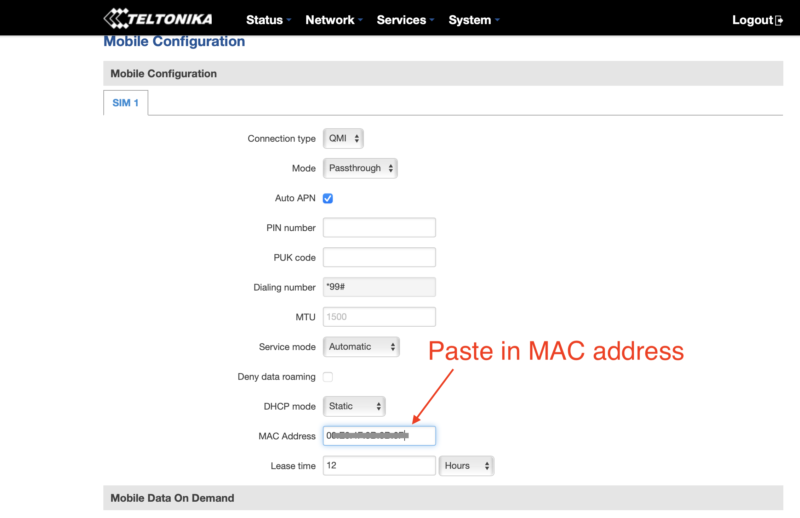
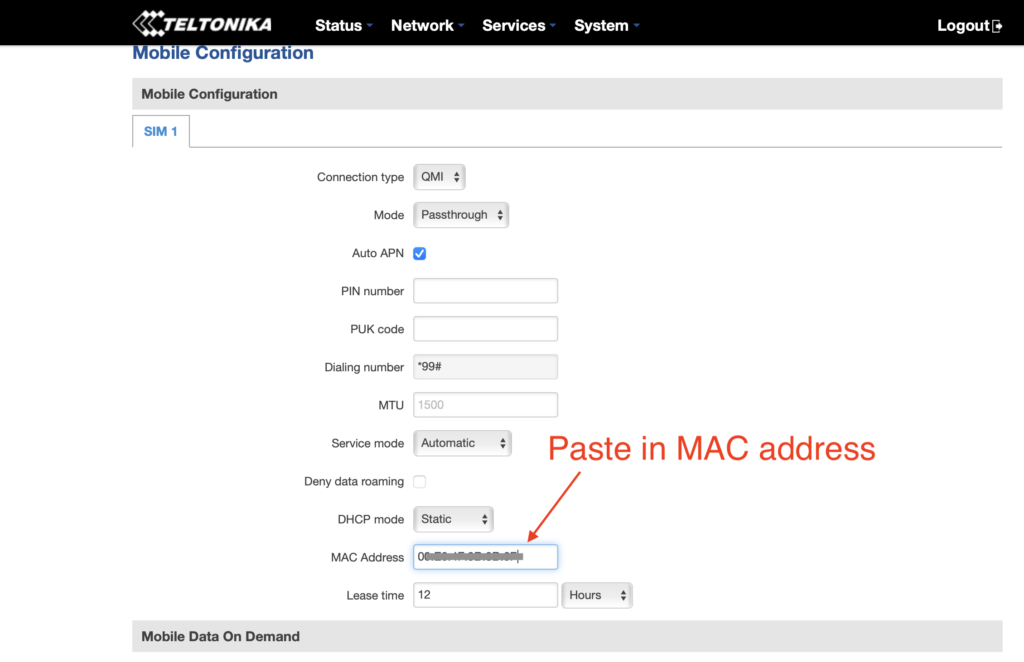
With the MAC address copied, navigate to Network --> Mobile. Look for Mode and select Passthrough.
New fields will appear. Locate the MAC Address field and paste the copied MAC address of the helium hotspot. Click SAVE.
One more thing...you have to enter your APN. I had to do this, but forgot to take screenshots of it. See where it says Auto APN on that screen, and the box is checked? Uncheck that, then follow what makes sense and enter in your APN (your SIM card provider will be where you get that.)

If that becomes a huge PITA and a sticking point, I'll update this tutorial.

How Much Data Will Your Off Grid Hotspot Need?

UPDATE: For an off grid miner as of November 2021, you're going to want 100 GB/month, and that still may not be enough. For a long time, the 50 GB/month plan called out below with T-mobile was enough, but with the blockchain size growing, it's no longer cutting it. I'll leave the rest of this in here for posterity, but any reference to plans lower than 100 GB/month is outdated and wrong.

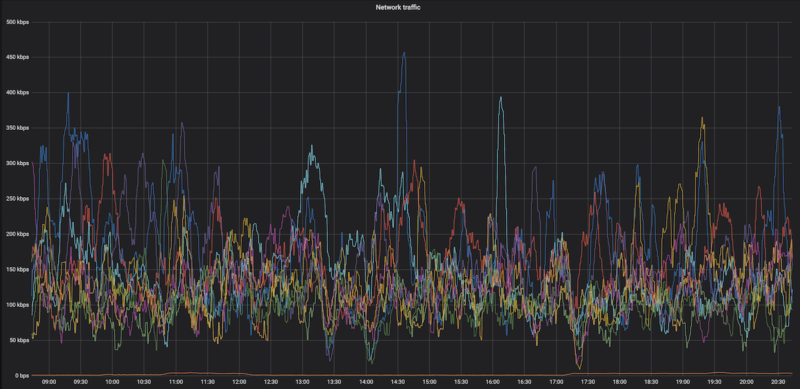
Here's a graph of the network data traffic for a group of hotspots on a 10 minute average:
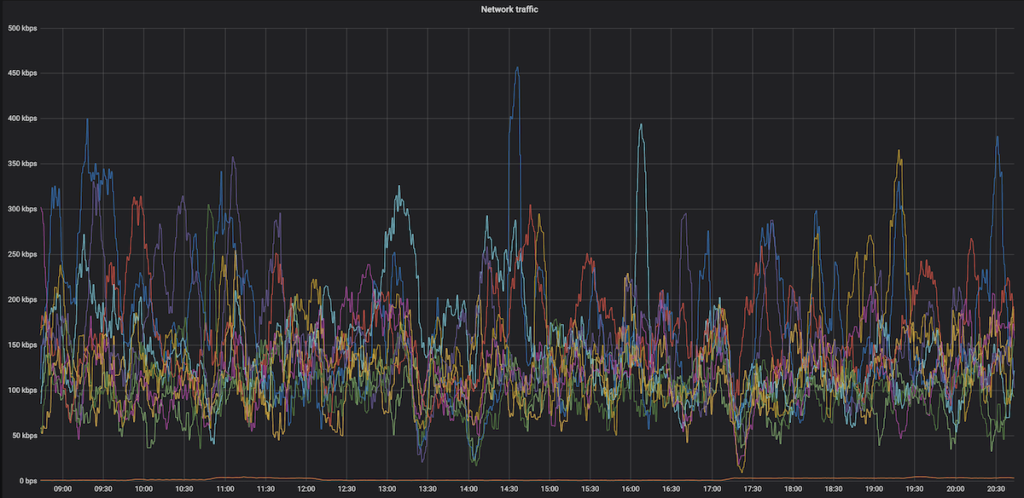
Yep, that highest of high spikes is 450 kbps, and almost everything is below 300 kpbs. So, while data is important (you need a lot of it), speed is usually not. With that said, I'm getting reports in the field of 650 kbps and above spikes that temporarily shut down hotspots. Be ready with patience when that happens.

Recently I've heard from folks testing 4G speeds reporting that a 15 Mbit up/down (vs 10 down and .8 up) gave a 250% increase in HNT rewards, so speed may matter more than we thought. This is definitely worth further investigation, and the T-mobile planned called out below may not be fast enough or large enough for you, depending on the local speed of your 4G connection.

What SIM card should you use?

T-mobile has a BUSINESS (NOT personal) plan that's $50 for 50GB at 4G speed, then unlimited data at 3G speed, which is supposed to be 3 mbps minimum. That should work MOST of the time for us. If you have a plan that's working for you ALL the time, please add it to the Comments section below.

I've got a T-mobile rep who is clued into what we need, his details follow.

The plan is available nationwide in the US, and as far as the rep knows it's not going away any time soon.

T-Mobile doesn't guarantee the speed (apparently there are no speed guarantees in the world of telco wireless), but I've got clients who've been using this and it's working fine most of the time.

Here's the rep I talked to. We went through the whole Helium scenario, so when you call him he'll be prepped. Just tell him Nik from Gristleking sent ya, that should jog his memory.

Abu McLean
In order to protect his email from the bots: ABUBAKAR.MCLEAN17 then use the little @ symbol then put in T-Mobile.com
Direct: 615-445-4008
Hours: 9:15AM to 6:15PM CST (Mon – Fri)

  • You'll need a business account. You can't (as far as I know) run this off your social security number.
  • Ask for the 50 GB at $50/month plan with unlimited data at 3G after the 50.
  • You can get a Static IP for $5 more, ask for a “SOC Static Public IP”. UPDATE, MAR 21, 2022: You don't need a static IP for much longer, this may not be worth it.
  • SIM card price is the same: $20 + sales tax (~$2) per SIM card

If you email him, would you cc me (my first name, which is Nik, then @ and this website) so I can keep track of how it's going and any snags that come up?

Oh, you're in Canada? Here's what a client sent me:

FYI - I found a cell carrier with a static IP that doesn't get relayed in Canada. If you call Rogers, get a hold of their small biz department and ask for a static IP, they'll mail you a SIM card that works with the RUT240 instructions on your blog. The only problem is that because this is Canada, its $120/month for 50 GB + $20/month for every 10 GB after that, and it's $12/month for the static IP. Ouch!

-M in the great Canadia


This guide was almost entirely written by the crew at HNTenna and passed on to me. With their permission and with a few changes, I'm making it available to you. Rock on!

Archived Comments

Mike - 8/11/2021

Hey Nik, Fantastic site, man. I've probably read every article about Helium here at least twice. Regarding the RUT240 and a mobile plan, have you heard of Embedded Works/IoTDataWorks? It looks like they offer a 12-mo pre-paid unlimited data usage but only at 64K speed with an optional static IP for an extra $20. Looks like this would be perfect for Helium mining, but wondering if you had any thoughts on it. https://www.embeddedworks.net/wsim4827/


jim c - 8/12/2021

thanks i was just about to send mine back


Nik - 8/12/2021

Hi Mike, 64kb/s won't work for full fat miners, check out this link for more on that. Current miners (NOT Light Hotspots) need 300kb/s. This plan would work for Light Hotspots, which will likely need just 4kb/s.


Mike - 8/12/2021

Thanks for the reply, Nik. I had read your article about light vs full-fat miners and you mentioned monthly data usage but I didn't see anything about speed/bandwidth. I didn't realize the full miners needed so much bandwidth so I'm glad I asked.


jim c - 8/12/2021

attempt one ... fail... here's why... after switching wan port to lan port and attemptempting to swith off the wireless rut says unable to switch do to multiple access points if you then go to network , wireless and disable the extra AP it will refresh and give another AP automatically. I would keep working through this and see if it works right now i dont need to power off my bobcat when i do i will revisit and update


Rex - 8/17/2021

Hi Nik: It's great to finally have an excuse to write you! It sounds like finding a compatible SIM card for the RUT 240 is the problem statement here. I'm calling around and haven't found a solution yet. But... I may have found an alternative. Verizon offers a device called the jetpack 8800L. It costs about $200 and they offered me a monthly plan for $20. https://www.verizon.com/internet-devices/verizon-jetpack-mifi-8800l/ Is this a viable solution? Are there better options out there?


Nik - 8/17/2021

Hi Rex, right on! I wouldn't trust a Jetpack for off-in-the-mountains off grids, but a lot of people are successfully using 'em in the city.


Mauricio Curbelo - 8/18/2021

Anyone found a SIM card that works in Canada?


RG - 8/19/2021

Rex / Nik: I'm using this setup in a building where internet isn't available. Verizon and probably the other mobile carriers are using Carrier-grade NAT. Even after opening TCP port 44158 on the jetpack, my miner is still relayed. I'm hoping that I can get a static IP from Verizon, will contact them and report back. Nik: you say that a lot of people have been successful with this setup? how did they resolve the relayed issue?


Nik - 8/19/2021

Hey RG, I'm looking for a solution as well; the old T-mobile one was fine (and worked with this), but T-mobile no longer offers that program. I've been hearing that Mint is a good option, but I haven't used it yet.


Rex - 8/19/2021

RG and Nik: Oh man. I'm installing my first miner and after a day of toiling around with it got past the relay blues. I spoke with the Teltonika and CradlePoint folks yesterday. The CradlePoint IBR 600 series is mobile carrier agnostic but sells for $600 while the IBR 400 you have to pick your vendor up front for $400. The Teltonkia is $170 and I think is vendor agnostic. I'm purchasing one and going to run some tests with it. As a general rule, I'd rather pay a few more bucks upfront then be stuck in a perpetual big monthly expense tied to an uncertain revenue stream...


Nik - 8/19/2021

Yep, I've used Cradlepoint 650C and 200 and both work very well, just way more expensive.


Riley - 8/21/2021

Hello Nik. Aside from the instructions you've provided, I'm assuming that you still want to create a static IP for the miner and port forward 44158, right? I also saw on Discord that you recommend purchasing an "SOC Static Public IP". Would this purchased IP be for the RUT or for the miner?


Brandon - 8/21/2021

Thank you for all the great content on your page! After opening 44158, is purchasing a static IP from the carrier the only way to resolve relayed status? With Verizon is looks like $500 to purchase static and a business account is required. Can anyone confirm this or know of another option?


Nik - 8/21/2021

Hi Brandon, it *might* be the best way to resolve that. I'd look into T-mobile, they seem to have plans for businesses (not sole proprietors) that are $55/month for 100 GB. That seems to not be reliably there, depending on the sales associate you talk to. Sometimes they'll do it, sometimes you just have to hang up and call back to get another one. :)


Nik - 8/21/2021

Hey Riley, Yep, the static IP and port forward are recommended. The static IP would be for the RUT.


Marie - 8/23/2021

Great article thanks! Setting up my first remote setup :) Regarding the APN, can we leave it on auto APN? Or do we absolutely need to setup it up manually?


Nik - 8/23/2021

Hi Marie, Sometimes the auto APN seems to work, sometimes it doesn't. This whole business is tricky with lots of trial and error, please let us know what ends up working for you so we can share the success knowledge. :)


drew - 8/27/2021

Hey Nik, I followed this tutorial (thanks for that) and my speeds are grossly slow.. According to speedtest, the best i got download was 1.6mbps and upload was .01 (believe it or not). I did the business account with Tmobile so we should be good there.. I was thinking maybe the antennas that came with the RUT are lousy so I ordered the Quspot one. What minimum dl/ul speeds do you think are necessary for the hotspots? Also I may test out some QoS settings, that might help.. I noticed there are some existing ones there, any thoughts on changing those to normal?


Nik - 8/27/2021

Hi Drew, you'll need 300 kbps for the miner, that's mostly for download. Sounds like the upload side is a problem for that. Double check with T-mobile, it may just be the coverage in your area (though I'm not sure about that at all.)


RG - 8/30/2021

Using a mint sim in a MiFi card will work but isn't viable. Mint's unlimited data plan caps Mobile Hotspot use at 5GB. The next plan under unlimited has free mobile hotspot but is only 15GB a month. Hotspot data is drawn from the monthly allotment and speeds are slowed until the next cycle. I couldn't test port forwarding: The Alacatel Mifi card bought from Amazon doesn't have port forwarding on its dashboard, just Mac filter and some other basic stuff. If other Mint MiFi folks have a different setup, I'm all ears.


Nik - 8/31/2021

Hi RG, have you tried the T-mobile plan at the bottom of this post?


RG - 8/31/2021

Nik, I'll give it a whirl and report back.


Dave - 8/31/2021

I think I am purpose of this tutorial. Questions: 1. Why not run the miner off the LAN port without any configuration? 2. Why do you need to configure the WAN port as a LAN port? 3. Any guess as to how much battery power is be saved by turning off the WIFI on the router? -I was thinking I would want to leave it on so I can easily survey the internet speed and connectivity of my off-grid hotspot. *FYI- I am able to use my Google Fi sim on the Rut 240 (RUTRUT24001U000).


BCH - 9/5/2021

Thank you Nik for this nice article. I have read many on your website and am impressed by your work. I am using a RUT240 and RUT950 (240‘s were out of stock). The main challenge getting rid of relayed is that most mobile carriers run CGNAT which means you do not have a public IP address but get one which is already in their NAT. To receive such a card in Switzerland I only found one carrier (Sunrise) and they charge you 60$ and you need a business account. I see many relayed devices in my area which earn decent amount of HNT. Since Friday morning I am having the same issue as many others… my miners are fully synced since more than 8 hours. When I use the discovery mode I see many hotspots but I haven‘t issued a PoC or witnessed one in more than 3333 blocks…. Hope this gets sorted out by Helium soon.


Nik - 9/5/2021

Yeah, the network is still struggling to keep up. Glorious opportunity, but lots of chaos. Might check with Andreas Spiess for SIM card options; he's the only Swiss guy I can think of who's probably helpful with IoT stuff, though he's skeptical of Helium. :)


Mario - 10/6/2021

Hi Nik, just getting accustomed with the RUT240 remote management and need a bit of guidance. I just stumbled upon management-deviceaccess where "This function provides you with the possibility to set up remote HTTP access to devices that are connected to a device's LAN, provided that the device in question has been registered to RMS." There are four inputs needed: 1 Name (obviously whatever you want) 2 Destination IP (believe 192.xxx.xxx of the Bobcat) --> 3 Destination port? (hmm, tried putting 80 as that's the default on the Teltonika wiki and 44158, both did not work). 4 Protocol (HTTP or HTTPS?) Or is it not working because "provided that the device in question has been registered to RMS" means that I somehow would need to register the Bobcat to RMS for it to work? (sorry if this seems silly) PS after updating the RUT to the latest firmware I am now getting temperature updates, which is useful!


Nik - 10/6/2021

Hi Mario. I checked with the author of that guide, here's what he had to say: The default port for the HTTP protocol is 80 and the default port for the HTTPS protocol is 443, so a HTTP server waits for requests on those ports. Select the protocol you want to use and then have that port be open for it. So if HTTP then Port 80 or HTTPS then port 443 Registering the bobcat in the RMS most likely means entering its MAC and IP into a table whereever the RMS lives Hope this guy still has his on the bench and can easily test.


Mario - 10/10/2021

Hi Nik, thx for putting in the effort and reaching out to the author! Tried all the combinations - no use, not letting me into the Bobcat 300 remotely. Can get into RUT240 though through RMS and WEBUI proxy. Guess something extra needs to be done for it to work. So, for now, unfortunately no remote temperature checkup, no remote OTA & diagnostic, restarting the Bobcat etc. Btw looks like my RUT240s &/or bobcats keep changing the setup so having difficulty even setting them up and making them stable. It keeps going from NAT:none to NAT: symmetric. Port 44158 stays open, connected: yes, dialable: yes. Even the helium api in OTA says "listen_address": "/ip4/109.xxx.x.xx/tcp/44158" height: 1047354". So no p2p (relay) which should be right, yes? I followed your guide and added 2 things: (1) NETWORK-LAN-STATIC-LEASES Passthrough E8:XX:XX:XX:XX 109:XXX:X:XX (this was added automatically through the guide NETWORK-MOBILE-PASSTHROUGH-COPYMAC-SAVE) Bobcat E8:XX:XX:XX:XX (192.168.X.XXX) 192.168.X.XXX (this I added because I read I need to do through another source) (2) NETWORK-FIREWALL-PORTFORWARDING Bobcat TCP 44158 192.169.X.XXX 44158 Didn't work (longterm)... so even tried adding one more port forward (again, another source, ) NETWORK-FIREWALL-PORTFORWARDING Bobcat TCP 44158 192.169.X.XXX 44158 Passthrough TCP 44158 109:XXX:X:XX 44158 And that works (for now), on 1/3 RUT240s... So in light of all this craziness its causing me, do you have an option for remote RUT240 setup (#Croatia)? or, what does one after: 1 calling the ISP and asking them to remove CGNAT; 2 adding the APN they say & following 3 following "How To Set Up a RUT240 for an Off Grid Helium Hotspot - Prepare for Challenge!" have to do to set the RUT240 all the way? Apologies if I'm being a PITA. Just trying to join the Helium revolution from another country and doing my best.


Nik - 10/10/2021

Mario, Thanks for chiming in and adding your experiences & findings, super helpful! I don't think there's an easy way to monitor the hotspots themselves yet. I'd look for a networking expert to get help on the 240 side; they can probably walk you through custom settings as well as how to interpret the results. This blog post is mostly to get you started and to show one way that has worked.


Joe Hrdina - 10/20/2021

Hey Nik. Just wanted to say thanks for all the info you've shared. Since running the off-grid units, what have you averaged for actual data usage? I've seen some people claiming 100s of GB in a month.


Nik - 10/20/2021

Hi Joe, 100 GB/month is not unheard of right now, and it'll keep getting worse until Light Hotspots come. I haven't found a better plan than the T-mobile one, but it's getting to be "not enough".


Josh - 10/22/2021

has anyone had any success in port forwarding 44158 with a static ip? I have secured a static IP with my ISP but cannot get miner out of relay. ISP has no firewall with the APN they provided for my static IP and my Rut240 has the port open in both directions and I'm at a loss here.


Mario - 10/24/2021

Hi Josh, I have 4x RU240s and still struggling. Taking hours and hours and shouldn't be like that. After all, it's definitely not a cheap router. Dunno if it will help cuz I don't have a static IP from ISP, but here's how I do it without. After GristleKings tutorial you also need to do 4 things: 1) NETWORK-LAN-STATIC-LEASES Passthrough E8:XX:XX:XX:XX 109:XXX:X:XX (you will have this when you finish the MOBILE-PASSTHROUGH step). bobcatminer / E8:XX:XX:XX:XX (109:XXX:X:XX) / 192.168.X.XXX (you add this after it) Save & WAIT... (important!) until the little thing in the top right stops spinning. 2) NETWORK-FIREWALL-GENERAL: Input should be: accept. Output should be: accept. Forward: mine is reject by default but seems to work. (any network expert here?) 3) NETWORK-FIREWALL-PORTFORWARDING bobcatminer TCP 44158 192.168.X.XXX 44158 Save & WAIT... (important!) until the little thing in the top right stops spinning. 4) REBOOT THE MINER & wait. Is there is a network expert here and if I did something wrong or something can be done better or something should be done before something is done please tell me. Also, sometimes, when someone accidentally unplugs everythings (happens at some out-of-home locations) my BOBCATS become relayed. Hate that. So, if someone knows a workaround - please help! :)


Josh - 10/27/2021

Mario: I figured it out. First of all, you need to have your APN provisioned with a static ip. You will need to open a business account and pay extra monthly to maintain the static ip. You will also spend countless hours attempting to reach the right person/department that can get you in touch with the division that will handle the APN provisioning. Once you have a static ip RUT240 will not stay out of relayed. Even with the port opened correctly, you find the miner going in and out of relayed mode. I solved this problem by using a CraddlePoint device over the RUT.Unfortunately the Craddlepoint device is twice the cost of the RUT. Now the next issue. The Craddlepoint is a 12V vs the 5V RUT240, so you may need to use a different battery/solar panel to allow for the extra energy consumption. My miner is off-grid, non-relayed with a healthy connection now. However... My earnings did not increase nor decrease so ultimately the trouble I went through was all for nothing lol. To make sure that being out of relayed does not really make a difference with earnings I tried on another one of my locations, and guess what...? No change in earnings. I no longer bother with getting my off-grid units out of relay mode. It's a lot of trouble, time and costs that are simply unnecessary for hotspots that are setup on mountain tops with plenty of other hotspots connections that can easily be 'relayed' with little to no loss in earnings. Good luck!


Dillon - 10/29/2021

Hey Nik, So I just ordered a rut 240 for my remote miner setup and I was looking at data plans and I came across nolimitdata.net and they do 900gb plans for $90 a month. I know it’s a bit overkill but do you think it would be worth considering for a remote miner setup? Any other recommendations would be great as well.


Nik - 10/29/2021

Def. overkill, but probably better that than underkill. What speed is that data at? 4G seems to be the min.


Dillon - 10/29/2021

It’s 4g at 1.5 mbps


Warren - 10/29/2021

I looked at the offering for nolimitdata.net, and it advertises 10-50 Mbps download speed. No mention of upload speed. I am just beginning to to consider a remote setup. Am I correct on assuming that tethering to a cell phone is not feasible?


Nik - 10/29/2021

Feasible, just not recommended. :)


Andreas - 11/1/2021

Thanks a lot for the great content. I've bought all the parts for a nice offgrid setup, but am currently stuck on how to power the RUT240. I have a Victron 75/15 charge controller connected to a battery and a solar panel. How do I make sure I have exactly the right power supply for the RUT? Any tips?


Nik - 11/1/2021

Hi Andreas, the RUT240 takes 9-30v; you can just power it straight from the Victron.


stephen - 11/2/2021

Remote management system Remote HTTPS settings Name : Bob IP: 192.168.1.123 (obviously the miner IP) Port: 80 Protocol: HTTP and then we get access to the web UI for speed test etc. ?


Mario - 11/5/2021

@Stephen --> tried and tested, yes! :)


Reggie - 11/8/2021

Hi Nik, Do I need my own business account to get the sim card from T-mobile? Do you have any other carriers you can suggest that would not require a business account? I have a mobile hotspot from cricket wiereless. Could I possibly use the sim card from this and put it in a rut 240 and make it work?


Nik - 11/8/2021

Hi Reggie, you'll need a business account to get a SIM card from T-mobile. I guess it doesn't technically have to be yours. I don't have any other carriers right now. You can try the Cricket mobile hotspot, but I'd consider that a very temporary solution.


Blair Wells - 11/10/2021

Nik, im hesitant to hook the RUT240 up to to the wanderer. so if what i have read is right, i use pins 1 and 2 not 3 & 4 only? is there a link to a 4pin connector for just power and ground?


Nik - 11/10/2021

Not sure. I just cut the connector and hooked it directly in. The RUT will take 9-30v and the Wanderer puts out 12.


David Morefield - 11/12/2021

Nik, I recently have felt thee squeeze of death from T-mobile and their 50gb data plans. My remote sites (my top two earners) are on rooftops in the Houston area. I would hit the 50gb wall about 15-16 days into the month and boom, I was down until the next billing cycle. Given your affinity for the Teltonika RUT240, I decided to order a couple for the Verizon network and go with an unlimited plan through them. Figuring out the network configuration was not easy, but I was able to find my way. I have posted a link with a step by step for configuring a RUT240 for Verizon on my website - https://basicbitcoinstrategy.com/configuring-the-teltonika-rut240-for-verizon/ I also am really digging the RMS tool that allows you to remotely manage a device connected to your RUT240 via a webgui, this ought to allow me to connect to a hotspot like a SenseCap, Syncrobit or Bobcat for functions like fast sync or manually initiating updates. I am looking forward to getting these out in the field on Verizon :)


tony - 11/13/2021

nice writeup, but after clicking the WAN port as LAN and SAVE, I'm unable to log back to 192.168.1.1 Anyone having that issue? Wireless still works fine on laptop (haven't gone to the next step of disabling it). Any ideas if WAN port as LAN is really needed?


Blair - 11/27/2021

solar setup in the lab, Verizon 150gb plan prepaid - I spent a lot of time trying to configure my RUT240 i tried PPP and QMI as suggested here. I have had 0 success. The mobile data will connect, however my miner gets no data. i get data going through it i guess, but max of 5kbs and i have no idea what data is passing. RMS does not work when mobile connected. cannot connect my miner into the front of the device without sending the RUT into immediate, definite cause and effect slow blink of death on my RUT. Tried a syncrobit, Rak and sensecap. I have no idea how any of you guys have this thing working... at all, makes it more frustrating bc i know it can, but not for me. is there a link that has ALL of the correct settings? i tried what was here and also in all of the comments, and it still does not work. ANY help would be amazing! Thanks!


Nik - 11/28/2021

Hi Blair, you are not alone, I've had some frustrating experiences with the RUT240 as well. The Teltonika forums are pretty good for getting help, or you could factory reset and use Proslasher's instructions for a VPN, here.


Nik - 11/28/2021

Right on, let me know how it goes!


Blair - 11/28/2021

will do, thank you so much, how on Earth you figured this all out on your own baffles me. Truly a pillar-to-post member of our network. I am researching today while my battery charges, will work tonight and update later.


Nik - 11/28/2021

Lots of banging my head against a wall until the wall gave way. :)


Mat - 12/1/2021

I don't know if this helps anyone in terms of data usage but I am using a verizon hotspot (relayed) in a high altitude location with lots of traffic. (Southern California) For the first time I have reached over 100gb, I imagine if I wasn't relayed I might have hit over 100gb sooner.


Orr - 12/29/2021

My RUT240 went offline as soon as I saved after the Passthrough / pasting the miner's MAC address step. The host reported that wifi is still on so the modem is working, I just can't connect remotely. Did this happen to you as well?


Cody - 1/13/2022

The issues with this still a thing? I've finally pieced together everything I need for an off grid and came back for the instructions on the router and saw this. Just my luck ha!


Nik - 1/13/2022

Seems to be pretty variable; some folks having no problems, some are flatlined. May have connection to the recent uncovering of the denylist Helium was using to combat gaming. I'd expect any off grid right now to present challenges above and beyond a normal hotspot deployment. Proceed if you like solving problems! :)


Cody - 1/13/2022

Ah gotcha. I'll give it a go and see what happens! Thanks for the info


Sal - 1/23/2022

I'm having a similar issue. My RUT240 has internet access but I can't get the internet to the miner. It's extremely frustrating. Been working at it for over 3 days. I have followed step by step 50 times and still cant get the miner to connect. Any ideas?


klis10 - 1/26/2022

Have several RUT240s with Bobcat miners and T-mobile business static IP addresses. Results from first install in November have been lousy and am thinking of converting the other SIM cards back to regular non-static addresses and monthly low data consumer plans as Nik suggested in late Nov. Doesn't seem worth paying for $55 monthly plan at this point. Any other suggestion?


Doug - 2/1/2022

Hi Nik, just wondering why you've suggested nonstatic IP and the 2GB plan, then 3g unlimited. Will the miner still be using internet from the rut to stay synced? If it's relayed, I thought it would just borrow internet from other hotspots. If so, why have a router at all? For now I'm going to try your suggestion of the $15/month tmobile plan, but would appreciate any elaboration. Thanks!


Nik - 2/1/2022

Just reporting what I'm hearing for folks with full fat hotspots deployed in the field. Yes, the miner will still be using internet.


Ryan - 2/4/2022

@ BLAIR did you get through the RUT240 setup? I experienced the exact same challenge you described. Yesterday I believe I finally broke through. Yet I still don't know exactly what caused the issue. I just reconfigured again and again. Finally went with near default settings. I did learn that t-mobile just plain never configured the static IP they sold me and it took contacting the sales rep to get it done. Support was really bad but of course the sales rep was pretty sharp.


Ryan - 2/4/2022

@Blair, the RUT240 cord (at least mine) contains only 2 wires (red / black) despite the weird connection to the device. I've powered it direct into the wanderer. Also, I only succeeded getting the MINER to connect to the hotspot's internet upon plugging it directly into the Wanderer. I've had it running through a step down / resister usb-thing because I thought that was safer. At least in my case, the miner appeared to power OK but it would give weird errors regarding including "Too many DNS lookups" and others which caused about 1 week of madness on my end. Finally I theorized it was a power issue. Of course, it actually could have been something else I accidentally fixed in the process. But I'm finally online today. The crazy thing is I could have sworn the damn thing worked fine in testing.


Shukhrat - 2/21/2022

Hi. Thanks for the tutorial. I got rut240 and updated the firmware to the latest. I got verizon sim to work on it. It shows that is has data connection. However, I cannot get the internet to go to the sensecap miner. Can you help?


Nik - 2/21/2022

Hi Shukhrat, are you connecting directly via ethernet cable through the LAN port? That should solve it.


Shukhrat - 2/22/2022

Hi Nik, I am connecting the sensecap to rut via the lan port. I am connecting the laptop to rut via the wan port. I followed the steps to make wan port act as lan. The rut dashboard shows connection and even has up and down packets going thru. However, i cannot ping from it. 100% data loss. and i cannot get the miner up. yesterday the miner was up for a bit but then i still could not ping.


Nik - 2/22/2022

Hmm, I wonder if it's an issue with the IP address you've been assigned.


Shukhrat - 2/22/2022

Nik, so after chatting for over 2 hours with verzion i found out that I cannot use my plan with that device. I have to upgrade to a business plan. what plan/provider do u use?


Nik - 2/22/2022

Hmm, for a while it was T-mobile. Abu (the T-mobile rep) has his info at the bottom of the page, I'd start with calling him. Your other option is to check in on the Helium #enclosures-off-grid channel to see what the latest recs are.


Matthew - 3/16/2022

Are you suggesting putting the SIM card into the RUT240? I have finestra miner without a SIM card slot. Also, are there any other providers you know who can do this and still offer a static IP?


Nik - 3/16/2022

Yep, that's where it goes.


Patrick - 3/17/2022

Wanted to give my experience and see if anyone has any ideas. I’ve followed the set up directions over and over again from base factory settings. I currently am using an ATT prepaid card with a 100gigs with a sencap but will switch it unlimited through first net if I can get it working. I have good service when i connect via wifi but i can’t get the port 44158 to show as open using a port checker no matter what i do. I set a static IP and port forwarding rule but nothing works. This is what I’ve done over and over again. Please help ??


Matthew - 3/18/2022

I'd be curious to see the response for Patrick too. I'm about to purchase the same set-up. On a different note - What about the Cellular antenna and cable? What cable do you use to go from the cellular router to outside the enclosure? Also, what cellular antenna do you use outside the enclosure? Can you use the rut240 factory antenna outside, wrapped in silicone tape at base? If I need to run the cellular cable 40 feet, will that cause any problems?


Nik - 3/19/2022

In San Diego I've just run LMR195 or 240 from the cell modem inside the enclosure to the antennas mounted directly into the wall of the enclosure. No problems with that so far. I don't have a great answer on the port forwarding question.


Sam - 3/22/2022

Im also curious to see if anyone has any solutions or ideas for Patrick's setup.Ive invested a lot of time and money to have my remote setup up for it to be relayed. I have scoured the internet, but I'm sure I am missing something. The only difference for examples I see online is the firmware. I updated to the latest firmware the RUT240 had to offer, could this be affecting the relayed status?


Mario - 4/1/2022

Hi Nik. Quick question, I just noticed the part "select auto reboot every 24 hours" on the RUT240. I don't think it was always there (months ago). Any particular reason for that and won't it change the listen ip every 24 hours then..? (option 2 - lets get geeky, not true static ip but static dhcp lease). Thx!


Nik - 4/1/2022

I also forget when that got added in. I had heard from a number of off gridders they felt it helped them avoid relay. Thanks for the correction!


Scottie Davis - 4/15/2022

Hey Nik, if we ever actually make it to lite hotspots, what would you estimate the amount of data usage/data plan we would need?


Nik - 4/15/2022

Hi Scottie, we'll make it. ;) 75-100MB/month. More on 'em here. Rock on!


How I Built An Awesome Lightweight Off Grid Helium Miner

· 29 min read
Nik
Site Owner

How small can you build an off grid miner? Can everything fit in one backpack? How light can that pack be? Finally, why would you want a tiny off grid miner?

And yeah, those are Puppies Make Me Happy sunglasses.

I'll start with the last question. Why would you want a tiny off grid miner? The short answer is "weight". If, like me, you are super stoked on the idea of hiking in an off grid miner to a place deep in the wilds, you will eventually get over the idea of carrying in heavy equipment. I did that on my first off-grid, carrying in awkwardly loaded 60+ lb rucks over 6 miles of rugged terrain with 3k' of gain.

It was the hardest thing I've done since running a hundred miles back in 2015. Fun once, and rad to share with a friend (we EACH had huge, awkward loads to carry), but not something I was desperate to repeat.

Still, being generally unafraid of physical work, I did the same thing a few more times, just to be sure it wasn't just a one-time suckfest. One off-grid took 6 (SIX!) trips in to install.

By that time, I figured out that while I really like hiking heavy shit long distances out in the mountains, I'd probably enjoy hiking in a light ruck even more. So I set about building one. I also wanted to re-measure my initial power draws because I was seeing off grid setups that seemed smaller with a higher load..

After a conversation with @BFGNeil on Discord about using a Pi Zero and a RAK 2245 hat to put together just the packet forwarder (from a DIY Alpha code I received way back when they were still available), I decided to try it out. The enormous advantage of having just a packet forwarder (and not the full fat miner) is the lower data plan size I can use for the cell backhaul.

I cannnot overstate this advantage. Please do NOT think you'll be able to use a small data plan (100MB or less) on your production Helium compatible Hotspot. You'll need 50 GB MINIMUM, and will be much safer with 100 GB. I got lucky to find Helium right as they launched (and then quickly closed) the DIY program. This guide gives you an idea of what a Light Hotspot will be like.

One last note before we dig in. Off grids are hard, and complicated, and sometimes complex. If you just want to buy an off grid setup, I'd start with IoT Off Grid. If, however, you LOVE building your own stuff, keep reading!

Let's start with a gear list.

PLEASE NOTE: This is MY gear list. It will probably not fit exactly what YOU are trying to do. My goal is to have a tiny, lightweight, right-on-the-edge of power requirements for a Light hotspot in a high sun area. Make SURE you measure your power draws before just blindly ordering what I used and thinking it'll magically work for your area. Your challenges will be making sure you have enough power and making sure you have enough data.

[ninja_tables id="2104"]

The great news is that packet forwarders are what "light hotspots" will be, so it's likely that you'll be able to do this same thing and in a cleaner looking package by mid-2022.

The second advantage of a Light Hotspot is the lower power consumption. Compared to a regular miner, with a packet-forwarder-only setup you can shave off enough watts to really drop both battery size and solar panel size.

Here's the power it's pulling. Note the size of that "hotspot". It's MUCH smaller than current production hotspot, and pulls about ½ of the power.

https://youtube.com/shorts/muwblkr3J0U

Remember, volts x amps = watts, so this is right around 1.5 watts. It jumps around a bit, but in any event, that ain't much.

Add in a cell modem and the solar charge controller with the packet forwarder on a Pi Zero and you're looking at about 3.4 watts total. For comparison, a RAK V2 by itself pulls around 2.3 watts.

Want more data on power draws? Here ya go!

[ninja_tables id="2112"]

Of course, it also depends on the winter sun hours in your area. If, like me, you live in America's Finest City (San Diego), you have more winter sun hours than just about anyone in the US. That means you can use a much smaller solar panel (30 watts is what I chose) as well as a smaller battery (20 Ah in my case.)

I put those together in an enclosure with the packet forwarder, a smaller cell backhaul (IBR200 instead of the 650C I've used before, many off gridders are now using a Spitz), the same charge controller I've used, and had a tidy little package.

Still, you're left with mounting the thing, which can be a real bear. The solution I came up with was inspired by something I saw over at MP Antenna, plus the fact that I love to hand bend metal.

I started out with a sheet of 12" x 48" .0125 5052 aluminum. 5052 is a good mix of toughness and rigidity. 6061 will crack when you bend it, and 3003 will flex too easily. I marked out the holes for cutting and the lines for bending.

I wanted to be able to mount this bracket anywhere, easily. One of the challenges of an off grid setup is actually mounting the thing. Though you can't see 'em in the above pic, the latest version has slots for worm drive (hose) clamps as well as the screw/bolt hole mounts you see here. This will easily mount to a round object, like a pipe or a pole or a tree. It'll mount to a flat surface as well, like a rock wall or the side of a building.

Next up is drilling & cutting 'em out. Aluminum is pretty easy to work with, which makes this a nice project.

Next up was cutting the "window", which allows you to reach in with a drill and mount on the back holes before putting the solar panel on. Here's the plate drilled and cut, ready for bending.

When I go into production (that's a joke, by the way) I'll use a press brake and water jet, but for prototyping you can't beat a bar clamp (as long as you don't mind a little physical work). You put the plate in the bar clamp, make sure your bend line is straight, tighten everything up, and start hammering. Hand bending takes patience; you don't see a lot of progress at first, but over time you'll end up with a beautifully bent line.

https://vimeo.com/573430910

As you can see, I set up a little cardboard angle measurement device which gives me an angle of 148, or a 32 degree bend. 32 is our latitude, and gives your solar panel the most sun rays during the shortest days of the year. Here's what it looks like with the first bend finished.

From there you just slide the plate up and hammer out a 90 degree angle. I'll usually go back and forth a few times with the bends. On a press brake you don't need to, but when hand bending I always find a little extra love makes for a cleaner job.

It's not uncommon to have "extra" bends in there, which you'll need to flatten out on an anvil. In this case the "roof" had a slight arc to it. I leap at any chance to use my Nimba Titan, here she is ready to assist in the flattening process. Man, the right tools make the job easier!

All that hammering attracted my wife's attention. She knew the best fuel for any endurance event is the cake from Paleo Treats, so she brought some out. Damn, that Key Lime is good!

https://vimeo.com/573431945

Fueled with cake and ready for the next step, I assembled the box, the panel, and the antenna.

This next part may be confusing, as I'm using pictures from a few different builds here. The parts you see in this build on the inside of the enclosure are the RUT240 cell modem (NOT the IBR200), a Renogy Wanderer 10, and a Bioenno Power 20 Ah LiPoFe4 battery. The hotspot itself is a Pi Zero coupled to a 2287 concentrator and Pi hat from Parley Labs.

Here's just the RUT240 and the DIY Hotspot.

I printed up little red PETG brackets for the RUT240 and the Pi Zero on my Prusa 3D printer. At about $800 for a kit, they're a very useful thing to have if you get into this off-grid world.

If you don't have (or want) a 3D printer, go to the Prusa World map page and look for folks near you who are willing to print them up for you. That's how I did my first 3D prints. Here's the Pi Zero nestled into its bracket. Brackets make it very easy to attach components to the "perf board" that comes with most enclosures.

Wait, you want everything labeled for ya? No prob:

inside an enclosure with labels

Here it is mounted on the nearest available space (my workbench) as a test run. Please note that you're not limited to mounting on workbenches. ;)

The box still needs vent holes cut and vents mounted along with the holes & glands for antenna cables, but this gives you an idea of how the thing works. It is WAY easier than any other off grid mount I've built. Here's a quick video of it with the HNTenna and a cell antenna mounted, though no cables run yet.

https://vimeo.com/573292248

The next step is breaking it all down and seeing if I can fit it in my backpack. One of the real beauties of this setup is how small it is. Most backpacks on the market are way too small to fit a large enclosure. This backpack is built for elk hunters to carry out their meat, but I figured Stone Glacier wouldn't mind if I repurposed their EVO 3300 as a telecommunications pack. To be clear, this is not (by far) the cheapest pack you can buy to do this job. I just like nice things.

From left to right you've got the pack, the solar panel, below the panel is the HNTenna, then the enclosure with a GK tool roll on it, and finally, the bracket.

Now, that bracket has some sharp edges, so if you're going to strap it on a pack you'll want to cushion those. I had some leftover foam laying around the shop, so I taped it on with painters tape (comes up off easily) and set up the pack.

You can't see it in that pic, but I've also padded the solar panel, which is against my back in the pack. While the panels don't scratch super easily, they're not the toughest thing out there, and any scratch can decrease the efficiency. That's something you want to avoid when you've got such a small panel. Here's the pack with everything in it, all ready to go.

I'm guessing the whole thing weighs less than 35 lbs. If you've ever gotten into pack weight and how it can effect your ability to perform under pressure, you know that this is right at the limit of what saps courage over time. I'm not expecting to engage in any firefights while mounting this thing, so I feel pretty safe, even if I'm slightly over S.L.A Marshall's recommended weight.

After loading the pack up I decided to re-wrap the bracket with a cleaner looking foam setup using pipe insulation. Here's what that looks like, just for reference.

The gear is pretty straightforward (aside from the bracket). This is a slightly different setup than the one I've shown you. Try to identify the components on your own, hit the comments if you need help.

IBR200 cell modem, Renogy Wanderer charge controller, 12-5v buck converter, and then whatever your hotspot is. Here's the interior layout with almost nothing hooked up. The two pink/orange cables go out to the cell modem antennas. You can see the vent up at the top right. There's also one at the bottom left. Because the PiZero doesn't have a native Ethernet connection I picked up a converter for it. Everything else is pretty straightforward.

If you're looking to do this same thing, keep in mind that this enclosure may NOT fit your hotspot, at least as I currently have it laid out. RAK V2s will be fine, but other hotspots may need to be mounted on the door, or just require a reshuffling.

Ok, that wraps up most of the details on this project. If you'd like help getting your Helium Hotspot off grid, consider hiring me to walk you through the best ways to both build and place your hotspot. Rock on!

Archived Comments

Gary - 7/10/2021

Hey Nik that's pretty impressive! I wish I lived in an area where I could go off grid like that. I bet that will definitely be worth all the hard effort you put forth into this project. Rock on!
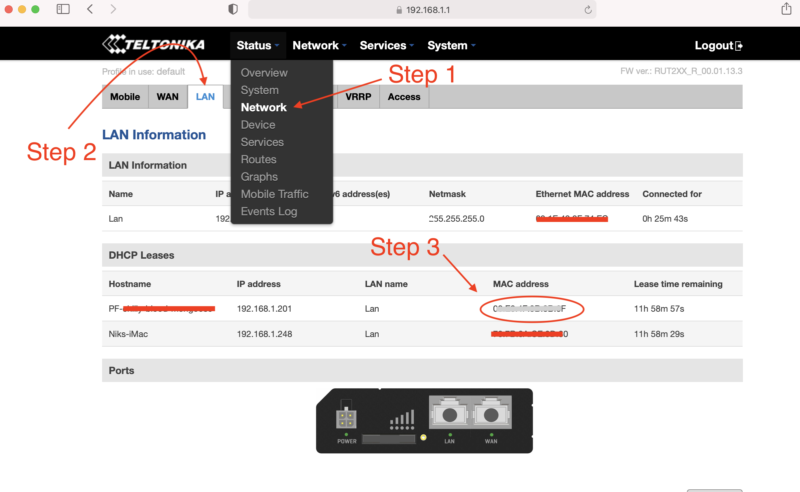

Nik - 7/10/2021

Thanks Gary!


Peter simon Batrony - 7/11/2021

so awesome!!


Paul - 7/12/2021

Hi Nik! That’s awesome what you achieved here! What about the network? How did you connect the hotspot to the network? Are you using 4G with a dedicated plan?


Michael I Slattery - 7/12/2021

Why no info about your antenna and the dbi?


Nik - 7/12/2021

Hi Michael, it's an HNTenna, should be a link in the article to it. Just in case, visit them here.


Nik - 7/12/2021

Yep, that's a Cradlepoint IBR200 in there, which is a cellular modem. Cell modems allow your hotspot to connect to the internet. Because this is just a packet forwarder I can use a much smaller plan than a "full fat" miner. Once Light Gateways start to be sold, you can do the same thing. In the meantime, you'll need on the order of 40-50GB/month, although that may not be enough. One off-grid I know is on track to use 90GB this month!


KBR - 7/13/2021

Still waiting on my hotspots to come in, but when I do I will be sure to give you a call1


Alan Halley - 7/15/2021

Hey, Nik, And why are you deploying this tech? Alan


Nik - 7/15/2021

Hi Alan, mostly because this is the most fun way for me to deploy a Helium miner. I like the mix of designing, building, assessing a placement, then getting it deployed. There are certainly easier ways to do this. For the first test run on this miner I've just got it deployed on a mountain top you can drive up to; easy to test that way, and great coverage.


Brandon Kling - 7/16/2021

Nik why only 3dbi? Is it because you are deploying this in a place with varying elevations? Also why HNtenna? I've seen RAK/CalChip antenna's also. thanks. -brandon


Nik - 7/16/2021

Hi Brandon, 3 dBi because most of the time a high gain isn't the right choice. HNTenna because I think it's the best antenna on the market. I'm seeing it routinely hit other gateways 170+ km out.


Paulo Bazzo - 7/24/2021

This looks great but I wondering, what will make it secure from vandals or from people coming around your set up and messing with it? Of course it will be locked but don't you think off grid miners can be somewhat risky?


Nik - 7/25/2021

Yep, that risk definitely exists. Aim to mitigate by putting it behind fences or some other "primary" form of protection.


Justin - 7/30/2021

Nik- great piece! On the security question, I know Helium Explorer will show that a miner is in a hexagon, but that is a pretty large area. Is there a way for someone to identify exactly where the setup is located if they wanted to go out and mess with it?


Nik - 7/30/2021

Yep, any of the current paid services (Helium.Vision, HotspotRF etc) will report your asserted location. That information is public, you just can't see it on Explorer. One way to hedge against being found is to assert in the middle of the nearest street intersection within about 150m of your location. Close enough that you're still accurate re. coverage stuff, far enough away to maintain privacy. If you're way off in the back of beyond with no miners (or street intersections) close by, it's just tougher to hide it, though you *probably* have some more wiggle room with distances.


Marie - 8/6/2021

This is epic!!! Quick question, how much data does a miner consume per month? 10gb? 20gb?


Nik - 8/6/2021

Hi Marie, plan on 90 GB/month and you should be fine. At the beginning it was 20-30GB/month but that has slowly crept up.


Manny - 8/10/2021

Love the enthusiasm about building fully off grid miners. I wanted to do this but couldn't figure out where to start until I read this article and your previous one. Can you tell me the process as to how you get permission to place the miners on top of a mountain or hillside? For instance, do you just find a piece of public land and post it where ever you please or do you have to call the City/County and request permission and pay any fees associated to it?


Nik - 8/10/2021

Hi Manny, I had a relationship with the land owners on the mountain; I'd placed a weather station on there the year before. If you can find private land owners they'll be far easier to deal with than the city/county.


Mike - 8/12/2021

Nice work! Do you know if a Multitech MultiConnect could be used instead of the RUT 240? If so, any drawbacks?


Anthony - 8/26/2021

This is super cool! What's the ROI look like for this miner? or how much do you make each month from it?


Nik - 8/26/2021

Depends on where you place it; location is everything when it comes to earnings.


ray - 8/30/2021

So you just bought a RAK2245 which is a light hotspot? How did you pair it to your phone/helium app?


Nik - 8/30/2021

Hi Ray, sort of. This is a bit confusing. For about a month and a half in late 2020, Helium opened up a DIY program, where you could buy your own hardware, receive an "alpha code" from Helium, and build your own Hotspot. They quickly turned it off as they learned how susceptible to gaming it was, but anyone who had received a code was able to build a working hotspot with it. I had a few friends do that, and funnily enough they abandoned the project and gave me their alpha codes. This is a hotspot I built that uses one of those alpha codes. It doesn't pair with a phone or app.


Dan - 9/2/2021

Genius. Pure Genius... and I actually LOL'd at the word Suckfest.


Nik - 9/2/2021

Right on Dan, glad it made ya laugh and helped you learn. Charge!


Glenn Stanford - 10/1/2021

Great! Exactly what do I need to deploy on towers without ISP service. Can get the miner just don’t know diddly about all the other equipment. I am versed in PV and associated equipment. How are you dumping your excess PV harvest? A dc light bulb etc? Thanks


Nik - 10/1/2021

Hi Glenn, if you have access to a tower you'll need both power & internet connection, the latter of which can come via cell modem; a RUT240 is a good option there. Not sure about excess PV harvest, am letting the charge controller handle that. :)


Helium Deployed: The Network In Action - Gristle King - A Guide to Helium - 10/7/2021

[…] It start­ed with the usu­al last minute scram­ble to get every­thing ready for a big project. The night before I was out in the shop cut­ting masts and prep­ping enclo­sures to make sure I had every­thing ready for a big week! Dur­ing the past year, I’ve learned a bunch about get­ting these things out in the wild. The lat­est improve­ment I learned from a client (thanks Dave H!) was using these lit­tle tripods for a “plant it any­where” set­up that’s easy to car­ry. […]


Mason - 10/21/2021

Hey Nik, I am actually really wanting to do an off-grid system because I live in Utah and a hotspot up on the side of the mountain would do incredibly well. But my only fear is having someone steal all the equipment because the location is all seen on the app. have you run into that yet?


Nik - 10/22/2021

Hi Mason, Yep, I've heard of hotspots getting stolen; one of those risks you run. Mitigate it with placing on private property, ideally behind a fence or otherwise difficult to get to (obvi you need to ask for permission.)


Reports From The Field: Tracking With Helium - Gristle King - A Guide to Helium - 11/2/2021

[…] Peak. For those of you way into build­ing these things, this is a slight­ly old­er build mode (direc­tions here). Notice the RP-SMA con­nec­tor (not an N?type) for the bulk­head con­nec­tion. N?types […]


Ivo - 11/3/2021

Hi Nick. I think the solar panel will vibrate in strong winds. It would be good to finish two struts between the panel and the main support plate on which there is a box with a hotspot. This prevents vibrations and possible breakage of the solar panel. Ivo - Czech republic ?


Nik - 11/3/2021

Hi Ivo, it might. I like the idea of struts, though it makes it harder to pack. I've got a new way of putting it all together with the solar panel & box mounted separately on a pole. The idea came from a client and I'm digging it, although I still have improvements to make regarding securing the box & panel to the pole so they don't slide around. Hose clamps are fine for "normal" weather, but heavy winds will rotate a panel.


Ivo - 11/3/2021

I'm afraid that the aluminum will crack when strong vibrating without support from below. I have one more question for you. I can use a cable with an impedance of 75 ohms instead of a 50 ohm cable ? cable : Televes T100 PE 215501 Cu / 100m / 6,6 mm (75ohm) - attenuation -16dB - 100m inner conductor, braid and foil - pure copper Will this cable work just like a 50 ohm cable?


Nik - 11/3/2021

Nope, you'll need a 50 ohm for that.


happy - 11/8/2021

where do you get that power injection come from does the modem give off power to power the miner, from what i understand a poe power injector is need to power up that poe splitter


Nik - 11/8/2021

The power on an off-grid comes from the battery. The battery will power both the modem and the hotspot. PoE is something different. More on PoE here.


Matthew Brown - 11/12/2021

Hey Nik, Is it still possible to create a DIY hotspot miner? Not especially for off grid, but for home or office use as well. I would love to explore this since there is such a shortage of device available. I also want to explore the off grid installations soon, but with no devices available It really isn't too feasible for me to do much exploring.


Nik - 11/12/2021

Hi Matt, you can create one, but it won't earn anything. The DIY program was closed very quickly after it opened up due to vulnerabilities to gaming that are still having repercussions today.


spencer - 11/14/2021

Hey Nik love the post. Was wondering if you had any recommendations on wireless connection (cell modem) since setting up your off grids. AKA would you recommend anything different now that you have set some up? Thanks!


Nik - 11/14/2021

Hi Spencer, Yeah, I think I'm going back to the Cradlepoint cell modems. The RUT240 just isn't as reliable in my experience.


Lessons Learned From A Year Of Helium Deployments - Gristle King - A Guide to Helium - 11/15/2021

[…] Hotspots both on grid and off grid on homes, com­mer­cial build­ings, and (my favorite) in the moun­tains, I’ve learned a ton about what to do, what not to do, and how to make the most of the Heli­um […]


Jay McMurtrey - 11/27/2021

Nik, What's the best U.S. based data plan you've come across, or that you are using? Jay


Nik - 11/27/2021

Good question. I'm running the equivalent of a Light Hotspot, so my plan will not work for you. Right now (Nov 27, 2021), the off grid community is getting hit by a Helium anti-gaming measure and no one has a great way to fix it. Since that update, I've heard of many people using a bog-standard T-mobile card with 2GB data/month at 4G then unlimited at 3G and that works for them. No static IP, just a regular old SIM card. Still, that's not a guarantee. More over here.


Johny - 12/4/2021

Hi Nik, You drilled the holes yourself through the enclosure right? What was used to ensure that you still have the same weather protection, is it simply using rubber grommets? Or are they more specialist seals? Kind regards, Johny.


Nik - 12/4/2021

Hi Johny, I drilled the holes myself. Depends on what you're putting through, but the N-types & the RP-SMA connectors I used have a built in weather seal. You could more to that if you wanted, or you could just use a cable gland, which is what I did with the wires for the solar panel.


Emmanuel Abiona - 12/13/2021

Hi, I'm new are you able to sell me an outdoor encloser with solar and everything in it to make it functional, for a Bobcat?


Nik - 12/13/2021

Hi Emmanunuel, nope, I don't sell those, just show you how to make 'em. There are a couple other businesses out there who do sell 'em, although none yet where I'm stoked enough on their product to recommend them.


Kiryl - 1/18/2022

Hey Nik. How were you able to use cell router? Any port forwarding? My miner gets "relayed" when using cell router.


Nik - 1/19/2022

Hi Kiryl, there are lots of different ways to do it, with varying degrees of success. As of today, Jan 19th 2021, there doesn't appear to be a surefire way of NOT being relayed. You may find this post on setting up a RUT240 for an off grid useful.


Niko - 1/24/2022

Hi Nik- Wondering how you got access to this spot / permission? Isn't this public land?


Nik - 1/24/2022

Hi Niko, while it's right next to public land, this is on private land, and permission is a result of a multi year long relationship and having worked on previous projects together.


Graeme - 9/13/2022

No link for the antenna cable for cell antenna, exterior - Mouser. Can you update this.


Nik - 9/13/2022

Hi Graeme, that's because the connections will differ depending on your miner & antenna. I've used a ufl to N-type like this for mine to get from inside to outside, then put the HNTenna directly on that.


How to take your Helium Hotspot Off Grid - Gristle King - A Guide to DePIN - 8/16/2024

[…] is an updat­ed ver­sion of my think­ing on off-grid min­ers, that blog post is here. Much of the below infor­ma­tion is out­dat­ed, but I’m leav­ing it up as a record. […]


How to take your Helium Hotspot Off Grid

· 26 min read
Nik
Site Owner

It seems pretty straightforward; generate power and a connection to the internet, and you've got an off grid Helium Hotspot setup. Still, you'll have a few minor details to sort out, like what type of enclosure, how to mount it, how to make sure it stays weatherproof if you use an external antenna, and how to vent it.

Actually, those aren't minor, and they're typically not cheap.

For an off-grid install plan on spending US$1-2k and you'll be pleasantly surprised. If you want to experience the anguish of cheapness (as I have), try and spend less than $1k. That may cost you $4k as you realize you skimped so you'll have to double-buy, and you end up with extra almost-good-enough-for-a-serious-remote-install gear laying around the shop. Your choice. ;)

If you want to just buy an off grid setup from someone, I'd start with IoT Off Grid. If you want to see how I built my own, well, keep reading.

Let's start with a drawing to give the big picture.

You may see that and say, "Nik, why don't you just use an outdoor hotspot, like the Nebra?" Well, the outdoor Nebra is perfect for a PoE connection when you've got access to power & hardline internet, but:

If you're going to go off grid you'll need to protect your battery, charge controller, and cell modem. You're going to have to buy an enclosure for all that. Might as well put everything in one box (enclosure) and save a little on the hotspot.

There is an updated version of my thinking on off-grid miners, that blog post is here. Much of the below information is outdated, but I'm leaving it up as a record. Enjoy!

Ok, let's lay out some numbers:

Ok, so that adds up to 5 watts but when it comes to solar, you should always plan for more. 7.5 watts continuous is pretty safe. Let's use 8 watts just to give ourselves even more cushion. As it turns out, that's what my remote setup (a DIY, from way back when that program was open. It's NOT anymore) is using, as measured via BarkinSpider's SolarShed directions but using Influx instead of Grafana:

I know that's a cute picture and pictures can be persuasive, so: --> Before you just take my word for it <--

MAKE SURE YOU MEASURE ALL YOUR POWER DRAWS!

Calculate your panel & battery sizes off of YOUR situation, not mine.

Now you'll have to figure out 2 things. First, how big a battery will you need? Second, how much solar wattage will you need?

In Southern California I can use a 100 watt panel and a 50 Ah battery. That's for a remote install that is 6 miles down a rugged trail winding up (and down, and up, and down, and finally up) a mountain. While I don't mind working hard in pursuit of a worthy goal, I don't really love *extra* work. Oversizing the panel & battery makes it less likely I'll need to do extra work.

How do you figure out your battery size?

  • Step 1: Add up all your power draws for a 24 hour cycle
  • Step 2: Figure out how many cloudy/overcast days a year you'll have.
  • Step 3: Multiple the result from Step 1 x Step 2 x at least 1.5. The larger you make that last number the more expensive you battery will be, but the longer it will last. Do NOT skimp on this.
  • Step 4: Shop for batteries. This is my go-to source for batteries. I like nice things, and they make 'em.

What about solar panels? In conjunction with calculating battery requirements, you'll need to figure out how much solar wattage you'll need to keep your batteries charged. Use the worst case scenarios: The longest cloudy weather stretch your region encounters in the bitter depths of winter. You'll thank me when it comes, even though you may not be psyched with the up front cost.

Now that you've got all your kit, what will you put it in, and how will you connect it?

Start by measuring the dimensions of everything, then order an enclosure. I get mine from Allied Moulded. They make professional quality outdoor enclosures. They ain't cheap, but they're the ones that Helium Inc used when running their first off-grid test, way back in April of 2020. You can DEFINITELY find cheaper versions. My general approach is "buy the best stuff you can afford, then you won't have to worry about it." When I've gone against that, it usually costs me even more as I have to replace cheap shit.

Measure twice, then measure again, then double check by placing everything in the enclosure before you drill any holes. Then take a day off to think about it. Make a list of the hole sizes you'll need, plus the cable glands, exhaust vents, fan mount holes, etc.

You'll notice in that list and on my shared sheet a call out for a Dragino LHT65. By the way, that sheet is outdated, so use it to give you a *sense* of what you need, but don't just go buying everything on the list.

Back to the Dragino! That's a sensor that gives you temp and humidity, but more importantly it's a way to check if your remote hotspot is actually working. On Helium Console, you can see what hotspot is processing the packets from that sensor. It's faster and more accurate than checking Explorer, at least in my experience.

Back to setup. Once you've measured and listed all your parts and holes, lay it all out.

DO NOT BE CONFUSED BY THE PICTURES BELOW, this is for a DIY setup, which is why you're seeing a Pi and not a hotspot at the top right. The DIY program is closed due to security concerns from fucking gamers who ruined it for everyone. Ok, moving on.

I found it super useful to just write on the backplate where I would put everything. I still made a few mistakes, and the final fit was much tighter than I'd like, but it works. This is the guts of Amateur Jade Hare.

Here's what it looks like from the back; you can get an idea of the fittings & connections to the pole.

From experience, most people want to use that same antenna. Trust me, you don't. First, they're a PITA to hump in.

https://youtube.com/shorts/3CWjXhy4OTc

Second, they're a PITA to mount. Third, they're so powerful you have to ask your geeky tech friends for help to dial back the transmission power. Finally, they're huge wind catchers, so you need to mount guy wires to keep 'em steady. Fun to set up once, but not so amazing that I can recommend 'em.

Learn from my experience and stick with a more appropriate antenna. You'll probably never thank me because you won't know the ass-pain you're missing, but trust me, that's a hook-up piece of advice.

Ok, that should wrap up both the big picture and a few details on installing a remote Helium hotspot. If you want help putting one up and this post isn't enough, you can hire me for consulting, more on that here.

If you'd like to see the results of someone who's done a consult with me, check out this blog post of an off grid commercial roof install.

Post questions in the comments if you have 'em.

RESOURCES

  • Solar calcs sheet This is for a DIY hotspot running a Raspberry Pi4 & 2287, not a full fat miner. This just gives you an idea. DO YOUR OWN CALCS! YPDMV
  • Olivia Wireless - Only appropriate for DIY miners or Light Hotspots, as they data plan size is tiny.
  • A Rough Guide to Helium Hotspot Placement - Before you get all hot and bothered about going remote, see if this'll help you find an easier, better location.
  • Gear List - This'll give you an idea of what you'll need to get. It's definitely NOT the only way to do it.

Archived Comments

Derek Coleman - 4/6/2021

Amazing article. Thanks for all the valuable information! This is something that I plan on doing with at least 1 hotspot this year and I'd like to know a bit more about your services - we can discuss via email. One initial question I have is about the land that you placed the hotspot on. From the photo it looks like public land? Do you also provide consulting on how to find remote locations and how to legally go about placing a hotspot there?
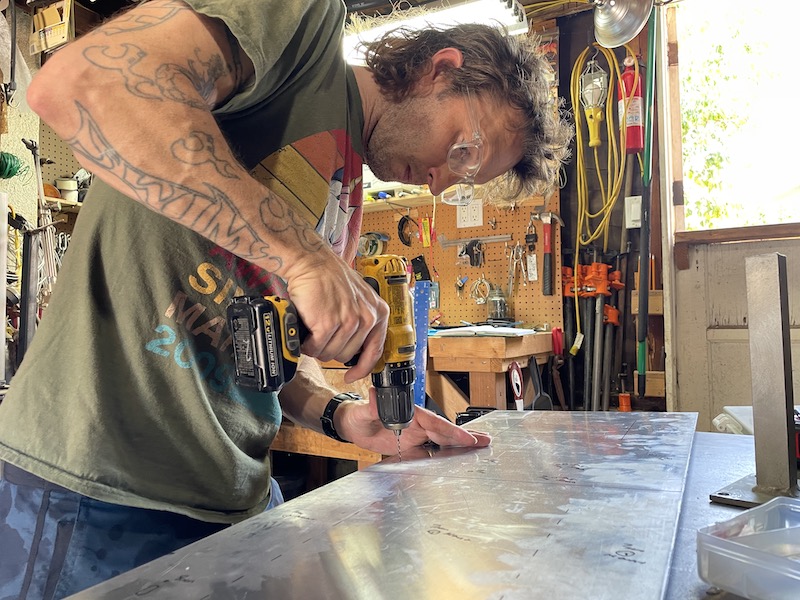

Nik - 4/6/2021

Hi Derek, that placement required coordinating with multiple agencies and entities; it was not a simple or easy process. :) I can definitely help identify optimal remote locations and help with guiding you through how to legally place a hotspot. Glad the article was useful!


Sacha - 4/7/2021

Hi Nik, Indeed interesting article. Sure going to build one of these. (with some modifications). Thanks for that... Question: such a pool on the top of a mountain... How are your thoughts about lighning. How do you handle that?


Nik - 4/22/2021

Hi Sacha, Add in a lightning arrestor and a ground wire to any deployment and you'll be as safe as you can. I mean, it's a pole up high on a mountain, so it's more likely to get hit than if you're down in the valley, but that's the risks you take, right? :)


Mathias - 5/1/2021

Hey Nik, amazing setup. I only wonder: does the antenna have a lightning arrester? If not, why don't you think it's necessary? Isn't there a good chance of the hospot getting "roasted" during a thunderstorm? Regards from Berlin!


Nik - 5/1/2021

Hi Mathias, Wie gehts! Good catch, I didn't have one on in this photo, whoops! You should always add a lightning arrestor to your antennas, although it doesn't actually stop lightning, it just diverts the charge around the electronics and to the ground. I've added in the one I've used in my installs to the gear list.
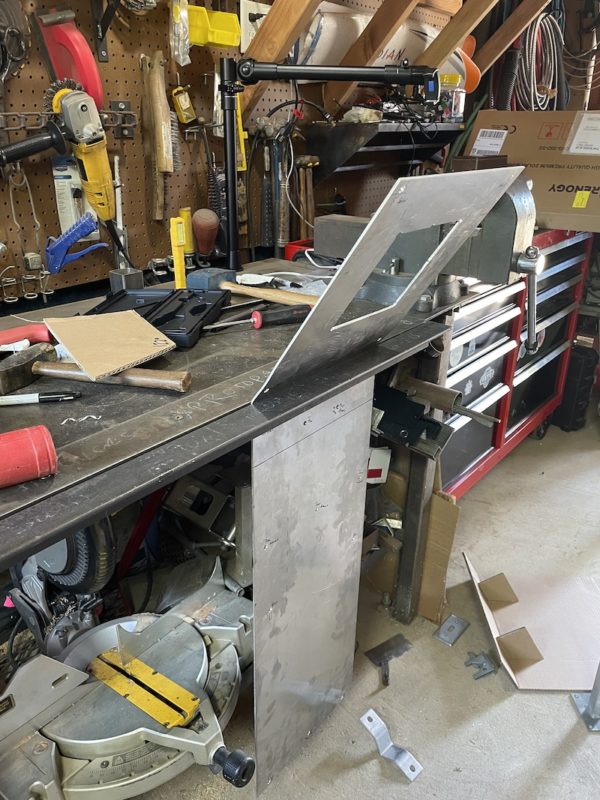

Trip - 5/2/2021

Thank you. This is a great resource. I am in Southern California and am seriously considering using your "Off Grid Helium Hotspot Parts List" to build my own remote hotspot. I should be receiving several Rak Miners in June and would like to have one remote rig ready to go. Is the gear list posted still the best equipment you recommend? The remote location I choose is on the side of a mountain, so I will go with the 900 MHz 9 dBi Heavy Duty Flat Panel Antenna you have listed.


Nik - 5/2/2021

Hi Trip, Right on, it's a fun project! That gear list is an excellent start. I recommend going through it and making sure you understand what each thing is for and how connects with the others. You'll need to figure out how you're going to mount it. For example, the gear list assumes a pole mount but doesn't include a mast or pole. I usually draw out what I'm going to do. Doesn't have to be a work of art, it just helps you understand how it'll all go together. Also, you'll have different power and data requirements than this one, as that gear list is for a DIY miner, a program that has long since closed. Make sure you factor those in to your calculations.


Trip - 5/2/2021

Ah ok. Appreciate you’re quick response :-) I am still learning what everything is for. I assumed the gear list sheet was for the Jade Hare location, using a Rak miner. Did you place a more powerful solar unit/battery for that? Also the two antennas for the cell modem, in the picture you drew you have those attached to the enclosure box. Did you use some kind of enclosure antenna attachment to protect those? I figure the rig I need will be very similar, with the exception of a directional antenna and I will likely attach the components to some rocks rather than a pole.


Nik - 5/2/2021

Well, it was built from the initial Jade Hare gear list, but AJH is a DIY. It gets complicated, but with a DIY you can basically use much less power & data by offloading most of the work to a cloud miner, which I did. You can't do that with the RAK, so you'll probably need a larger battery. I've attached the cell antennas directly to the box for some installs and for others ran them up a pole just to give them more elevation. You'll need to use a gland to weatherproof the seal from inside to outside the enclosure. If you'd like a step-by-step walkthrough I'm available for hire, choose the Strategy & Placement option. :)


Trip - 5/2/2021

Thanks, I may hire you for that! I would rather get things right the first time than have to rebuy stuff because it's wrong. I'm still in the early stages.


Herbert - 5/18/2021

Hi Nik, great article and thank you for all that you do. I had a quick question about the battery an the charge controller - did you plug the charge cable from the battery into anywhere or does the charge controller allow charging and discharge through the discharge port of the battery? Thank you!


Nik - 5/18/2021

That battery has two cables. One is a giant grey one that I don't use, the other is a smaller black/red Anderson powerpole that you use to connect to the solar charge controller.


Ryan - 5/20/2021

Hey Nik - This is really awesome! Thank you for being such a great resource to the community. Quick question on the cellular side - What kind of monthly data costs do you incur using the Cradlepoint and Olivia Wireless?


Nik - 5/20/2021

Thanks Ryan! My costs won't be your costs; I'm just running a packet forwarder as part of the DIY, so my data requirements are under 200MB/miner. Cradlepoint has some 3 year plan that's included with the $500 purchase, so that's basically a $0 cost. Olivia for mine is under $10/month for 2 active miners. Look at the UltraMobile plans for a full fat miner, they have unlimited for around $50 and they're always running "sales". ;)


Ryan - 5/20/2021

Thanks, Nik! I’m still learning about all of this. I have some miners on order and I’m reading and researching as much as I can. I figured since the miner is going to use 20-30gb of data a month I should consider that as part of my plans if deployment makes sense in an off-grid situation.


Bill - 5/27/2021

Nik, I'm in Orange County so my non-sun days would be similar to yours. So would a 200 wt. - 12 v solar panel be sufficient? I've got access to three commercial buildings but I think the owner would be more convinced if I didn't have to penetrate the roof.


Nik - 5/27/2021

Bill, that's double what I've got, that should be plenty. :)


Bill King - 5/27/2021

Hmmm. I guess I misread your Excel Spreadsheet. I want to take your advice and not go bare minimum, but I also don't want to overspend for obvious reasons. Anyway, thanks for the reply. I believe I will have the ability to put one on a cell tower next to the building (tower came with the building). So I'm pretty sure I'll be engaging your paid services to consult. Hopefully by the end of July or early August.


Bill - 6/2/2021

So my building owner said I can use the outlet on the roof. But the cable is in the underground parking closet so that's a lot of cable to reach the miner. I was thinking of using a Cradlepoint in an off-grid format but using the outlet instead of solar. This would seem to be better than tapping into the building wi-fi which I suspect may kick me off a lot and which occasionally needs a reboot on the weekend with me having no access to the modem. Thoughts?


Nik - 6/2/2021

Interesting. May be time to use the RUT240 there, especially if it's easy to check up on. Last I saw the Cradlepoint was out of stock :)


Kelly - 6/3/2021

You mentioned a ground wire in an earlier comment. Would you (did you) add a ground rod as well? I couldn't tell from that previous answer answer whether you just risked it or took those extra steps.


Nik - 6/3/2021

Technically, you should always ground everything and use a ground rod. :)


AMS - 6/7/2021

Even though you don't recommend it, I still would like to know which antenna is that in the picture, the one that looks like a big rectangular panel. Great Job! Thank you.


greg - 7/3/2021

Getting close to putting up my enclosure and about to order a few LHT65 for each deployment. I see you were mainly using it to assess connectivity but how do we get temp and humidity info about it? Is there any resource you could point to that talks more about using these sensors? Do we pay for data transfer from the sensor or did the manufacturer? It all just seems like pages of code. thank you so much for everything you do!


Nik - 7/3/2021

Hi Greg, check out this post on using the LHT65. :)


Marcus Makabenta - 7/15/2021

Hey Nik I am confused and need help about how to setup the 4g modem from cradle point. Basically I already bought all the list except for the internet portion. I hope you get back to me. Thank you


Nik - 7/15/2021

Sure, what are you confused about?


gekko - 7/26/2021

I don't like solar powered systems because they suck. Not just they cost you tons of money (way more than you would spend over the years for grid electricity), but you need to oversize them waaaaaaaaaaay more than the actual usage is. You can run an RPI4 from 2x12Ah batterys in parallel for about 6 hours on idle at new age. You may say does the PI drain 4A constantly? Nope battery manufacturers always lie about the site of these crappy lead acid batteries and this is at new age of the battery. Give it a year or more and it's about 4 hours. So in his case he used 50Ah batt which is going to provide enough for approx 8 hours of darkness, now that is nice except... if your circuit draining them down to 100% where the batt voltage is approx 13.60V (considered depleted) these batteries need about 48 hours to fully charge so you may never want to go down that much. Then you have to also calculate that on the winters there can be as less as 1-2 hours of sunlight or cloudy all day long. I don't know whats the date of this article but I doubt his running it since 1 year. I simply think that this system is way under designed, I would recommend at least 100Ah in batteries unless that location is some real sunny all day long and even then batteries will always degrade. You will eventually have to replace them after 4-5 years.


Nik - 7/26/2021

Hi Gekko, that unit has been running since, oh, November of 2020. It's made it through the winter months and a cloudy streak. I don't think you're getting your math right on the "approx enough for 8 hours of darkness", I've designed the system to last for over 3 days without significant energy input (cloudy winter days.)


Michael - 8/11/2021

I'm not sure this is the right place to ask but... when you install a hotspot off-grid, do you need to pay for that land? If so, how does someone go about doing that?


Nik - 8/11/2021

Depends on the landowner. I've seen 90/10 splits, I've seen ones where the land owner doesn't care, and ones where they want $500/month or a 50/50 split. Totally dependent on what they want.


Michael - 8/11/2021

Ahh, okay. Makes sense. Thanks for clarifying, Nik!


Paul Novak - 8/16/2021

Hello Nik, A couple months ago I set up my hotspot on the flat roof of an apartment building. The internet is through AT&T prepaid using an LTE modem. However, port 44158 is closed and I am “relayed” since day one, because AT&T (as a cgnat) does not provide a public IP address. I checked Verizon and T-Mobile and they also use cgnat… Can you please tell me what carrier you are using and how you managed to get a public IP address? Thank you!!!


Nik - 8/16/2021

Hi Paul, I'm using Olivia Wireless, which is fine for packet forwarders (future Light Hotspots) but not set up for "full fat" miners. T-Mobile was offering a plan of 100GB for $55/month, but they've since closed that down. Have you checked in on the Discord #off-grid-and-enclosures thread?


Adrian - 8/16/2021

Hello Paul, If you are in the Southern California area I may be able to help you figure out the connectivity issue.


Nik - 8/16/2021

Hey Adrian, if you've got a good solution please let me know, would love to share that info with the Helium community!


Cherrieh Pittman - 8/16/2021

A company from Portugal is starting to manufacture these: https://store.bevotech.com/product/stand-alone-hotspot-outdoor/ A bit pricy, especially when you throw in their 4G modem.


Nik - 8/16/2021

Rad, off grids are the most fun ones!


Pom - 8/23/2021

Any suggestions how to make sure it works during cold and snowy winter? It gets to - 25 - 30 sometimes in my region...


Nik - 8/23/2021

To mitigate snow you've got some options; larger batteries, larger panels, or snow removal. It's not all complicated (like automated snow removal) but it will probably get expensive. I've heard of folks insulating their enclosures for winter, but I haven't done that myself.


Alex - 9/15/2021

Hi Nik! If you're using a outdoor helium miner, ex. Kerlink outdoor miner, how you will go for the power supply? Thanks


Nik - 9/15/2021

You’ll need power, usually from a solar panel with a battery and charge controller.


Packable Off Grid Helium Miners - Gristle King - A Guide to Helium - 9/19/2021

[…] you will even­tu­al­ly get over the idea of car­ry­ing in heavy equip­ment. I did that on my first off-grid, car­ry­ing in awk­ward­ly loaded 60+ lb rucks over 6 miles of rugged ter­rain with 3k’ […]


Bryce - 10/23/2021

Hi Nik and community - Has anyone found an LTE modem/carrier option for full fat miners that allows port forwarding? I'm also concerned about most unlimited plans that throttle speeds down to 128kbps after 40-60GB of data as my miners are already using close to 150GB of data per month which will just continue to go up as the network grows and usage increases. And I don't know how mining performance will behave at the throttled speeds as I see my miners using up to 600kbps or more multiple times a day. Please share any ideas or suggestions, thanks!


Nik - 10/23/2021

Hi Bryce, try this post for the port forwarding setup. As far as data, there are no good options as far as I know right now for full fat miners.


Brock Gonsoulin - 12/11/2021

So are you able to open port 44158 on the mifi unit your using for internet on this setup or is it relayed?


Nik - 12/11/2021

Hi Brock, Just for clarity, a "MiFi" and a cell router like the 240 are different things. On a router like the 240, you can generally open the port, although that can depend on your carrier. On a typical MiFi device, you probably can't.


Ramiro Doporto - 12/30/2021

Your the man, I just drew this schematic in my head and it looked very much like yours except my box was hidden in a fake bird house lol.


Kashif - 3/4/2022

Hi Nik, My miner is using around 5-6 GB data per day, any thought how can I reduce it because I have metered connection (100GB per month). Please guide me if any solution you know. Thanks in advance :)


Nik - 3/4/2022

Not really. Wait for Light Hotspots. That seems like a lot; how long has it been on, and what type of miner is it?


Mike - 4/6/2022

The real question I have is, how do I get rights to setup my antenna in the hills? Is there some special use permit or license I need to use?


Nik - 4/6/2022

Hi Mike, find the landowner and ask 'em permission. Procedures vary across public/private lands, but that's the basic two-step.


Kanoa Cook - 4/16/2022

I noticed that 10ft 12AWG charge controller adapter you linked says its good up till 30A of current, but the Renogy solar panel can provide 31-41Ah. I was just curious if this may have been a mistake or if this exact gauge worked for you? I'm definitely not trying to over-engineer anything haha


Kanoa Cook - 4/16/2022

Disregard my last question, I actually saw some grounding wire tables that showed 10AWG is plenty, so I think 12AWG must've been for redundancy. Appreciate the guide!


Rob Wood - 8/22/2022

I need help with data plan and SIM card for a MNTD miner that is off grid. I had an AT&T plan but that SIM card is not working any longer and need to find replacement. MNTD is using 30 gigs a month of data. Any suggedtions? I contacted Olivia and look forward to talking to them.