103 posts tagged with "Helium"

View All Tags

Let's Talk NanoTags on Helium

· 9 min read
Nik
Site Owner

One of the core benefits of a global LoRaWAN network like Helium is the ability to track assets across a large area. Now, tracking isn't magic, it's engineering, and it always comes down to fundamentals: How are you getting your location? How long do you need your tracker to run? How often should it ping?

As the Helium ecosystem matures and we dive deeper and deeper into what we can do with the network we've now built, it's worth diving into a specific product to explore how they approached, solved, and continue to the improve the solution for a tracking problem.

Let's talk a look at the NanoTag product from NanoThings to see how one company went about solving for a specific problem.

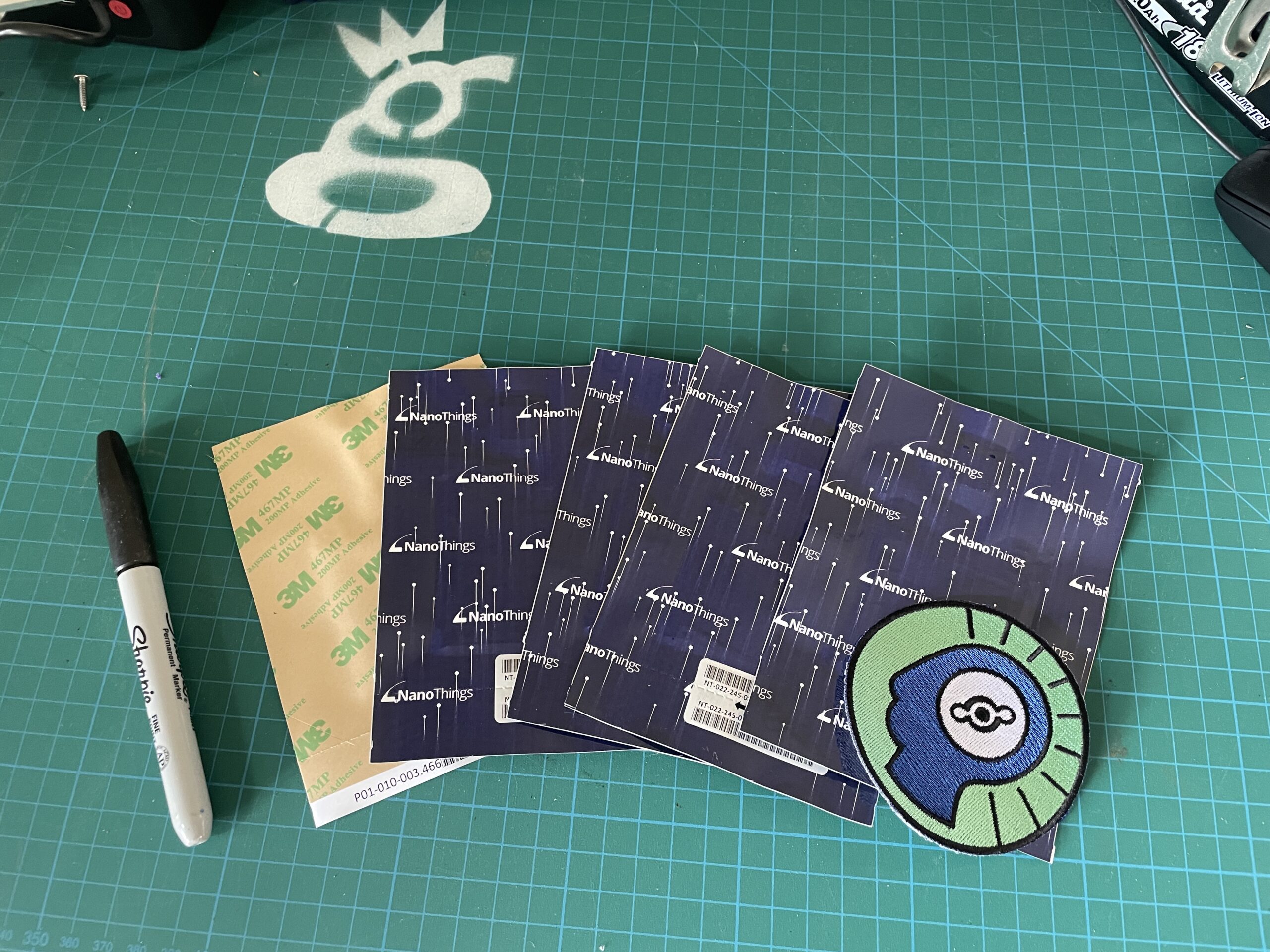
We'll start with the general offering: A low cost ($25) tracker with temperature monitoring, about the size of a McDonald's napkin, and it'll last a few years if you set it to ping at 1 day intervals. Peel 'n stick adhesive on one side makes it easy to just slap on damn near anywhere. Pretty cool.

Joey Hiller, Technical Director at the Helium Foundation, sent me a few to check out. Now, I've got an alter ego I don't often talk about, but in my pre-Helium life (and still to this day) my wife Lee and I run a little dessert shop called Paleo Treats that ships perishable desserts all over the world. We've been doing that since 2009. Back in 2015 FedEx recognized us as one of the top ten small businesses in America. Out of that came the opportunity to work with FedEx on making perishable shipping easier for small businesses to navigate, and I got to run a couple time/temperature experiments with their million-dollar shipping lab, which was, pun intended, very cool.

I learned everything you need to know about how to ship small perishable goods packages (and a lot you don't). Now that's not to say I learned everything there IS to know, just that I figured out a way to reliably keep a small box cold as it shipped from San Diego to anywhere else in the country.

As part of that learning curve, I scoured the interwebz for some kind of temperature tracker I could use to assess my shipments. They weren't cheap (still aren't)* and the ones I found just logged temps, they didn't transmit 'em over any distance.

It meant that I could only really send packages to folks who would send the logger back, or, the "rapid feedback version", were willing to add an app to their phone, download the data off the logger, and email it to me.

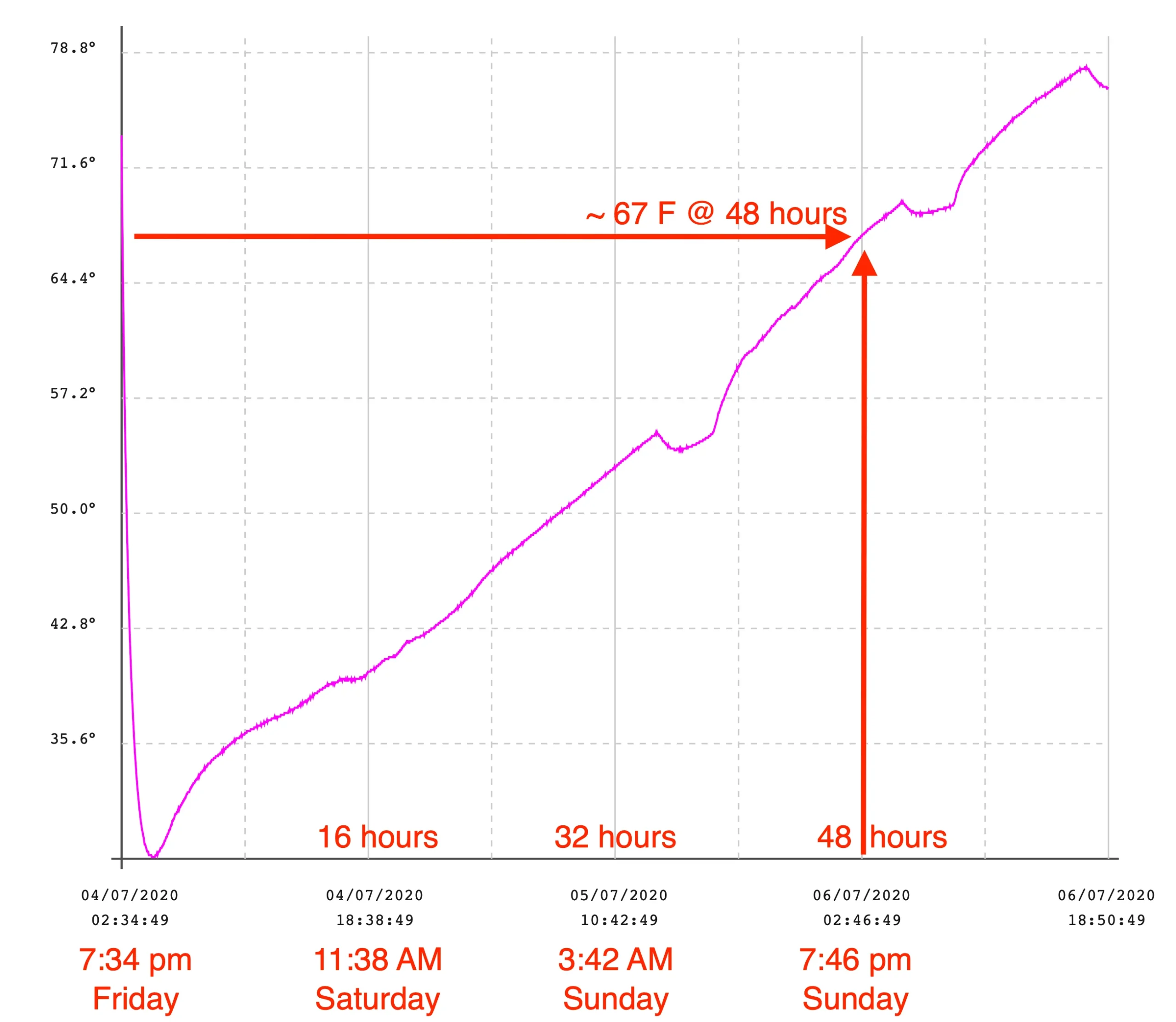
Of course, you only need to send a few packages in the summer to figure out that you've got about 48 hours before a box gets to chocolate melting temps, but...that also assumes you're using the same "pack out", or method of packing (insulation, dry ice, gel packs, etc) every time. We use different packouts all the time depending on how much we're sending, what insulation is available, and where it's going.

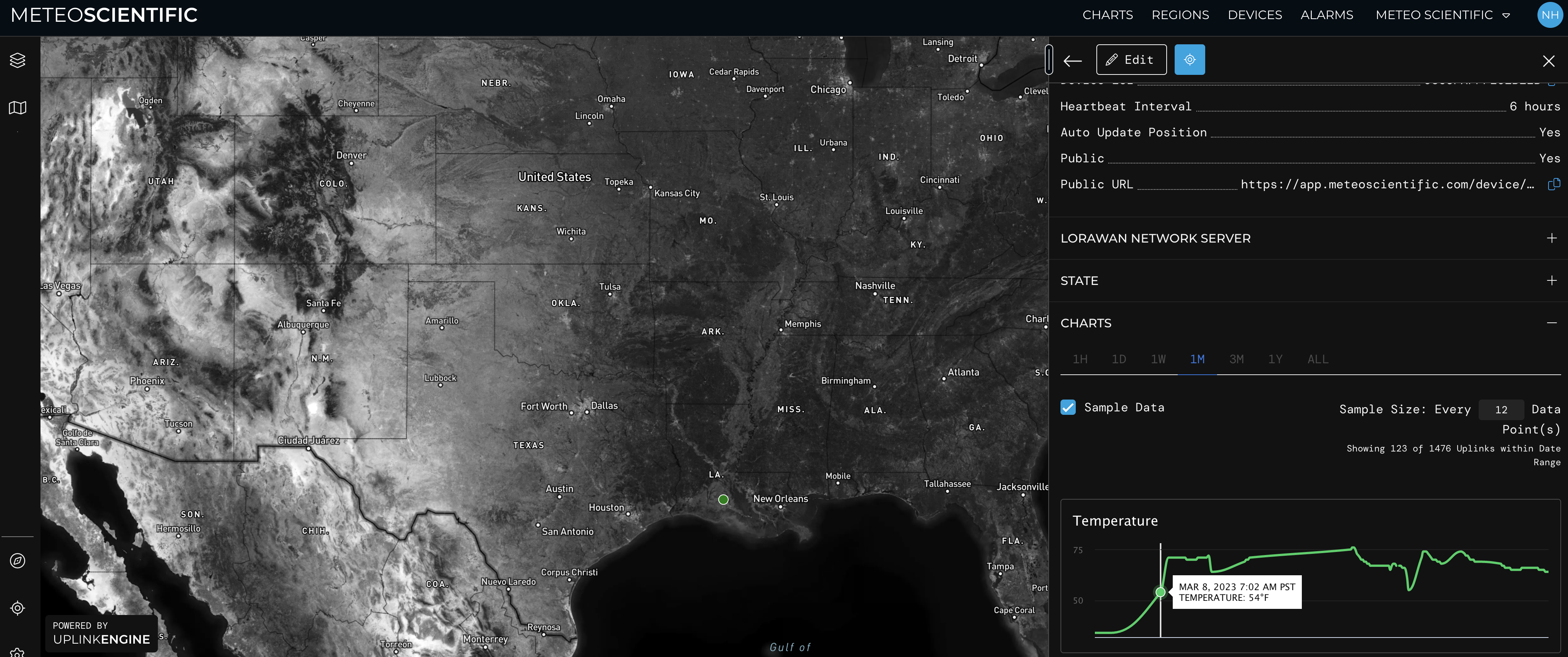
So right off the bat, it makes sense for Paleo Treats or any small business shipping perishable goods to buy a couple Nanotags and just use 'em for in-house testing. Here's a package I sent from San Diego Mempis, then on down to Louisiana. I used Meteo Scientific's Uplink Engine dashboard to keep an eye on it as it traveled. At the beginning it was 34F or so, with the temperature gradually rising to whatever the local environment was over the course of a few days.

If you want to keep tracking tag 789 as it moves around the country, use this link to see what's going on. You may see that it's offline, or apparently moving around a bunch at some specific location. Both of those demonstrate the limitations to Nanotags. This goes back to the opening piece about tracking not being magic, but an engineering problem.

First, Nanotags don't use GPS. They just send out a packet saying "This is me, I'm Nanotag 789. Please report that you heard me along with the signal strength received". Any Hotspot that receives that signal then forwards it on to the Helium Router, which checks to see if anyone wants to buy that packet, and how many Hotspots they want to buy it from.

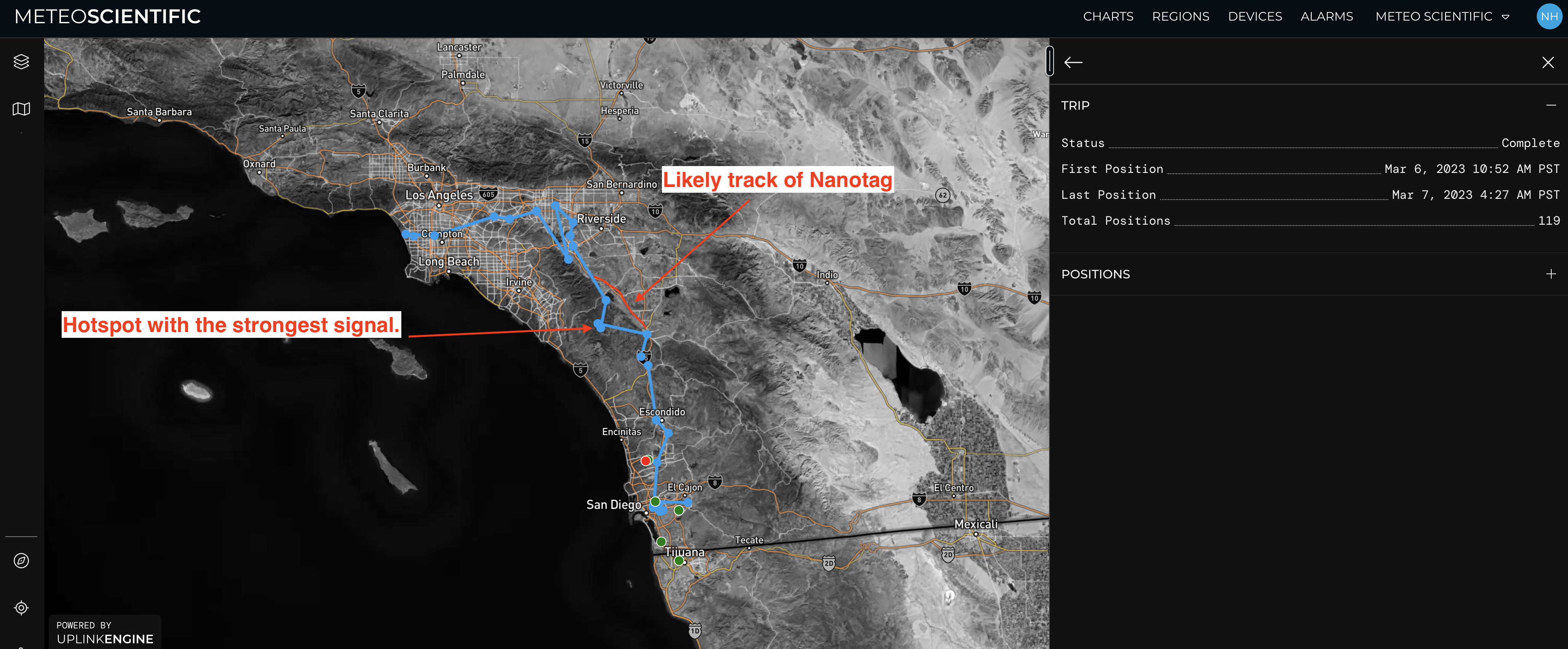
From there, the Nanotag decoder pulls the strongest signal received, and shows you the location of that Hotspot. It's not the location of the tag, which can be a little confusing. Here's what that can look like as a package travels from San Diego to LAX. It's *mostly* accurate, but a few high hotspots with high gain antennas on telco towers can distort the path a bit.

Of course, you can refine the location by buying from multiple Hotspots and do some fancy math to get a better idea of where the tag is, which is what a few companies are attempting now.

That "amount of Hotspots to buy from" is a variable. In my case, I added the NanoTag to my Console and set it to buy packets from up to 21 Hotspots, just to see what the tracking looks like. If you're using the UplinkEngine integration that NanoTags has to help you demo your tag, it will buy multiple packets.

If you're using Trackpac, they built an impressive machine learning model by buying every possible packet (like mine). Once they had a few million data points, they could buy far less packets and still get accuracy of location to the 300-500 meter accuracy level! If you'd like to access that, you'll need a Trackpac account, which you can sign up for here.

This works well for making sure your box is in the right city (and sometimes the right block), but it ain't sub-cm accuracy like GEODNET, or even regular 5 meter (~16') accuracy GPS, which is on your phone.

Using trilateration to assess the signals from multiple Hotspots and narrow down a likely location is reliant on a few things, and vulnerable to the vagaries of radio.

First, you need enough Hotspots receiving the signal. If the label is in a box in a pallet with metal walls in a metal walled airplane, the signal may not get out. The same may happen inside a building; that's the main reason you'll see the "offline" message in the link to tag 789 above.

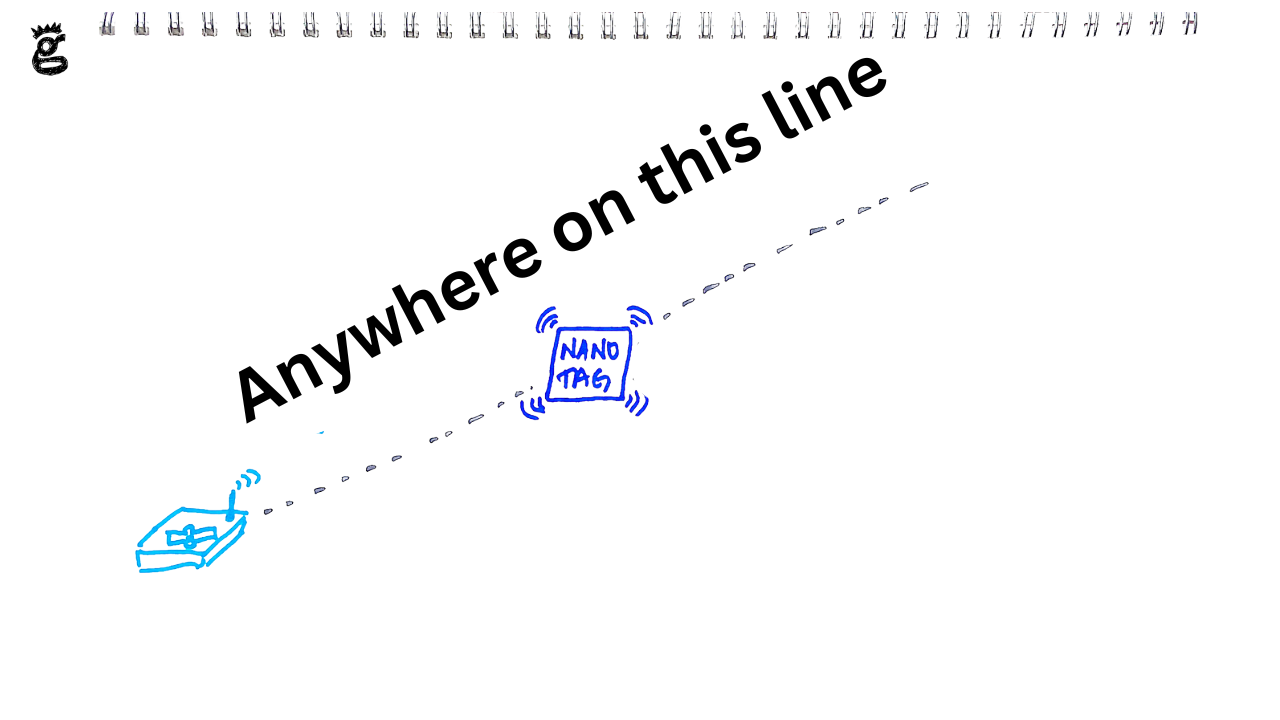
If you only have one Hotspot that receives a packet, accuracy is probably only useful down to the 5 km level (or worse), as figuring out distance based on RSSI with just one vector is damn near impossible.

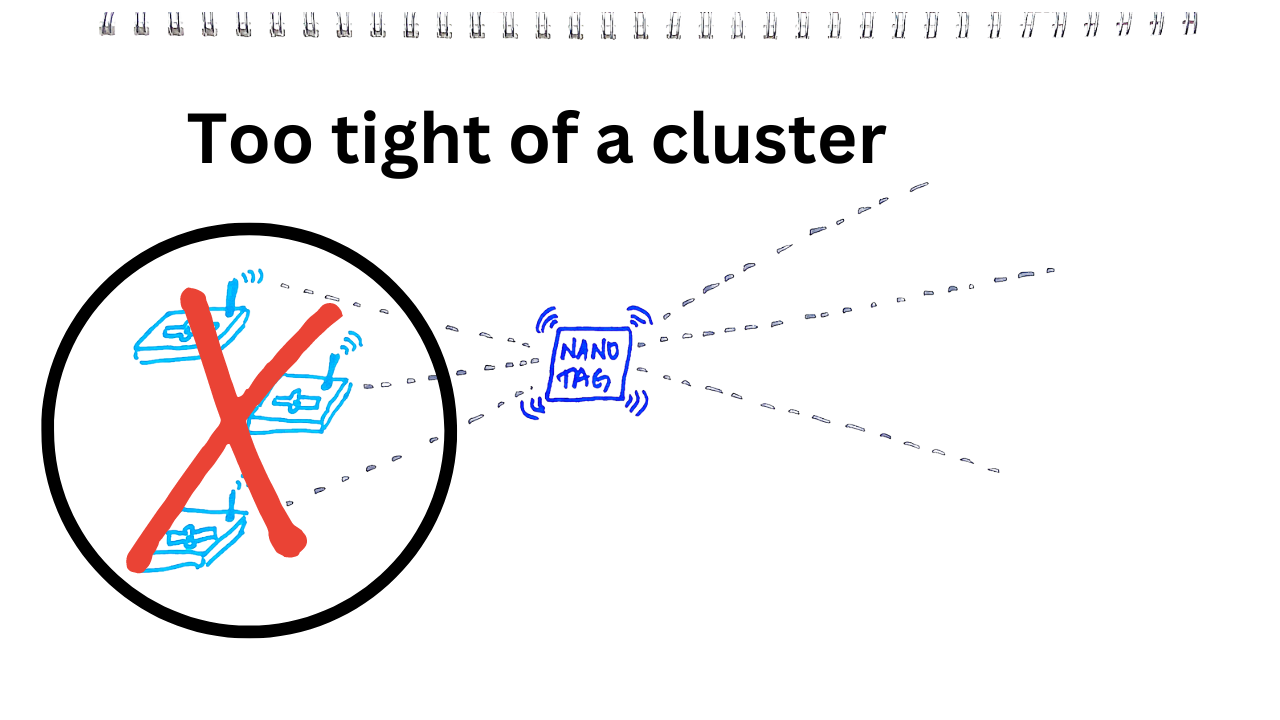
Second, those Hotspots need to be spread out enough from each other. A tight cluster of Hotspots doesn't help narrow down where you are, especially if that cluster is off in the distance. You just can't get a bunch of usefully intersecting lines that way. It looks like it in the first picture, but that's assuming a perfect world with no buildings and a crystal clear air path between tag and hotspots. That rarely happens.

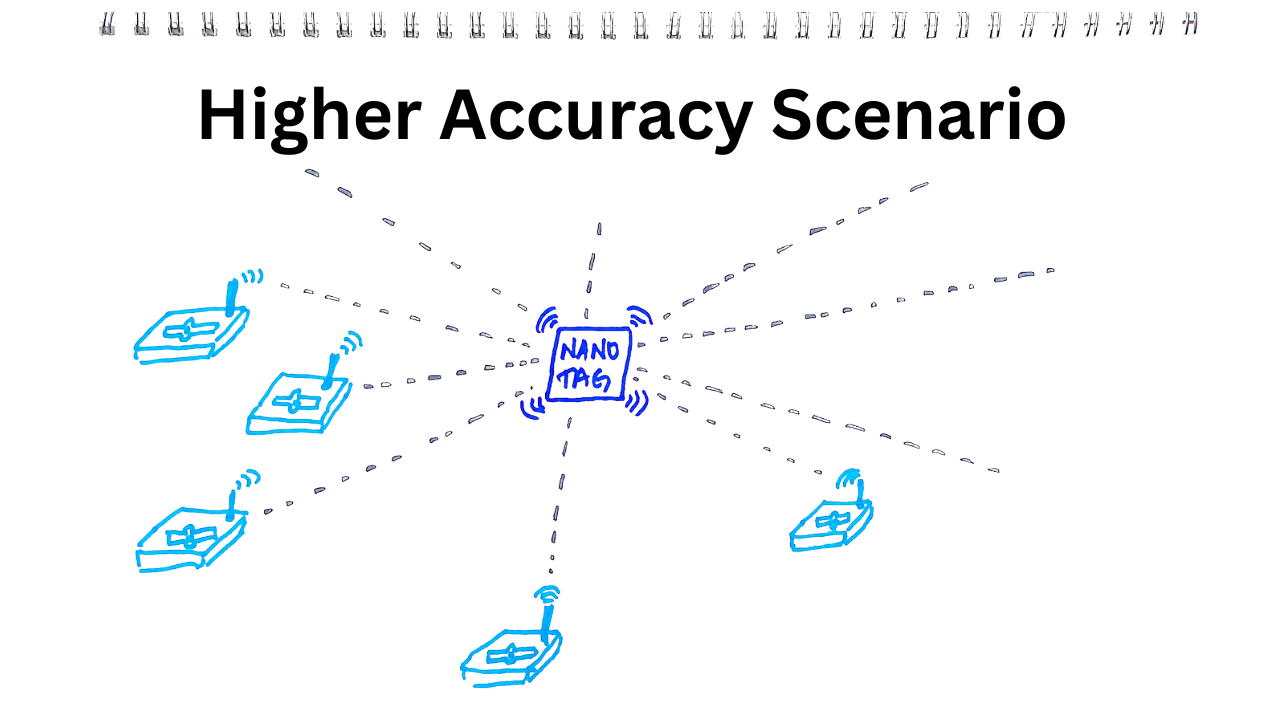
The ideal setup is that the Nanotag is surrounded by Hotspots, which means we can start to get much better results. Still, as I said above, radio trilateration on Helium isn't bang-on accurate.

One of the challenges with Helium is that the location of Hotspots has to be accurate. If they're not where they say they are, and many aren't, that can throw off location results. Whether someone is intentionally misasserting their Hotspot to protect their privacy, or they're doing it to cheat, that distorted location can significantly affect the accuracy. More importantly, because those misassertions aren't a known variable, unlike the first two problems, with misassertions you won't be able to tell if the accuracy is off.

Now, the takeaway here is really that we're in the early days of this trilateration accuracy thing on a LoRaWAN like Helium. What you see today is not representative of what it can do in the future. This is a rough 'n ready early version, not the refined end state. We're driving covered wagons, not piloting an F-117 to knock out two bridges in Iraq (that story is here, starting at 47:47 and is about a good a sea story as you'll hear.) I expect we'll see significant improvements as the ecosystem matures and we as a community get to experiment, test, and improve this rad worldwide network we've all built together.

If you want to participate in this improvement and at the same time reap the benefits of a pretty darn cheap and long-lived location tracker, I'd suggest picking up a NanoTag and trying it out on the NanoTag public site to get started!

*For you pro Googlers, yes, you can find cheaper versions now, around $20 instead of the more expensive device I used. None of those cheap ones also transmit over long distances the way LoRa does.

**Yep, you may find affiliate links on this page that pay me a small commission at no additional cost to you.

Archived Comments

Nick - 4/5/2023

Thanks Nik - bought myself a few NanoTags to get going with. I've signed up to BFGNeil's TrackPac but can't seem to see a way of changing the default uplink frequencies to extend the battery life. Any ideas/documentation you can point me towards?


Nik - 4/5/2023

Hmm, you could reach out to Neil to see if he can change 'em for you. If you onboarded them to his service, he'll be the one to set all that up. Does that help?


The Transition to Solana - A New Chapter for Helium

· 9 min read
Nik
Site Owner

We're about to make one of the largest migrations ever done on a blockchain, from one L1 to another. Sure, there have been other large migrations, but this is easily the largest ever seen in the DePIN space. With that that as our framework, let's talk about the reasons for the move, the challenges we face, the opportunities on Solana, and what your expectations for the move might reasonably be.

First, let's talk reasons. The idea of Helium having their own L1 was born out of necessity; no other L1 at the time did what Helium needed to be able to do. The Helium team (now mostly the Nova team, though many former Nova employees are now at Helium Foundation) built the thing they needed. When they built it, I don't think anyone on the team thought Helium would get as big as it did as fast as it did. But it did.

We all watched Helium grow from from 0 to 900k LoRaWAN nodes in less than 3 years, something that never happened before and probably won't ever happen that fast again. We're coming back down to more reasonable levels now, around 400k Hotspots as I type this in late March of 2023. I expect we'll eventually settle somewhere around 200k globally, for reasons that combine utility ("I need a Hotspot here to provide coverage") and incentives (at around 200k Hotspots on the network the amount of HNT earned is enough of an incentive to maintain it).

Of course, Helium isn't just the world's largest LoRaWAN network anymore (for comparison, TTN, the nearest competitor, is one twentieth the size with 22k gateways globally). From the beginning, their white paper has talked about multiple wireless protocols, and we've seen CBRS launched in the last year with rumblings of WiFi, VPNs, and CDNs in the future. To accomodate all these networks, we need something that the Helium L1 doesn't have, which is the ability to easily run multiple tokens all tied to one token, with data credits flowing across all systems.

Enter Solana. Love it or hate it, it's one of the largest blockchains that can handle this job. It's big, it's fast, it's got a lively developer community, is reasonably stable, and is likely to continue to improve. Of course there are others that could also work, but Solana is where we're going.

So, now that we've established where we're going and why, let's talk about the challenges, opportunities, and expectations. Let's start with expectations for the transition.

Expectations & Action Required

Let's start with what you should do to prepare.

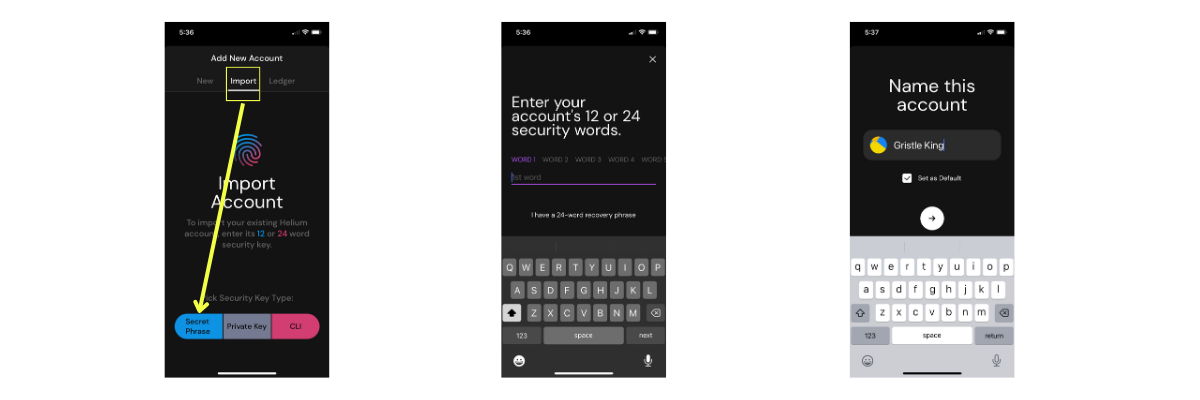
First, make sure you have your 12 words for any Helium wallet you have written down somewhere safe. You can hammer 'em into metal, you can type 'em on a typewriter, you can write 'em on a piece of paper...whatever. Just make sure you have 'em somewhere safe. What else should you do?

Second, transition from the blue to the black Helium app. The blue one is the old one, the black one is the new one. Search in your App store for the Helium app that's black, load it up, enter your 12 words, and you're done. You can always find it at: https://docs.helium.com/wallets/helium-wallet-app/

Yep, it's that easy. If you want to explore a little bit more, pick up a Phantom wallet, dig into the Settings on the Helium black app, and play around. One note; if you're using a Phantom wallet you'll need your "Private Key" (the grey button in the image on the left above), not your 12/24 word secret phrase.

Now, that's all YOU have to do. The Helium team has way more of the load than you.

On April 18th (the expected transition date), I'd make sure I don't have any Helium-related activities planned. No installs, no transfers, no DC top ups, no mission critical sensors, no new purchases. Just chill, yo. I'd expect about a 48 hour transition. The transition is unlikely to be without flaw. Despite the best efforts of very talented people, this is a complex and large thing never done before.

As a reasonable human, you should expect turbulence in the short term. Exchanges will halt deposits. You won't be able to pull tokens out. The system won't work temporarily. In the long term it'll work out, but if you brace yourself for significant short term turbulence you'll be able to navigate the transition much better. This includes the expected FUD that'll take over the Helium Twitterverse as we transition. If you see things like "Helium is DED!" or "Helium fail" or "Blockchain darling dead on arrival" you'll know that the team is making good progress, learning a ton, and not yet on the far side of a successful transition.

Challenges

Ok, so let's hit a few of the challenges we expect to face with this transition. After all, there's no sense in ignoring known issues.

The transition to Solana means that Helium will rely on Solana staying up over the long term. Historically they've been pretty good about that, but they have gone down, and when they do that'll affect the Helium ecosystem. Helium will continue to work (due to the Oracle system), but you won't see token payments flowing into your wallet until Solana comes back online, at which point you'll get all the "back pay" you're owed.

This idea of a blockchain going down isn't something unique to Solana; every blockchain has occasional problems. The good news here is that the Solana ecosystem is healthy, it's very likely they'll continue to improve it, and in the long term if we really need to we can shift again.

A second challenge is that manufacturers of Helium Hotspots won't keep up to date. Syncrobit is an example of this. They stopped releasing updates a few months ago. RAK, Bobcat, and Seeed are examples of manufacturers who are being good actors, keeping their firmware updated, and staying on top of making sure the network stays healthy.

Opportunities

Ok, let's talk about the good stuff. What will happen?

Hotspots will beacon every 6 hours, so you'll know it's alive, it'll earn (small amounts, to be sure), and there'll be much less uncertainty regarding your Hotspot's status.

We'll see new tools, an updated Explorer, more outside vendors coming in to provide useful data, a more scalable network (something that can support millions and even billions of devices, not just hundreds of thousands.)

The LoRaWAN infrastructure will be much more flexible; you'll be able to run any LNS you want, or even be a roaming partner. Pretty rad!

We'll see that updates will be way easier, the network will be more stable, gateways will connect directly with packet routers at the edge, and in general you'll have far less of a technical headache when it comes to making sure everything is working. Remember, Helium recently passed a stringent audit from Sec3, and while no human made is perfect (other than my wife), the network is looking pretty darn healthy from their perspective!

Finally, with Helium on Solana, we'll have access to the larger DeFi and Solana ecosystem, which brings us all one step closer to a universally integrated decentralized system. That is VERY cool.

What's Next?

For now, we just chill. Make sure you have your 12 words, switch from the blue to the black app, then go do something else for about a month. If you're unable to tear yourself away from the Helium ecosystem and want a blow-by-blow view, you should expect to wake up after Migration Day and you'll see your Hotspot has mined IOT, not HNT.

As for me, I'll be deploying sensors for another few weeks. On April 18th I'll probably roast a few batches of coffee and see if I can record a few segments for the new DePIN State show I'm running with Max Gold. If you want a bag, swing on by the Paleo Treats office; I'm giving 'em away because, while roasting is fun, I need to get in my reps, and that requires producing way more coffee than I can drink. Enjoy the abundance!

Archived Comments

Bronson - 4/20/2023

Have you done anything on the different new tokens, what they are, how they're used, and when/what to invest in?


Nik - 4/20/2023

Yep, YouTube video on staking and delegating HNT on the new wallet is here. Rock on!


Mark - 9/9/2024

"I expect we’ll eventually settle somewhere around 200k globally, for reasons that combine utility (“I need a Hotspot here to provide coverage”) and incentives (at around 200k Hotspots on the network the amount of HNT earned is enough of an incentive to maintain it)." There needs to be a shift from quantity to quality, although 200k is probably too low still. In trying to use Helium LoRaWAN in a commercial application I've run into problems like high-rise apartment deployments where a naturally elevated placement gives hotspots good scores and the buildings attract hotspots for a dense coverage, but in practice there is very poor utility at the ground level where I'm interested in deploying sensors into retail stores. Another example is the total lack of coverage in commercial areas like shopping malls or public spaces like parks,etc. I think something to watch out for is Amazon Sidewalk which seems to have planned to address coverage issues with their own commercial quality Sidewalk access points to augment the well-exploited residential coverage they get from Alexa devices. Perhaps Helium could find a way to encourage deployment of gateways into commercial space and/or find a way to incentivize utility like rewarding gateways with good reports from trackers (which should be free from data charges at a minimum, or incentivized for providing the data publicly).


Level Up In A Connected World Using 3D Printing

· 9 min read
Nik
Site Owner

One of many extraordinary aspects of being alive in 2023 is access to resources. In this case, it was access both to a 3D printer (a Prusa Mk3S+ I assembled from the kit) and finding design talent to get maximum value of the printer. Before we get there though, let's start at the beginning.

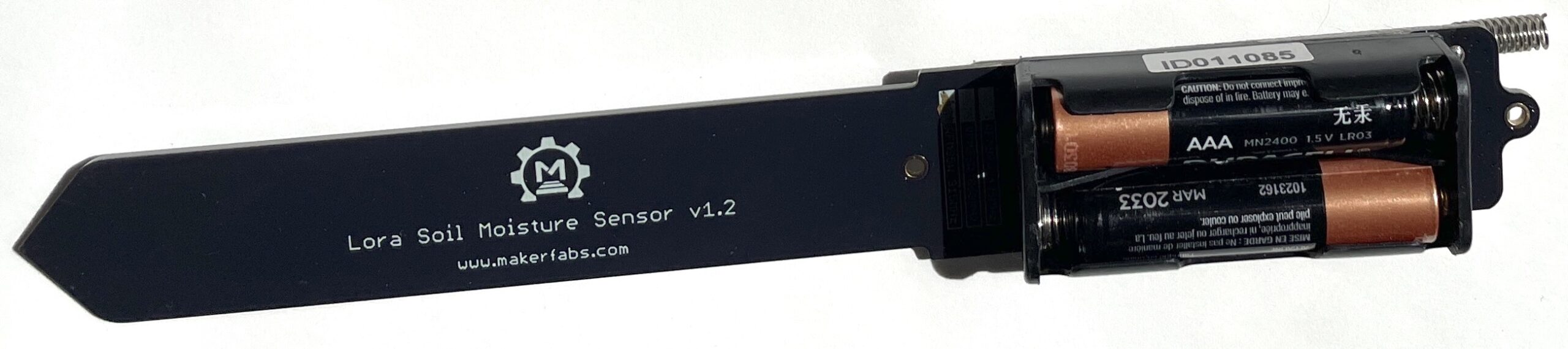
Sometime in December of 2022 I'd ordered a soil moisture sensor from MakerFabs, an outfit out of Shenzen China set up to produce open source hardware.

I thought it'd be a fun project, I knew that many others had already done it, and that while there might be fiddly bits, it was a well trodden path. I was mostly right, and helped by a bunch of tech savvy people in a channel on the GK Discord server, I ended up writing a post on how to get this LoRa sensor onto Helium's LoRaWAN network.

The one thing that bugged me was the enclosure it came with. It had 2 areas for improvement.

First, it didn't really protect from moisture getting in. The case is a 2-piece design with a few vents in the side for airflow.

Dirk (our GK engineer) had put a couple of 'em in the ground a few weeks before me and was seeing moisture inside of the case. The seams aren't watertight, and the vents don't protect at all from water coming in from the side. Now, the board and the parts on it are covered (as I understand it) with a protective film, but the twin AA batteries are open to the world.

Second, it is a royal pain in the ass to open and close. It ships with 2 x M2x8 bolts and nuts. The bolts are just barely long enough to get through both sides of the case, and the way the case is set up makes it really fiddly to actually thread the nut on. It's not impossible, just an unnecessary obstacle. I tried replacing the 8mm versions with 12mm long bolts, and that was slightly easier, but still, not what I wanted.

Obviously once you've got the sensor up and running you don't really care about opening up the case, but there was just something about not having a well designed case that triggered the thought, "I can improve this." So I did.

I started by thinking about what I wanted: A case that I could open up easily with minimal tools, one that protected the batteries from moisture while giving the actual sensor (an AHT10) plenty of airflow, and something I could print at home on the Prusa. The material had to be something that could withstand being outside and exposed to the elements, so I settled on ASA filament. ASA is a UV-resistant form of ABS, a durable plastic.

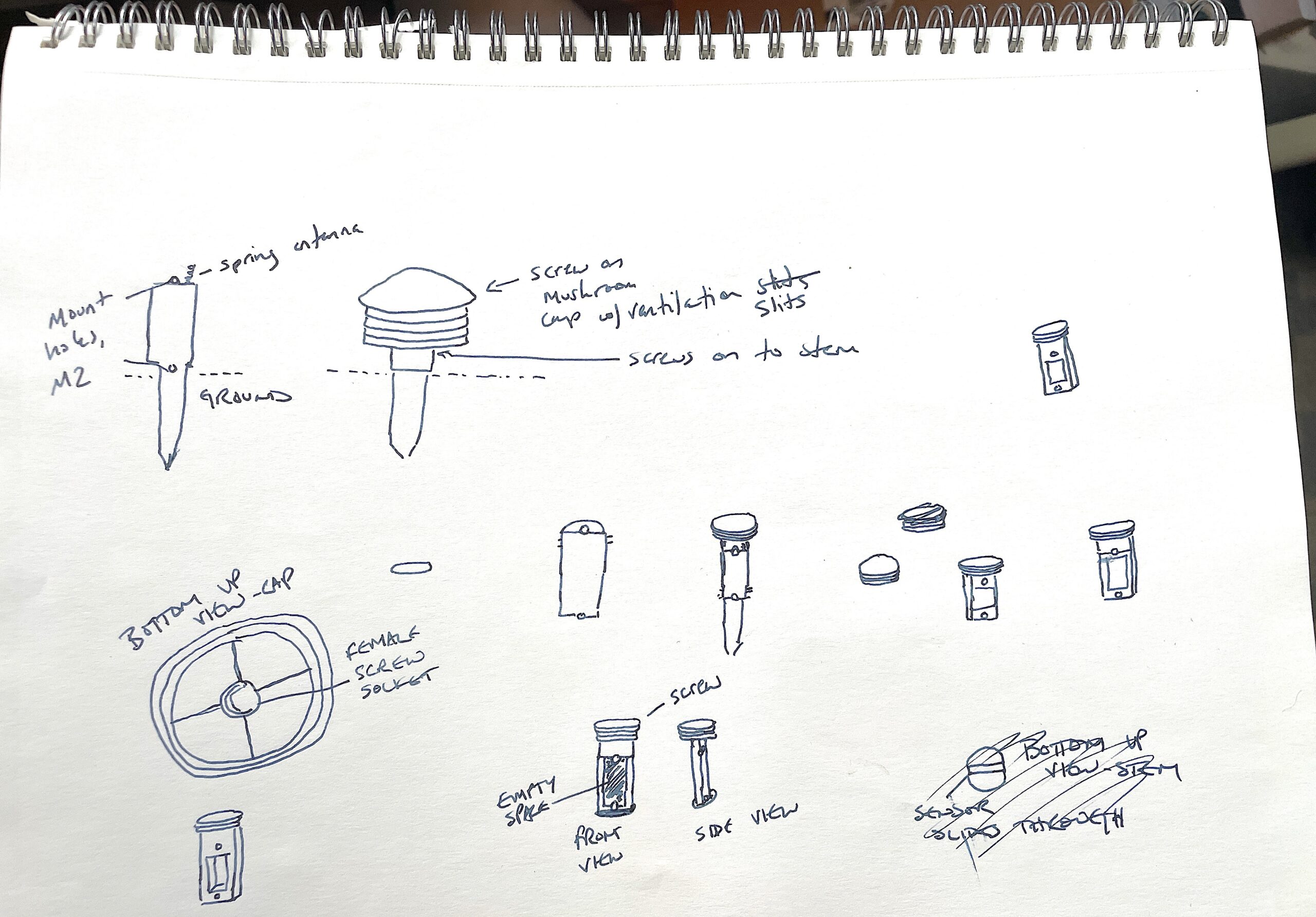
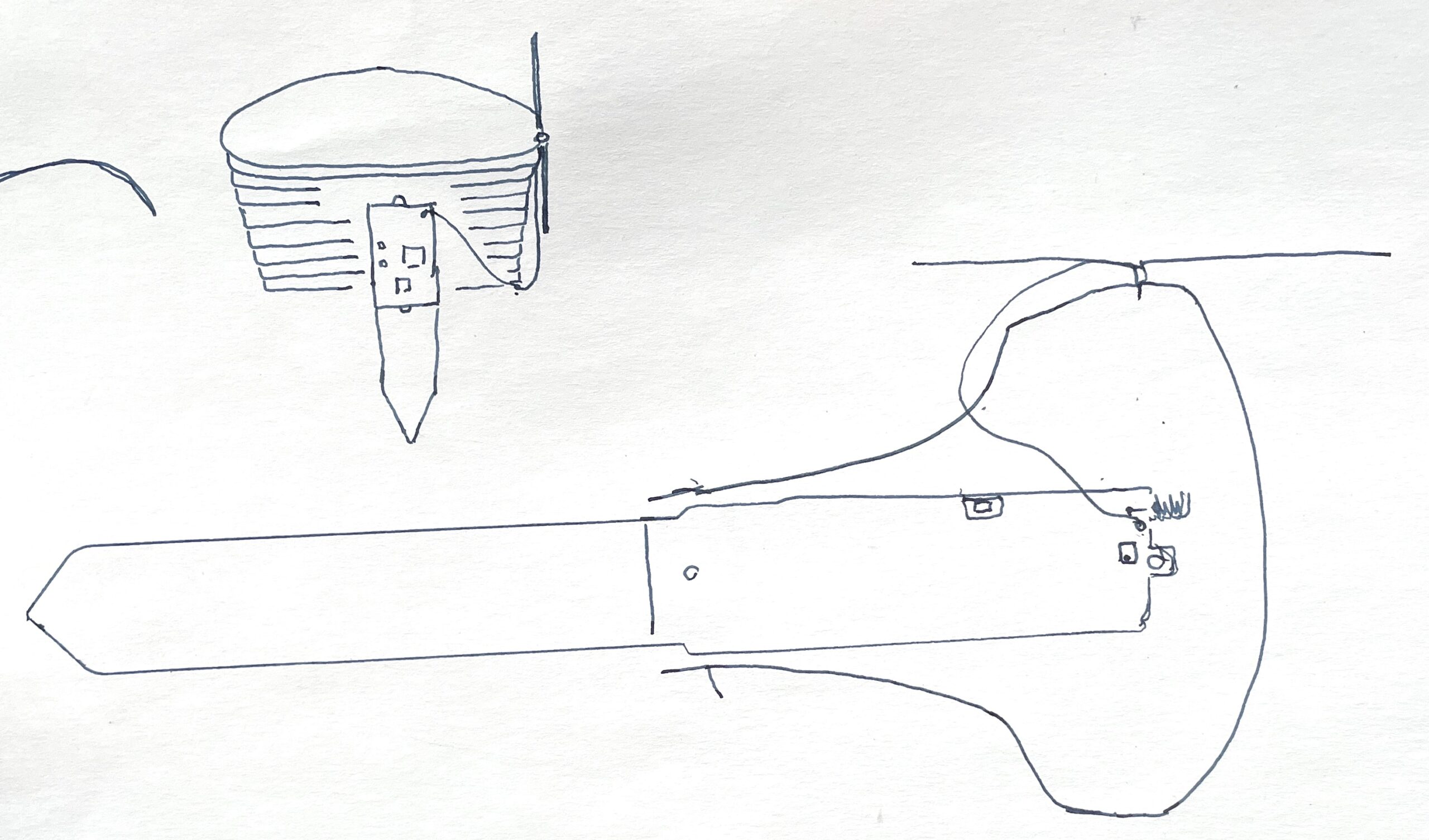
I thought a mushroom shape would work well, so I sat down and sketched out a first draft.

As you'll see, this isn't what we ended up with, but it's close. The lesson here is to start. Your idea doesn't have to be perfect, you've just got to get it out of your head and into some medium you can share.

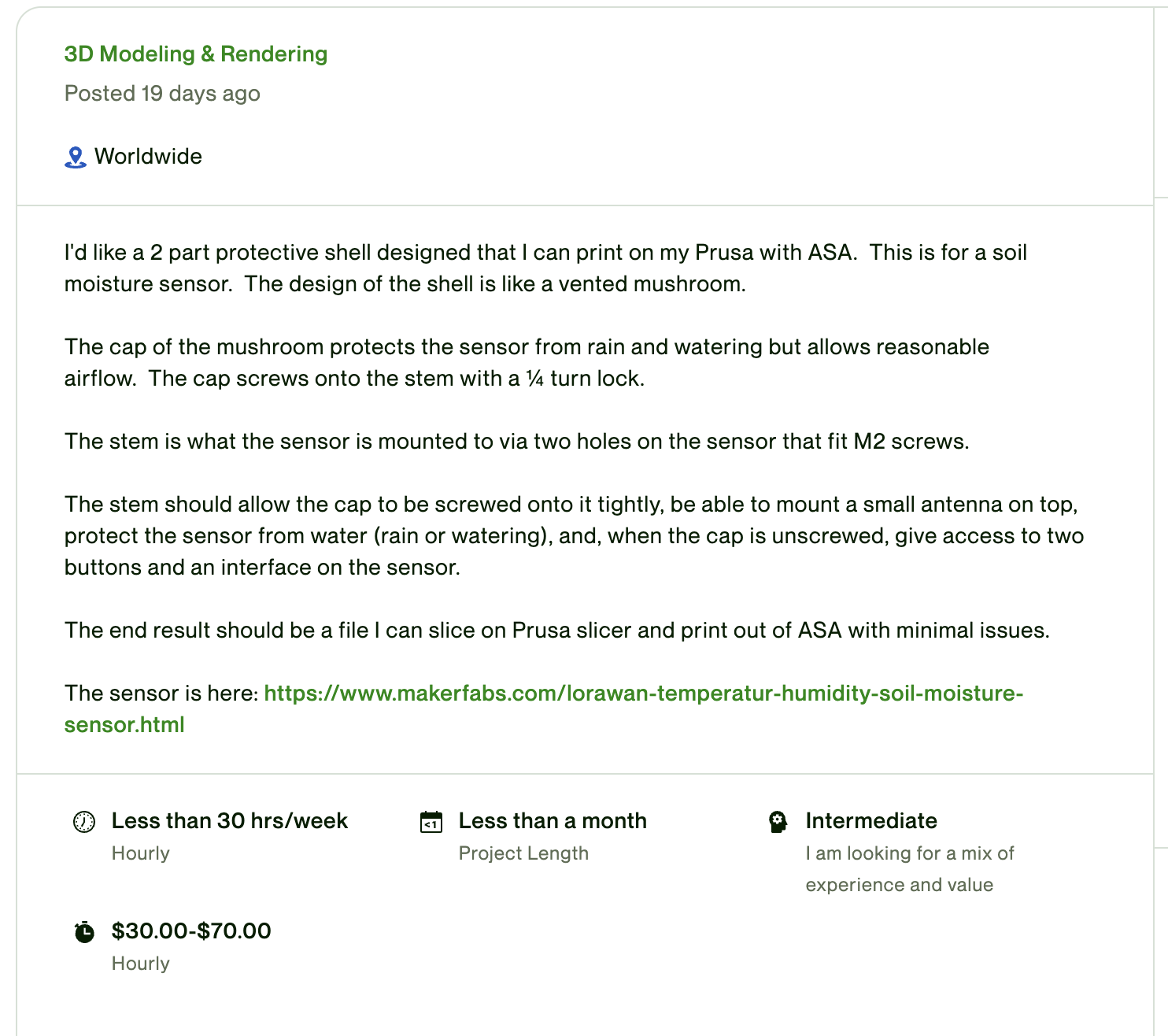
Now, while I have a 3D printer, I am not by a long shot a 3D designer. Here's where the rad part of being alive in 2023 comes in: Designers (and experts of all types) are getting easier and easier to find. I turned to Upwork to find mine. I wrote up a creative brief of what I wanted, added in a few parameters, and posted it.

I added in a few "sifting" questions to help me sort through all the applications faster. I've found writing your own questions on Upwork is really helpful to quickly eliminate candidates who are unlikely to be a fit.

Then I sat back and watched a bunch of submissions come in. Some of 'em read the brief and responded cogently, many were just copy/paste bullshit, and one in particular was from a fellow named George Z. We messaged back and forth a few times, he suggested we jump on a Zoom call (done through Upwork, which was pretty slick), and we talked about it for 15 minutes. I decided he was a reasonable bet, we agreed on a price per hour and he started work.

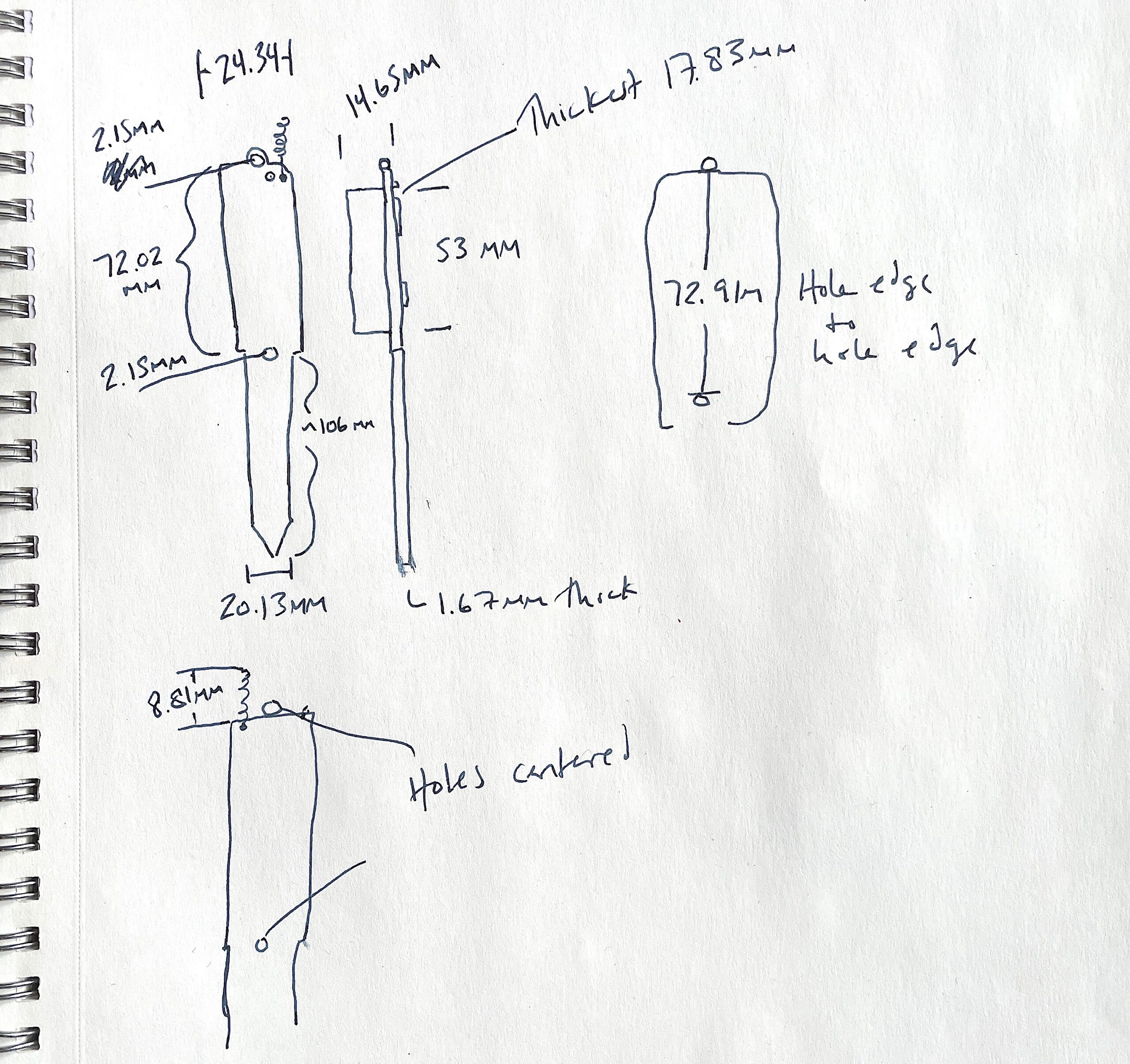
I took some time to silhouette out the sensor and take a bunch of measurements with my digital calipers. I'd really wanted to buy a 3D scanner, but George let me know all we really needed were precise measurements; that tempered my profligate tool buying habits.

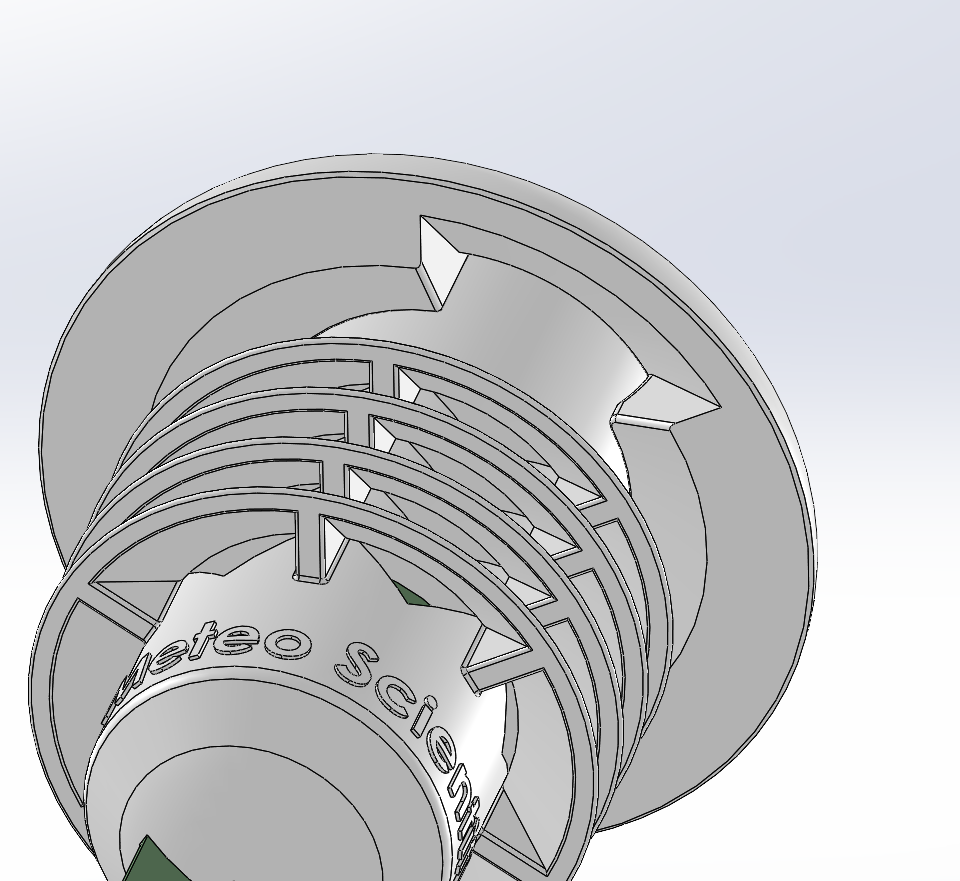
With that sent over, it was time to let George do his thing. When I saw his first proposed design I was reassured I'd made the right choice and this would be a super fun contractor to work with. He did what an excellent designer does, which is to take the clients idea and improve it in ways the client hadn't thought to ask.

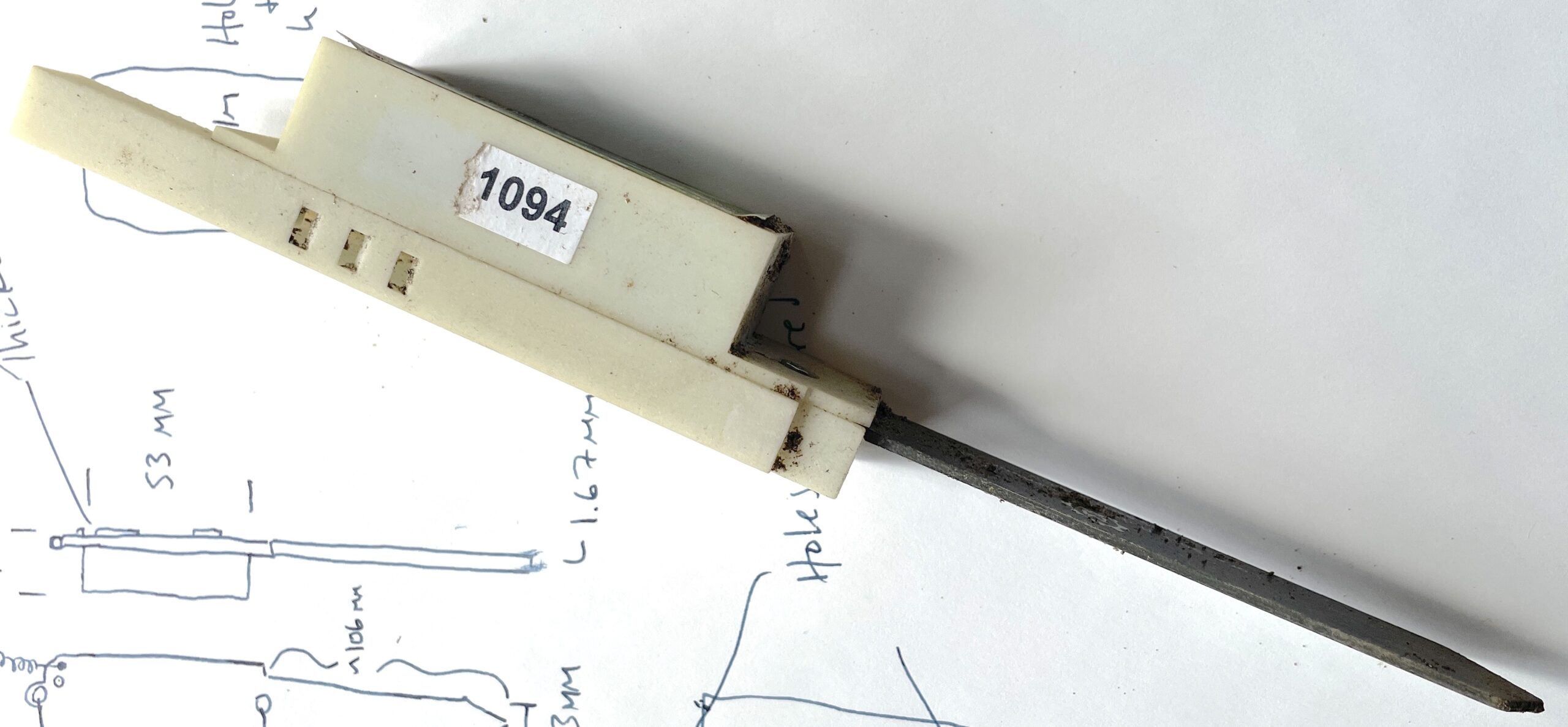
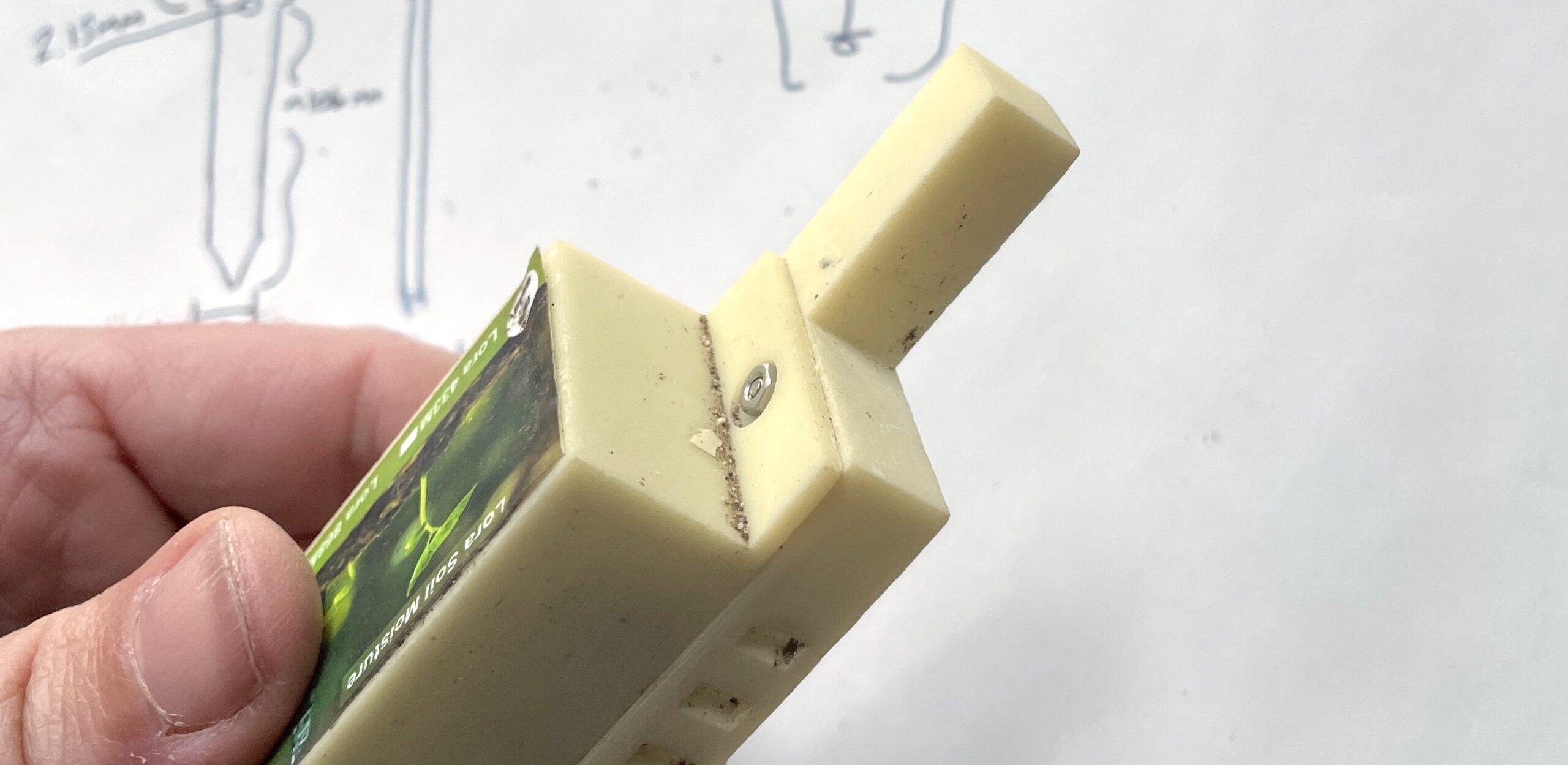
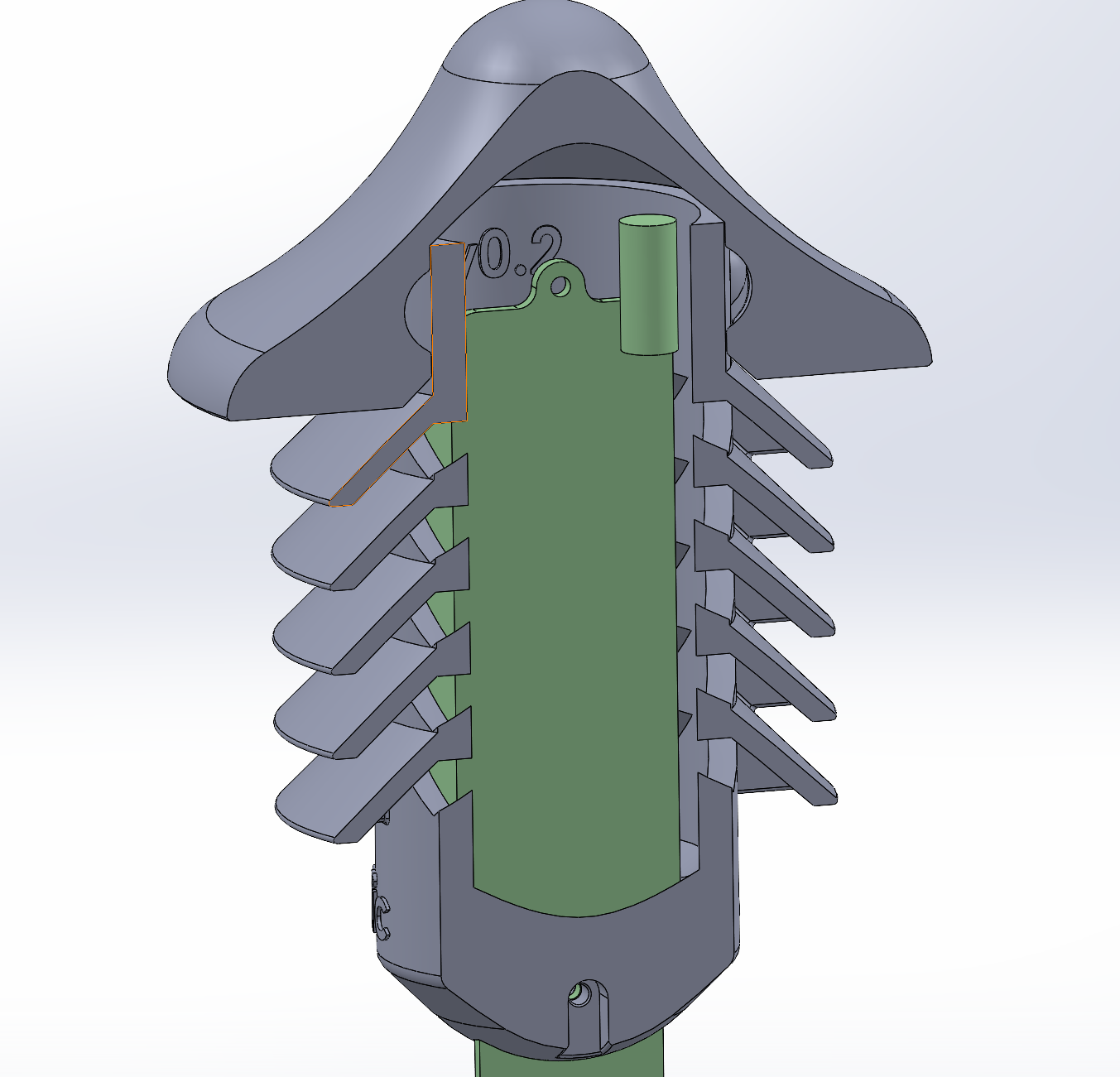
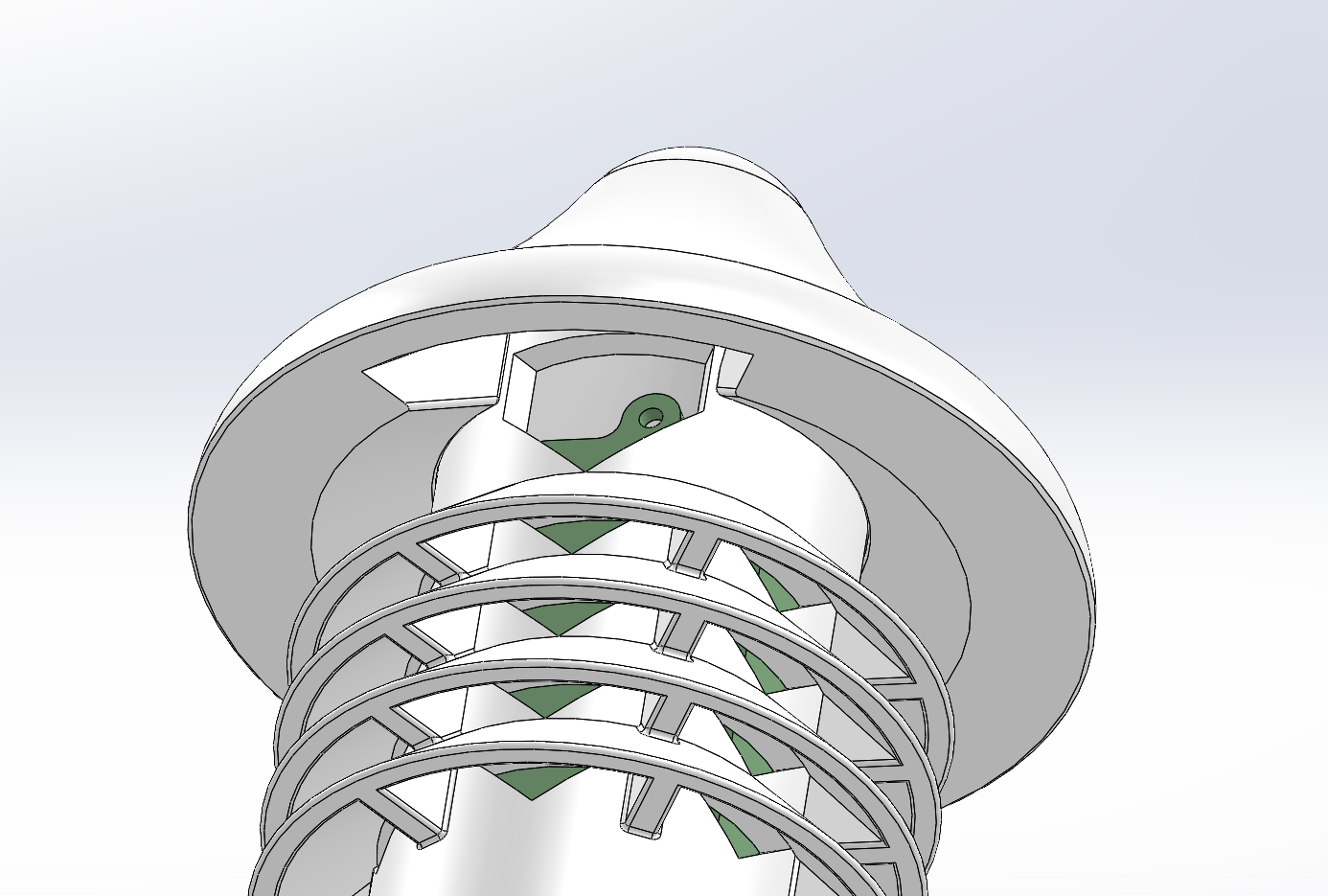
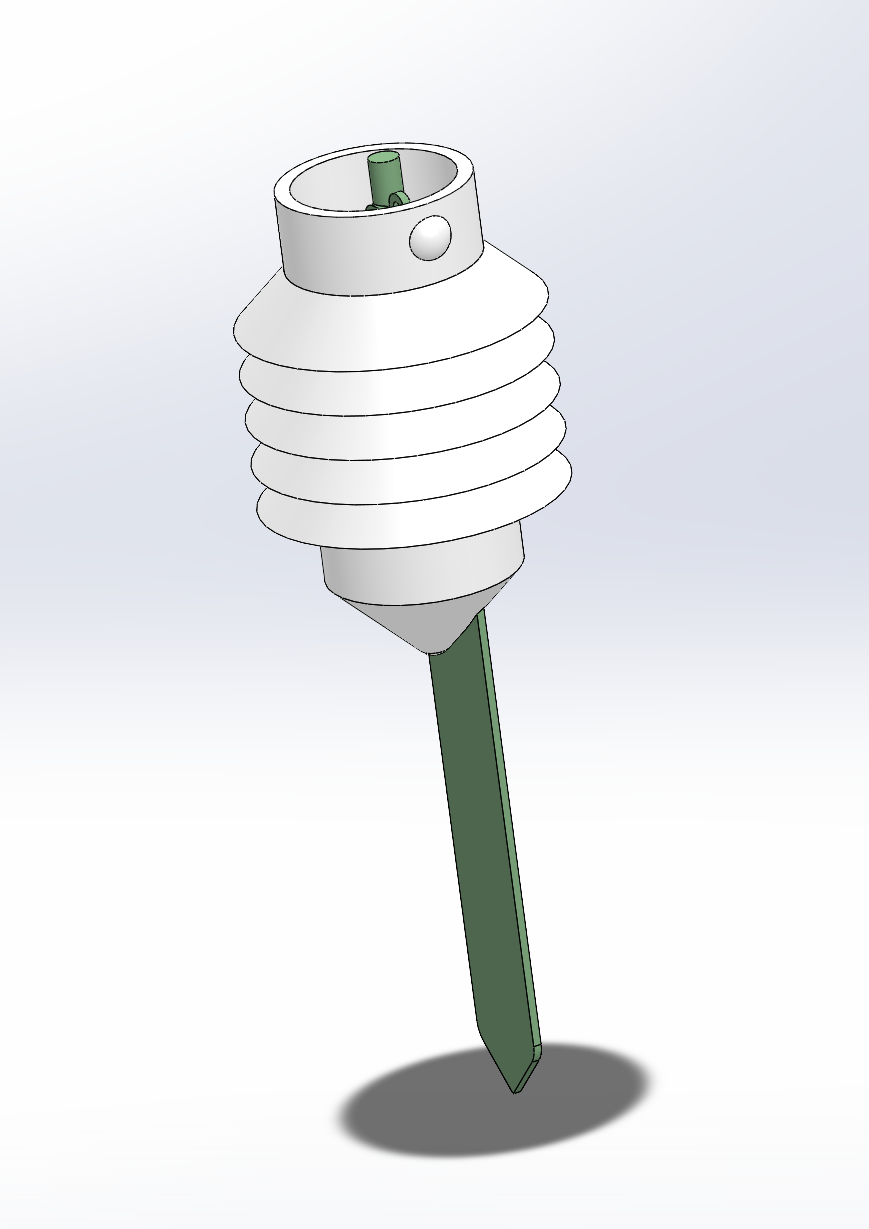
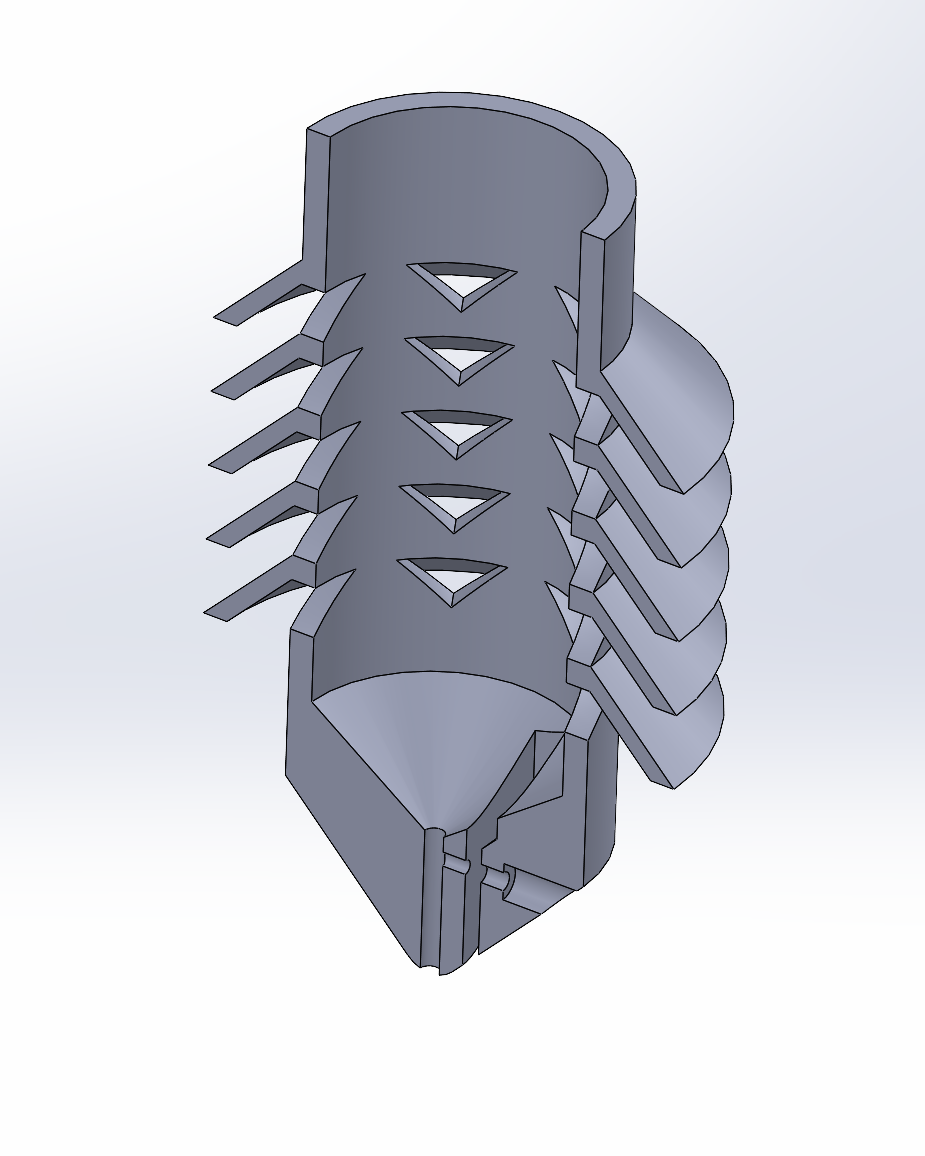
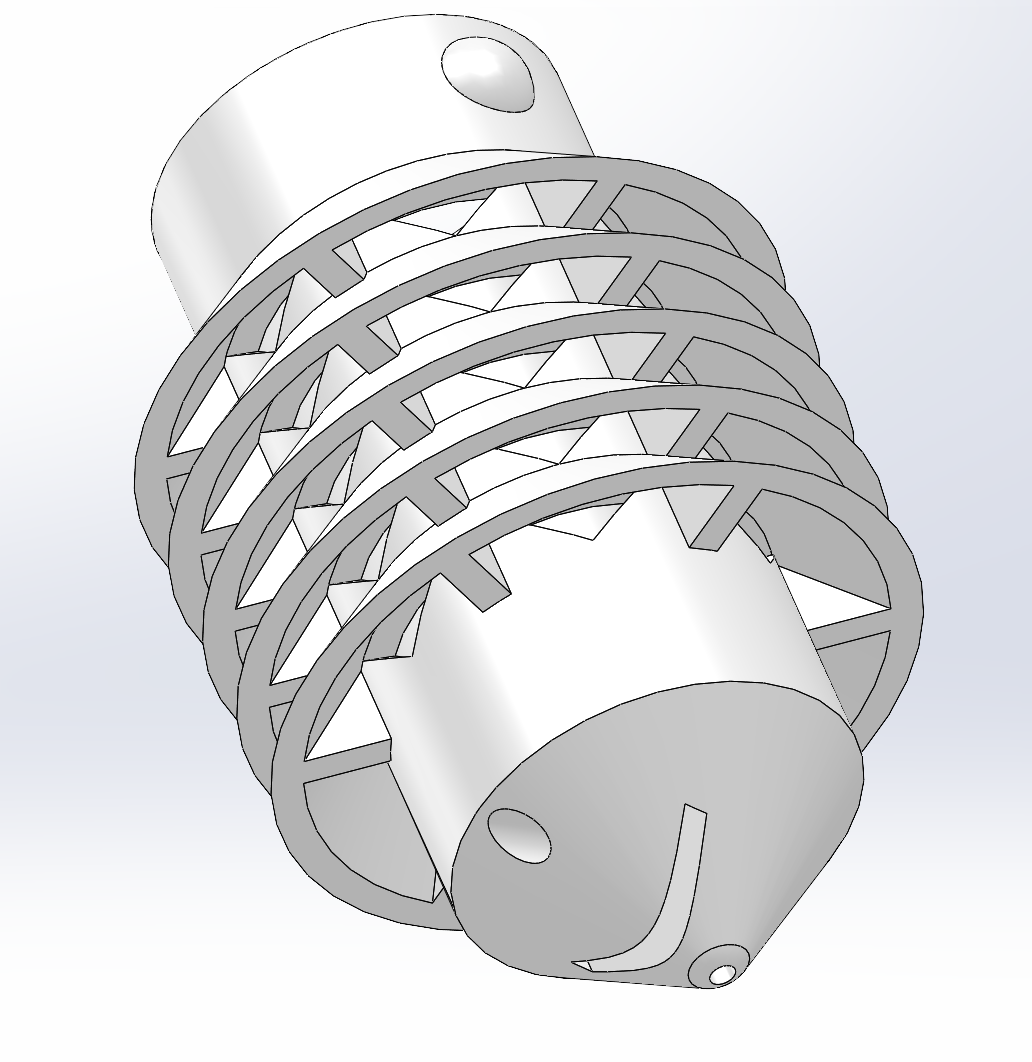
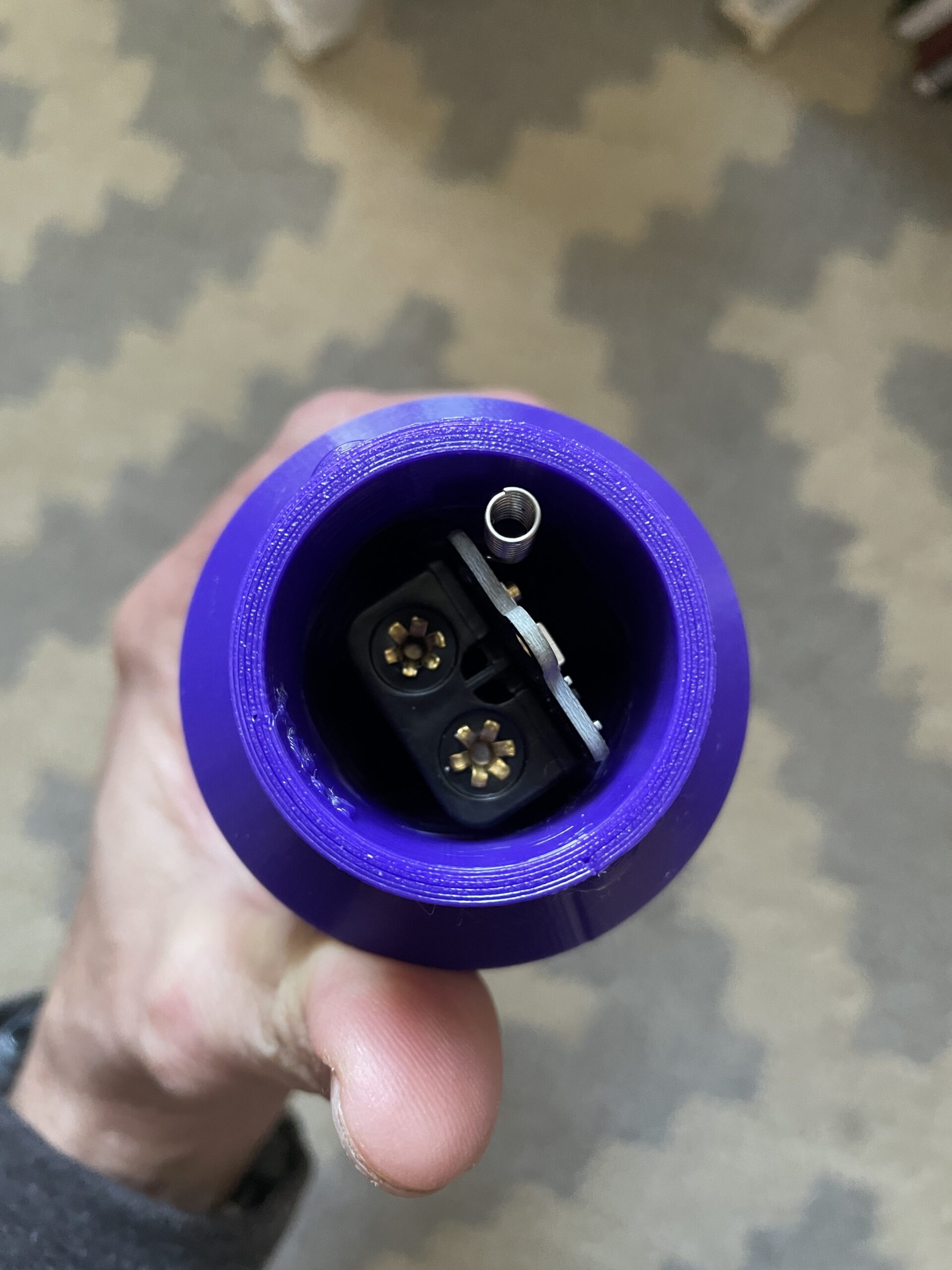
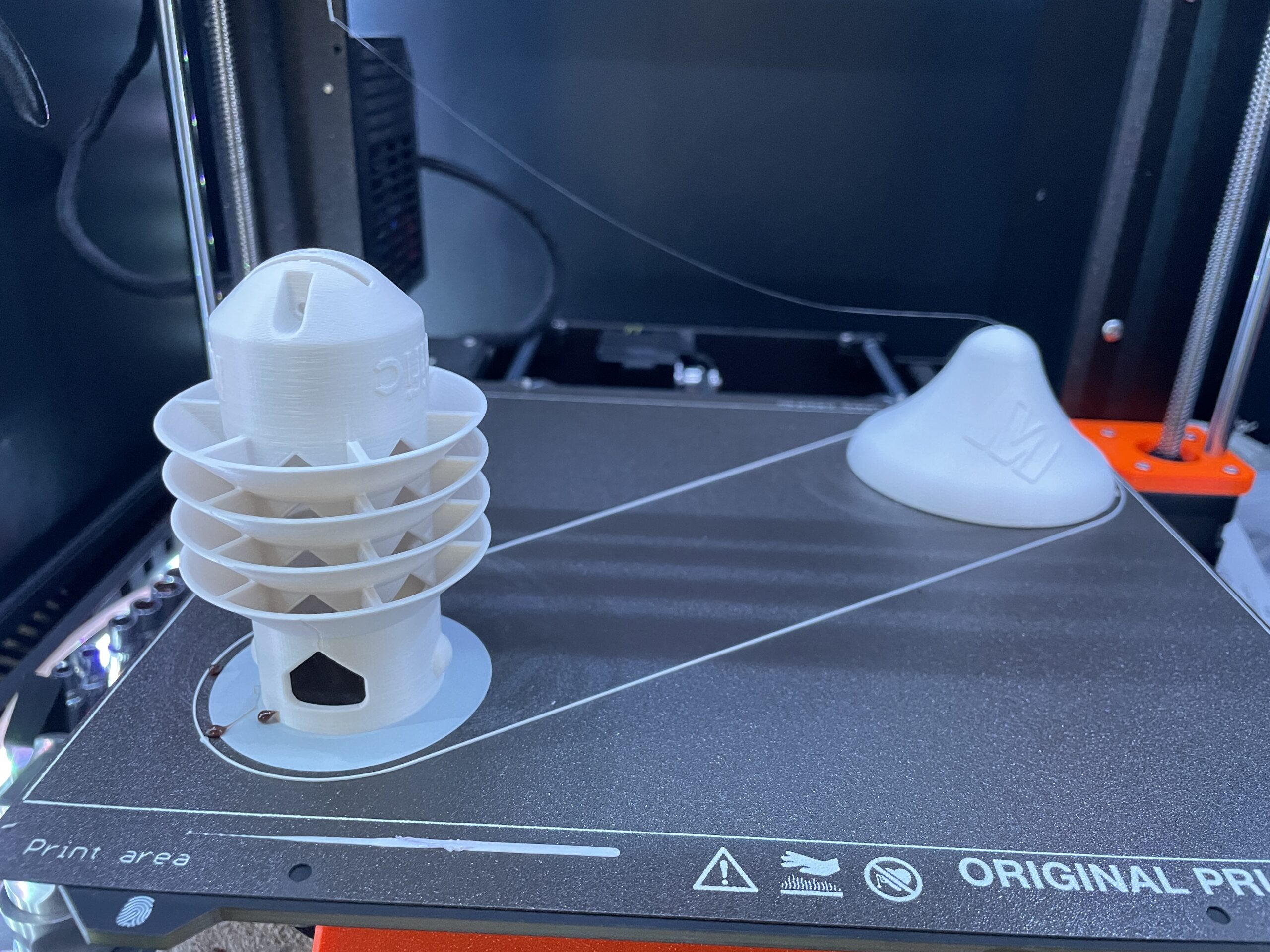
The soil sensor slides into a protective cover and is secured with one of the provided screws. The cap is screwed on with a quarter turn locking mechanism (the raised dome in the picture on the right). Simple, durable, plenty of airflow, reasonably easy access (still have a screw at the bottom to secure the board to the printed cover.

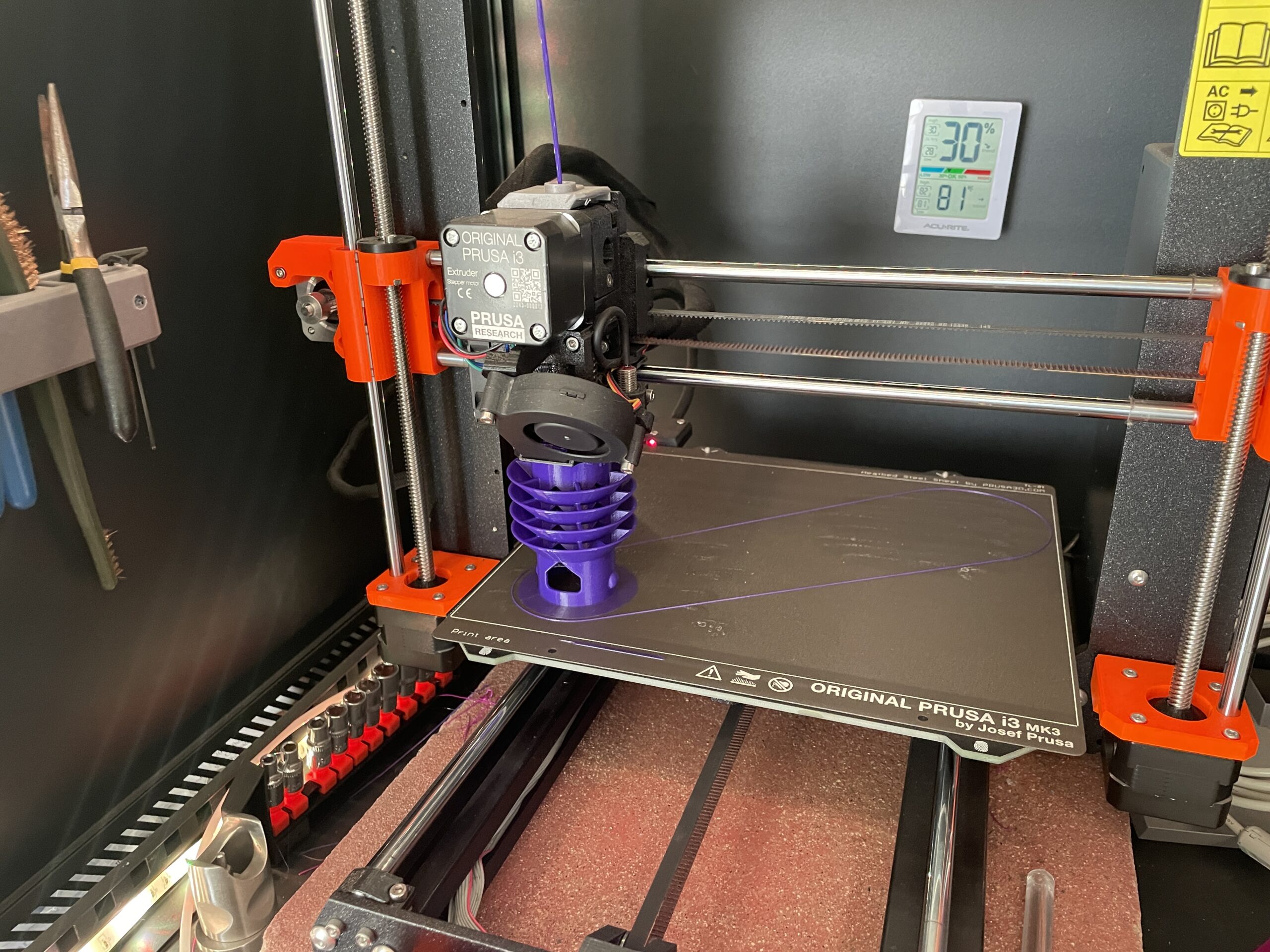
I printed up the first models in PETG; the color I had on hand was purple. PETG is cheaper than ASA and easier to print with. It was super exciting to see the first print commence!

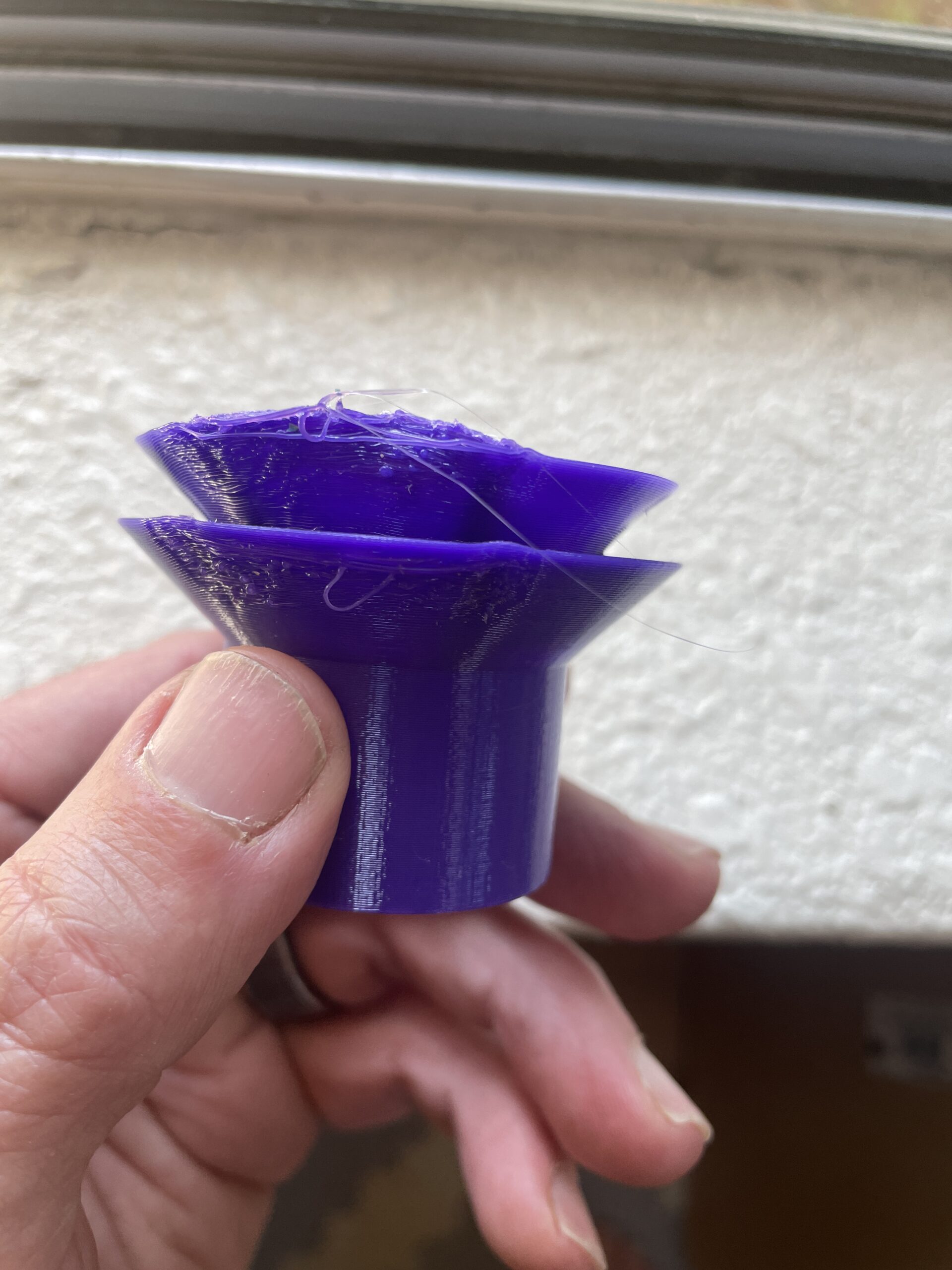
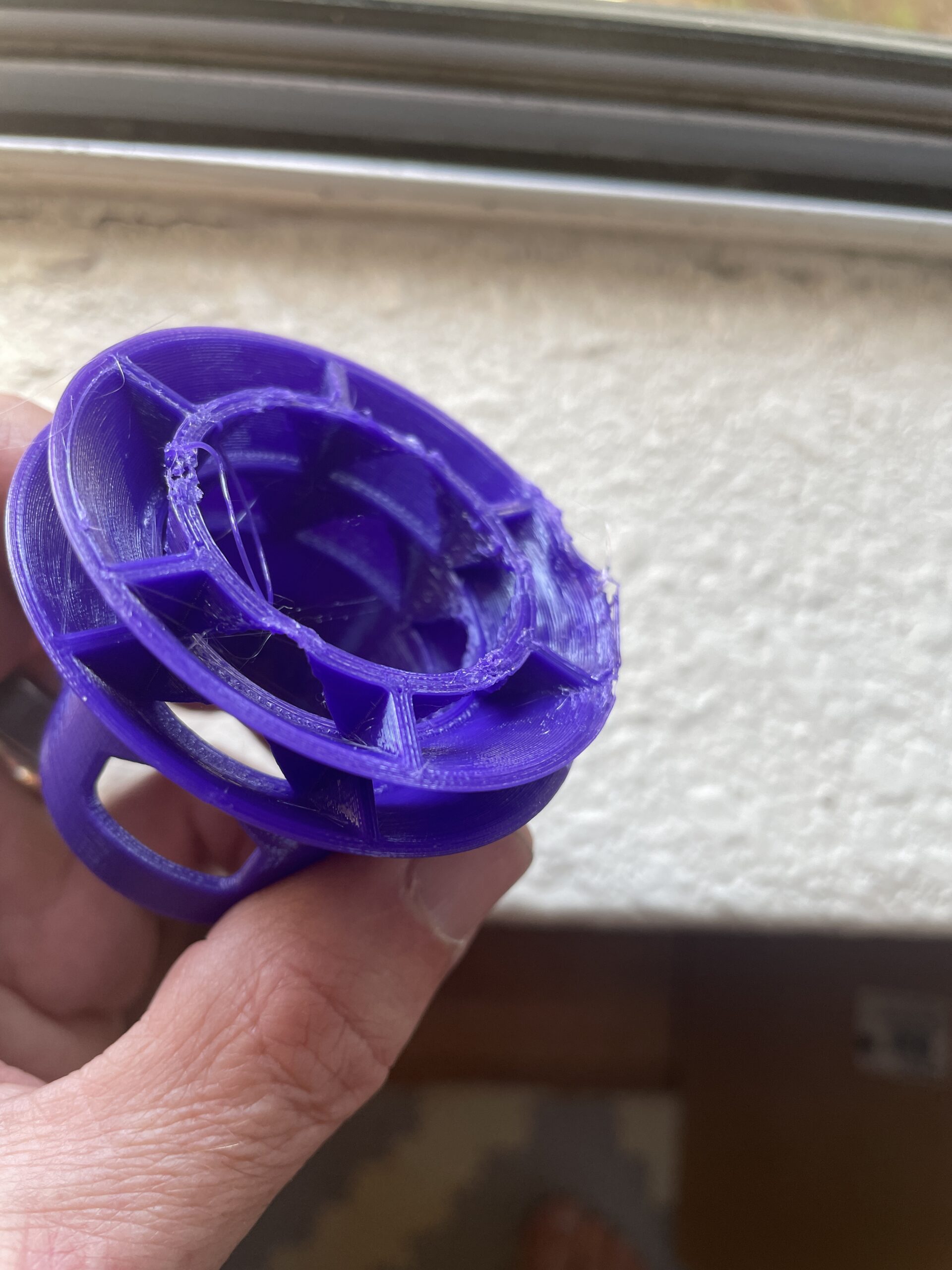
Now, nothing goes from zero to hero with just one step, and along the way we had a few mishaps; failed prints, fittings that were a bit too loose or tight, and minor modifications. It took us, oh, 8 print attempts (maybe a few more) to get to a spot we were both happy with. Some of those were my fault as a beginner 3D printer, and some of those are a result of the necessary obstacles on the path to improvement.

The noteworthy modifications were shrinking the cap, making a small channel at the bottom for the screw instead of having it be just a hole, moving and slightly the shrinking the main air flow opening opposite the sensor, and closing off the the cap top on the battery side to protect the batteries as much as we could.

Working with George on this ended up being really engaging and fun as we went back and forth with ideas. When we ended up with a design we were both psyched with, I put in a final request for the Meteo Scientific logo (MS is the sensor business arm of GK) to be added to the print, and we did our first run in white ASA.

If you'd like to see these devices actually in use, I shared a video over on YouTube about how they're getting deployed.

So, that's it, from initial problem identification to solution finding, incremental improvements, and a finished product. The whole thing cost about $500 in design work from George, which seems super reasonable to me for the quality and outcome we got. I've made the print file freely available over on Printables, so if you'd like to print this out for your V3 sensor you're welcome to do so.

All the print settings are contained in that file, so if you've got a Prusa or access to one it should be a straighforward job to have your own housing up and running in no time. If you'd like to hire George to do work for you, check him out on Upwork here (you'll need an Upwork account).

Hopefully this inspires you to lean in a little to the next problem you're presented with and see if you can use the power of our connected world to solve your problem and share that solution with others.

Rock on!

Nik @ Gristle King

Archived Comments

Mark Roberts - 10/24/2023

This is an awesome package for the soil moisture sensor. Printed like a dream importing the step file into Prusaslicer and using their generic PETG profile. BTW, referencing your other articles on using this sensor on Helium Console and in Chirpstack... the github pointed to has a new order for the measurements so the decoder in Chirpstack needs to be reworked. -mark.


What devices can you use on Helium?

· 18 min read
Nik
Site Owner

Helium opened the door for a lot of us into the world of LoRaWAN, which stands for Long Range Wide Area Networks. After all the excitement of getting up Hotspots (technically, "gateways") up to earn HNT for providing coverage, we're left asking, "What can you do with Helium?"

One of the best places to start in an industry that already exists is to see what's already on the table. Sure, it's fun to figure out building your own DIY sensors, but for those of you thinking about running a Helium-based business, you just want answers that work. With that in mind, here's a long list of possible options for ya, courtesy of Felix Heins over at The Things Industries.

I've broken these down into categories that make sense to me and may help you find a sensor or solution. Keep in mind that many business models earn their money off providing the user-facing data and not selling the sensor. My prediction (and where I've literally placed my bet by investing in 'em) is that companies like UplinkEngine will start to become aggregators of all the different dashboards as well as offering their own in-house custom options, all available for white-labeling.

With that, let's get into the list. I've tried to describe what each sensor does very briefly, sometimes in my own words, sometimes pulling directly from the company sales page. Please let me know what you find useful, and if you're looking for a sensor you don't see here, drop a description in the comments and I'll see what I can find through my network of IoT contacts. The end goal here is to help everyone grow together by sharing the best information out there.

Medical/Health

eDoctor - Patient Vital Signs Monitoring Solution by Tektelic

Sani-Nudge - Hand Hygiene Tracker - Clinical studies and validations of Sani Nudge show that hospitals can achieve significant improvements in their facilities in any hand hygiene situation.

Backhaul/Connectivity

EM 2050 Evaluation Kit - Satellite connectivity in Europe by Echostar Mobile

Spacetech Denmach - Denmach ONE - Satellite connectivity for devices. "Our ground-breaking technology gives a voice to all things through the LoRaWAN connection into space. "

Air Quality/Weather

Trackpac's Indoor Air Quality Monitoring - For an excellent all-in-one service, check out what Trackpac has to offer.

CO2, Temp, Humidity "Stop Light Sensor" - Teneo Stoplicht - Sensor that shows various air parameter readings and gives you a red or green light for "good" or "bad"

Milesight AM300 Series - Indoor Air Quality Monitoring. The 319 runs off of batteries, the 307 is powered by a USB cable. I've got the 307 and would probably get the 319 for my next install.

Decentlab Indoor Ambiance Monitor - CO2, TVOC, and a motion sensor

Elsys Eco CO2 - Temperature, humidity and CO2 sensor, powered by indoor solar cell.

Browan Indoor Air Quality Monitor Tab - Same form as the original Helium Tracker Tab, but with different sensors inside to monitor Temperature, Relative Humidity and Volatile Organic Compound levels.

Thermokon NOVOS 3 x LoRaWAN - Room Operating Unit - Temp, humidity, CO2.

SenseCAP S2103 CO2, Temp, Humidity - A battery-powered IP66 wireless CO2, air temp and humi sensor, range from 400 to 10000 ppm, -40°C to 85°C, and 0 to 100 %RH, equipped with built-in Bluetooth and APP service for OTA configuration and remote device management.

SenseCAP S2102 8 in 1 Weather Station collects and uploads air temperature, humidity, wind speed/direction, rainfall, light intensity, UV index, and barometric pressure data.

Senzemo - Microclimate sensor SMC30 - collects data for temperature, relative humidity, and air pressure.

Silvanet Wildfire Sensor by Dryad - designed to detect forest fires during the early stages (even during the smoldering phase, within the first 60 minutes) and to monitor the microclimate, measuring temperature, humidity and air pressure. 

MClimate - Vicki - Smart radiator thermostat valve that contains a temperature and humidity sensor allowing for temperature control and monitoring temperature and humidity from distance. Manual target temperature selection is possible by rotating the outer ring of the device. The target temperature is displayed on the device.

General Sensors

Wittra IoT Out of the Box kit - Wittra is an IoT hardware company making both gateways and many sensors.

Wittra C{x}ameleon Tag - Extends hardware life, optimizes inventory costs and reduces waste.

Watteco BoB Assistant - BoB Assistant is a technology for predictive maintenance and operational assistance by permanent monitoring of vibrations and recorded temperatures of isolated systems (pump, air conditioning, cooling unit, fan…)

Watteco - Movee Devices - Tracking, geolocation, movement, vibration, and other monitoring.

Smart Ends - Brighter Bins Smart Sensors - BrighterBins accurately measures the fill level of waste-wells, dustbins, containers, and other bins.

Citilight iLuminate - Smart Light Pole Mount - Light for utility poles that reports when it's broken as well as dims when it's light outside.

SAFT IoT Smart Selector - Batteries built for IoT sensors. Their interactive "solution picker" seems like an excellent way to steer customers to the right thing and save time with directing sales energy.

Kuando Busylight - Light that shows green/red/blue for "status, cues, and notification". Can integrate with you calendar so your office shows a red light when you're on a call and don't want to be disturbed.

Enginko has a wide range of sensors which you can find here.

Thermokon - Window Open/Close sensor (EU only). They make a ton of other LoRaWAN sensors as well, worth checking out their website.

VOCSens - Gas sensing - Not LoRaWAN, but a sensor that could be hooked to a node. Detect/measures ammonia, carbon monoxide, nitrogen dioxide, formaldehyde, acetaldehyde now, and will soon add in detection/measurement of methane, CO2, hydrogen sulfide. Also under development: BTEX, ethylene oxide (EtO), ethylene, hydrogen sulfide (SO2), hydrogen (H2) and acetone.

Meshed nCounter - People counter based on the counting of Wi-Fi enabled devices in a specified zone, nCounter reports the number of Wi-Fi connected devices that entered a zone, left a zone and the average “dwell-time” of all devices present.

TWTG - Neon Vibration Sensor for measuring whether or not that A/C unit is still humming away up on your roof.

Parametric PCR2 - LIDAR People Counters - Support is expert but these stymied me for a long time.

SenseCAP Soil Moisture & Temp measures soil volumetric water content (VWC) and temperature.

Simplio Connected Buttons - Keep track of sentiment or problems in public and private spaces.

Tektelic Meeting Room E-Ink Display - Easily and efficiently track and manage meeting room occupancy status and bookings

Teneo Fill Sensor - Waste Containers - The filling sensor is a dedicated Internet of things solution from Teneo IoT BV that aims to solve the problem of litter, inefficient waste collection, polluted air (CO? emissions) & waste of resources through the filling degree sensor.

Wireless M-Bus Range Extender - Collects wireless M-Bus messages from utility meters and forwards them to a LoRaWAN® network.

Toran'O AtEx Zone 1 - Used to report status changes, pulse count values and analog measurements of equipment in an AtEx 1 sensitive zone such as water, gas, electricity or thermal energy meters, mechanical pressure switches, pressure transducers.

TRIPHAS’O sensor allows the remote reading of the electrical energy consumption of a three-phase installation in a non-intrusive way via the LoRaWAN® network. 

eWattch TyNess Modular - Combines many functionalities: modbus, mbus, PT100 temperature measurement, optical sensor measurement, voltage measurement, current measurement, etc.

eWattch TyNode - Pulse counting, digital input, temperature via PT100 probe, or measurement of analog signal 4-20mA or 0-10V

Sensoterra Multi-Depth Soil Sensor - The sensor comes with 6 soil moisture sensors in one device. Knowing the soil moisture at several depths will allow you to track the health of your plant at its active root zone during the whole crop cycle.

Dev Boards & DIY

STM32 Nucleo-WL55JC - STM32 LoRaWAN board with 3 LEDs, 3 buttons, and a reset button. Yeehaw!

Portenta Vision Shield - This hardware add-on will let you run embedded computer vision applications, connect wirelessly via LoRa® to the Arduino Cloud or your own infrastructure, and activate your system upon the detection of sound events.

SenseCAP Hub S2100 can connect to MODBUS-RTU RS485/Analog/GPIO sensors and transmit data from sensors to the LoRaWAN network.

Steval-Astra1B - Multiconnectivity asset tracking - development kit and reference design that simplifies prototyping, testing and evaluating advanced asset tracking applications such as livestock monitoring, fleet management, and logistics.

Controllers & I/O Magic

Comtac Cluey - The Cluey is designed for monitoring and controlling tasks in electricity, water or other infrastructure networks.

Watteco In'O Sensor - Class A or Class C sensor designed to transform any type of binary I/O sensor into a remote wireless sensor that monitors and controls industrial equipment status.

Enginko MCT-LW13MIO - This device transmits the state of its 16 inputs and controls 8 outputs through the LoRaWAN® network. All these inputs and outputs are galvanically isolated.

Arduino MKR WAN 1310 - Hook it all up for your DIY and one-off projects.

Location/Tracking

ioTracker - Smart tracker with button, buzzer, and LED.

Kerlink Wanesy - Indoor Positioning System - LoRaWAN, Bluetooth, WiFi

Mokosmart LW001-BG Pro - Tracker with 4000 mAh battery, 108.6 x 60 x 33.2mm

TD Synnex Low Power Asset Tracker - Combined LoRa and Wi-Fi passive scanning functionality provides accurate indoor geolocation accuracy, so you can keep track of remote assets around the clock.

SCD - SCD18-LoRa GPS - Integrates other protocols such as Bluetooth and WiFi position.

RhinoEdge Puck 50 - Rhino Horn tracker - 48 × 25 mm

Tektelic SEAL Wearable LoRaWAN GPS Tracker - Belt mounted personnel tracker

Solar powered asset tracker - combined LoRa and Wi-Fi passive scanning functionality provides accurate indoor geolocation accuracy, so you can keep track of remote assets around the clock. The unit also provides reliable, optimized connectivity and coverage for the next generation 4G LTE Cat-M1 and NB-IoT networks—and seamlessly falls back to 2G networks if necessary.

Wild boar ear tag trackers - Due to the light weight of the device and the attachment to the ear, even juvenile animals which exhibit strong future growth can be tagged. With devices' data storage capability, migrating individuals can be tracked all year around without any data loss.

Digital Matter Yabby Edge - Indoor/outdoor tracker featuring up to 12 years battery life in a small rugged housing available in Cellular LTE-M / NB-IoT or LoRaWAN® versions

Power/Energy Sensors

Acrios M-Bus IoT Electrical Meter reader - M-Bus to LoRaWAN or NB-IoT finds its application mainly in the reading of electricity meters and calorimeters.

Eagle 1500 - Single-phase din rail smart meter with a built-in magnetic 80A latching relay and an SMA socket for an external antenna.

Enginko Energy Meter Plug - Compact energy meter for monitoring the power consumption of the load, which can remotely be switched on/off. Equipped with a rechargeable battery for mains outage detection.

Izi-io 4840 - Substation Monitoring

Klax modern electricity meter readers (Europe)

Solar for IoT - Solar packages for many different sensor power requirements.

Netvox 809A Wireless Plug/Power Meter - Wireless plug and play power outlet with consumption monitoring for indoor use. It can remotely control the output switch and detect the output power.

IoT Service Providers

You can learn a fair amount by just cruising around an IoT company's website, seeing what they offer and how they position it. I'm including these in this list to give you a headstart on how you might build & sell an IoT business.

Mainlink - Smart IoT Services

Cital - Soil Moisture Sensors and weather monitoring

Lacuna Space - LS300 Sensor and Relay, interoperability from space with terrestrial LPWANs like Helium

Water Sensors

Aqua-Scope Ball Valve Servo - Need to switch water flow off and on? Check it, yo.

Droople iLink & Flow sensor - Monitoring real-time flow rate analytics for carbon filters, softeners, appliances and sanitary ware such as toilets and sinks.

Alliot Technology Water Flow Meter - Available to suit a variety of pipe sizes, the Robeau LoRaWAN® water flow meter can also integrate with the Strega smart water valve.

Laiier Water Leak Tape - the world's first smart tape that acts as a water leak detector and is LAIIER's first solution using Severn technology.

Control-IX Water Meter reader - For large scale deployments; institutional level. Will Nova work with Control-IX? Maybe...

Gateway Providers

Helium's long term goal is to allow any gateway to join the network. While that's not where we are right now (early 2023), this list of gateway manufacturers is good to keep in your back pocket for future use, OR if you want to leverage the Data Only gateway option you can start to use any gateway right now.

Conduit 300 Series IoT Programmable Gateway

HT Micron LoRa System In A Package - For the geekier among you...HTLRBL32L is a highly compact and low-power wireless communication device featuring LoRa® and Bluetooth® Low Energy capabilities in a tiny 13x13x1.1 mm package.

Milesight UG65 - LoRaWAN Gateway

Miro Edge - LoRaWAN Gateway. The small form factor, integrated interfaces such as Ethernet, WIFI, mini PCI-E and the underlying LinuxOS enable these gateways to be easily integrated into any infrastructure.

Laird Sentrius RG1xx Gateway - Gather data from as far as 10 miles via LoRaWAN and sync to the cloud via Wi-Fi / Ethernet, or add LTE in the US with our optional LTE version. 

RAK Wisgate Connect Base Kit - RAK7391 WisGate Connect is a Raspberry Pi CM4-based gateway product meant to support different radio and WisBlock modules. It has several interfaces to meet the needs of different developers (HDMI, Ethernet, USB, mPCIe, CSI, DSI, M.2, WisBlock, PoE, Raspberry Pi HAT).

El Fin

This is not an exhaustive list, and that alone should be gobsmacking. There is an enormous world of ways to sense the world, dive in, level up your learning and please share with me what you build!

Rock on,

Nik Hawks

How Wet Can Ya Get? Let's Get Muddy!

· 14 min read
Nik
Site Owner

Diving deeper over at Meteo Scientific on this plant nursery project, we wanted to blast out of the gate with something we thought would be incontrovertibly useful. For a nursery in the coastal desert environment of San Diego (albeit with local micrometeorological conditions), keeping track of soil moisture in all the pots seemed like a good start.

With that in mind, Dirk had found a cool soil moisture sensor over on MakerFabs that runs about $20. It's the V3 version, which is All In One (AIO for you cool cats). That means it's a sensor and a LoRa radio, not just a sensor which you'd have to connect to something like a Wisblock. BFGNeil explained that one to me. ;)

Steps

  • Buy sensor. Geek level: N/A
  • Add device (the sensor) to Helium Console. Geek level: Minor
  • Add batteries (2 x AAA). Geek level: N/A
  • Upload Arduino sketch to sensor (significant geekery involved, but I'll walk you through it). Geek level: High
  • Set up Home Assistant. Geek level: High, walk through of that over here.
  • Add Soil Moisture sensor to Home Assistant (HA). Geek level: high
  • Rejoice at success: Geek level: N/A

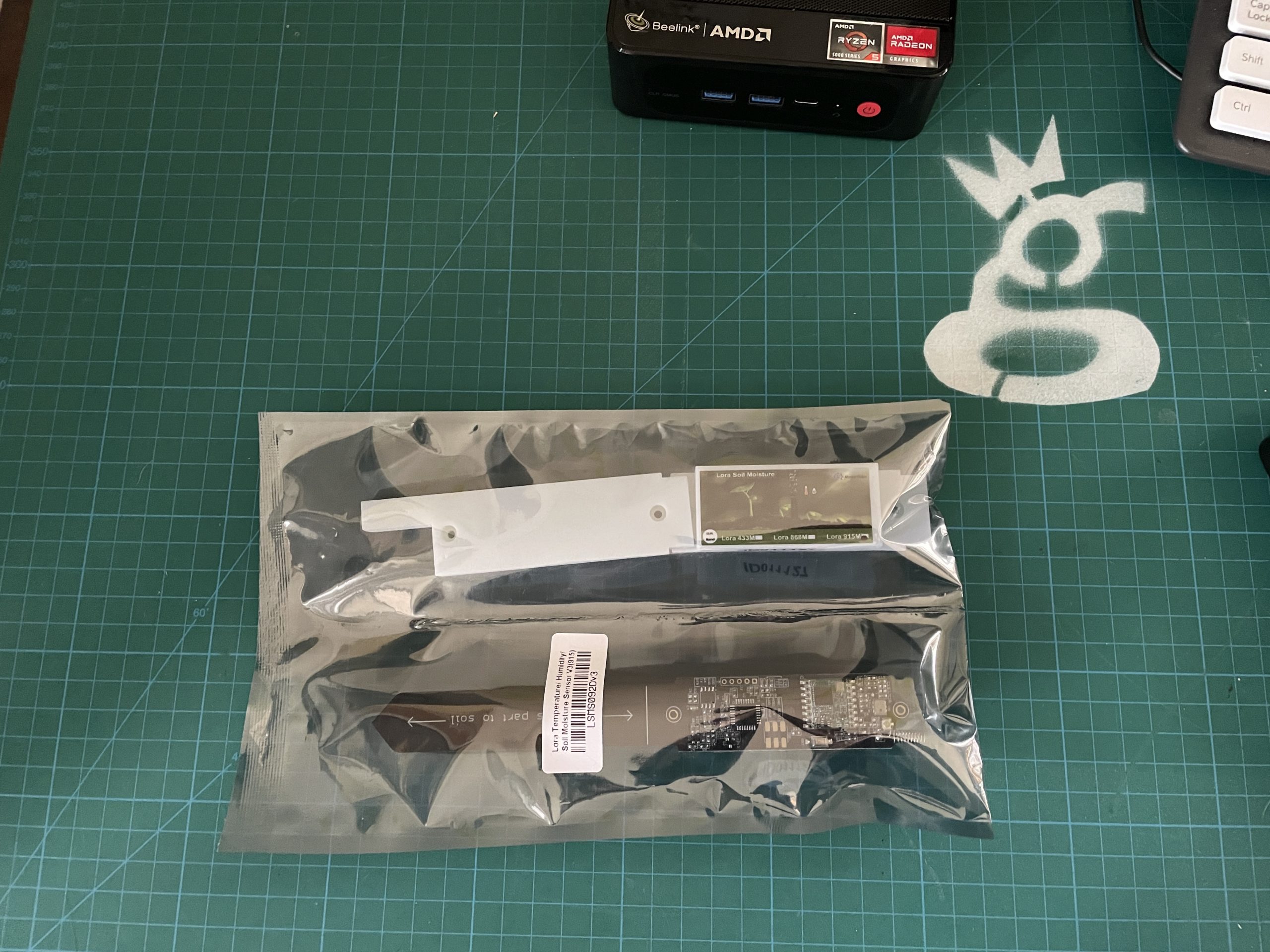
Ok, so here's the thing in its package. Very fancy looking.

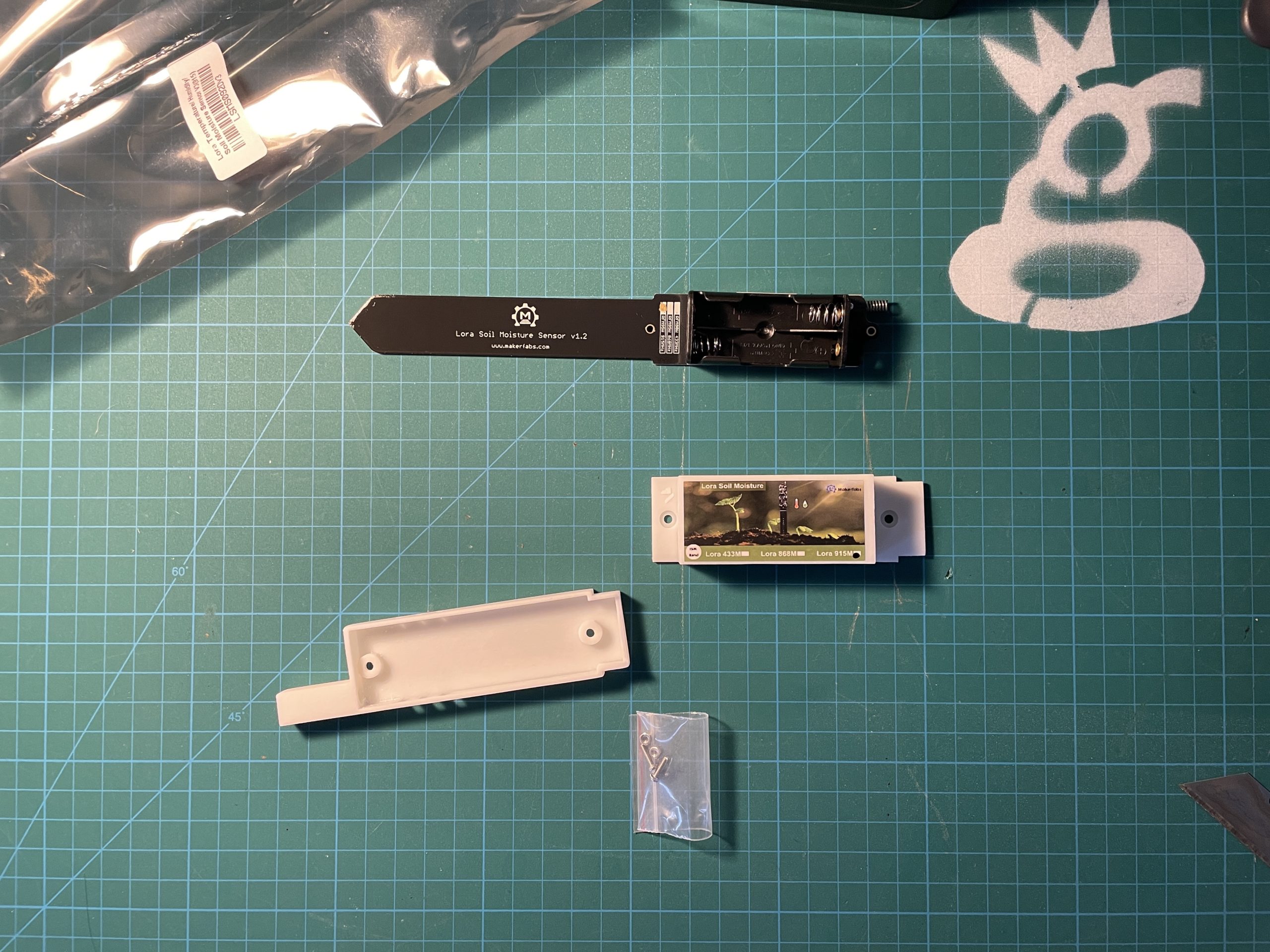
Once you get it out of the package, there are only 4 things in there; the device, 2 pieces of the protective cover, and a small bag of screws. It needs AAA batteries, so make sure you have some on hand!

Oh, while you're prepping, remember to add the device to your Console before you really get started. By the time you're done fiddling with the tiny bits it should have passed through the XOR filter and be ready to roll!

Beep beep: Arduino Time!

Now that you've done the easy stuff, let's get stuck into the shitkicker of the geek world, Arduino. If you've never used Arduino before I'ma give you a heads up: There WILL be hiccups. This is not plug and play stuff. Professional geeks love things that only work when you know what you're doing. I find it both frustrating and enticing, which is why I write these guides. I want to help trigger your inner geek without it being too frustrating.

Let's go over the 30,000' view of what we're doing with Arduino and this sensor, then we'll dive into the details.

In broad strokes, you're loading a program onto this sensor that tells it what to do, what to send, where to send it, and how often to send it. That program uses "libraries" from the Arduino ecosystem. Those libraries are other programs that the program you're going to load refers to. In order for this thing to work, you need every library that the program calls for installed on your computer.

This next part will gobsmack you: It is NOT common practice amongst Arduino programmers to let you know up front the full list of libraries you'll need. The ones who are trying to be helpful will, but usually you'll get a list of the special ones they used, not all libraries necessary. Typically, the way enthusiasts find out what libraries they're missing is to run the code and see what error messages come up.

Once you load a library on your system, it's there, so you don't need to load it again. That feature makes it easy for someone who's been working in Arduino for a while and already has a bunch of libraries loaded. It makes it really difficult when you're first starting; you're constantly finding that you need another library. It's kind of a treasure hunt, which is probably why the geeks like it; it's pure problem solving.

This whole "treasure hunt" style of getting things done is super common in this world. You take a few steps forward, you hit a wall, you look around, you go back and look at the map, in the bottom right corner you see the clue that's upside down and spelled backwards that gets you over the wall, and you repeat that until you get to where you want to go. So, with that as the background, and my promise to you that I've found almost all of those clues and removed as much friction as I can, let's get started!

You'll need to download the Arduino IDE, or Integrated Development Environment.

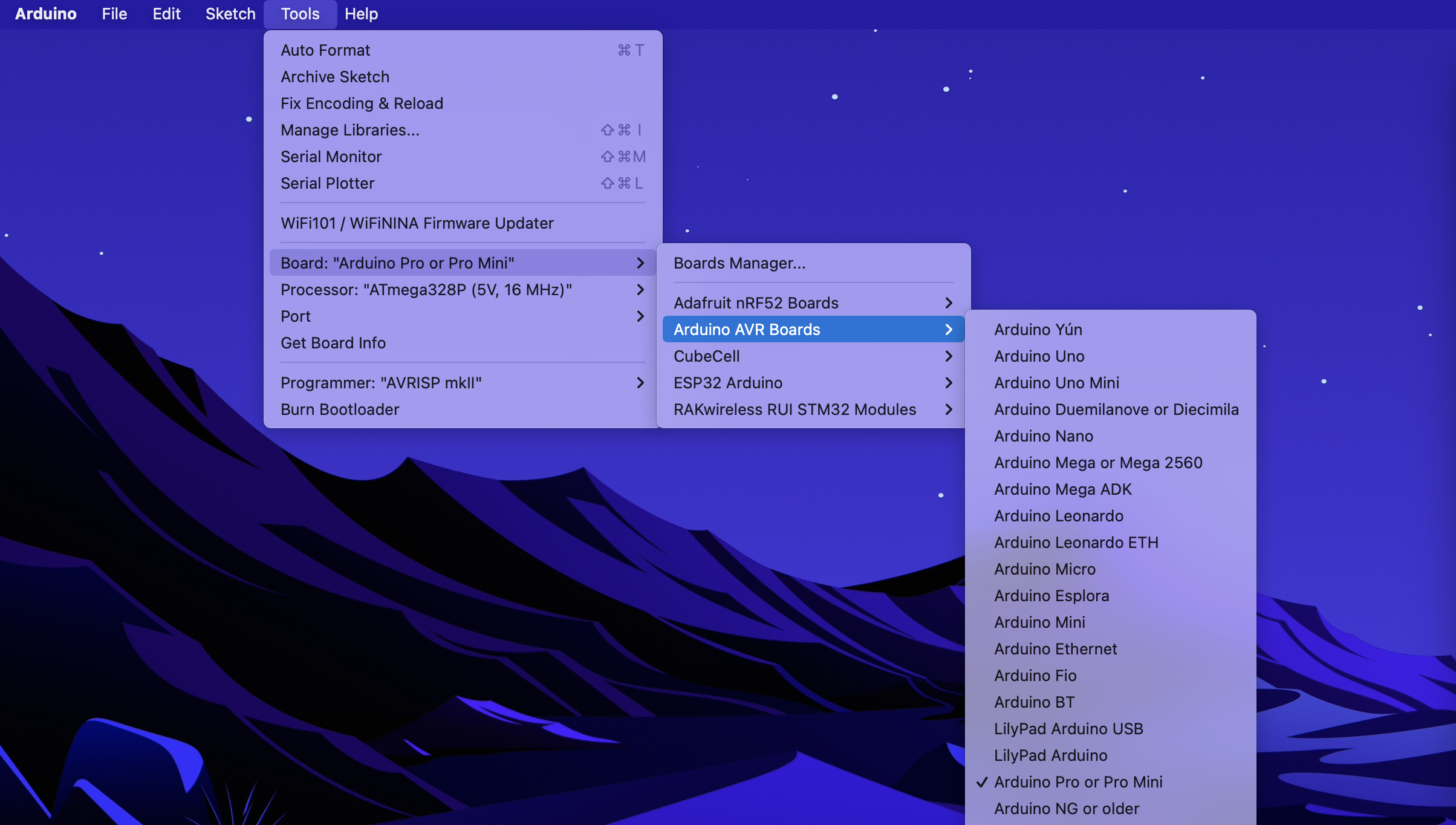
Let's start with setting up your IDE correctly. We're going to tell it what kind of board you're using. In this case the soil moisture devices uses an Arduino Pro or Pro Mini. You can follow along over on the MakerFabs page for this sensor, which is where some of this info comes from. This is what it may look like if you're on a Mac.

If you don't have that already set up, you'll need to add the "Arduino Pro or Pro Mini" set to your app.

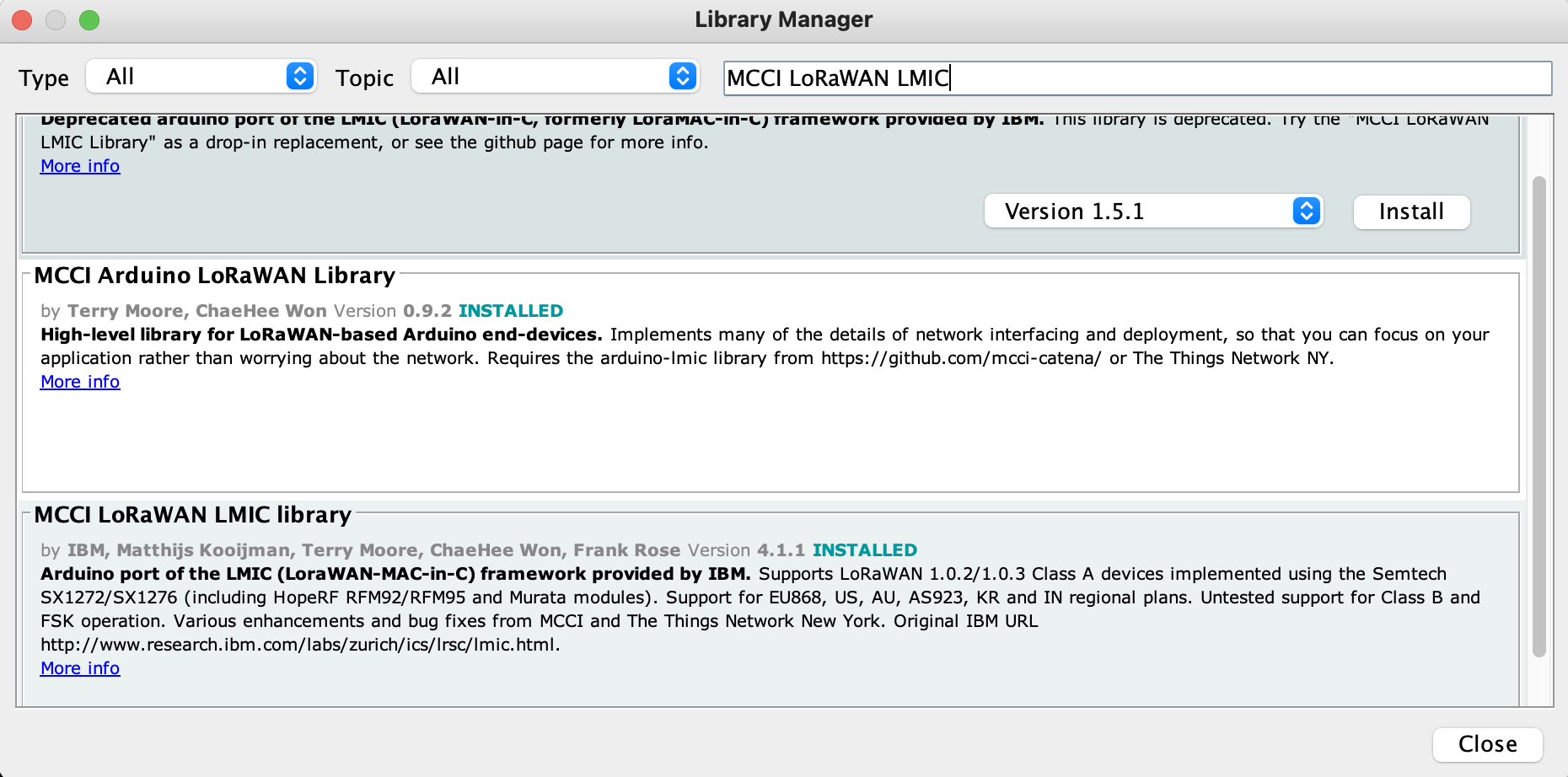
Next, let's add the libraries you'll need. In the Arduino app, go to Tools --> Manage Libraries, then type in the Library name you want to install. In the example, I'm using the MCCI LoRaWAN LMIC Library.

When I took the screenshot, I'd already installed it. If you don't have it, hit the Install button and watch the magic happen. Here are the other ones you'll need:

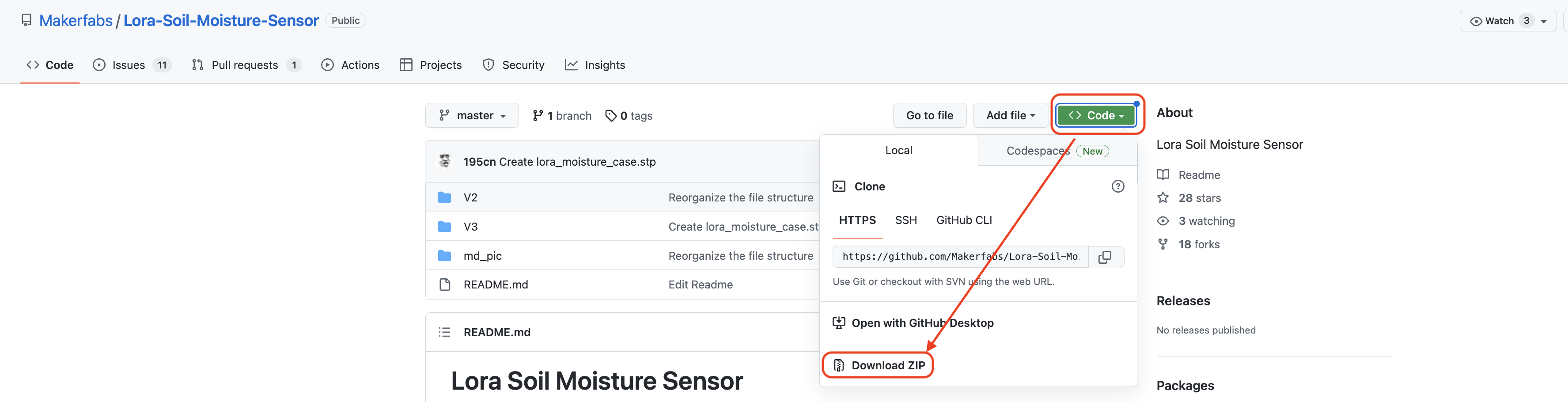
If you type in a Library and it doesn't show up in the Library manager, you can always manually install it by going to the link above, looking for the green Code button, then using the dropdown to download the zip file.

Once you have the zip file, in Arduino --> Sketch --> Include Library -- Add .ZIP Library and follow the prompts.

With the right libraries installed, go to Dirk's Github repository ("repo" is what the cool kids say) and look for "HeliumMakerfabsSoilMoistureV3". That's the Arduino "sketch" you're going to use.

Open it up, copy the code, then paste it into a code editor. I use Sublime Text for my code editor so I can change the DEVEUI, APPEUI, and APPKEY, and also so I have a working copy on my computer.

In the sketch code, starting at line 74, look for where you'll replace the APPEUI, the DEVUI, and the APPKEY. Those are normally pretty straightforward, but in this case you'll need to make one modification before you copy them from the Helium Console. You'll need to change the format to "lsb". To do that, go to the device in Console and, left to right, hit the boxes outlined in red below. Once you have the 0xDC 0xDE etc format, copy that and paste it into the sketch.

You want "lsb" for the DEVEUI and APPEUI, and "msb" for the APPKEY. Why? Because making shit complicated keeps the fluff off.

With a sketch made that's customized for your device using your DEV/APP/KEY, now you have to load it. This is the least reliable part of the whole process; it takes me 2-20 times to get it right. Now, it's possible that it's much easier with the recommended USB to serial converter, but I used what I had on hand, which requires that you restart the device at exactly the right time while keeping the cables firmly connected.

You'll need to hold down the RST (reset) button, press upload in Arduino IDE, wait until the status shows "uploading", and with exquisite timing, immediately release the RST button. Not easy, but you can do it. Just keep trying.

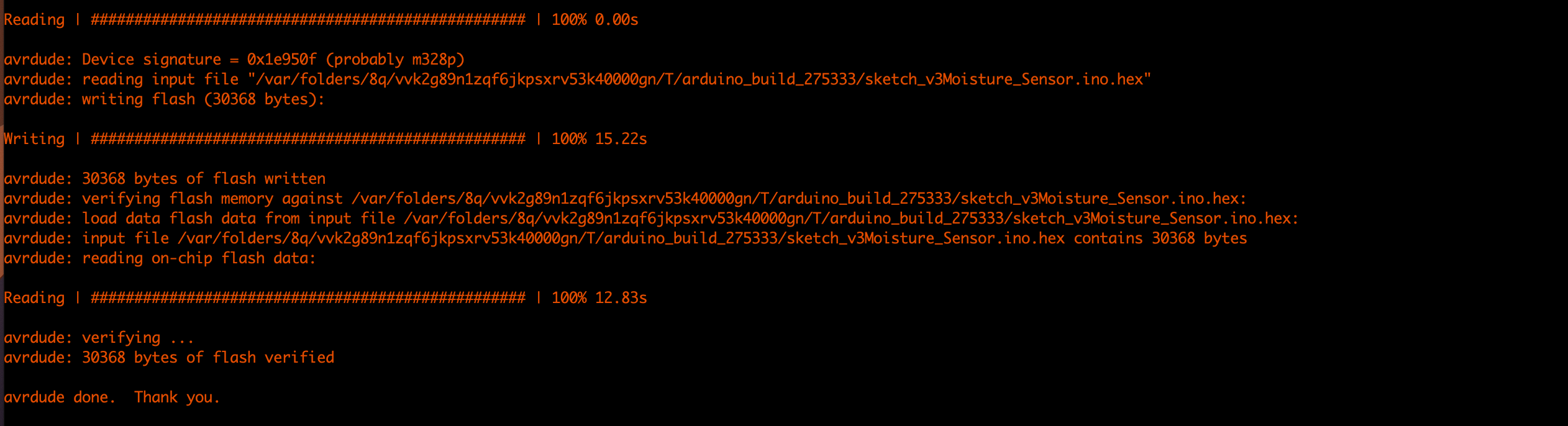
You'll know your sketch is uploaded when you see the Writing, Reading, and avrdude done print out on the Arduino app, like this:

With your sketch uploaded, watch on Helium Console to make sure you're getting a Join Accept/Request and a downlink. Once you see that, you know you're connected. It may take anywhere from 2 to 50 attempts for that to go through. I found that hitting the reset button the sensor every time it didn't go through sped up the process, but it wasn't very reliable.

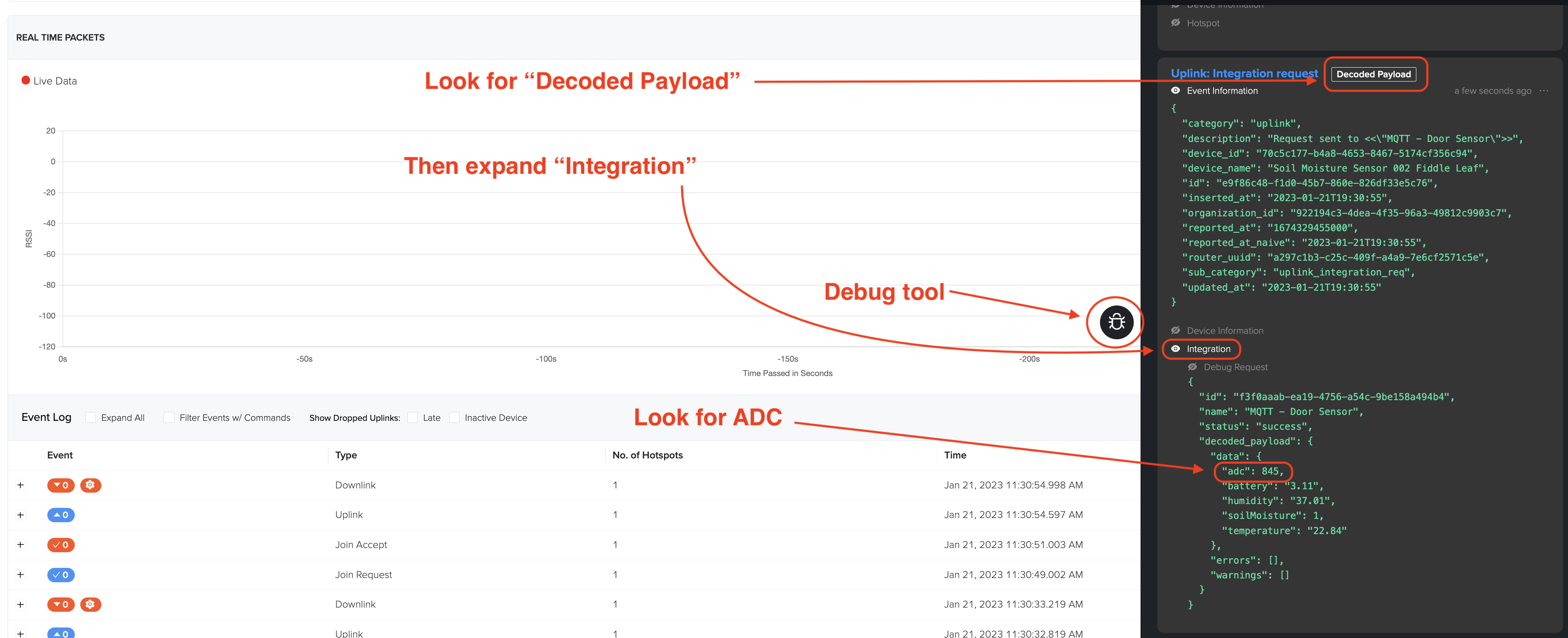
Now you'll need to calibrate the device at the wet and dry points. To do this, use Helium Console's debugging tool and the device's reset button. Open up the Debug tool by hitting the little black bug button. With the unit totally dry or totally wet, hit the reset button. This'll force through a reading that you can get a payload for. Reset the Debug tool each time, then hit the Reset button on the device and wait until you see a Decoded Payload, then expand Integration Message and look for ADC.

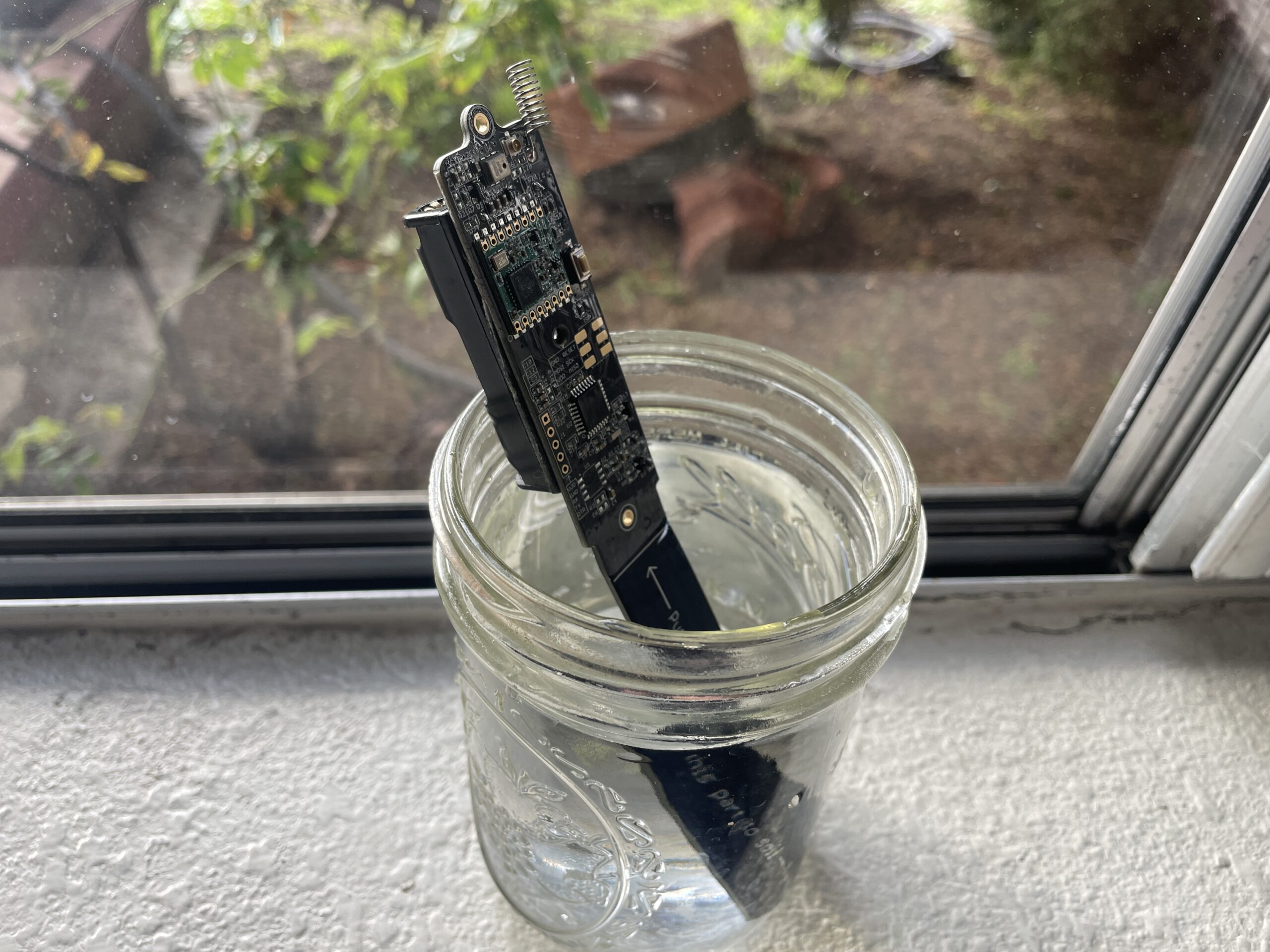
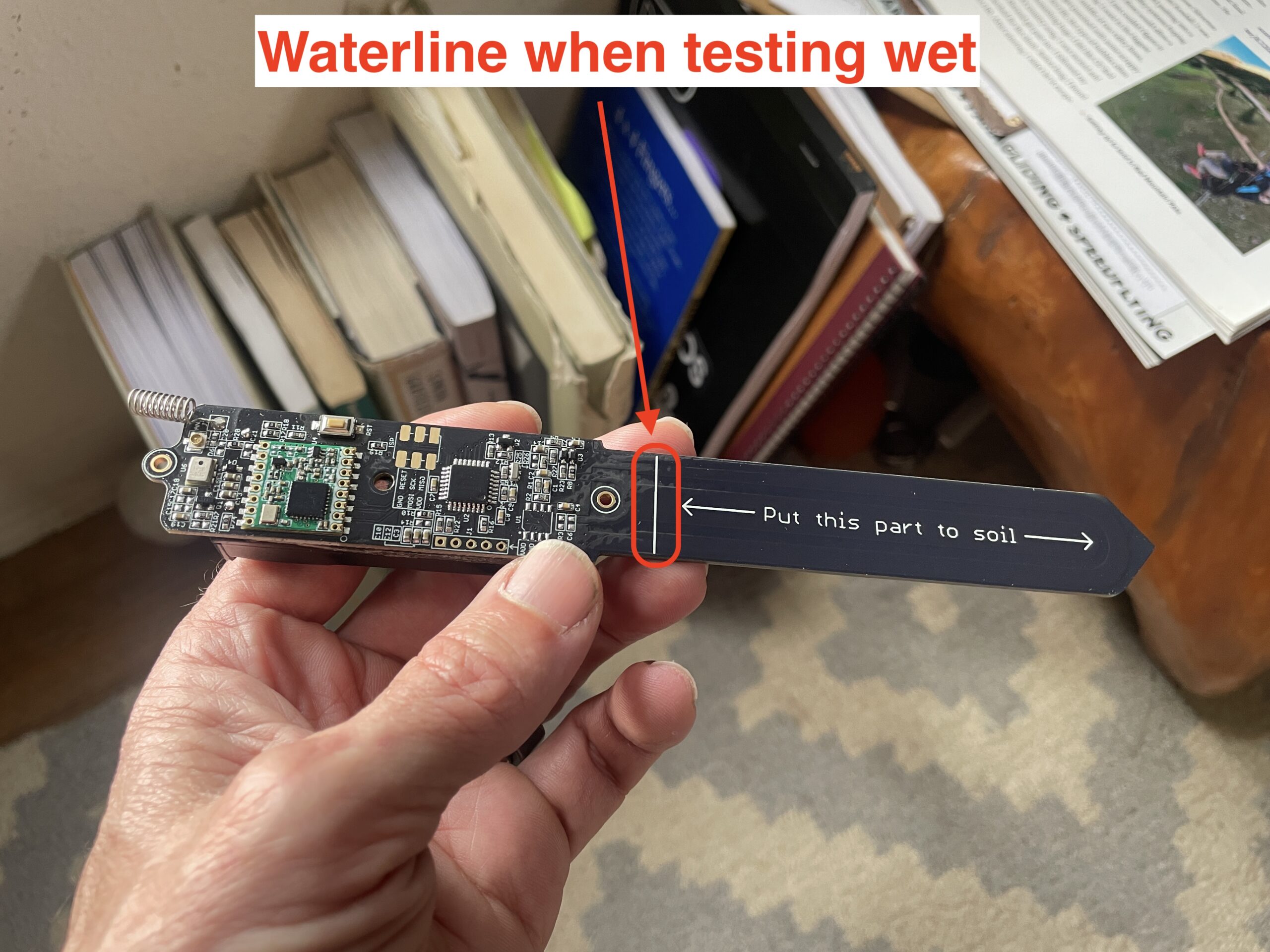
You want the device wet right up to the line that says "Put this part to soil." You may find if you test that you get different values with saturated soil vs water, but water is way easier and cleaner, and the difference is probably within the accuracy parameters of the device.

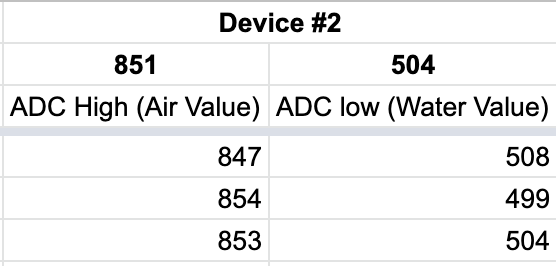
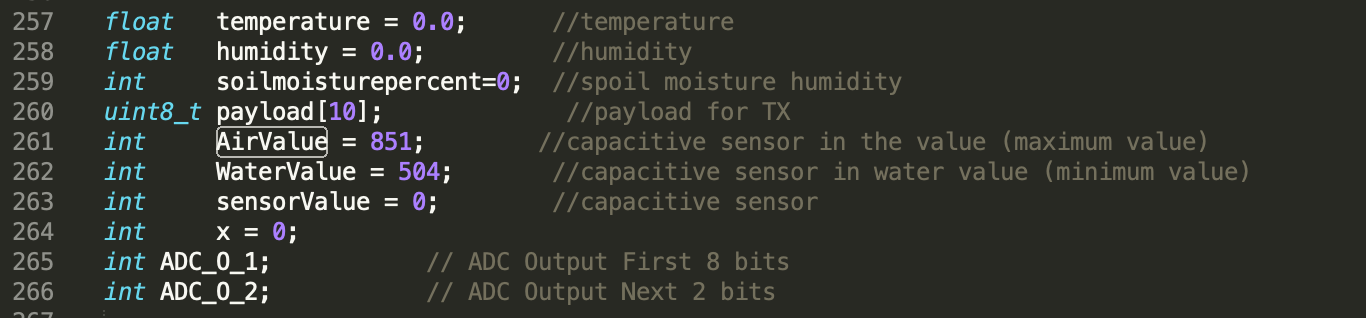
I did three cycles of fully wet and fully dry, then averaged 'em out to get a high value (Air Value) and a low value (Water Value) I could enter into the sketch.

Once you have those, update your sketch's Air Value and Water Value and re-upload your updated sketch to the device.

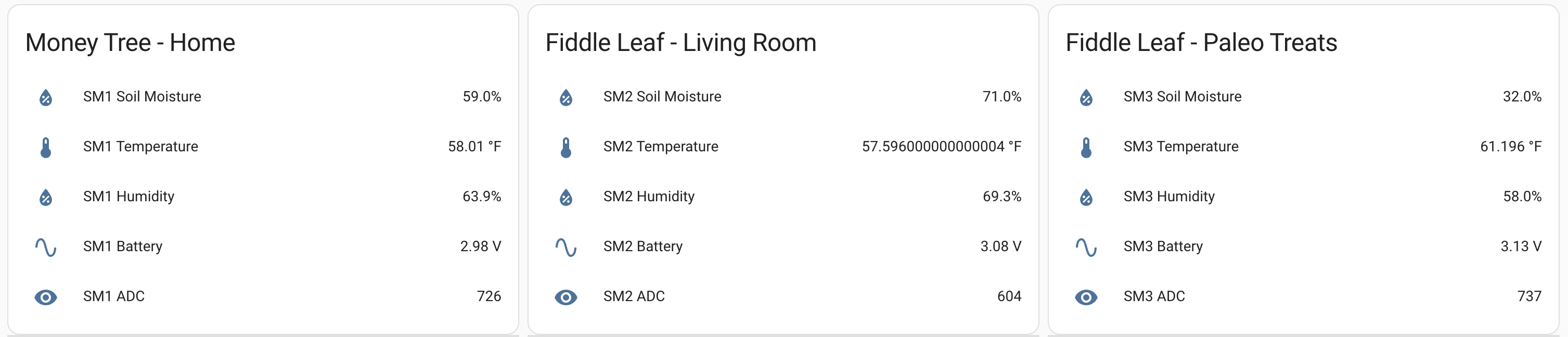
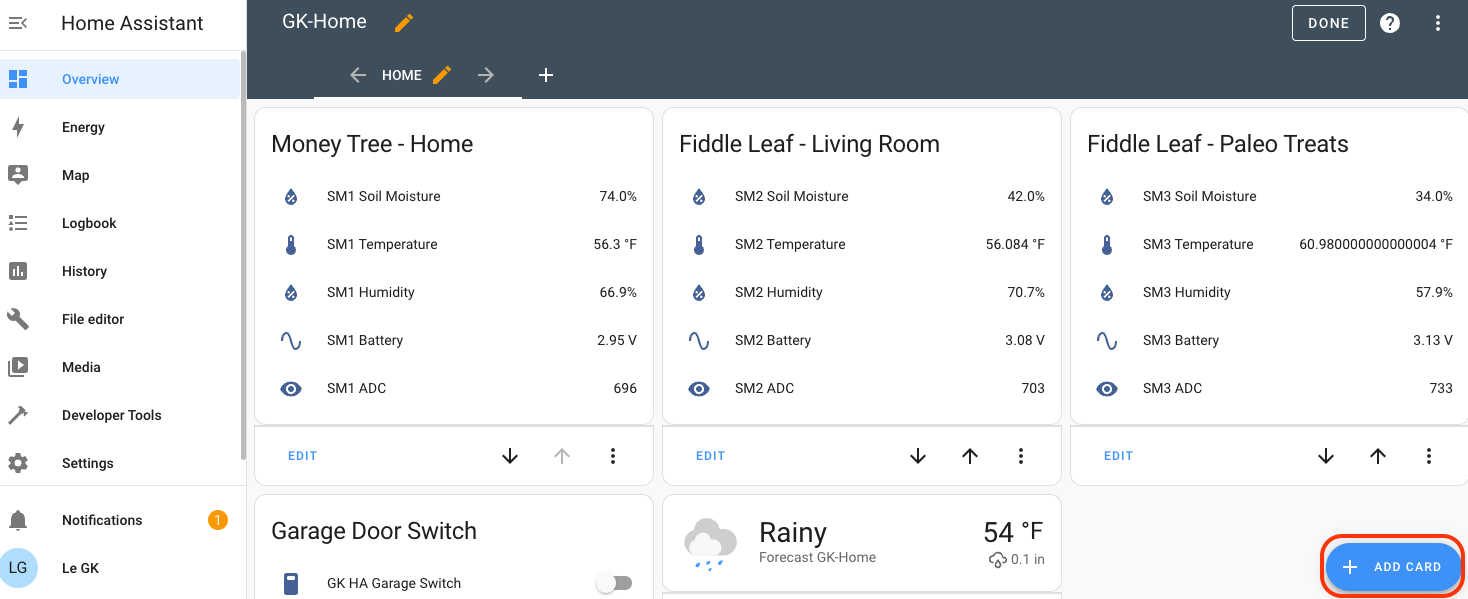
Take a breather, you've come a long way! The last step here can go two ways. If you're the only one using this data, you can push it through from Helium Console to Home Assistant. That might look like this when you finish up. Here are 3 plants (2 at home, 1 at the office):

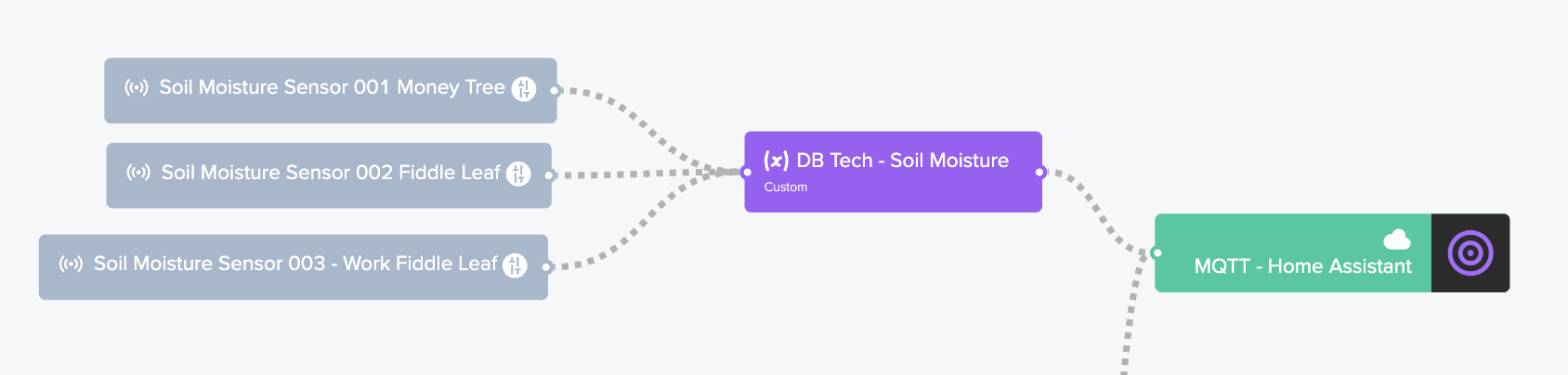
Adding the data from your sensor to Home Assistant takes 3 (broad) steps. First, send the data from Helium Console to an MQTT integration (details for that setup over on this post).

Second, update your configuration.yaml file in Home Assistant to include the MQTT data now coming from the sensors. I'm going to copy in mine, which starts with the door open/close sensor from my earlier blog post. That one is labeled "binary_sensor" in the yaml. You're going to add in another one below it for the soil moisture device, labeled "sensor". It'll look like this.

mqtt:
binary_sensor:
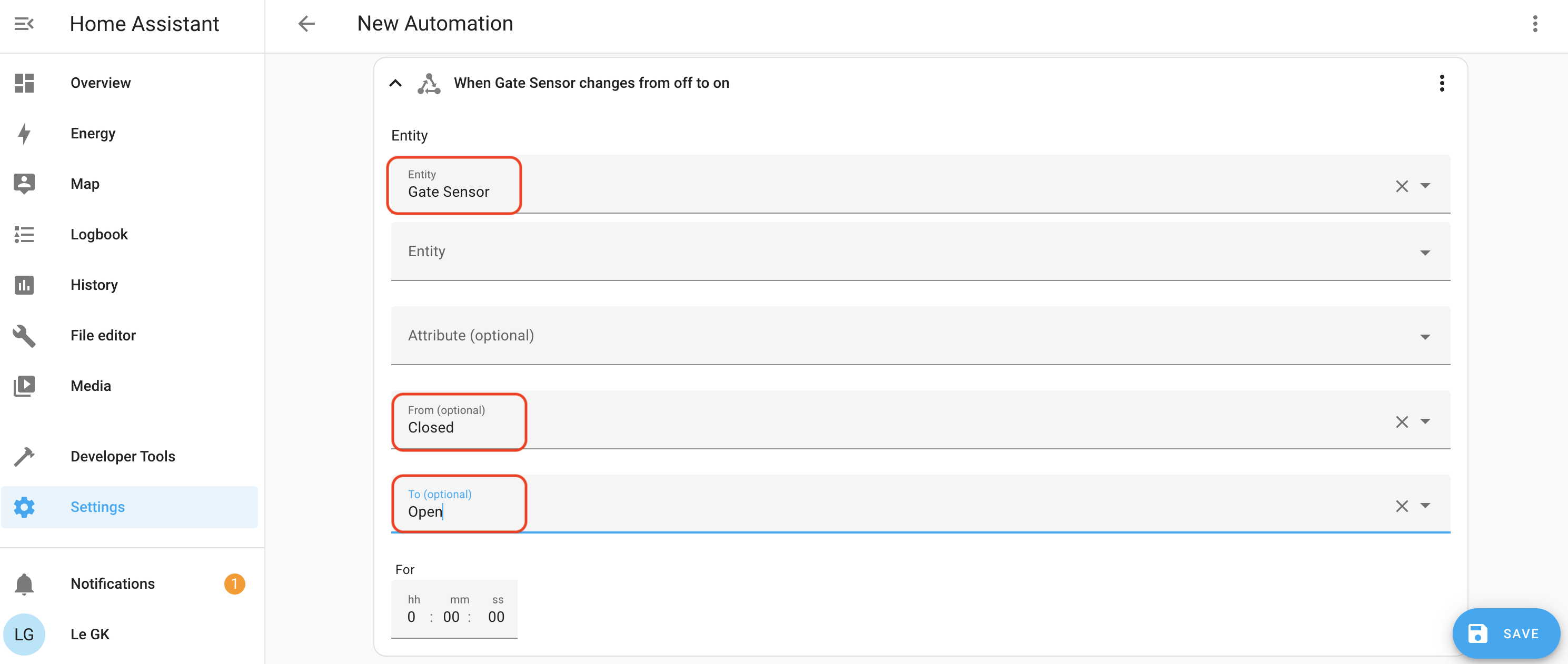
- name: "Gate Sensor"
device_class: opening
payload_on: "1"
payload_off: "0"
payload_not_available: ""
value_template: "{{ value_json.decoded.payload.DOOR_OPEN_STATUS }}"
state_topic: "helium/xxx-YOUR-HELIUM-DEVICE-CONSOLE-ID-HERE-xxx/rx"
sensor:
- name: 'SM1 ADC'
state_topic: "helium/xxx-YOUR-HELIUM-DEVICE-CONSOLE-ID-HERE-xxx/rx"
state_class: measurement
value_template: '{{ value_json.decoded.payload.data.adc | int }}'
- name: 'SM1 Battery'
state_topic: "helium/helium/xxx-YOUR-HELIUM-DEVICE-CONSOLE-ID-HERE-xxx/rx"
state_class: measurement
device_class: voltage
unit_of_measurement: "V"
value_template: '{{ value_json.decoded.payload.data.battery | float | round(2) }}'
- name: 'SM1 Humidity'
state_topic: "helium/helium/xxx-YOUR-HELIUM-DEVICE-CONSOLE-ID-HERE-xxx/rx"
state_class: measurement
device_class: humidity
unit_of_measurement: "%"
value_template: '{{ value_json.decoded.payload.data.humidity | float | round(1) }}'
- name: 'SM1 Soil Moisture'
state_topic: "helium/helium/xxx-YOUR-HELIUM-DEVICE-CONSOLE-ID-HERE-xxx/rx"
state_class: measurement
device_class: moisture
unit_of_measurement: "%"
value_template: '{{ value_json.decoded.payload.data.soilMoisture | float | round(1) }}'
- name: 'SM1 Temperature'
state_topic: "helium/helium/xxx-YOUR-HELIUM-DEVICE-CONSOLE-ID-HERE-xxx/rx"
state_class: measurement
device_class: temperature
unit_of_measurement: "°F"
value_template: '{{ value_json.decoded.payload.data.temperature | float * 9 / 5 + 32 | round(1) }}'

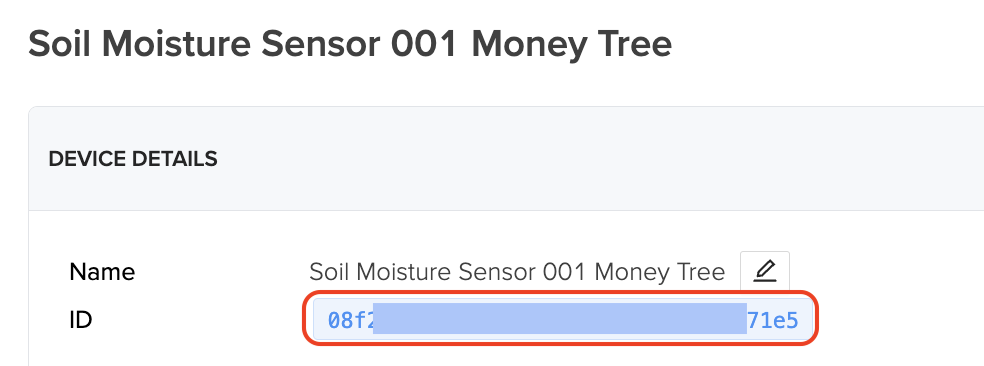
As you can see, you'll need to enter in a "state_topic". You'll find that in Helium Console in the Device page. It'll look something like this:

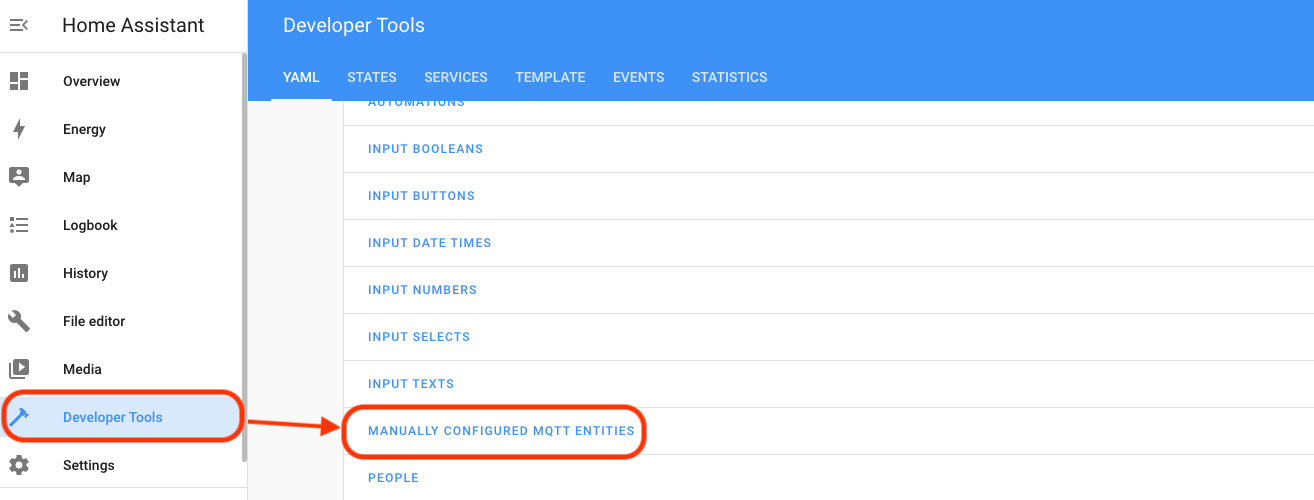
With the yaml file updated, go ahead and refresh that in Home Assistant. Developer Tools --> Manually Configured MQTT Entities.

Ok, so now that Console is sending it and HA is receiving it, the third step is to make it visible for ya.

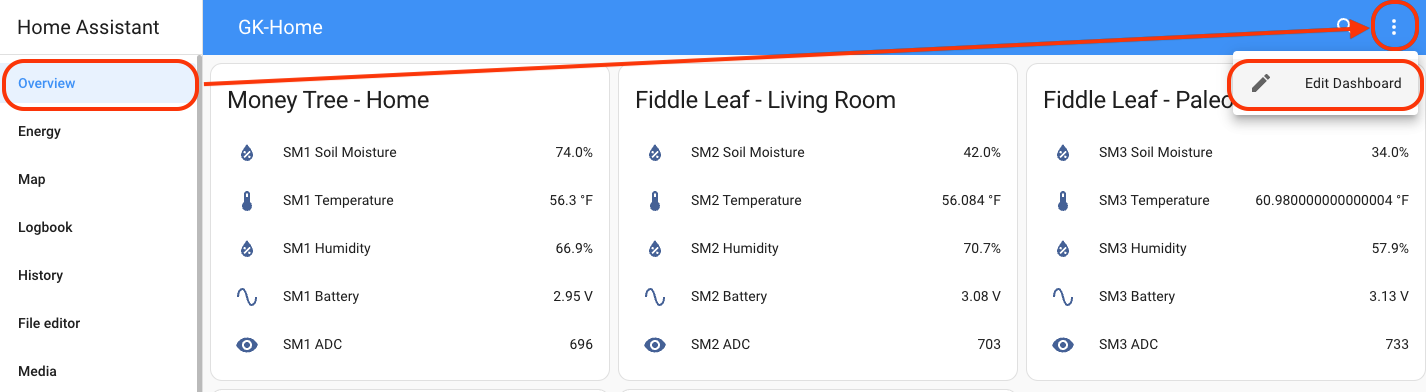
Create "cards" in Home Assistant to show you what's going on. Go to Overview --> 3 dot menu --> Edit Dashboard

Now hit "Add Card" (blue button in bottom right) and search by name, then follow the prompts to show what you want to see. You probably want Entities or Statistic Graph, but it's up to you.

That's it! You're all done if all you want to do is see it yourself.

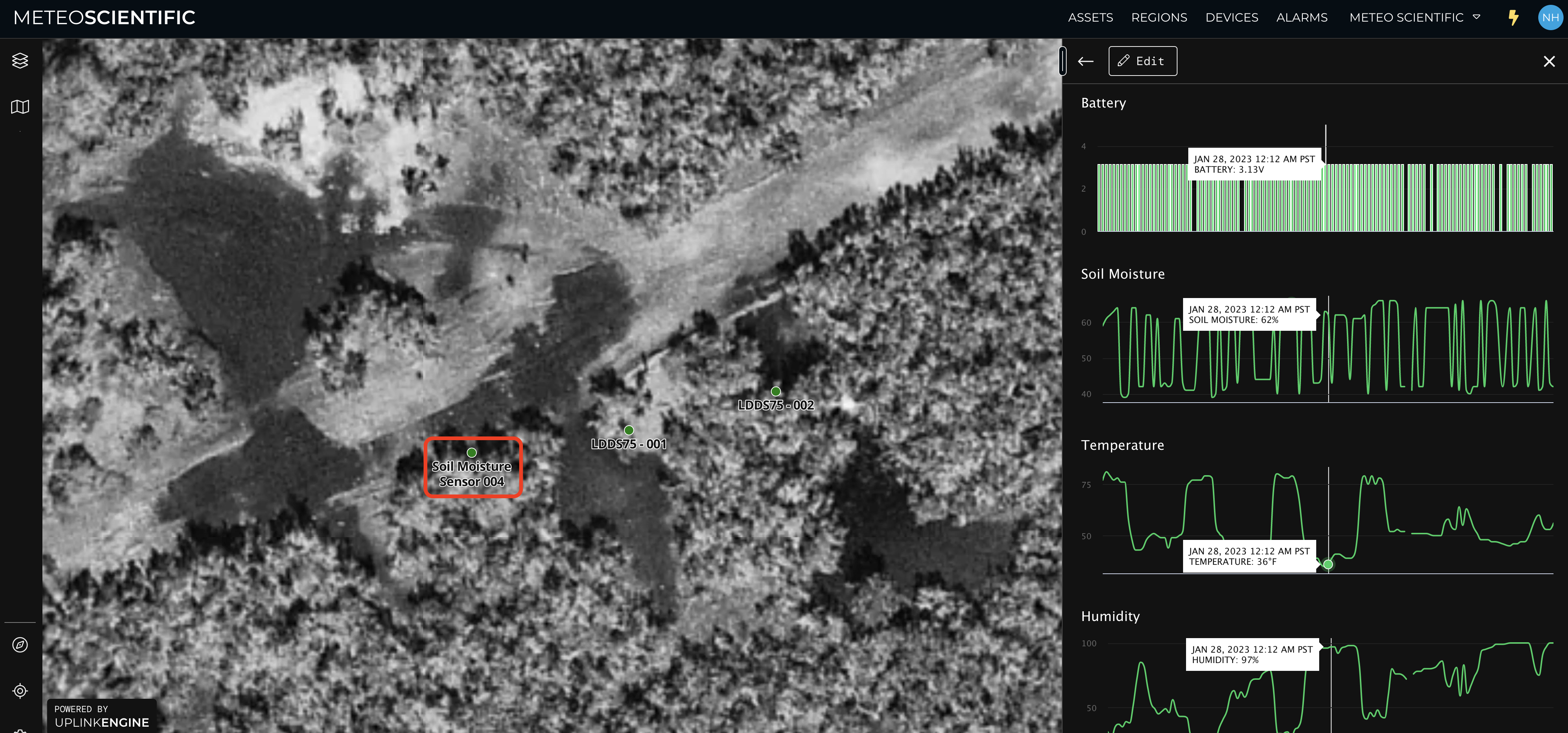
If you're planning on sharing the data with someone else (a client, or your fellow geeks), consider UplinkEngine, which is a company I invested in back when it was still just HeliumVision.

They're currently doing just bespoke solutions that look like this. I've outlined the sensor in red, and you can display the stats however you want, this is just what we've got going right now.

However you display your data, if you've followed this whole thing through, congratulations! You've added one more sensor to the Helium network, learned a ton, and hopefully will be able to keep your plant in top hydrated condition!

Rock on,

Nik

Notes & References

Working instructions for geeks here: https://github.com/dirkbeer/Helium\_MakerfabsSoilMoistureSensorV3

Original Project here: https://community.home-assistant.io/t/makerfabs-soil-moisture-sensor-v3-lorawan-ttn-v3-and-ha-integration/446021

Denicola V3 decoder: https://gist.github.com/denicola2/79639d7b17bf1b828c7cfeffedee0a13

Useful notes specific to Helium here: https://big-pisces-61a.notion.site/Things-I-had-to-do-to-get-the-MakerFabs-Soil-Moisture-Sensor-V3-working-on-Helium-for-EU868-4775729c5f304c9ab6fd3efc7b99af02

Arduino is written in C++, so if you're looking at it on the Sublime Text app, set the View to be C++.

In Arduino sketch, line 261 is "Air Value". With the sensor bone dry, record the ADC displayed in Home Assistant and enter that as your Air Value. It'll be close to 850.

How To Measure Endangered Vernal Pool Depth Using The Helium Network

· 7 min read
Nik
Site Owner

Over at Meteo Scientific (the business unit I started to run an IoT Sensor as a Service, or iSaaS), I've been working on a few projects, one of them around measuring vernal pools in the mountains.

Vernal pools are "one of California’s most endangered wetland natural communities" according to Dave Hogan, head of the Chaparral Lands Conservancy (CLL). They are seasonal pools usually less than a foot deep found on mesas and down in the valleys throughout my home region of San Diego. The CLL has a partnership with the Center For Biological Diversity to monitor these pools, including measuring their depth throughout the short wet season. Up until now, they were measuring the depth by paying contractors to hike out and manually measure each pool. This seemed like a great use case for the Helium network!

With any iSaaS offering, you've got three major hurdles to completion.

First is finding a customer. In this case, that was long time friend Dave Hogan, who runs the Chaparral Lands Conservancy. Dave and I have known each other for at least a decade now, and since we don't get to spend very much time together I was excited to use Helium as an excuse to spend time with one of the most well versed naturalists I've met in person.

The next question in running an iSaaS is "Do I have connectivity for my sensor?" With Helium, that's usually not a problem. It's got the largest contiguous wireless network in the world, with most places in urban and suburban areas covered. Almost anywhere in San Diego (except deep in remote valleys) has great coverage. Additionally, if we needed coverage in a remote area, I wasn't worried; off grid IoT connectivity through Helium is a specialty of mine.

The third step with iSaaS is knowing what kind of sensor to use. I checked in with Bryan at Parley Labs as well as Simon over at Datacake, and we decided to look at two different types. A Dragino LDDS20 Non Contact Liquid Level Sensor and an LDDS75 Distance Detection Sensor. I had both in my garage, and after taking a look at 'em, the LDDS75 seemed the appropriate one to use. The 20 needs to be on the bottom of a tank, and these meadow pools ain't tanks.

As usual when it comes to sensors, they ain't the easiest things to use and you have to be ready to learn. I jumped on the weekly Hackshare Collective call run by Travis Teague to get help, where Travis, Gray Hat Guy and Nickey walked me through setting up my device.

Step one is adding the device to the Helium Console. I've covered the steps to do that in other posts so will skip it here. The Draginos come with all the identifying keys on a sticker on the box, which is nice: DEVEUI, APPEUI, and APPKEY are all right there. I typed 'em in manually and waited for the XOR filter to let the device show up on Console.

Being a "hands dirty" guy, the next thing I did was open it up.

https://vimeo.com/789169465

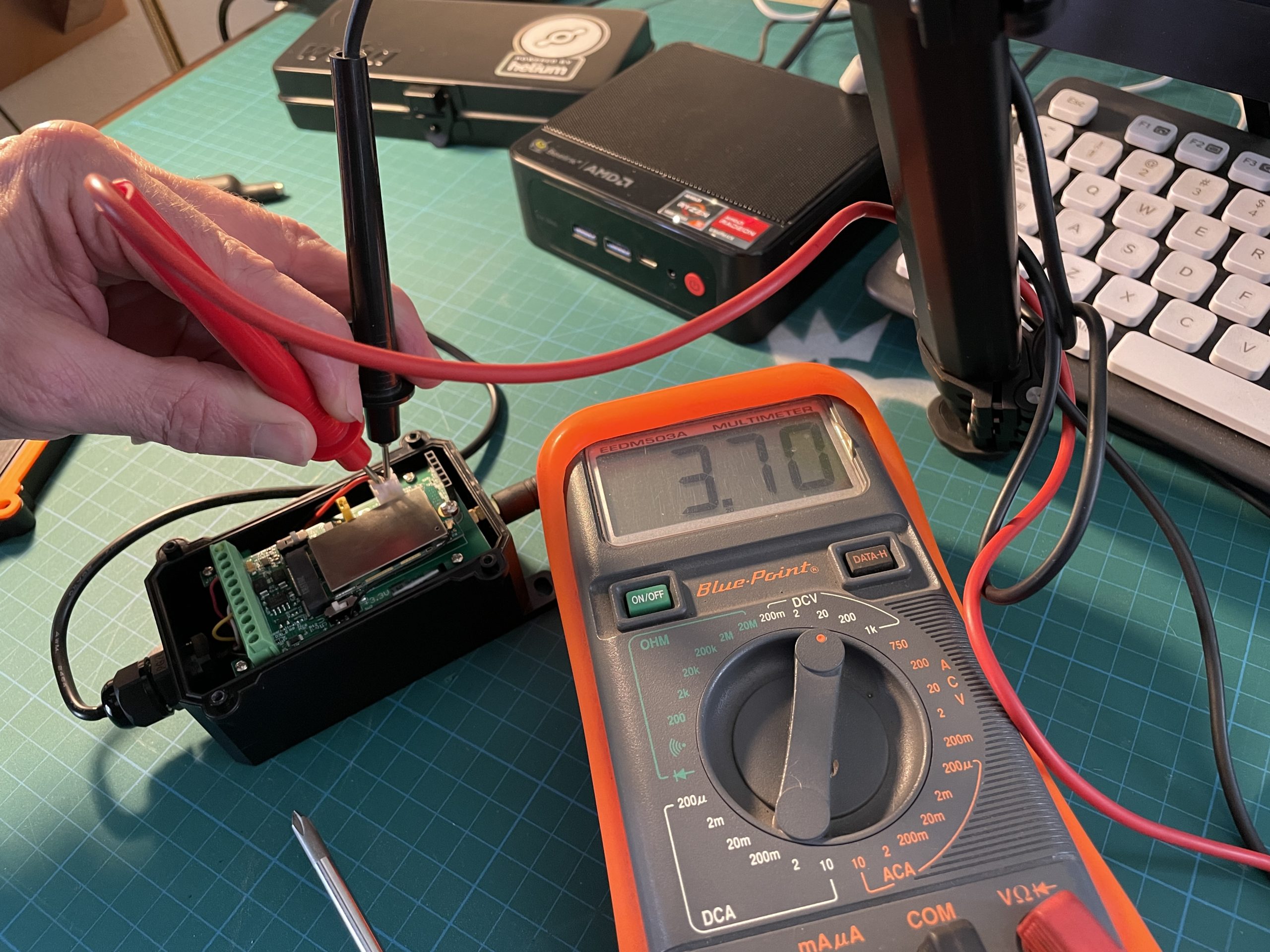
With Gray Hat Guy walking me through it, I checked the battery level (both with and without load) because the device had been sitting in the garage for almost a year.

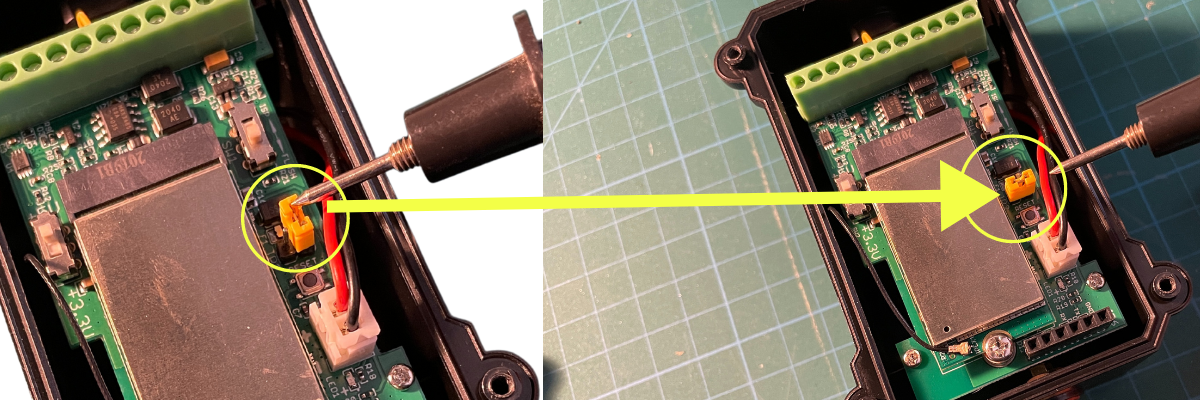
Then I realized you had to remove, rotate, and replace the yellow jumper in order to connect power to the device from the battery. That's one of those things every hardware geek says, "Duh" to, but if you've never seen it before, a lot of this doesn't make sense.

With the device added in Console and powered on, the next step is to set the parameters up so they match what you want. In my case, making sure I had it firing on a time interval that would be useful without wasting battery life.

To do this, you'll need a few simple things that'll open up a whole new world for you. First, a USB to TTL adapter, about $12 on Amazon. Second, a set of breadboard jumper wires, about $7. Finally, if you don't already have them laying around from the million other projects you've done, spend $8 on breakaway pin headers.

Once you have those, you can connect your device to your computer via USB and use a program called CoolTerm to change the settings on the device. Dragino has pretty good documentation on how to set all this up, but holler in the comments if you need help.

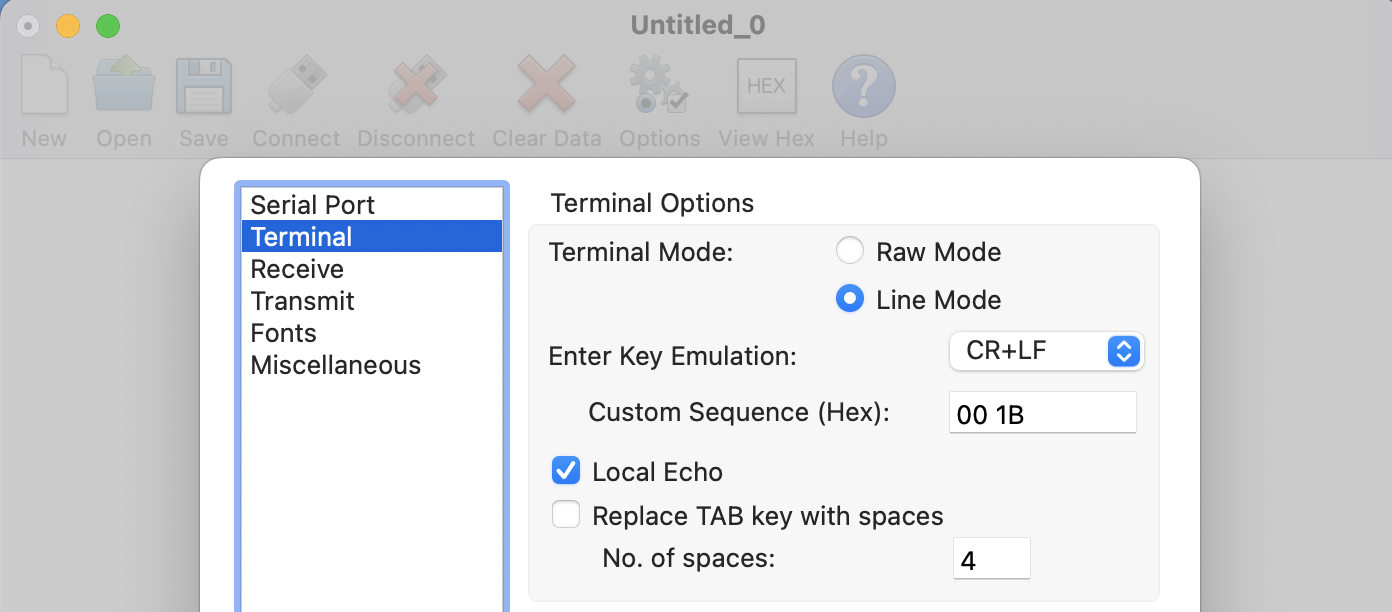
You'll need to make a few changes in the Options on Coolterm. In the Serial Port menu, set the baudrate to 9600. Then, in the Terminal menu, change the Mode to Line Mode, use CR+LF Key Emulation, and turn on Local Echo.

For this, the first thing I did was get a readout of what the settings currently were, using AT+CFG. That'll spit out all the current settings. In this case, I was looking for the TDC setting, which is the "transmit time". I wanted to test this device on my fountain at home with a shorter interval just to see how it looked on Datacake, then set it to a longer interval later to preserve battery life. I started with a 5 minute interval, saved it, unplugged the device and fastened the cover back on for testing.

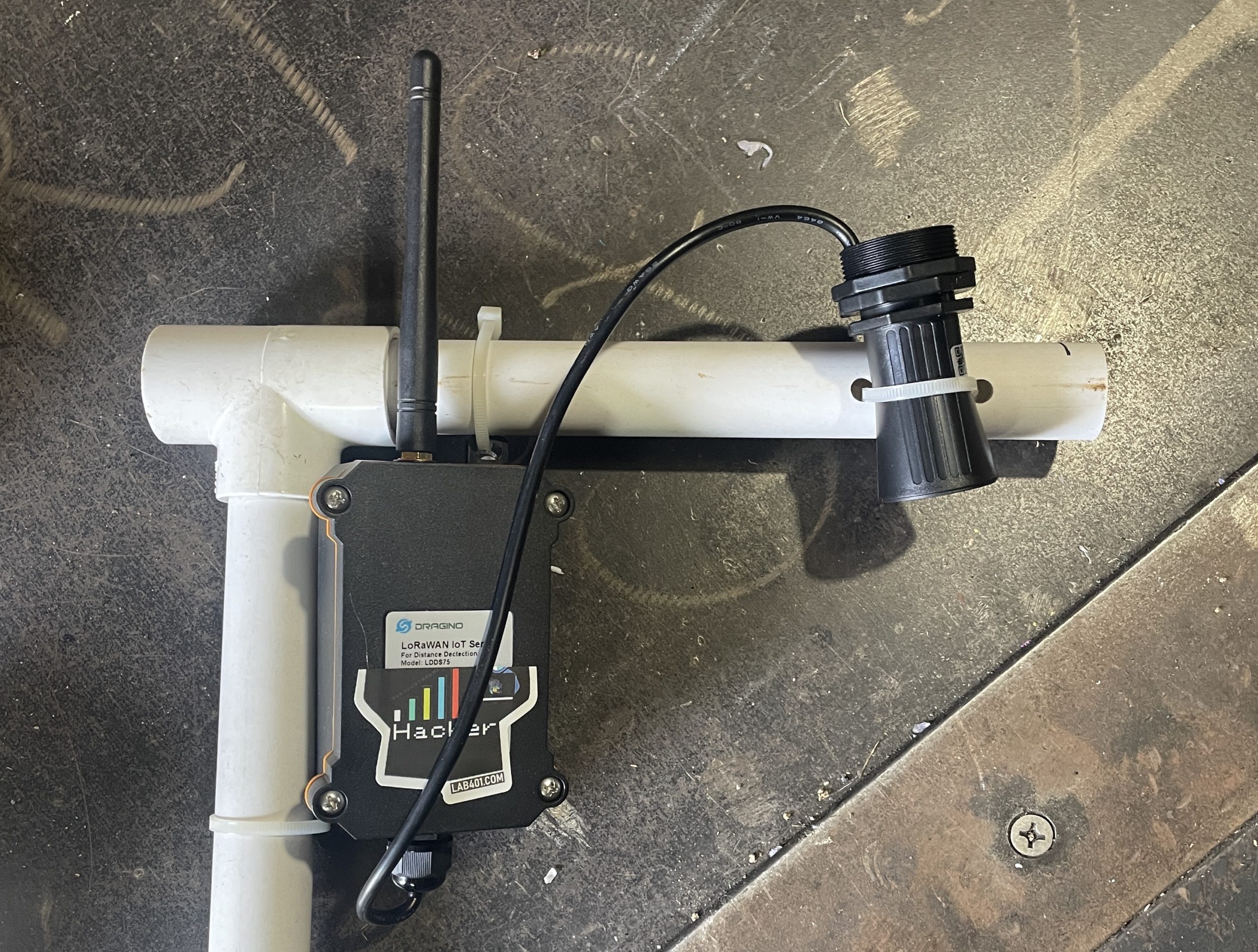
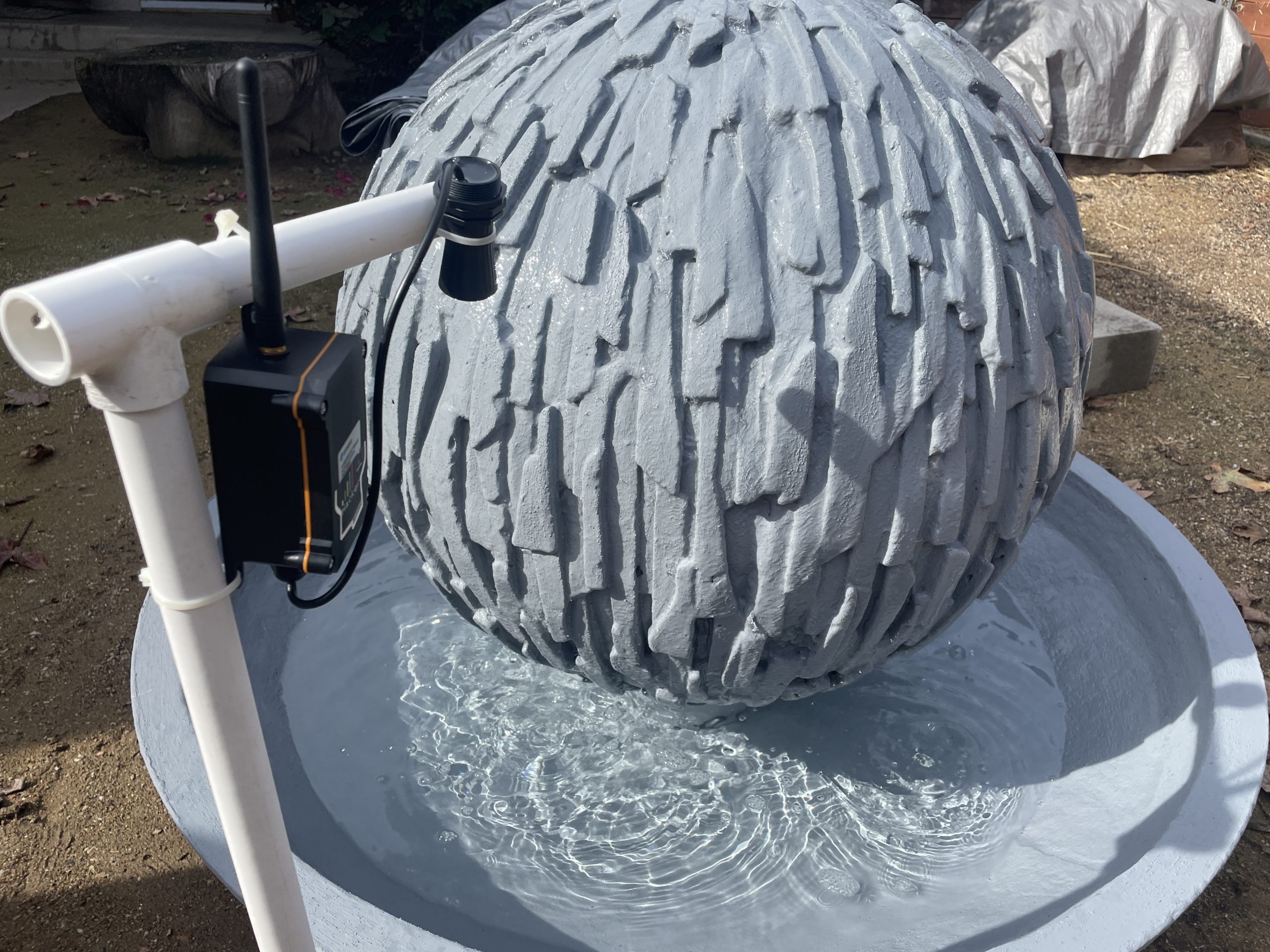
I headed into the garage to knock together a quick PVC frame to attach it to.

These first test rigs don't have to be pretty, they just have to work. With that done, I set it up to monitor the liquid level in my fountain in the backyard.

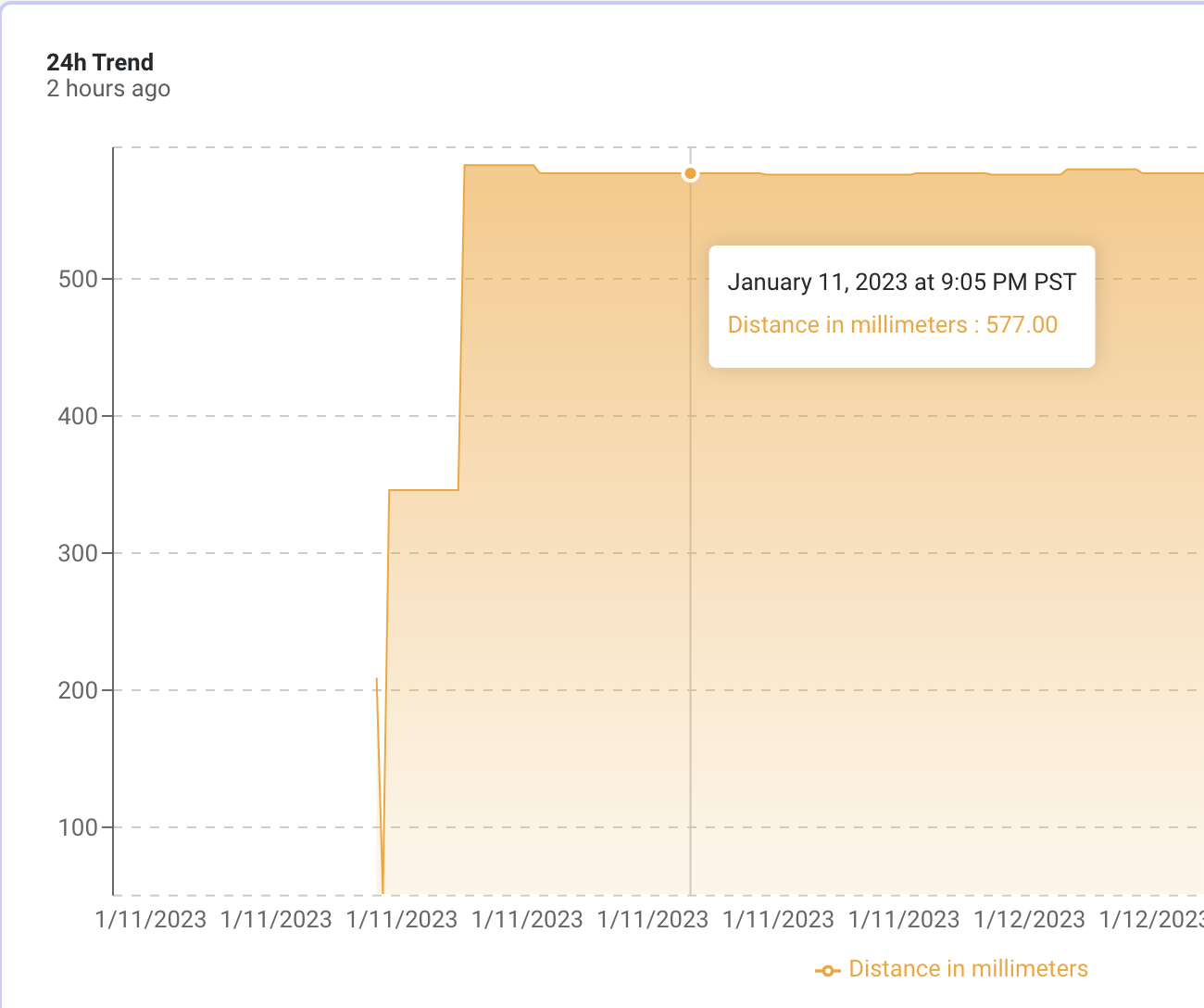
Here it is with 5 minute intervals:

Once I was confident it was working I took it all down, brought it back in, hooked it back up to my computer and set the time interval to an hour.

The next step is to find out from the client what they're OK with as far as a mounting stand, assess the site, then build something that'll work for his needs. Time for a hike in the mountains with a GLAMOS to check coverage. I'll be back later this month with a follow up!

People Counter Update: Many Obstacles, Much Learning

· 8 min read
Nik
Site Owner

Way back in February of 2022, I wrote a Helium Foundation grant to deploy people counters on a trail here in San Diego. The grant was approved, I used the first tranche to buy the devices, and then ran into a series of obstacles that are common enough in this world of business, IoT, and interaction with various local governments that it's worth sharing them.

If you want to go back in time and read about the initial process, that post on the beginnings of the people counter project is here.

As we wind up the year (2022), let's run through the main issues along with the solutions (or lack thereof). We'll kick it off with "interacting with local governments".

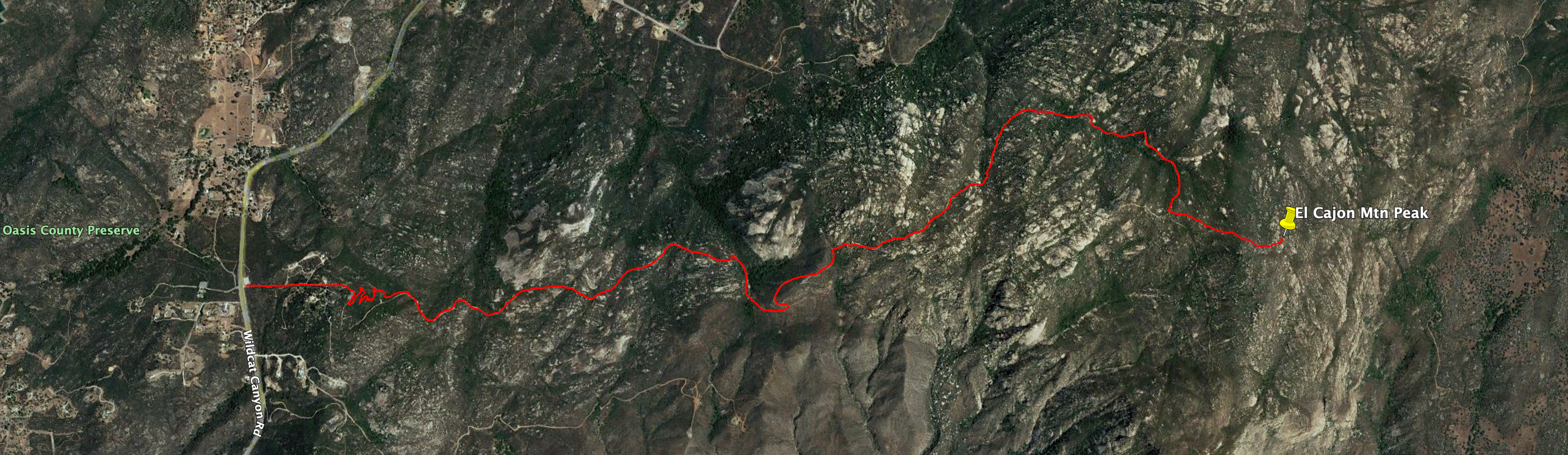
The whole idea for the people counter came from doing a fair amount of hiking on one of San Diego's more famously difficult trails, the El Cajon Mountain trail. If you do the whole thing it's a little under an 11 mile round trip with a few thousand feet of gain. Almost none of it is flat, and almost all of it is out in the sun with no shade protection at all.

From 30,000 feet (thanks Google Earth!) it looks like this:

Here's the elevation view, just to give you an idea of what hikers attempt on this. There's 2,100' elevation different between the trailhead and the peak, and when you get to the top, well, you're only halfway through!

Now, in 2022 I've watched 2 helicopter rescues and assisted in the evacuation of one hiker. I KNOW this trail is a challenge both for hikers and for the county rangers who watch over it. Knowing how many people attempt it, what the traffic load is on the trail, where most rescues happen vs how far most people get all seemed like valuable information to me. When I proposed the project to the local ranger, he agreed. Unfortunately, I didn't get that agreement in writing.

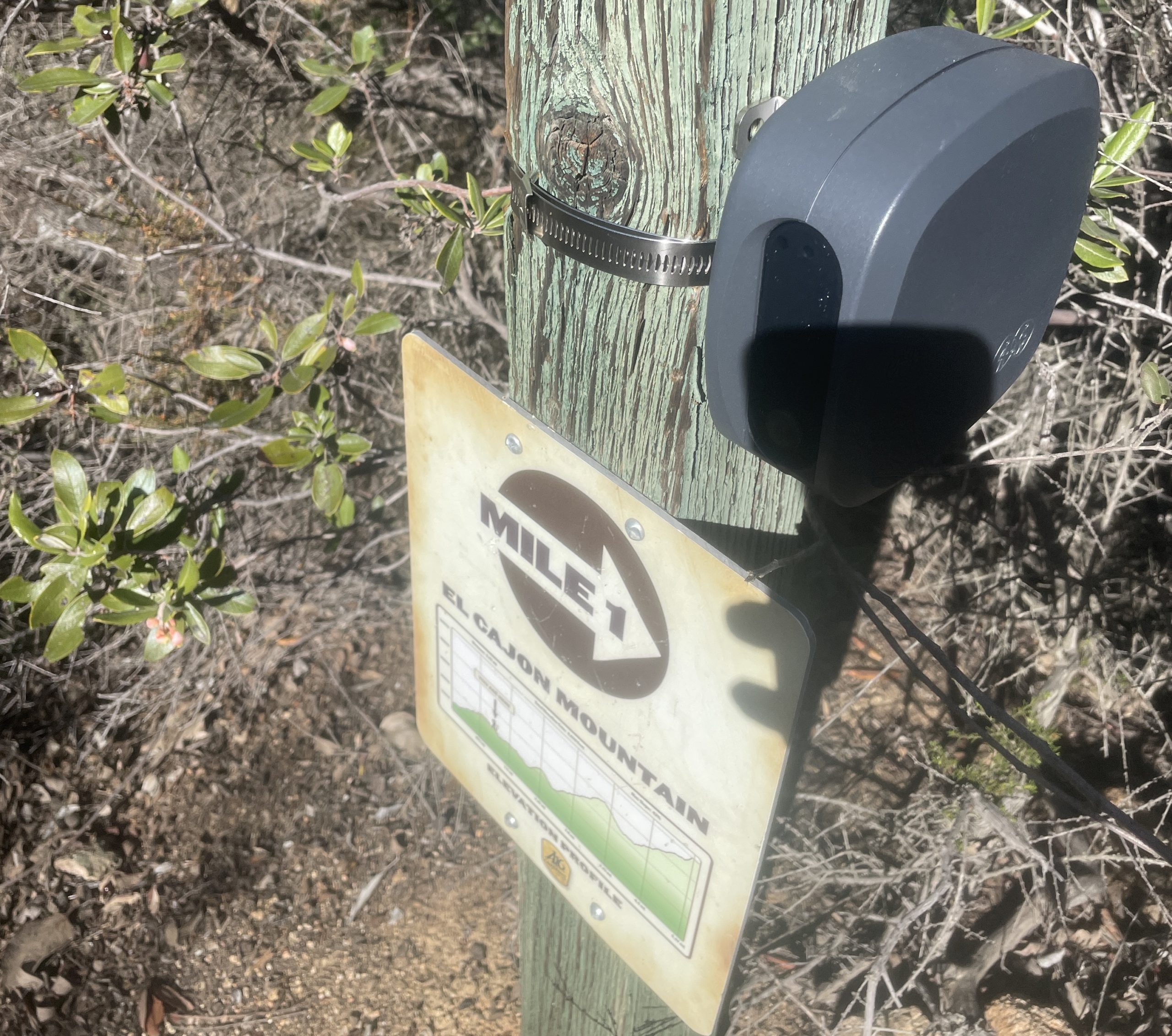
Of the multiple challenges I faced in getting these set up, the first one was what killed it: I only got a verbal confirmation from the rangers that they wanted the project. While they were excited about it, their supervisors weren't. I haven't been able to sort out exactly what the problem was, but it's somewhere between a recent county ban on all "surveillance technology" (which these people counters look like but are specifically not as they use LIDAR, not cameras, so no identifying features are collected) and them already having a plan to deploy people counters. As of late Dec 2022, I've only seen one people counter on that trail, and it's at mile marker 1, pictured below. There may be more that I'm missing.

Either way, not having permission to deploy along the majority of the trail was the first big blow. I've written about surveillance tech and governments more over here but it left me with a bunch of trail counters and only a few miles of trail (the private land part) to deploy.

The trip into the private land adds about 100' of gain and a mile to the round trip. Still, that doesn't appear to stop inquisitive folks from going down the trail clearly marked "No trespassing". I see boot prints on the path there every time I visit. The owners of the land are still on board with deploying people counters, which gives me about a mile to work with to find out how far down the path people are going. Are they 30 second inquisitors, or are they hardier? How often does it happen? Is it something worth developing a strategy for, or just worth it to keep an eye on?

So, that brings us up to speed on the first major obstacle, which is permission.

The second obstacle was, funnily enough, Helium coverage. The places I'd selected for Hotspots have an incredible view of what is probably hundreds of Hotspots across the greater San Diego area, but when I placed the very first people counter in a test run, the signal strength its antenna was picking up was too weak to reliably transmit data!

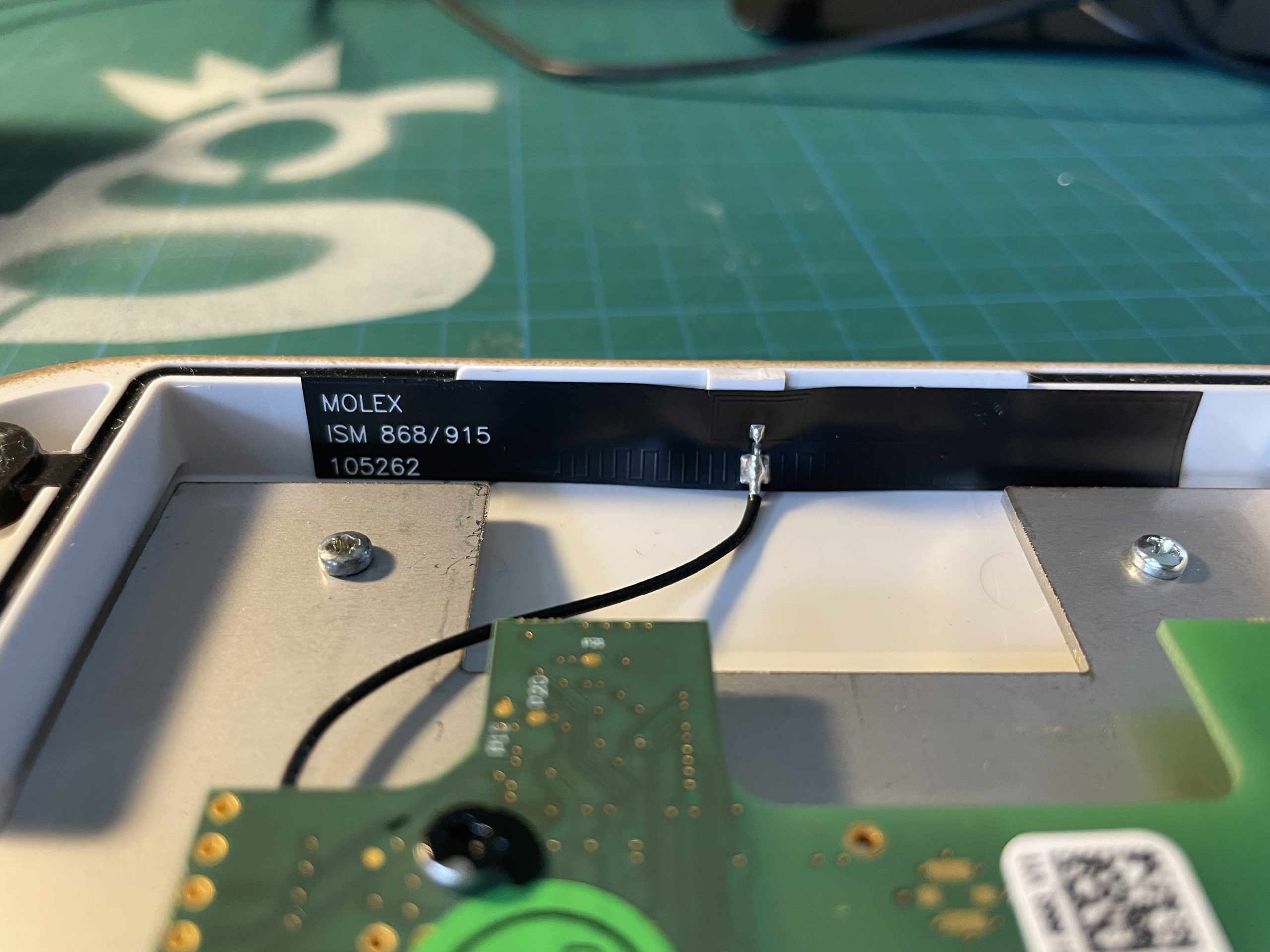
That seemed odd to me, as I'd tested the location with a GLAMOS using the included 0 dBi antenna and it seemed fine. What I hadn't counted on was how weak the antenna in the device would actually be. While it's rated at 1.2 dBi, the Molex 105262 patch antenna installed in the people counter was showing far worse performance in practice.

So, lesson number two: Make sure you test your location with the same antenna your device will use. Seems obvious in hindsight, right?

This brings us to the last obstacle, which is getting the thing to actually work. In broad strokes, any useful LoRa system includes a device that sends its data somewhere, decodes that data, and then displays that data somewhere in a useful manner. Conceptually it's pretty easy to understand, but the details can be tricky. Every network, from Senet to TTN (The Things Network) to Actility to ones you've never heard of like Ventia or Axatel, all have a way of doing this.

Those methods are all pretty similar, but in the case of the Parametric devices there were two factors making for a challenging obstacle. First, Parametric is based out of Switzerland and focused (as far as I can tell) only on Europe. This means they don't really have support or interest in devices in the US. Second, they seem to only work on TTN devices. This is fine if you're in Europe and using TTN, but... I'm in America. And I'm using Helium. :)

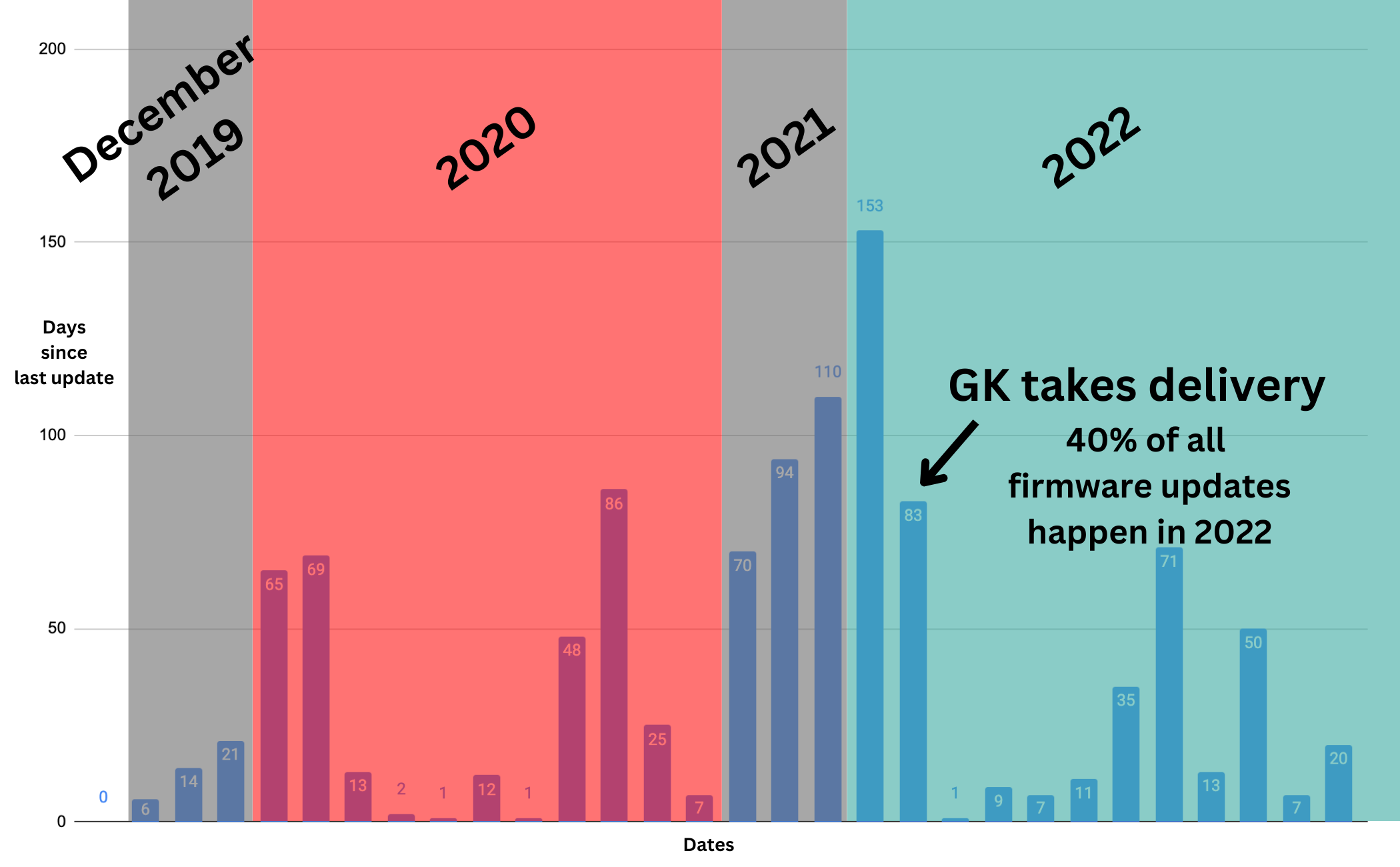
Now, this is not to say that no support has been provided by Parametric. Sascha Jäckle, a managing partner and head of business development, has helped out over email with providing some guidance on how to get these thing working. It looks like they launched the People Counter as a product in late 2019, worked on it through 2020, then more or less forgot about it until I ordered them. Then they did 40% of all firmware updates in the last 9 months of 2022.

It's safe to say Parametric is now aware of Helium and acknowledges that the market for devices that easily work on the Helium network is bigger than they initially thought. Still, it took a group of US based IoT enthusiasts in a channel I host on the GK Discord to actually bang their heads against the thing long enough to get the whole flow to actually work. The final piece on our end, a fully operational decoder, took until late December of 2022 to solve.

Now, it's not like this group was working 40 hours a week on it; this was a volunteer effort at odd hours of the day, when they had time, by folks like @grayhatguy, @tteague, @nickytheblade, @rw4k, @falconpunch, and @.eddie E on Discord.

There are still a last few issues to solve with these things. The new 4.0 version of firmware released by Parametric in September of 2022 has a few bugs yet. All but one of the devices are deleting their own APPEUI and APPKEY, making them unuseable until that's fixed. Still, we've made progress, and I'm looking forward to getting these deployed and testing in the field by the end of the first quarter in 2023.

That should catch you up to speed on the People Counter project. The big takeaways for me were:
-If you're doing anything with a bureaucracy/government, get it in writing.
-running a LoRa based project without an engineering background is still too big of a lift to be practical
-the best of this entire IoT system is yet to come. I think we'll massive gains in 2023 as all of the various development efforts begin to bear fruit, but it might not be until the third or fourth quarter.

In the meantime, I'll keep plugging away at this grant project until I've completed it to the best of my ability. I've sent off 3 people counters to technical experts in my "IoT Support Group". Four will be deployed onto the trail, and 1 remains at my home test site. That leaves me with a few more to place anywhere in the US915 area, so...if you're reading this and want to participate in a People Counter project that helps spread the word about Helium and usefully contributes to solving a people counter problem, let's take everything I've learned so far and put it to work for you!

As always, the goal here is to help as many people as possible learn from our shared experience and continually develop a better understanding of our world.

Rock on!

Using Helium To Automate Your Home

· 24 min read
Nik
Site Owner

This is a project taking you through the basics of how to use the Helium LoRaWAN for projects around the home. Relax, we won't be automating your entire house and accidentally unleashing Terminator. This is just a very simple start into using Helium.

At the end, if you follow all the directions, you'll have a light that turns on when a door or gate opens. Super simple. Here's what it looks like in broad strokes.
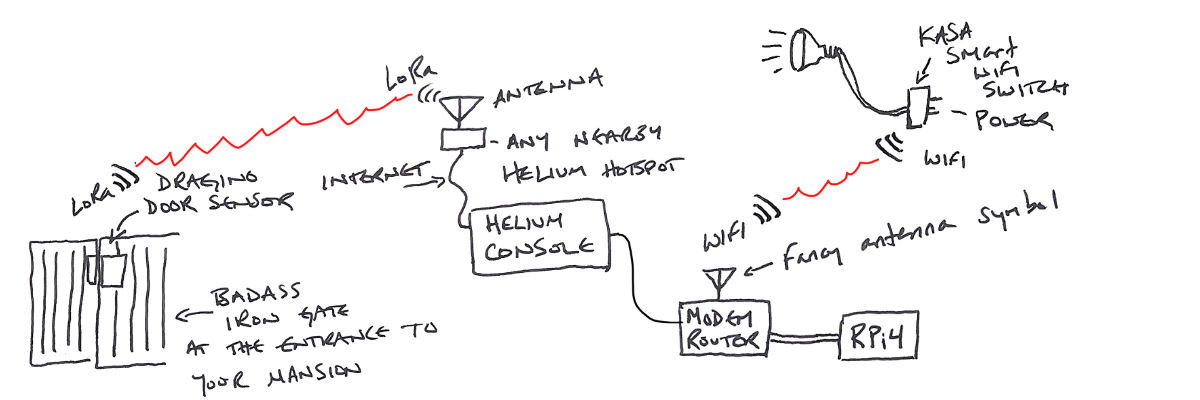
Obviously you have a badass iron gate at the entrance to your mansion. You're in crypto, right?

Here's how the flow works in writing, with a little more detail.

The door sensor sends an "open" or "close" packet of data along with and identification of the sensor ("I'm a door sensor named 2r782sdhvwjf, and the door is now open") over LoRa to any nearby Hotspot.

That Hotspot passes the info on to the Helium router via the internet. When the data gets to the router, the router says, "Hey, anyone want to buy this packet from 2r782sdhvwjf?"

Your Console account (which you've set up to watch for packet from 2r782sdhvwjf) says "Hell yes I'll buy that packet!", pays with Helium data credits, and receives the packet data.

The data from the packet goes into your Console, where it's decoded and passed on to an "integration". The integration in this case is to an MQTT (Message Queuing Telemetry Transport) "broker".

A "broker" in this case is an application that receives and forwards MQTT messages. That MQTT message is sent by the broker to an open source program called "Home Assistant". Home Assistant lives on the Raspberry Pi.

The Raspberry Pi receives the data from the MQTT broker, processes it in Home Assistant, and spits out a nice little "open" or "close" message which it then transmits over WiFi to your Kasa (or any smart plug) saying, "Hey dawg, door's open, get that light on stat!"

And that's it, at broad strokes. Ok, let's dive into how to do this thing at home. We'll start with spending money, about $130 total. Relax, most of that is the Raspberry Pi, and once you have one you can use it to do all sorts of other things. Think of the Pi as a Swiss Army knife. This time you're buying it for cutting bread with the knife, but in the future you can use the corkscrew for wine, the screwdriver for opening that wooden shipping box with the Lister engine you'll wonder how you lived without, and the tweezers for removing that SD card. But...let's not get ahead of ourselves.

Purchase List

[ninja_tables id="6052"]

I put in the option for an indoor or an outdoor Kasa plug, which depends on where you have your light plugged in.

Once you've received all the physical things we'll go through the following steps in order:

  • Door Sensor
    • Add the sensor as a Device
    • Add a Decoder function
  • Home Assistant (HA)
    • Install on RPi and confirm it's available on your network
    • Configure Home Assistant
  • MQTT Messaging Broker
  • Connect everything

Aight! Let's get this party started!

Add The Sensor To Helium Console

Step one: Add the door sensor to Helium Console. Now, this is written in December of 2022, about a month (maybe more) before we make the giant switch from Helium running Console for everyone (10 device free limit) over to when you'll need to find another LNS (LoRaWAN Network Server). These specific instructions may not apply forever, but the broad strokes will.

Find the DEVEUI, APPEUI, and APPKEY associated with your sensor. If they're not in the box, you'll have to do some fiddly bits and buy one more thing for about $15. If that's the case, lemme know in the comments and I'll do up a tutorial on that for you. Easy when you know how. Daunting when you don't.

Ok, I'll assume you got the DEVEUI, APPEUI, and APPKEY. Enter them into the appropriate fields in Console (or whatever you end up using.). It should something like this:
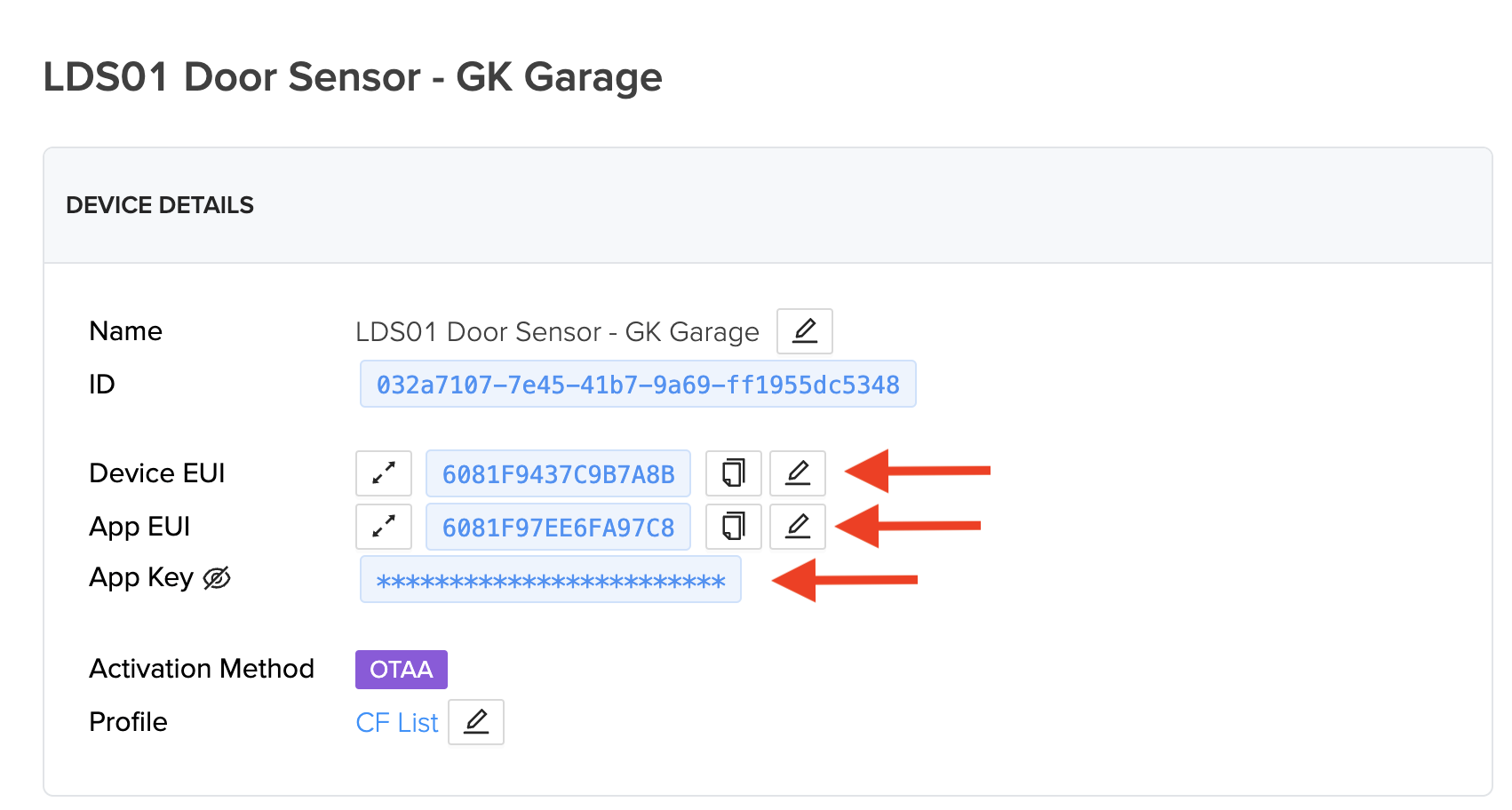
Ok, so conceptually, what we've done so far is tell the Helium network that whenever any Hotspot receives data from this sensor (identified by the all the APP/DEV EUI keys) that you'll buy that data. Relax, it won't cost you that much, and if you want you can limit how often you'll buy it or from how many different Hotspots you want to buy it (if multiple Hotspots "hear" it).

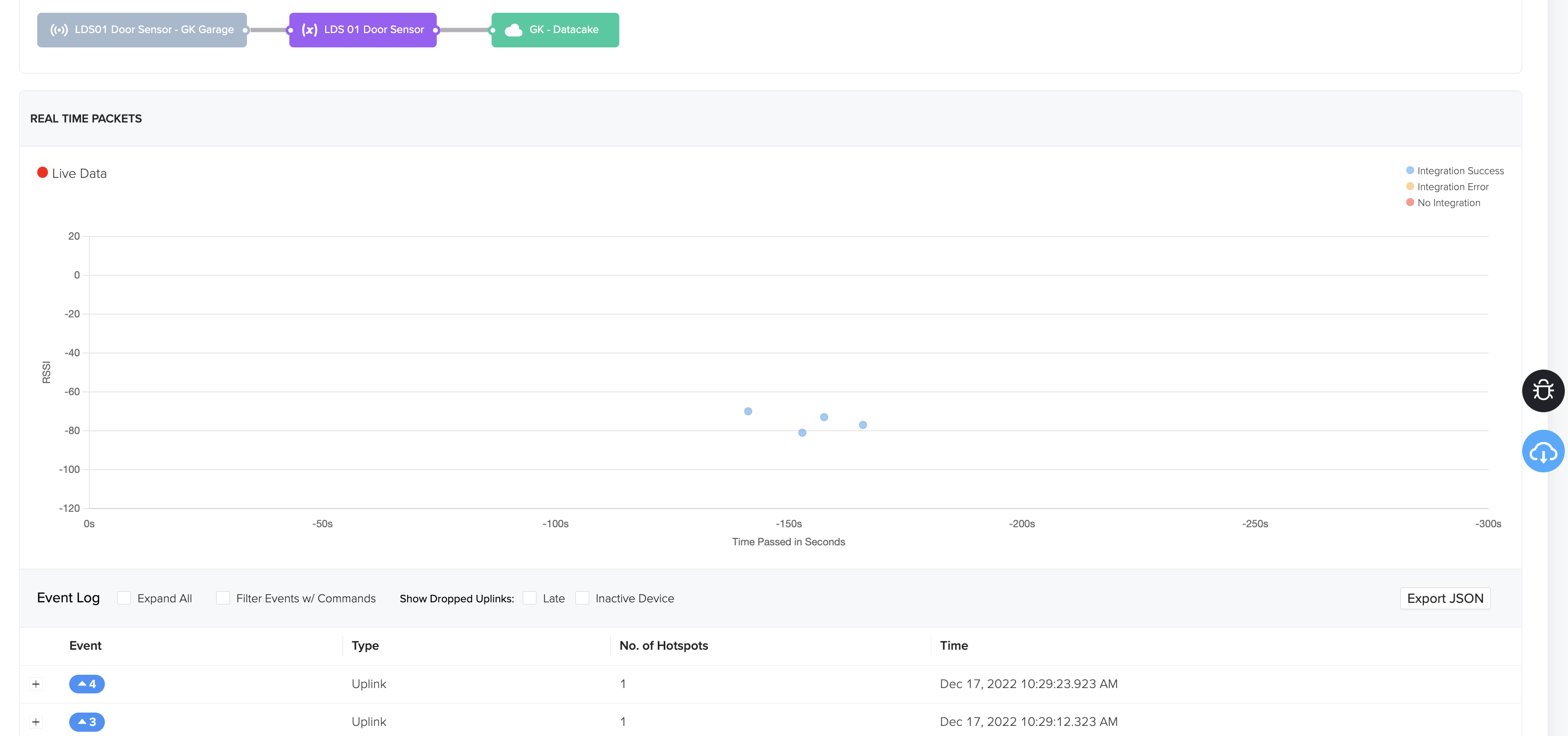
To make sure we're getting packets through, go ahead and move the sensor/magnet apart a few times, as if the door was opening and closing. Pro tip: Do NOT install the sensor until the very end, otherwise you may be doing a bunch of walking back and forth to your door.

You should see little dots marching across the screen on the Device page, like this.
Cool, so you've bought the data, now you have to decode it. Semi-confusingly, this data will need several modifications in how its presented along the path sketched out above. Think of it this way: Not all computers speak the same language, and each time the data moves from one system to another, it (usually) needs to be translated. This "decoding" is the first translation.

Add The Decoder

For this (and any) sensor, the manufacturer will usually provide you with the decoder to use. In this case, Helium also maintains a Github repository with a decoder for this device. Confusingly, the decoder for this device in Helium's Github is called an LDS02, even though the device is an LDS01. I'ma use the Helium-suggested LDS02version below. If you use any other decoder you'll have to make some changes to the code further down. If this is your first time doing this, just use Helium's version. Here's how to do that if you've never used Github before.

Go to the page here, and look for "Decoder-v1.5.js" in the list of files.
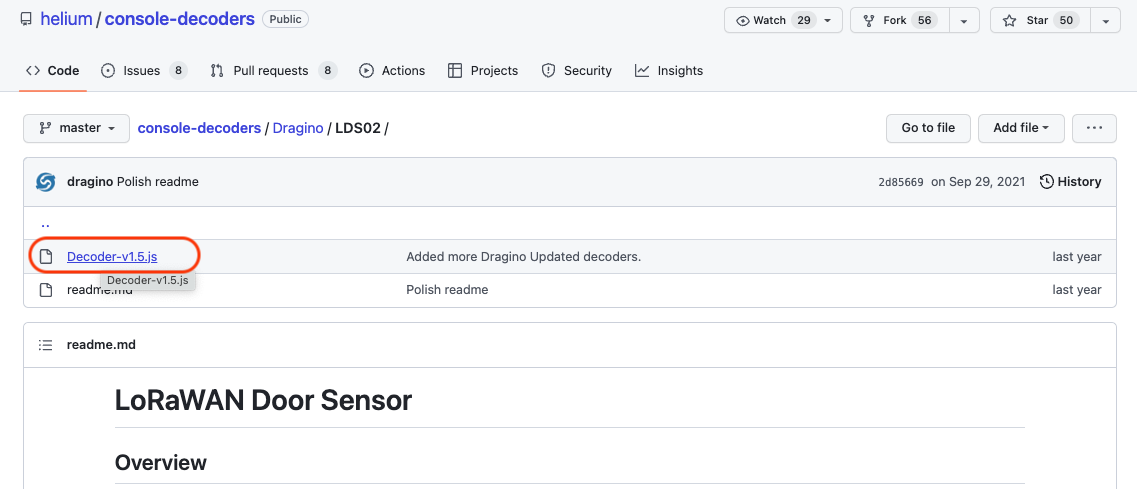
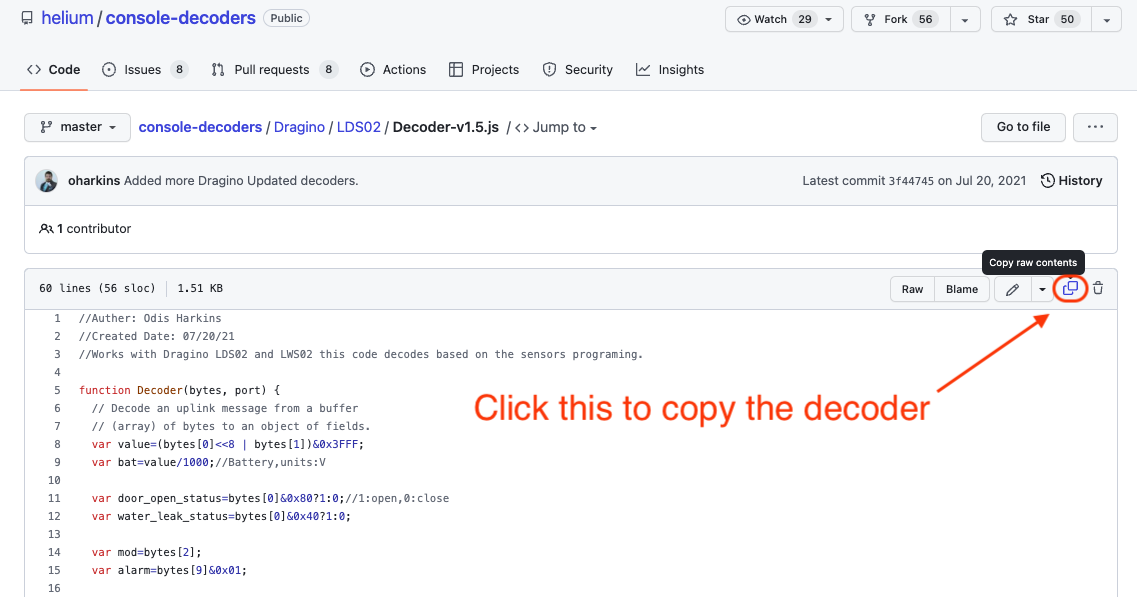
Click on that and you'll see a box with a bunch of code. Click the little double-square button up in the top right to copy this. You'll be pasting this into the Helium Console next.
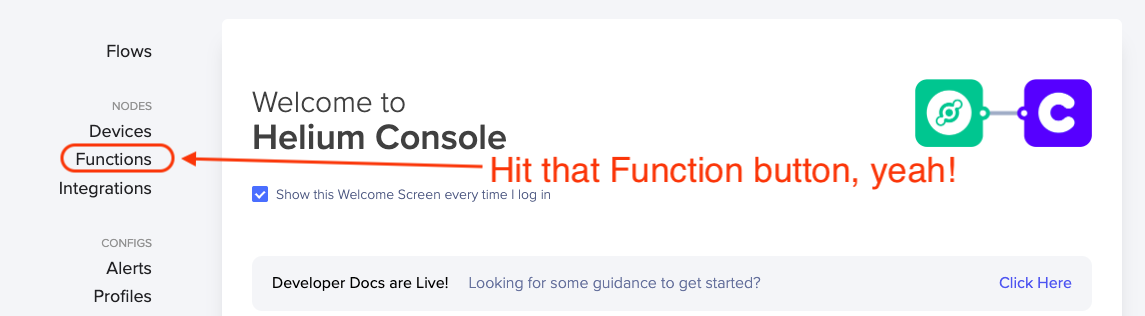
Now that you've got the decoder copied onto your clipboard, head over to Console and look for Functions on the left menu.
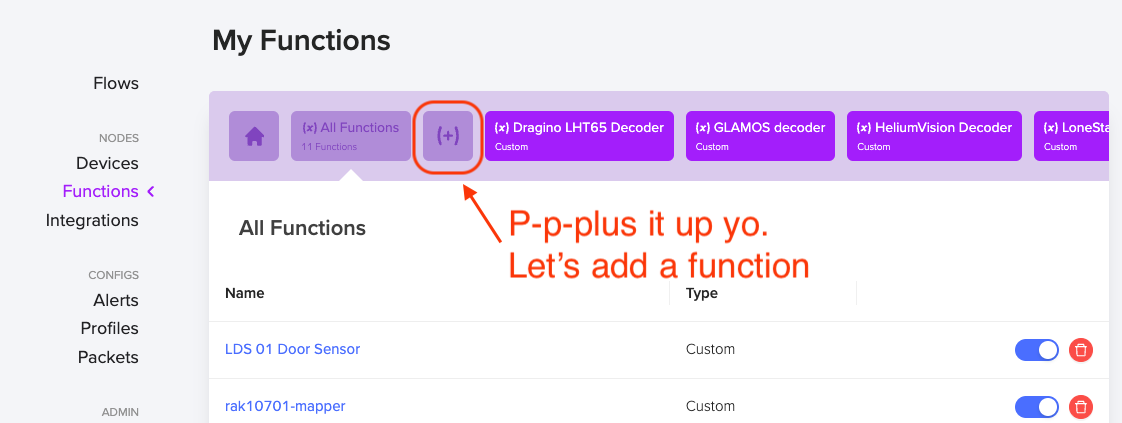
You're crushing, nice work. Now we're going to add a Function, pasting in the code you just copied. Hit the plus button.
Ok, we're going custom here, 'cause you're worth it. Hit the Custom decoder button.
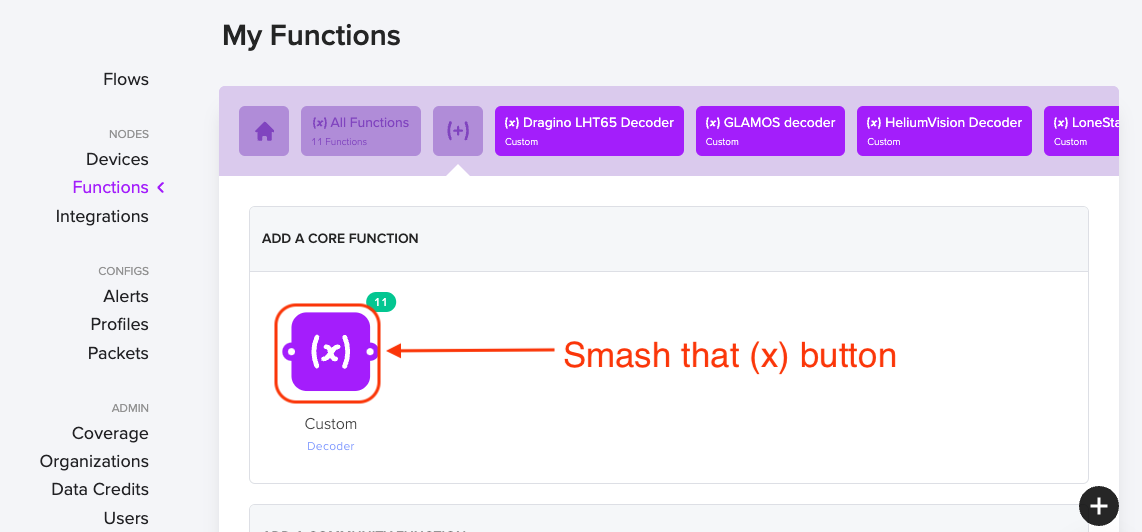
That'll take you to the function page, where you'll name your function (I called mine LSD 01 Door Sensor) and then you'll paste in the code from the github decoder.
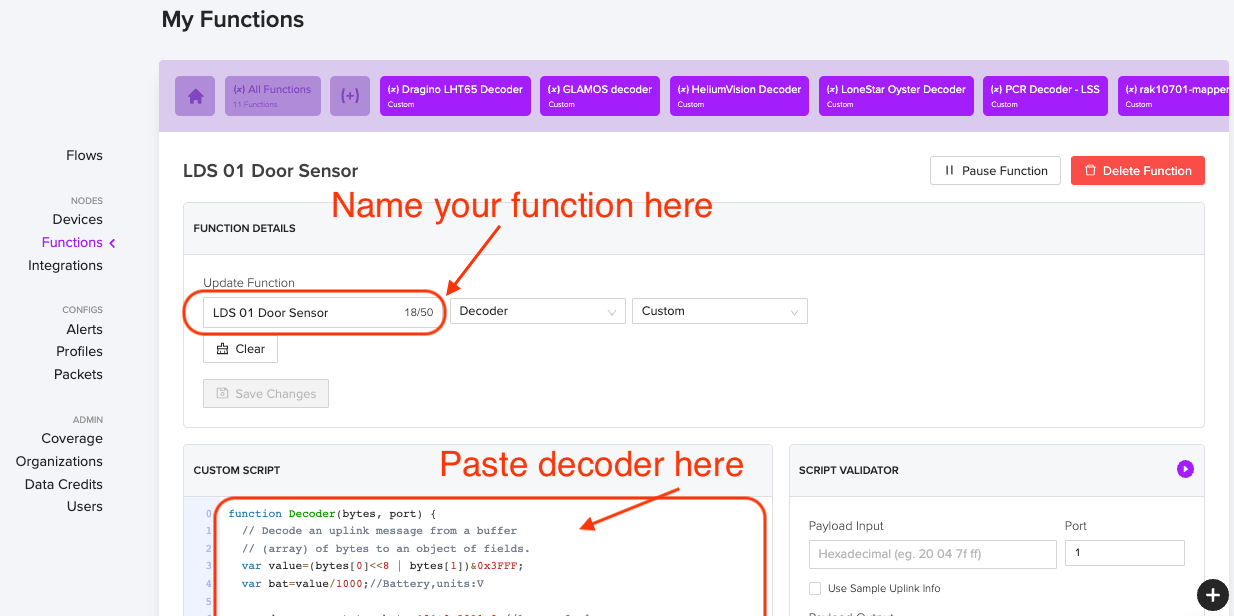
Remember, this isn't the Device you're naming, it's the Function. Once you have this Function decoder in Console, you can add a ton of devices and have all of them use the same Decoder Function. Cool, huh?

Now, if you just wanted to know if the door is open or closed whenever you looked at a dashboard, you could do one more step (add an integration to Datacake) and you'd be done. The flow would look like this in Console:
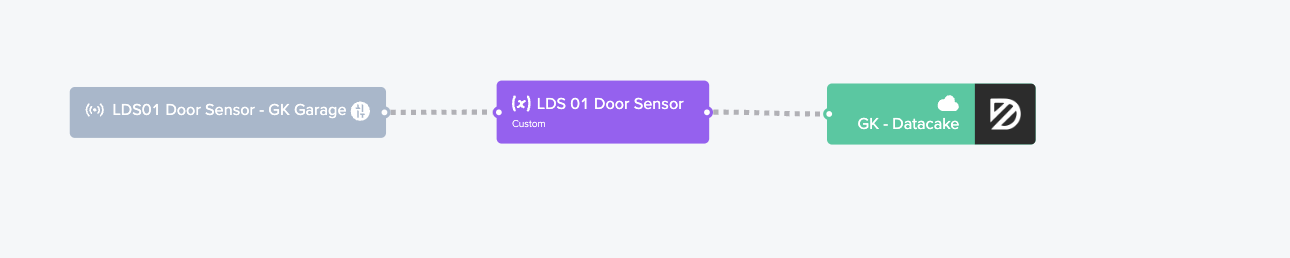
However, I don't think that's ultra useful. I mean, you'd have to open up a Datacake dashboard just to see if the door's open. That ain't automagic, that's a PITA. Onward!

Set Up Home Assistant On A Raspberry Pi

Let's fire up that Raspberry Pi you bought! I put mine in a very snazzy FLIRC case, but you don't have to.
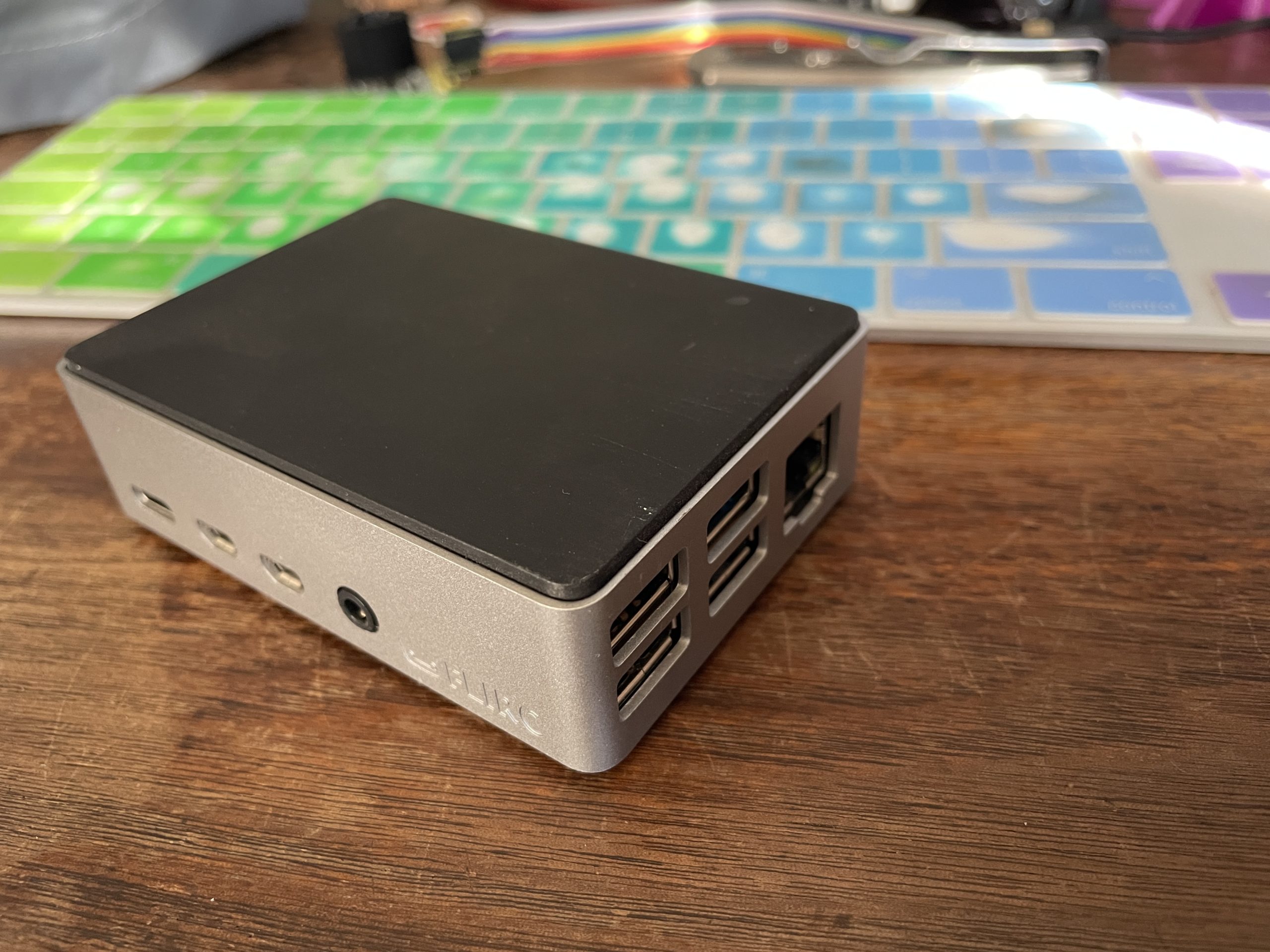
Now, despite my love for explaining things, the internetz has done a far better job of Pi tutorials than I have, so I'll just leave ya with what the good folks over at Home Assistant (HA) have written as far as setting up HA on your Pi. Come back when you're done!

It should look something like this when you've finished. I mean, it might not be sunny and 57°F, but hey, that's the bitter depths of winter here in San Diego.
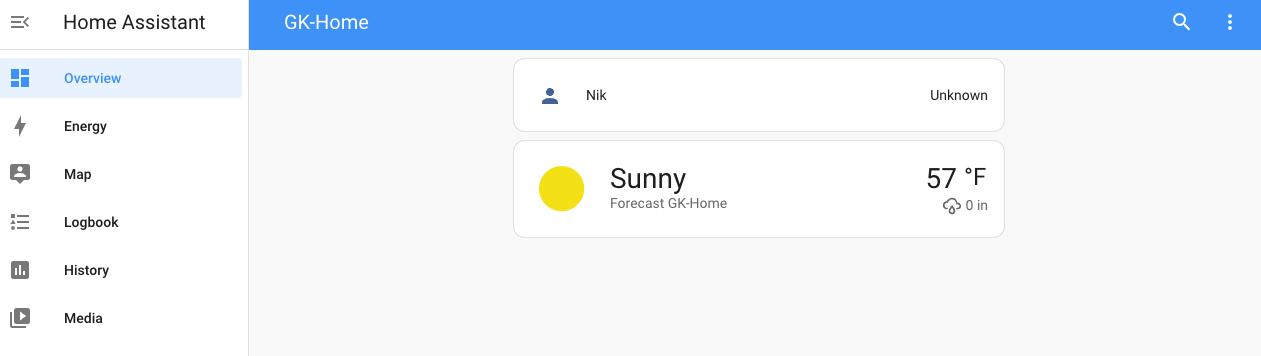
Great! For now, we'll leave Home Assistant and make sure we've got a reliable place for our MQTT broker (coming up next) to check in with Home Assistant.

Set Up A Publicly Accessible IP Address

Step 1 of the MQTT flow is to set up an IP address that Helium Console will connect to the broker on. The Helium Console MQTT Integration will need to connect to this broker at a publicly accessible ip address and port. Unless you have a fixed ip address (you probably don’t), you should set it up so that you can refer to this address with a name that does not change.

I used the free service provided by https://www.noip.com/ (check out that link for how to do it all, and heads up...port forwarding is a little tricky for first timers!)

With noip.com, I can get to my home network using an address like “gksupernet.hopto.org”. That'll send it to my current IP address as well as whatever my public IP address changes to next month when my internet service provider rolls it.

Now that we've set it up so you've got a reliable URL to send to (gksupernet.hopto.org, or whatever you set up on noip.com), let's jump back into Home Assistant.

First, let's set your HA profile to Advanced mode. Go to your Profile (down in the bottom left menu, it'll be your name), then scroll down until you see Advanced Mode and turn it on.
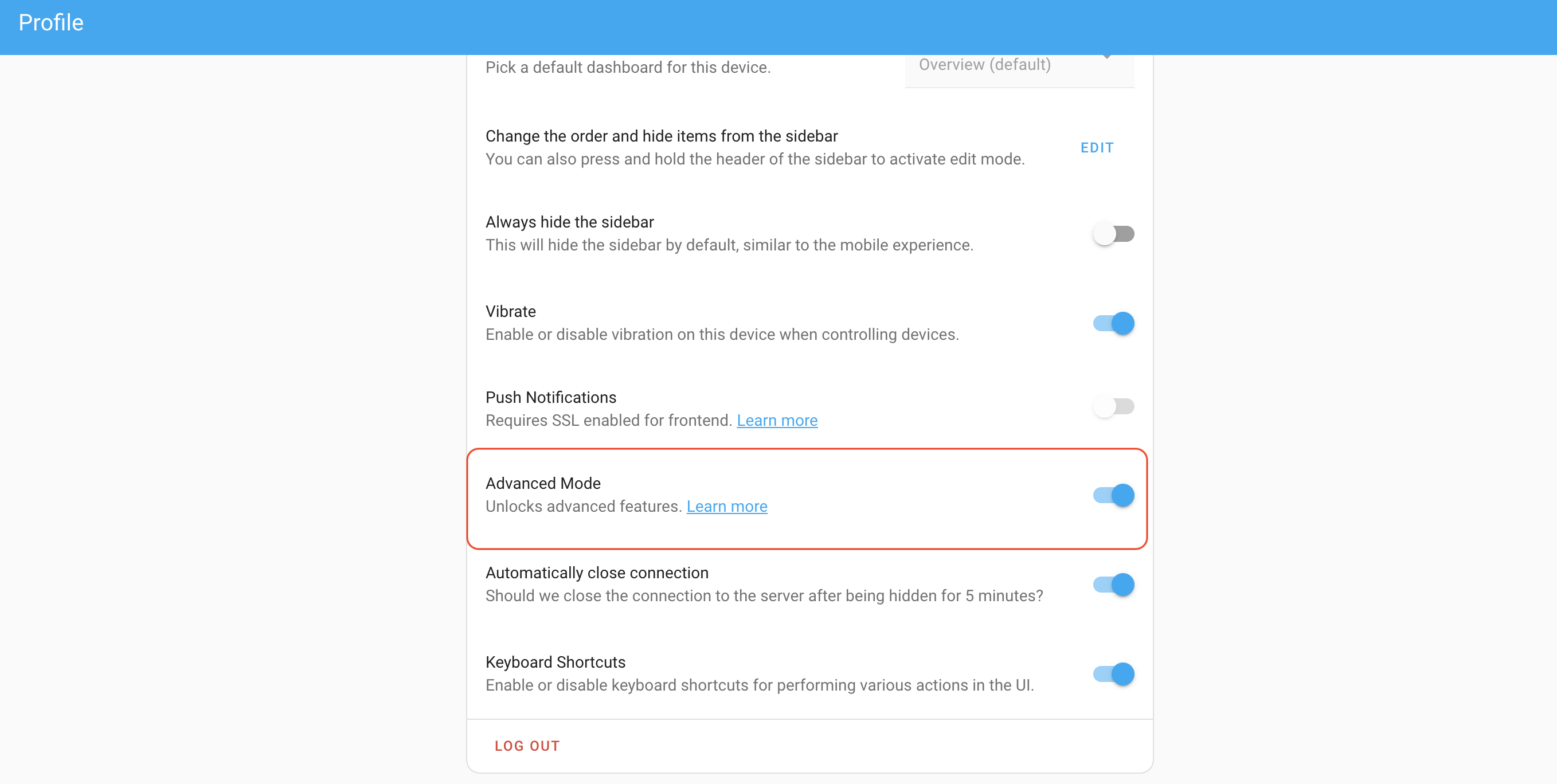
Add the Mosquitto Broker to Home Assistant

Next, we'll add the MQTT broker add-on. This is basically a translator and message forwarder for IoT devices. You can dive in here if you want, but for now, thinking of it as a translator/forwarder is probably fine. Instructions on how to add the "Mosquitto Broker" are here if you want 'em direct from the horse's mouth. I'll do the paint-by-numbers next just in case ya need it.

Start in your Home Assistant "front end" (I have mine saved as a bookmark), and look for the Add On Store.
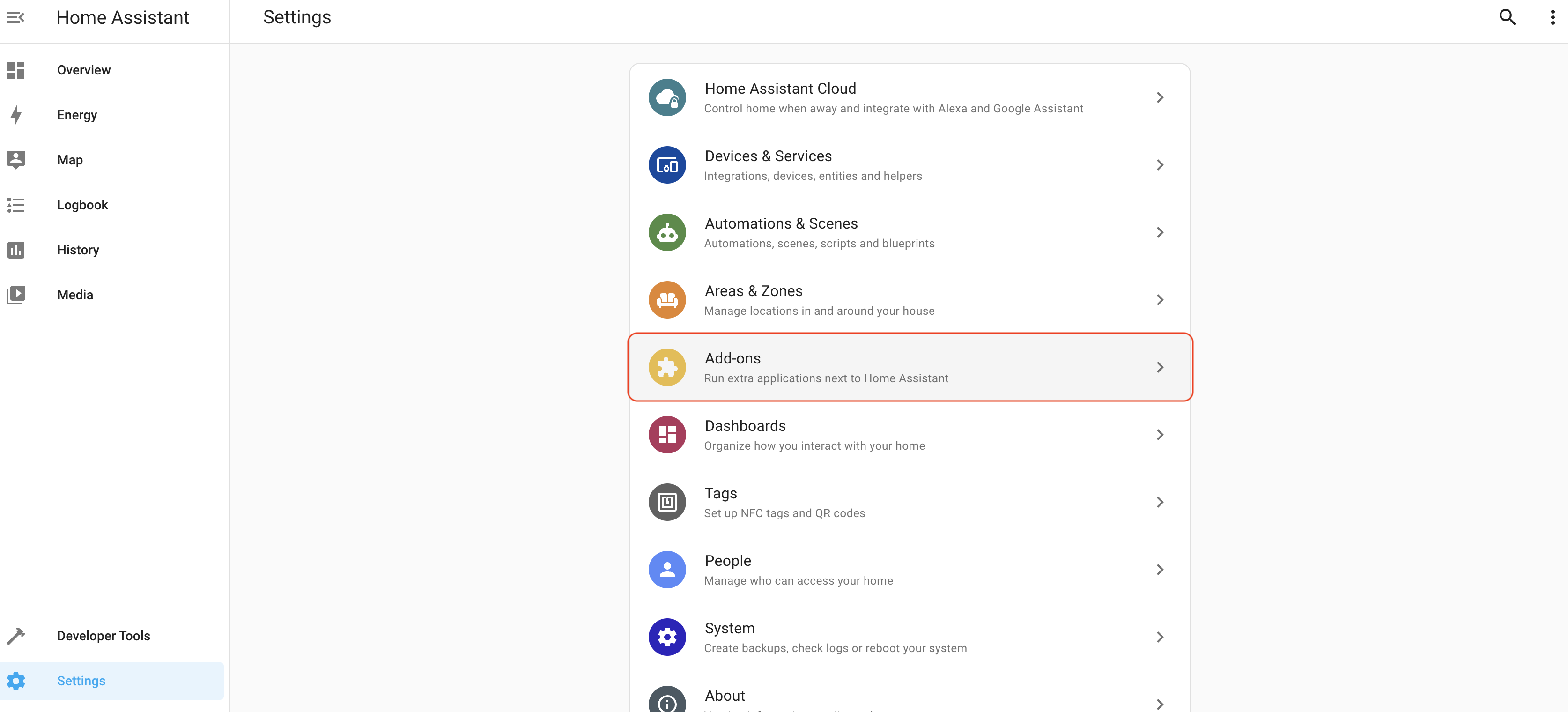
Once you go to Add Ons, look at the bottom right for the Add On store.
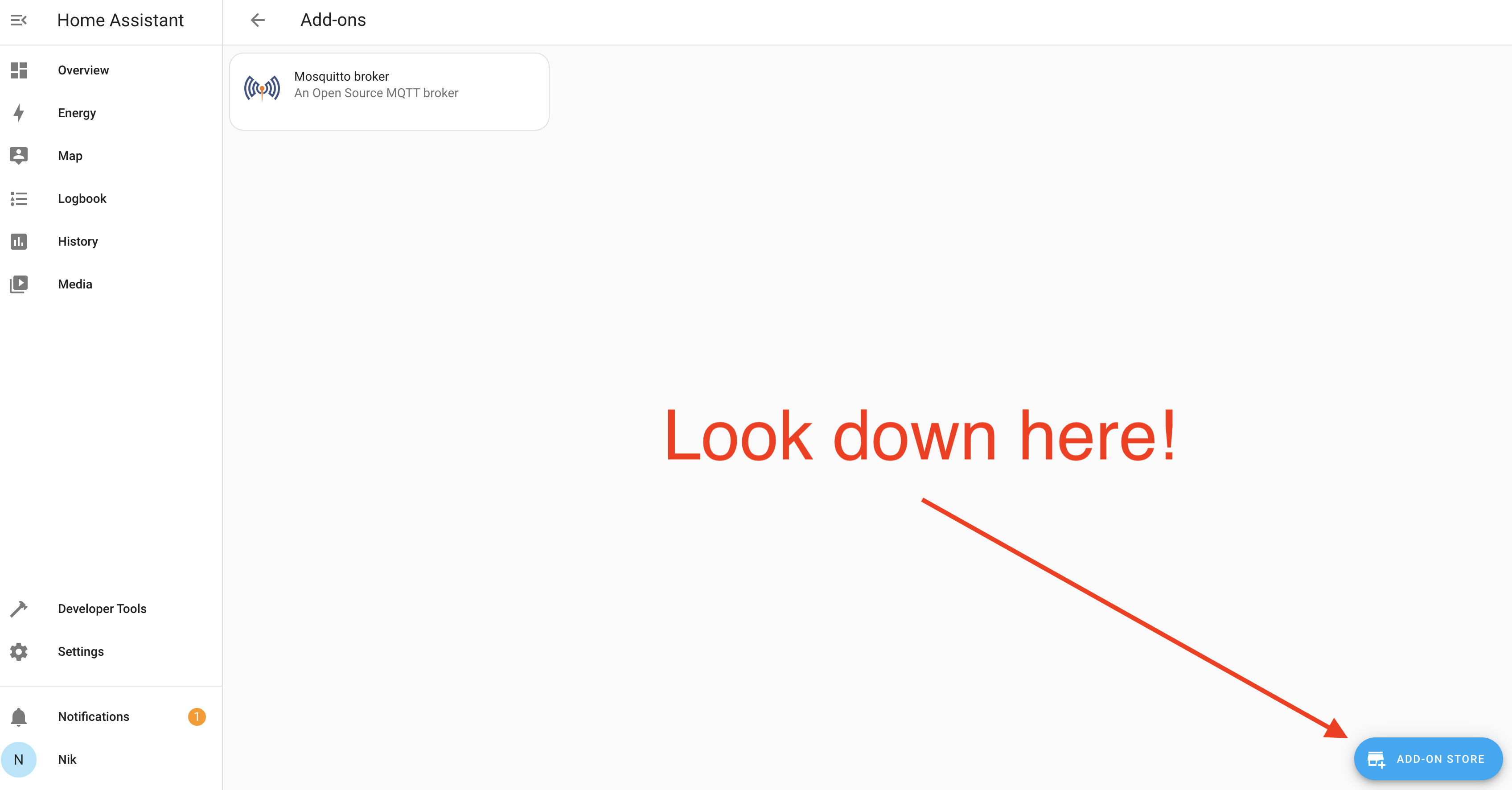
In the store, search "Mosquitto Broker" and install the Add On. That should look like this.
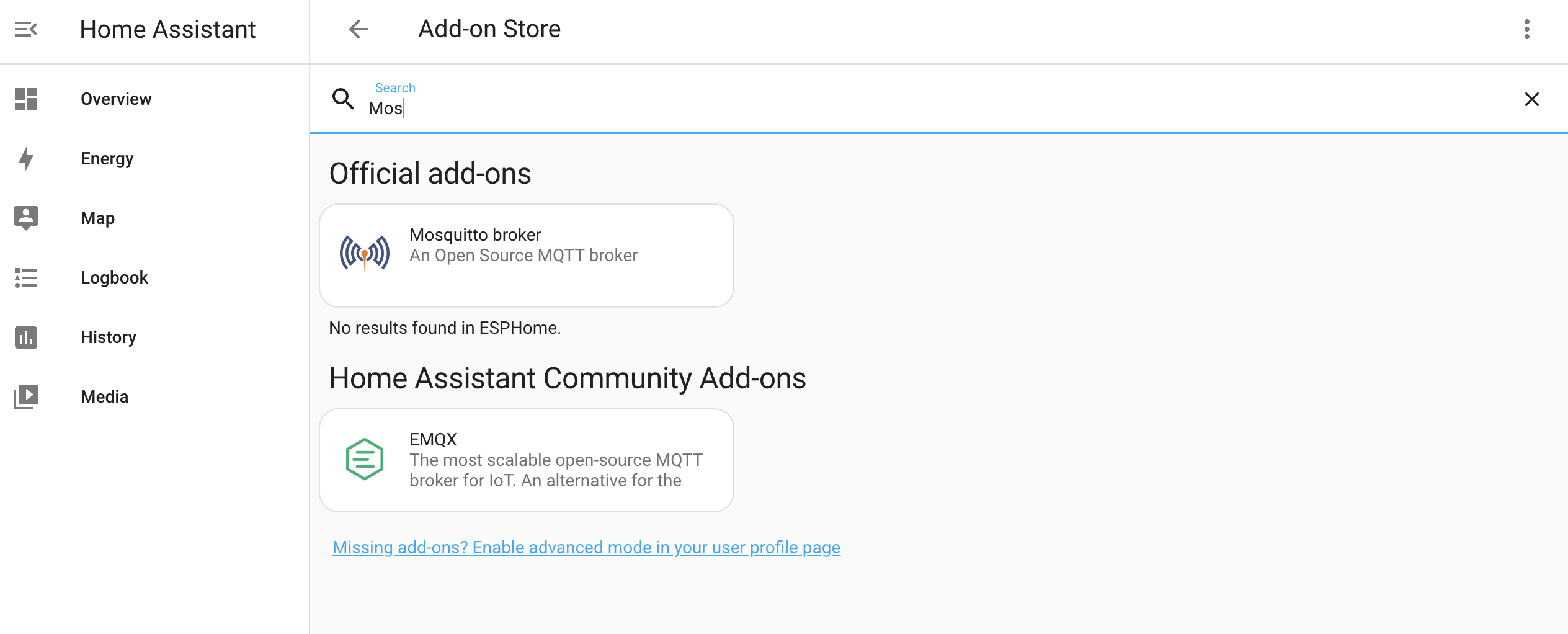
Once you've installed Mosquitto broker, next you'll need to set up a user. Go back to the main menu (NOT in the Mosquitto Add On) and look for Settings-->People

Then look for the User tab, and set up a user. I set up "mqtt-user" and used "asd;lfjas;ldkfjasd;lfjkas" for a password. No, that's not really my password. Sheesh.

Saweet!

AIGHT, let's set up a port forward!

For this specific guide, you only need to set up one port forward: 1883. That's the default port for an MQTT broker. Having that port open on your network and forwarding it to the local IP of the RPi running Home Assistant means the MQTT broker can receive messages from Helium Console and pass them on to Home Assistant. Conceptually, that looks like this:
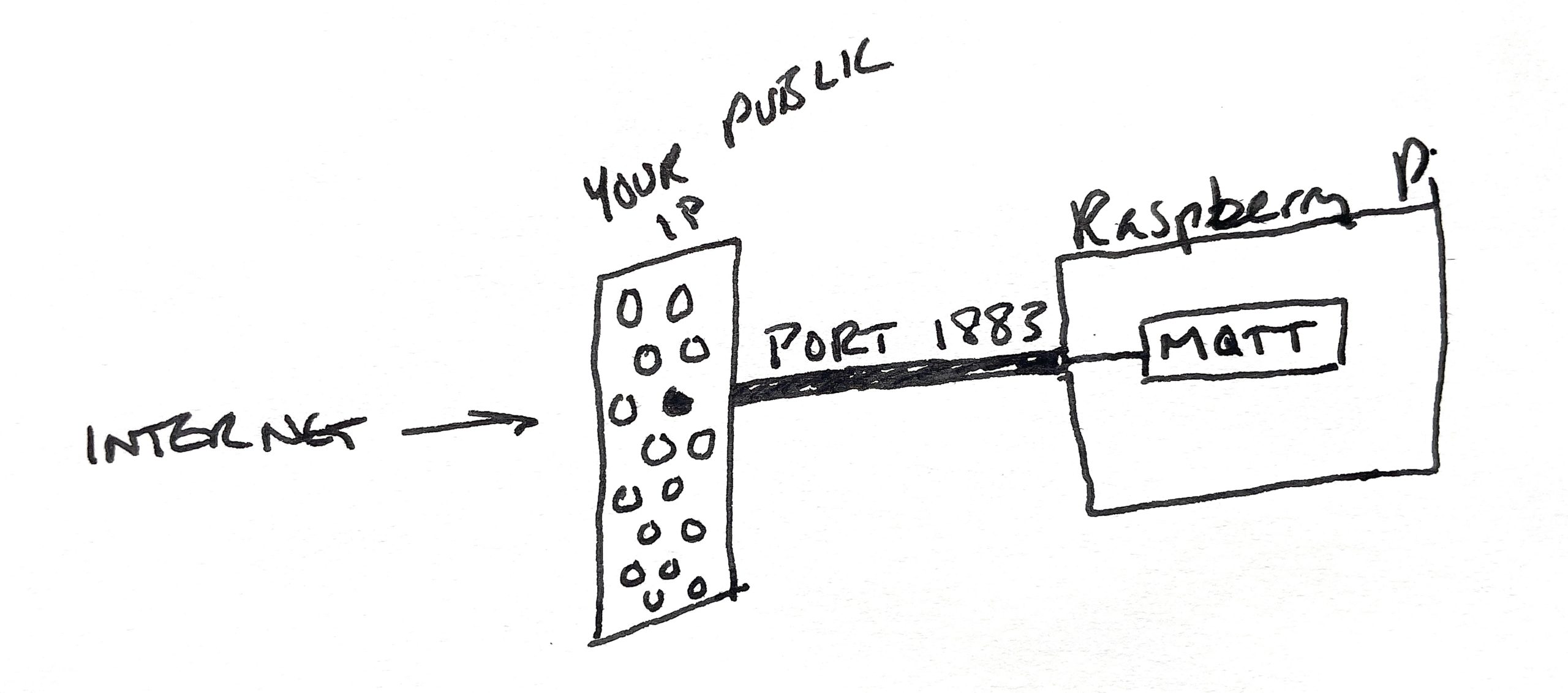
Port forwards poke a very specific hole in your network that is open to the outside world. If you think of your public IP as your home address that will take someone to your "front door on the internet", a port forward is like a tunnel from that door to a specific place in your house. That place could be a room, or a thing. In this case, the port forward is to one part (the MQTT broker) of one thing (the Raspberry Pi) on your network.

So, we're in kind of an odd spot here. "Port forwarding" is one of those things that is custom to your router. The absolute best way to figure it out is to Google [your router model] and "how to port forward", then follow the directions. It may be (has always been for me) a pain in the ass, but eventually I get it. You're welcome to jump into the GK Discord and ask questions, usually there are a few helpful folks in #general.

What you should have when you finish is a publicly accessible address of your broker. It'll look something like this:

mqtt://myusername:mysecurepw@gksupernet.hopto.org:1883

Substitute your user name, password, and the dynamic public IP you set up with noip.com above and everything *should* work.

Now, that URL prolly does nothing for you, but you need to check that your set up is correct! We'll do that next.

Download the MQTT Explorer app, fill in your creds, and test the connection. Once the connection tests out as good (it may take some fiddling, and you may need to restart Home Assistant), open and close the door a few times. You should see something like this in MQTT Explorer (as long as you're seeing "helium" under the $SYS, you're fine).
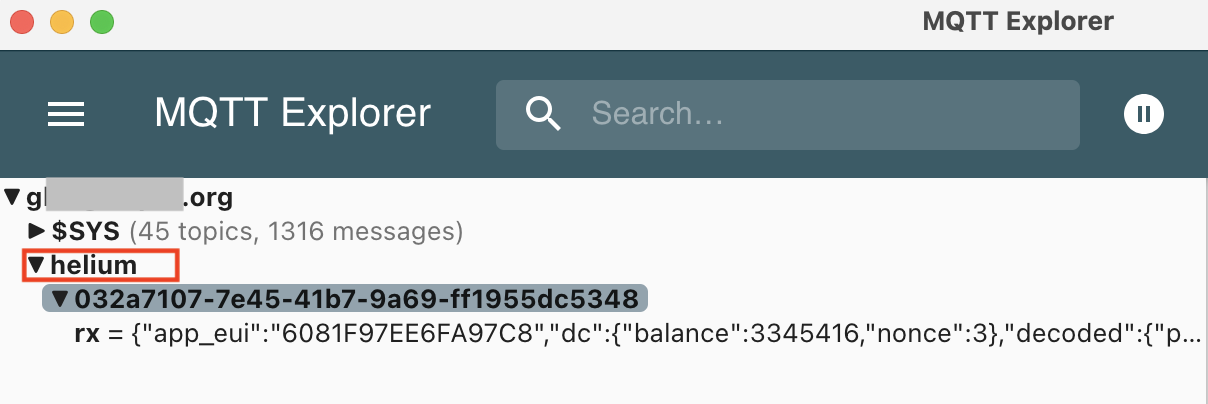
Now that we've got the port forward set up and tested so that Helium Console can send the data it gets and decodes from your sensor to the MQTT app running on Home Assistant, let's go back to Console and get 'er firing!

Setting up the MQTT Integration on Console

In Helium Console, look for "Integrations" in the left menu, then click the "+" button and select MQTT.
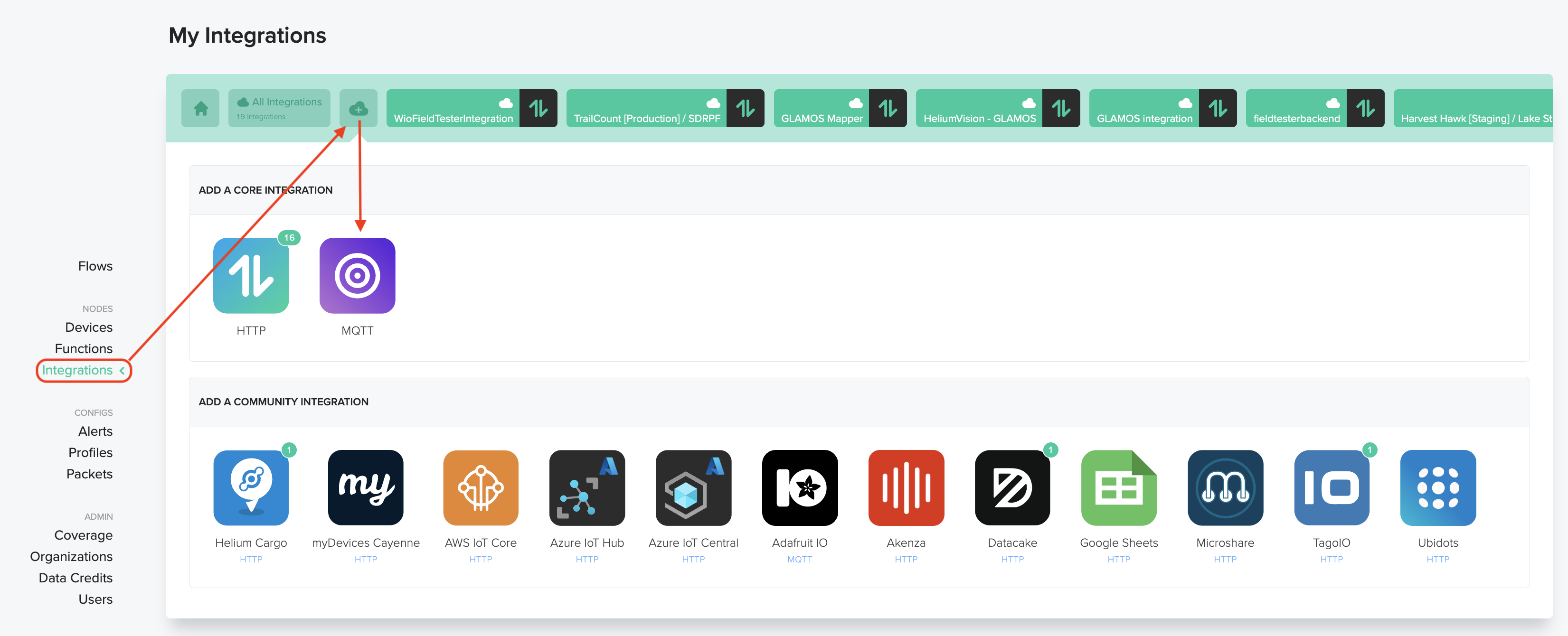
Then fill in the address you set up earlier, like this. It'll be something like this: mqtt://USERNAME:PASSWORD@gksupernet.hopto.org:8123
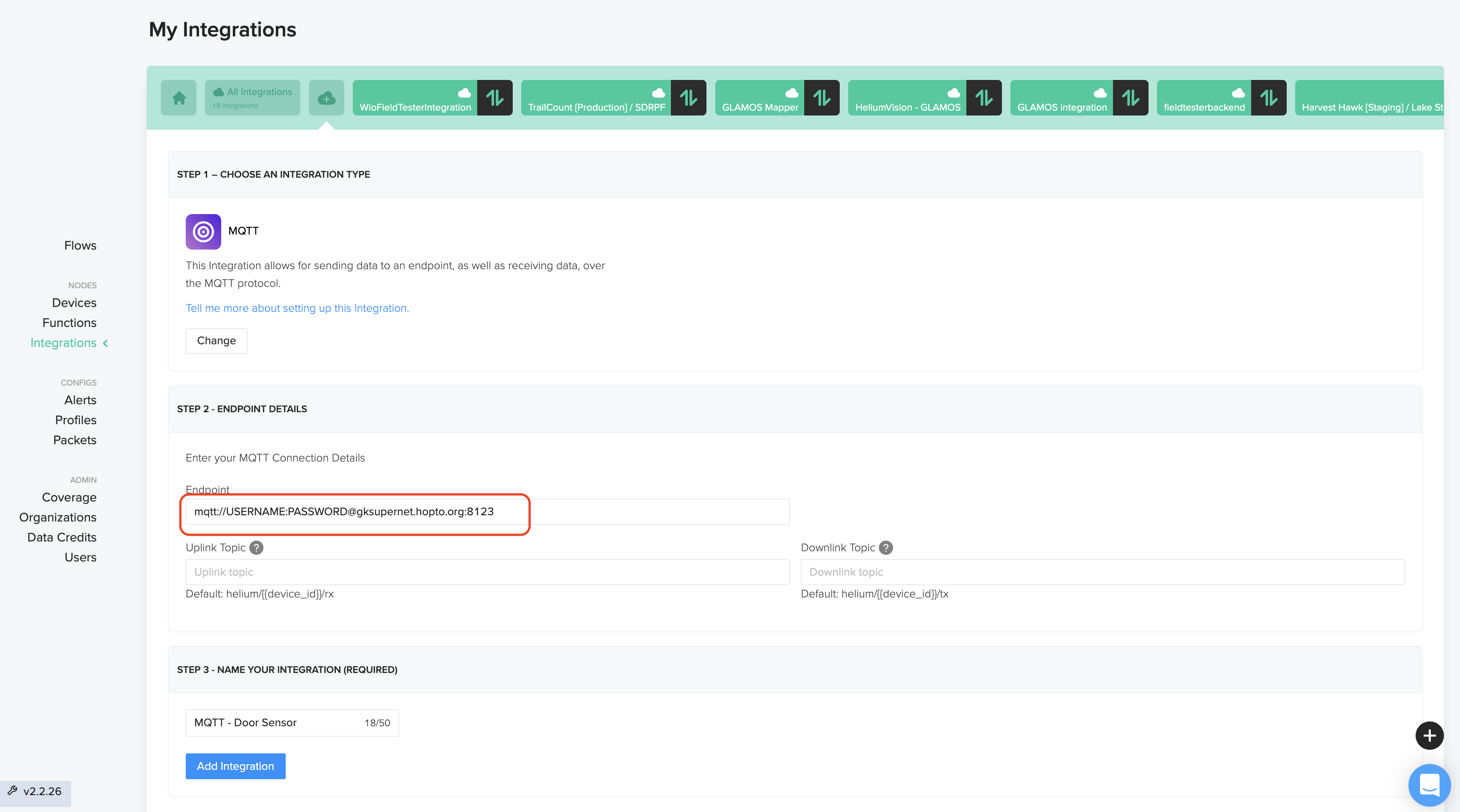
Once the Integration is set up we'll put together a Flow in Console. This is probably the only place in all of my ultra-limited coding experience where they added a drag 'n drop to make things easy. Start off with the Flows menu item, then look for Nodes and hit the "+" sign.
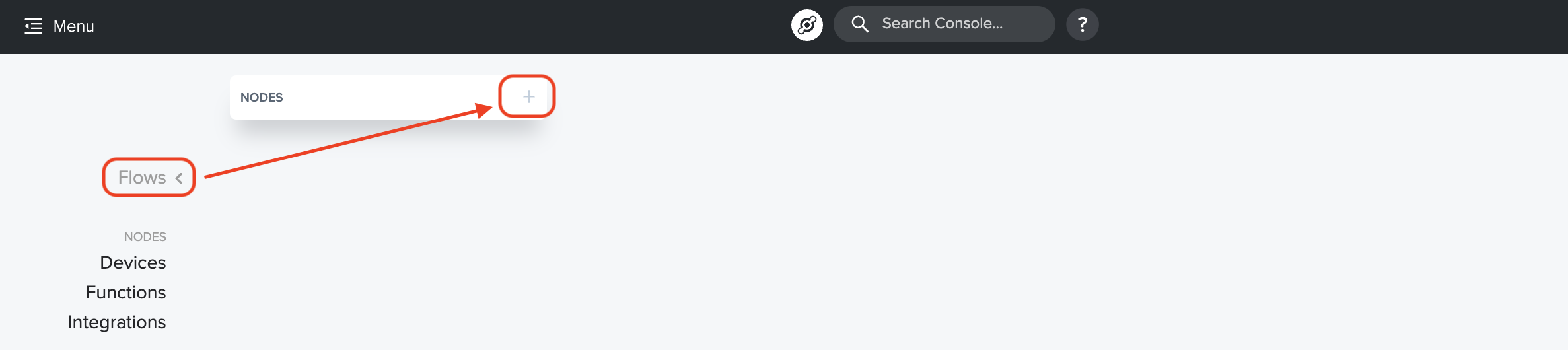
Now, the next 3 steps are straightforward. You're going to find your Device, your Function, and your Integration, and add them all to the Flow board. I'll show you how to add the Device, after that it's the same thing for Function & Integration. You got this!
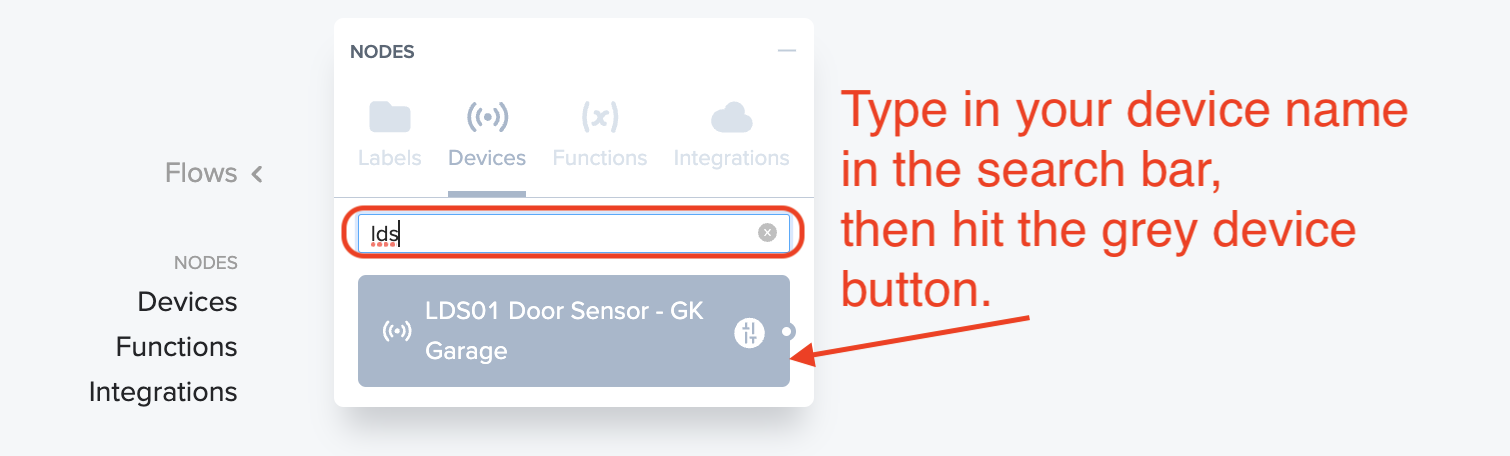
When you're done adding those, your Flow board will look like this:
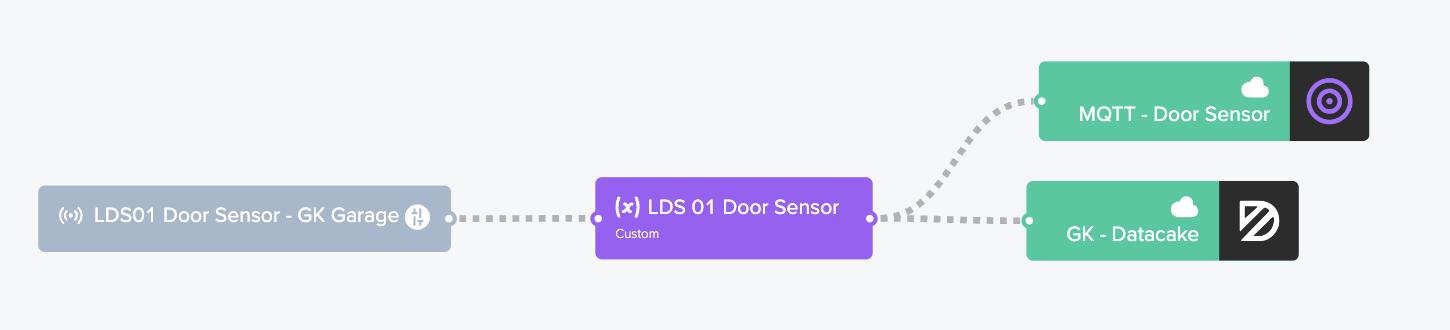
Yes, I still have the Datacake integration in there. Relax, you don't need to. All those dotted lines should be moving like ants crawling; that's how you know information is flowing from left to right. It's no guarantee that the thing on the right is receiving it correctly though. :)

Next up: Setting this up so when the MQTT gets the message it translates it to "open" or "close"

Creating a Door "Binary Sensor" in HA

Kk, back in Home Assistant (HA, remember?) we're going to set up the sensor that's "binary" (one of two things, i.e. Open or Close). Let's go into Home Assistant --> Settings --> Devices & Services --> Integrations.
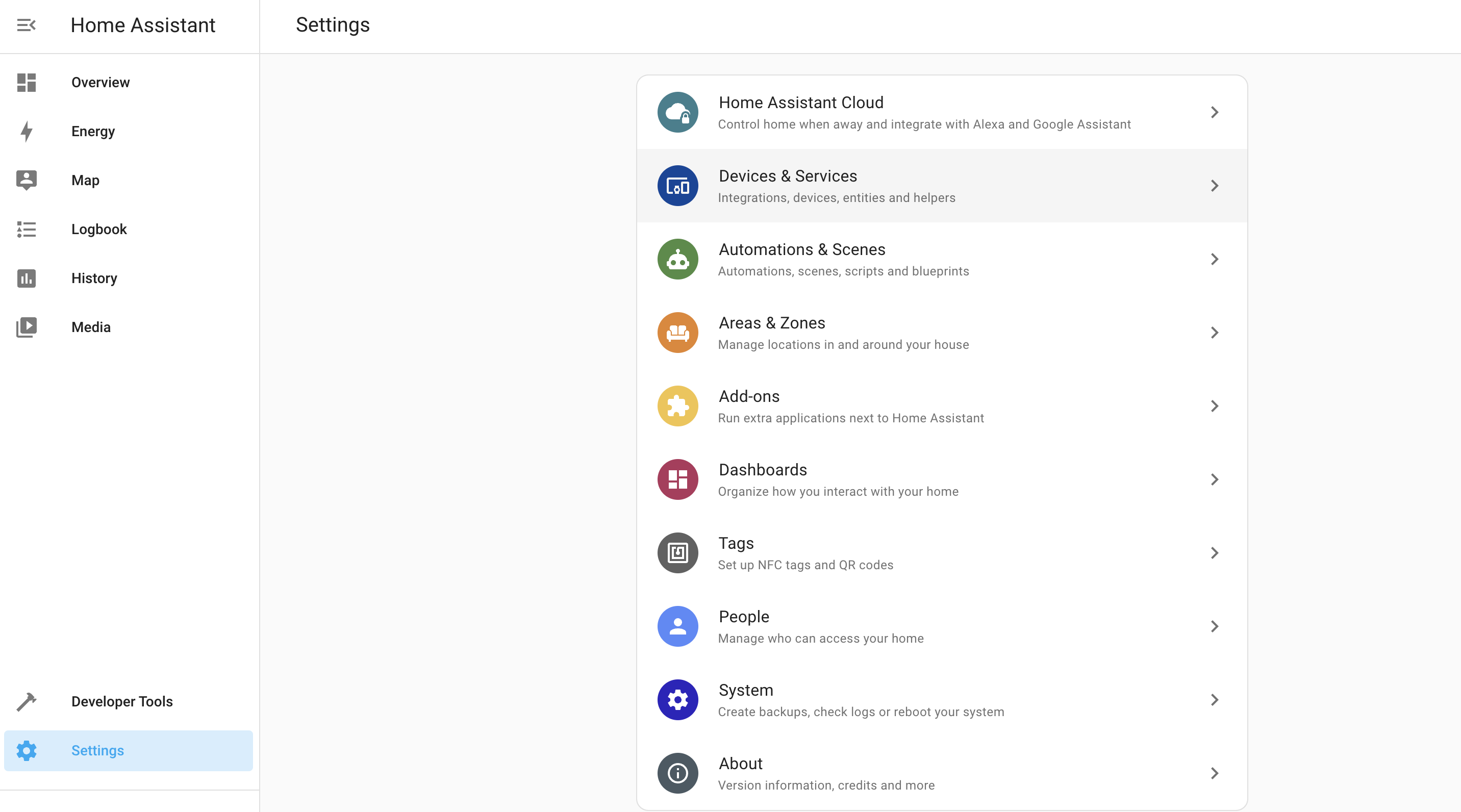
You should see the MQTT Integration already, just waiting to be configured. Hit that Configure button and let's dive in. It may ask you if you want to configure Home Assistant to connect to the MQTT broker. You do. ;)
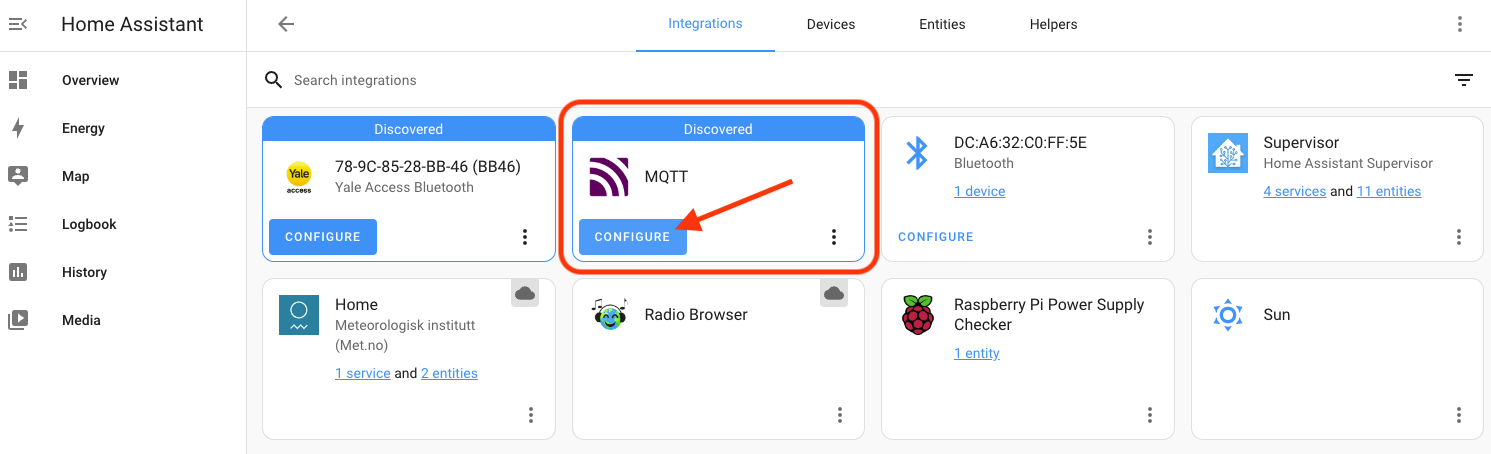
Once you've added it via the (confusingly labeled) blue Configure button, you'll have to actually configure it by hitting the blue Configure text.
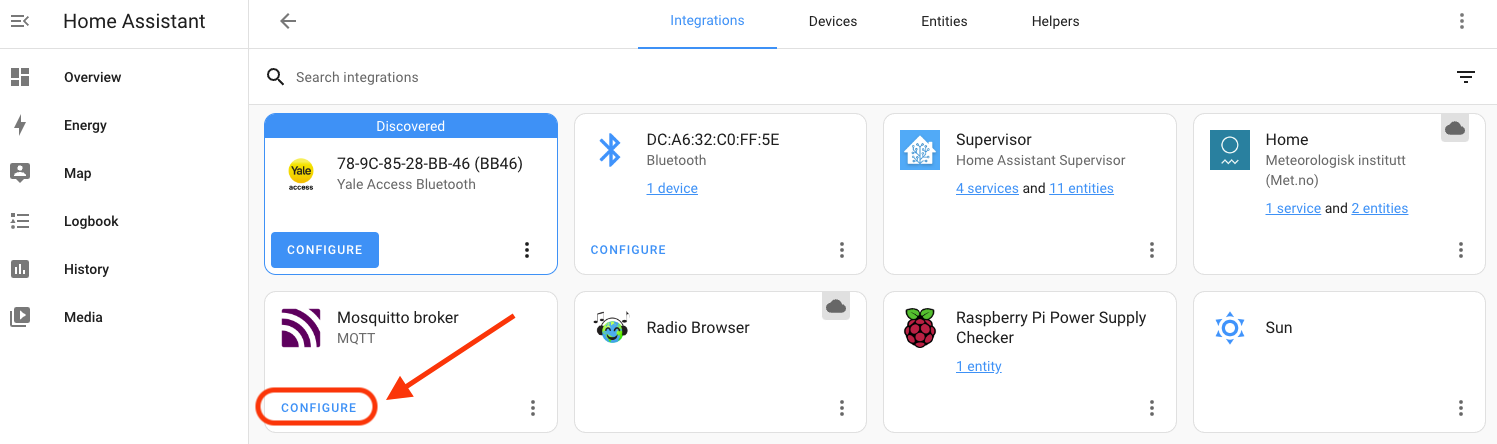
That will open up the MQTT settings window. At the bottom of that, look for "Listen to a topic", enter the pound sign (#), and hit "Start Listening".
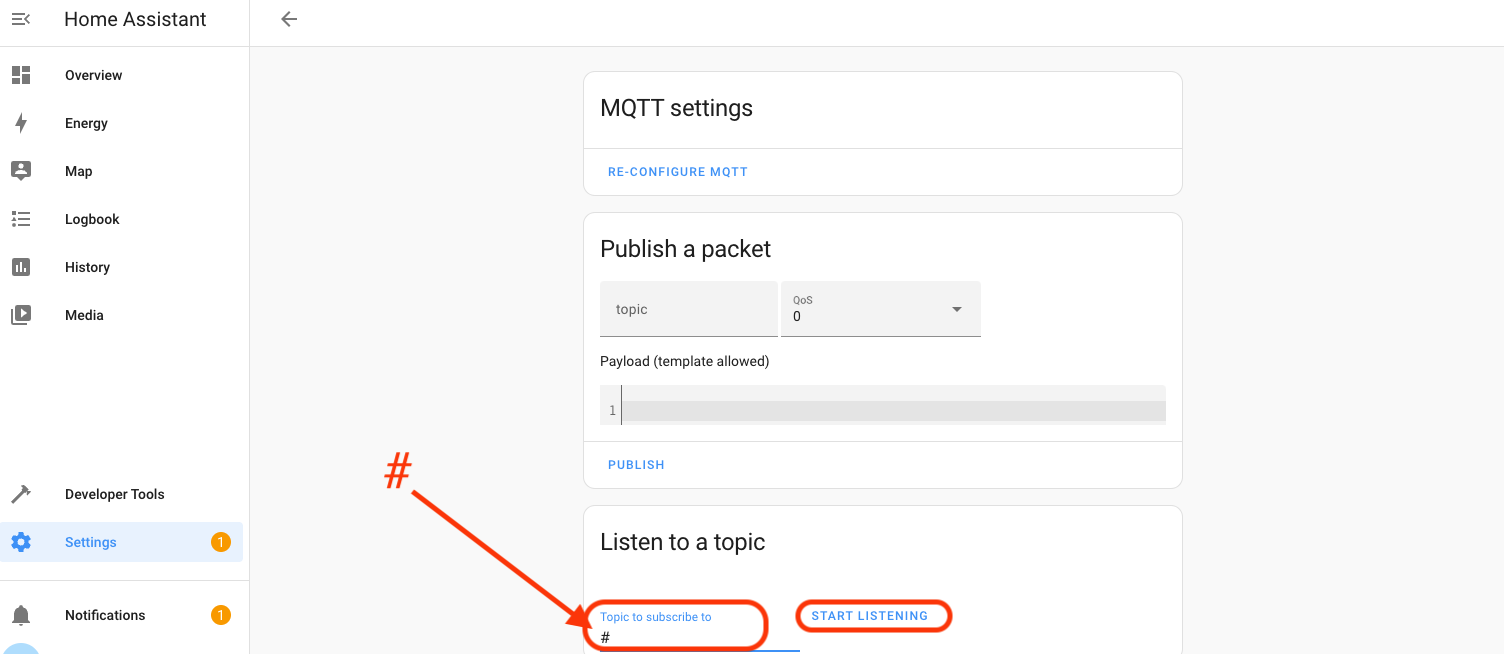
Open and close the door sensor a couple of times and you should see messages start coming in beneath the Stop Listening line. Now, you'll have to copy the Message Topic Name, which is the text after "Message x received on", starting with "helium". In my case, it's
helium/032a7107-7e45-41b7-9a69-ff1955dc5348/rx
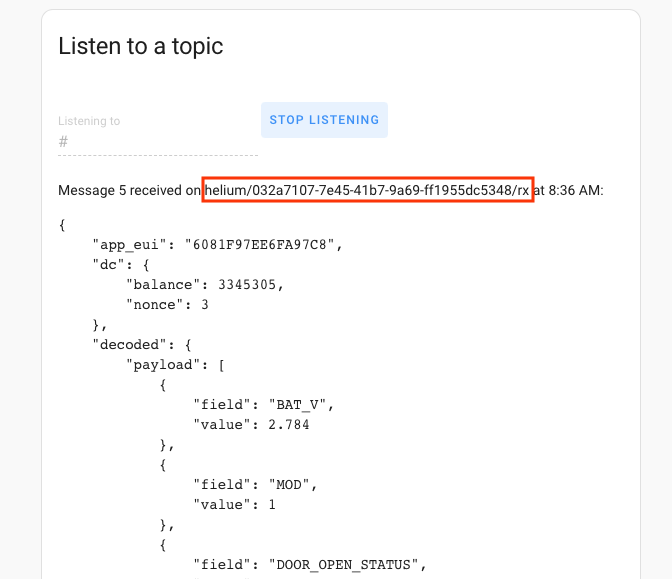
I pasted mine into a Sublime Text Editor file, but you can use Notepad or whatever you'd like.

Now we're going to set up a place in Home Assistant to paste that info.

Installing File Editor Addon

In Home Assistant, go to Settings-->Addons-->Addon Store-->File Editor.

Type the first few letters of File to make it easy to find, then hit that sucker.
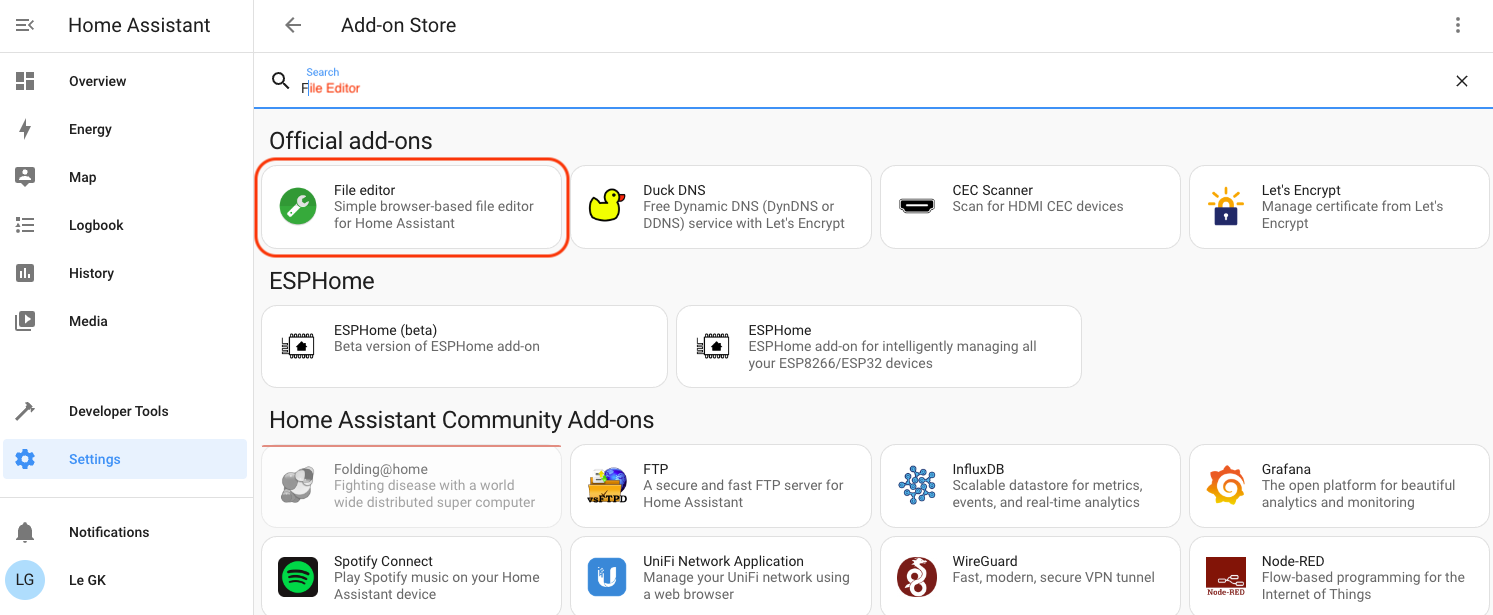
Once you've got it installed, turn on "Start on boot" and "Show in sidebar".
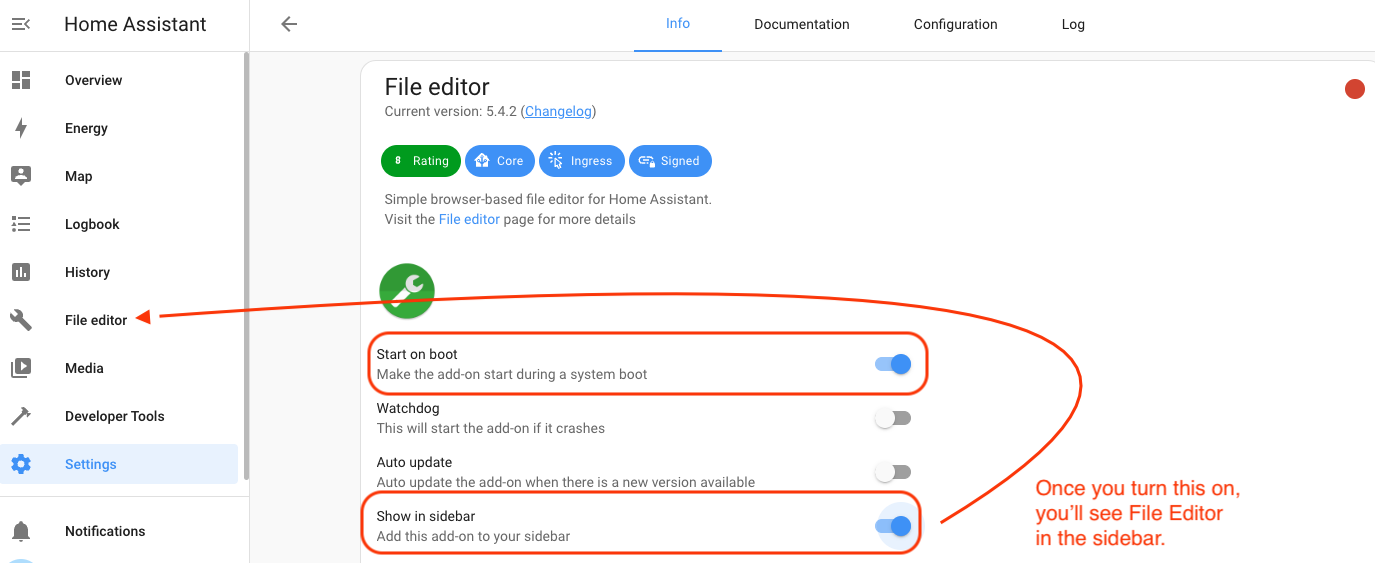
Once all that's done, hit the blue Start button, then go to File Editor in the sidebar. As my paragliding adventure buddy Robert says, "Now we're cooking with Crisco!" I think he means we're making progress.
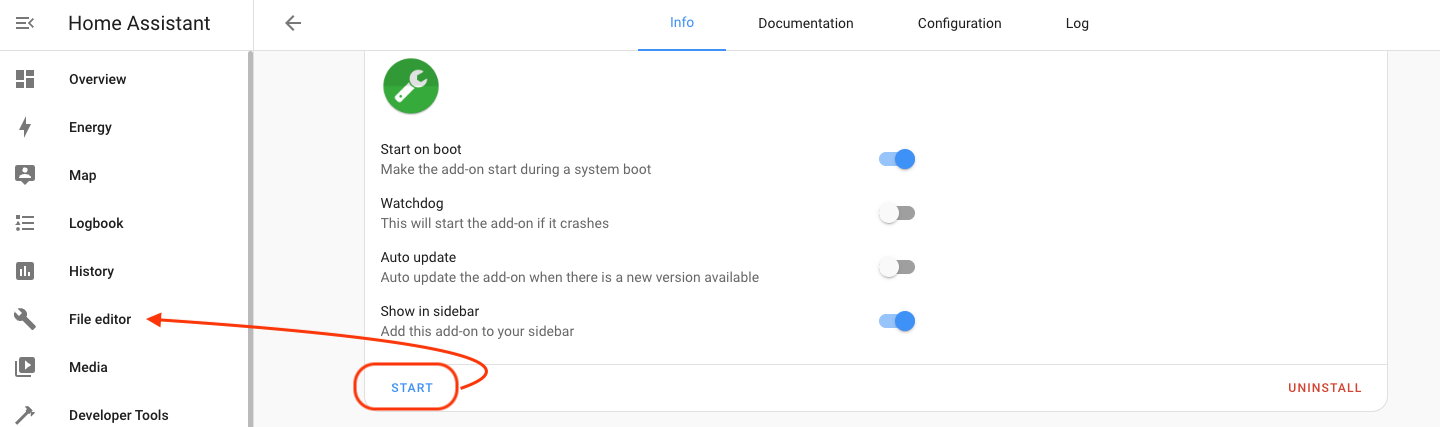
Now that you're in File Editor you have to find the "configuration.yaml" file. Sounds complicated, right? It's not. You got this. Go up to the folder at the top left of the screen:
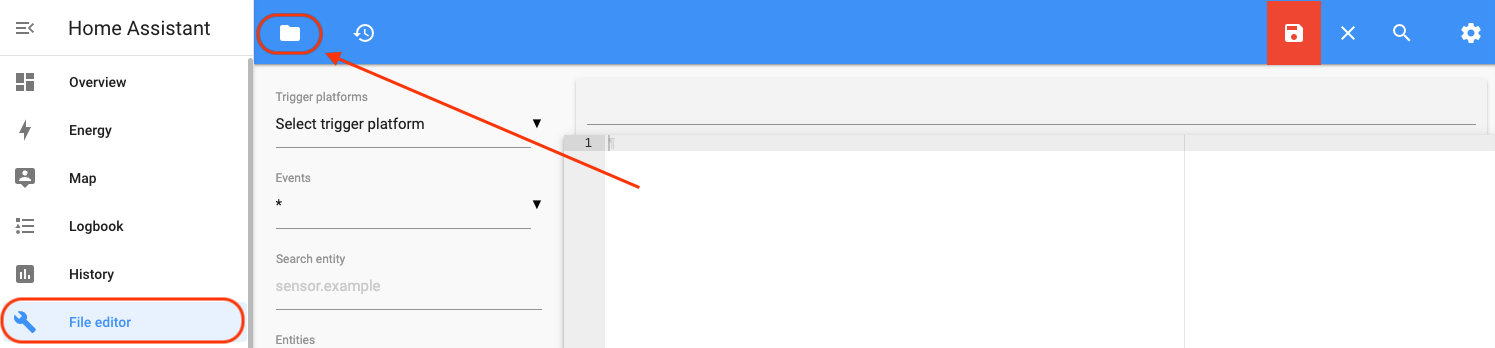
Then look for it in the menu that pops up.
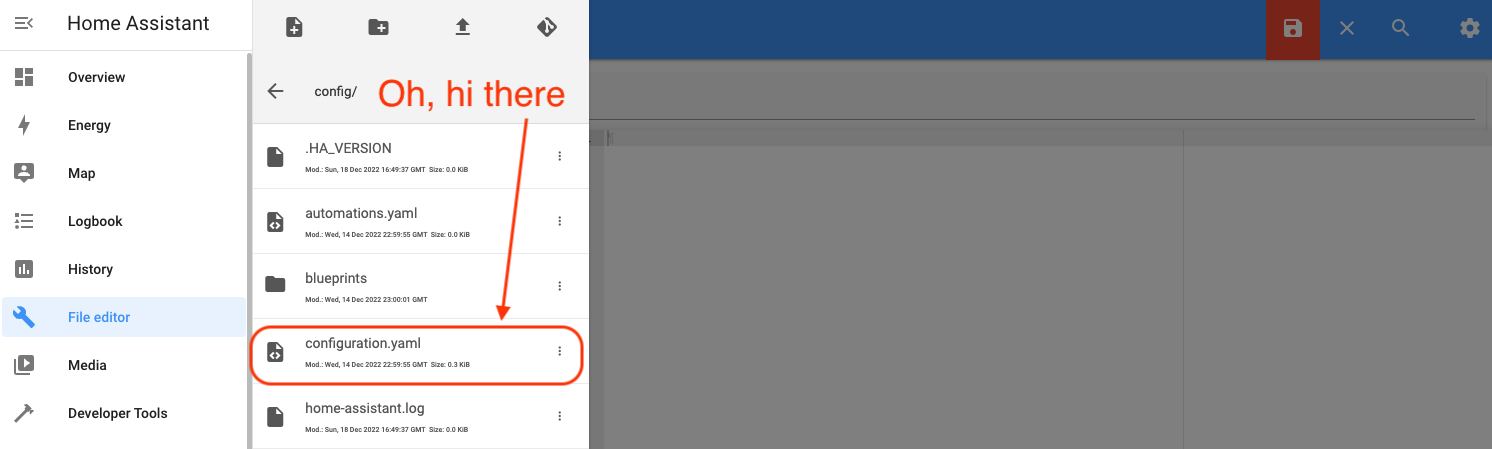
Once you've selected it and opened it up, we're going to add the following at the bottom of that file. Remember to change the last line to YOUR "state_topic" will be the one you copied earlier.

mqtt: binary_sensor: - name: "Gate Sensor" device_class: opening payload_on: "1" payload_off: "0" payload_not_available: "" value_template: "{{ value_json.decoded.payload.DOOR_OPEN_STATUS }}" state_topic: "helium/032a7107-7e45-41b7-9a69-ff1955dc5348/rx"
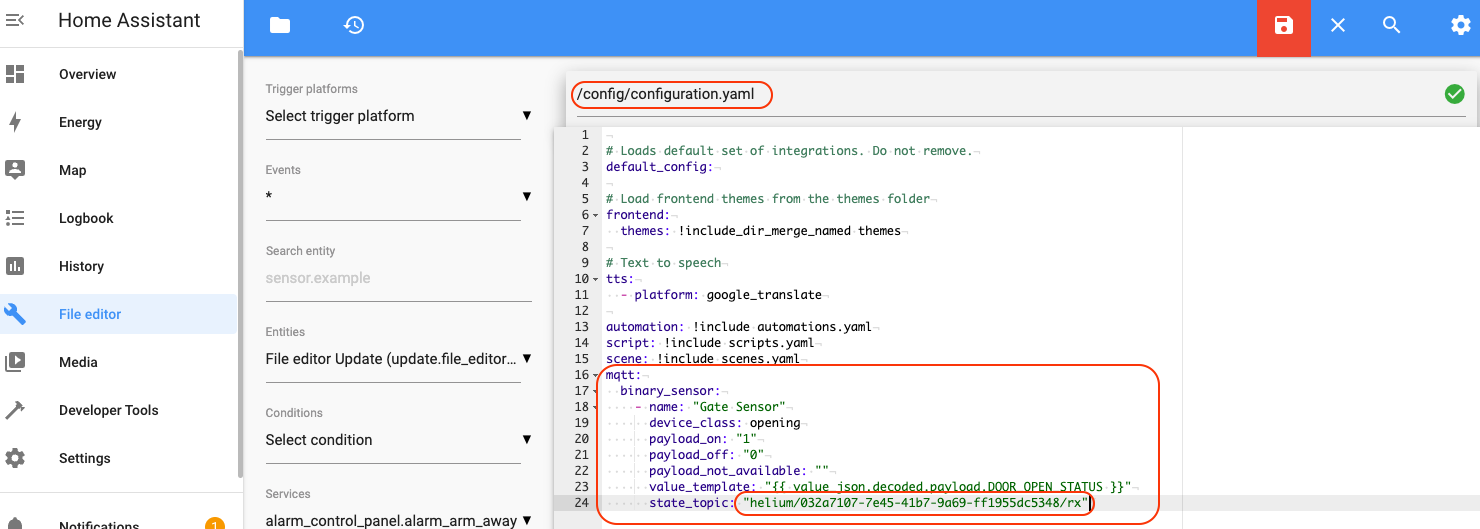
Hey, two quick things to note. First**, in the obscure world of yaml code, the rules are strict.** The exact indentation shown above is required. Each level is indented two spaces from the previous one. Second, the “value_template” in the yaml code specifies the hierarchy and names in the Helium sensor message (decoded ?payload?DOOR_OPEN_STATUS in this case). If you used a different door sensor or Helium decoder Function than we did, you will probably need to modify this text to match your sensor message.
Once you've pasted in your fancy mqtt code from above, save the file with the red folder icon.
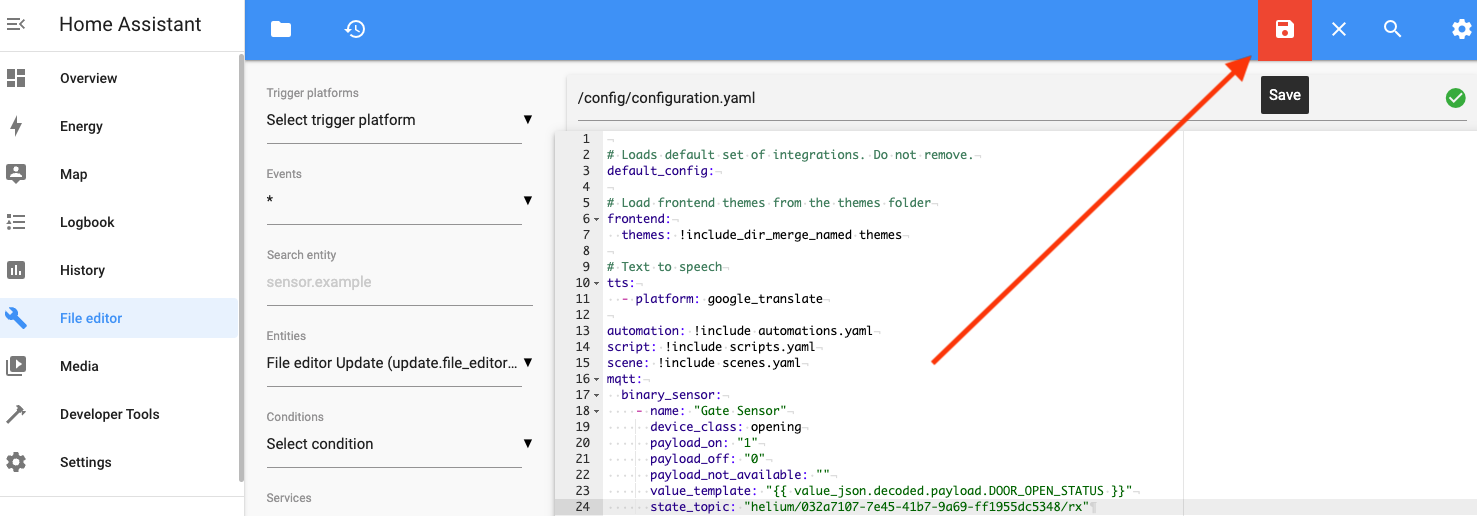
Now, reload the configuration by going to Developer Tools ? YAML configuration reloading ? MANUALLY CONFIGURED MQTT ENTITIES. Hit that, it'll turn green for a second, then back to normal.
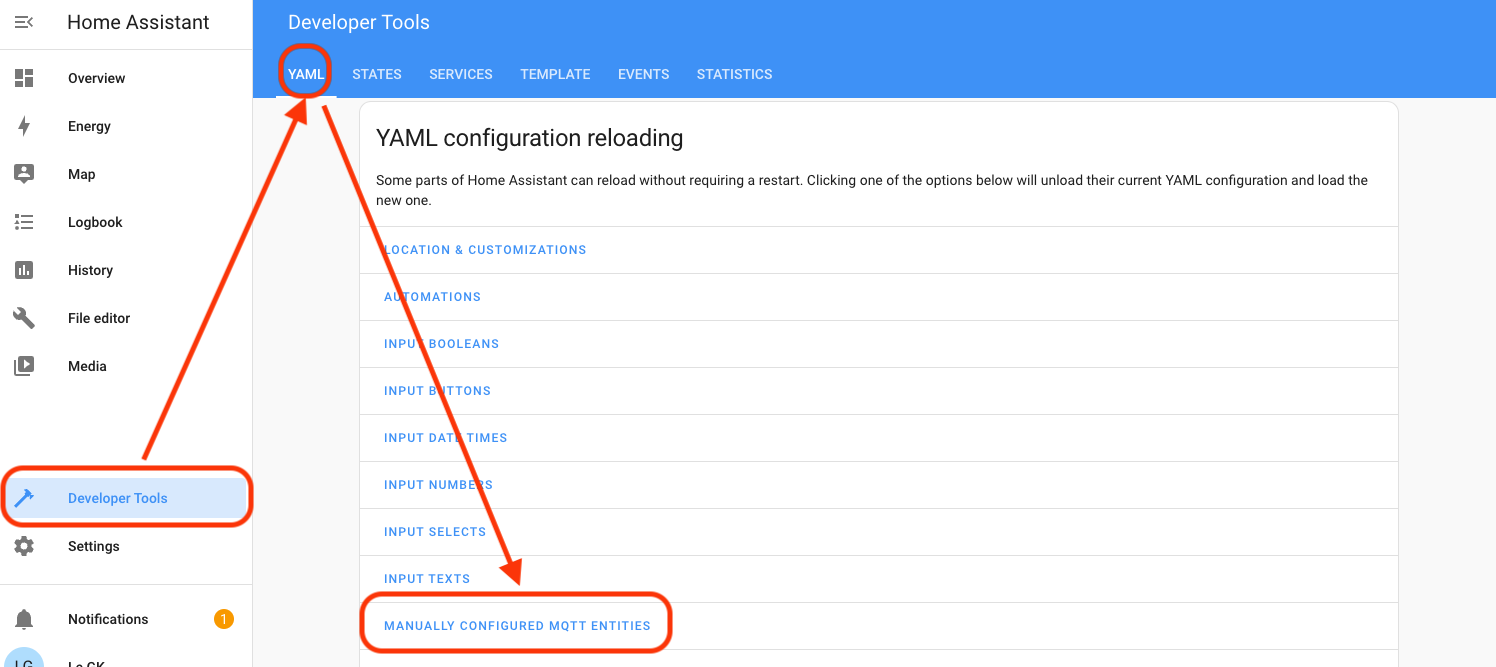
Check your work back in Settings-->Devices & Services-->Entities. You should find an entry like this.
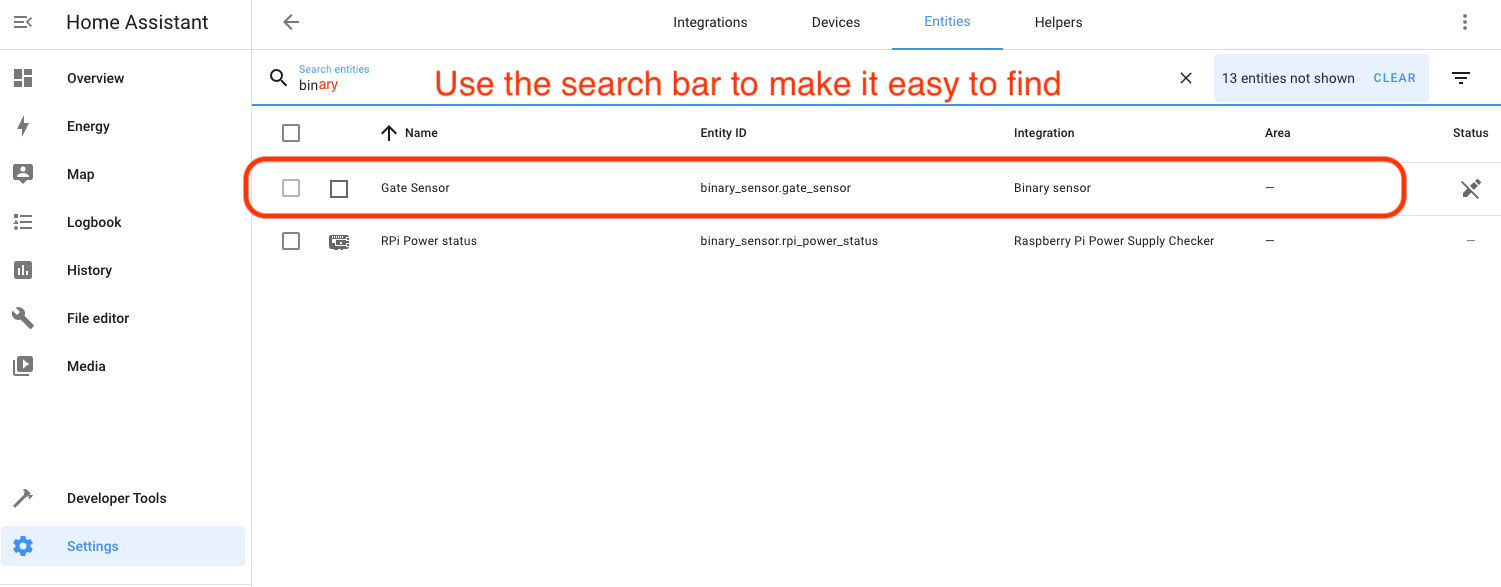
Oh. My. G. We're coming into the home stretch here. The next (and pretty much last) thing we'll do is set up a smart switch on Home Assistant and switch it based on the door sensor state changes. I'm going to use a Kasa Smart Wifi switch.
Now, I'm going to skip pictures and hand-holding for the Kasa Switch setup; that should be pretty straightforward. Buy the switch, put the Kasa app on your phone, add the switch to your phone.

Setting Up The Smart Switch in Home Assistant

With the switch installed on your local WiFi network, let's head over to Home Assistant, where we'll add a Kasa Smart integration. Go to Settings-->Devices & Services-->Integrations-->Add Integration. I skipped the picture for Devices & Services. You got this.
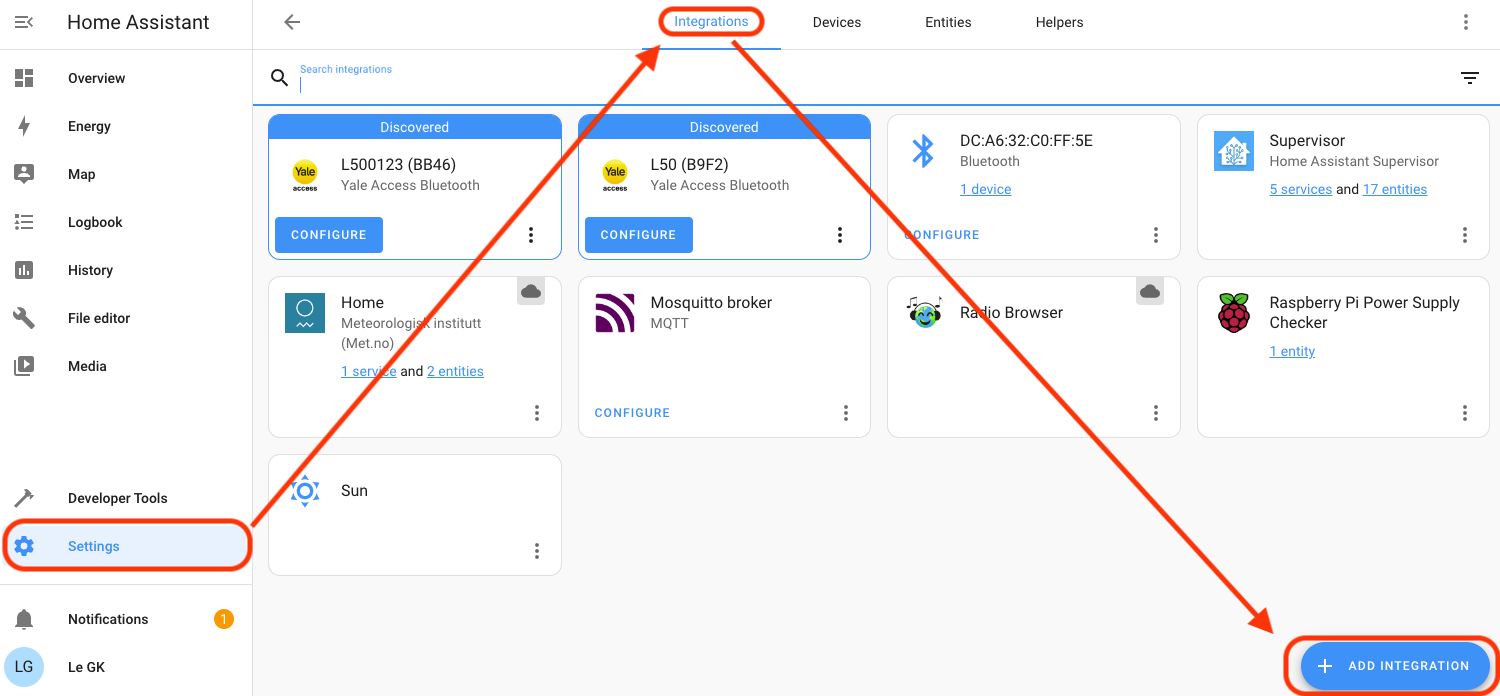
Use the Search field to narrow it down, then select TP-Link Kasa Smart. Leave the "host" field empty, it'll find your devices.
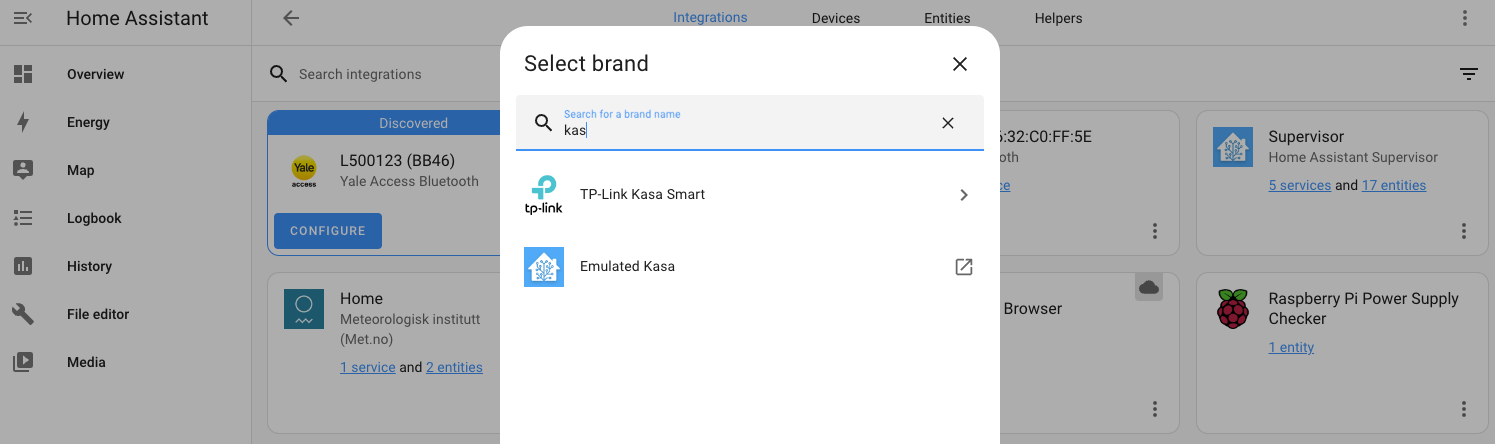
If you're running multiple WiFi networks in your home to separate out your personal devices (like phones, computers) from those scum-sucking IoT devices, you'll need to get a little geeky on your own with allowing Home Assistant to access your networks. I had to Google on this, but because it's a router/modem related issue, there's not a great way for my experience to translate to yours. GIYF here. Google Is Your Friend.

When you get it all right, you'll see the Kasa devices you have on your network. Heated mat for the win in the San Diego winter. For now, we're going with the one labeled GK HA Garage Switch Integration. Fun note: I renamed this to just be GK Garage Switch, as the addition of Integration at the end confused me when I was trouble shooting later.
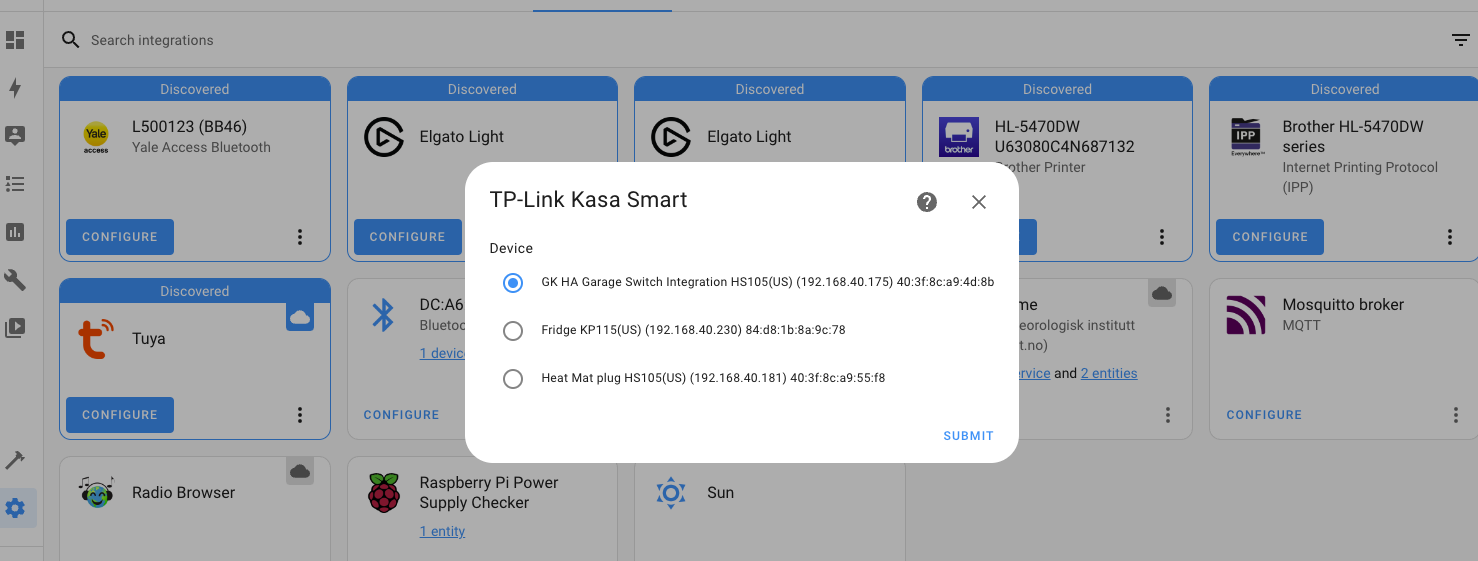
When you're done with adding it in, our final steps will be to add an Automation in HA that turns on the switch when the door sensor fires. Restart Home Automation to lock in your changes (HA Settings-->System-->Restart (top right) and prepare for the final push. We're close now!

In Home Assistant, go to Settings-->Automation & Scenes.
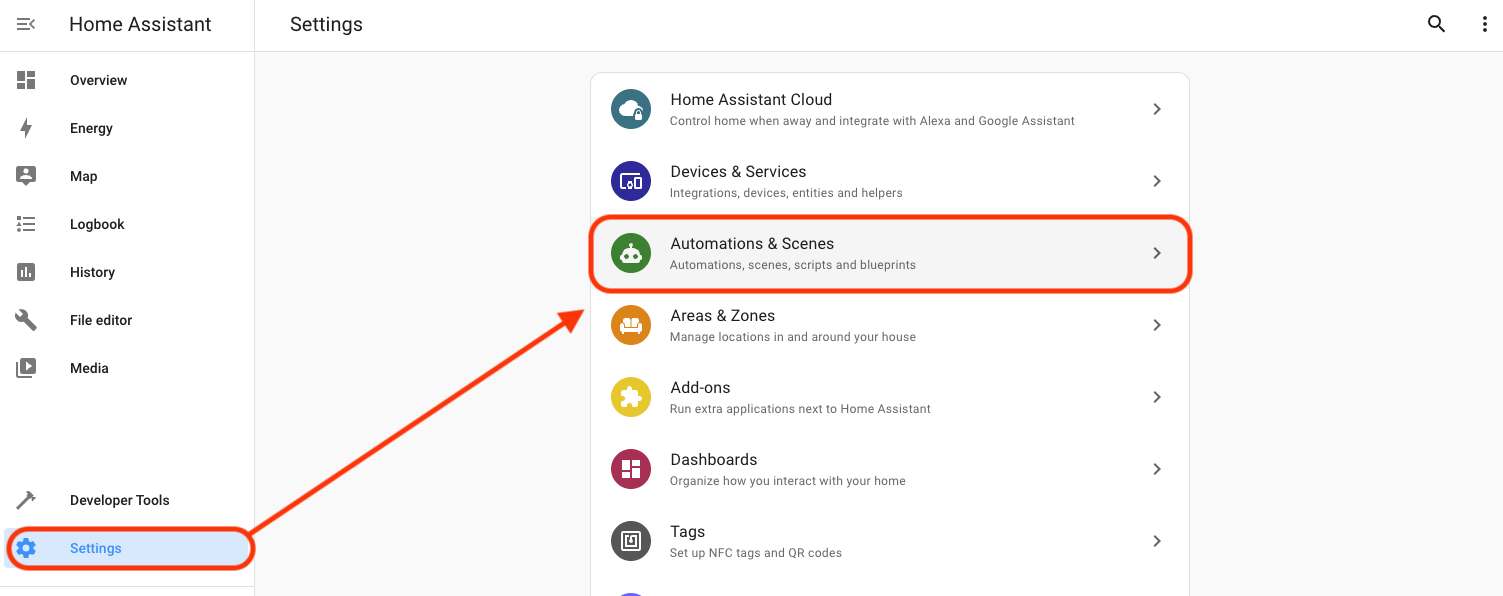
Then look in the bottom right for "Create Automation".
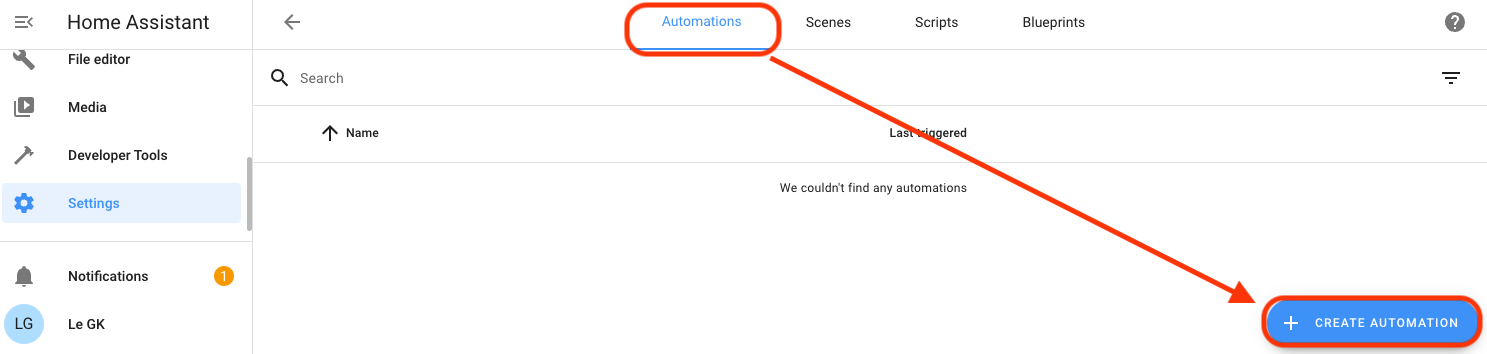
Start with an empty Automation (don't get suckered into the pre-filled ones yet!)
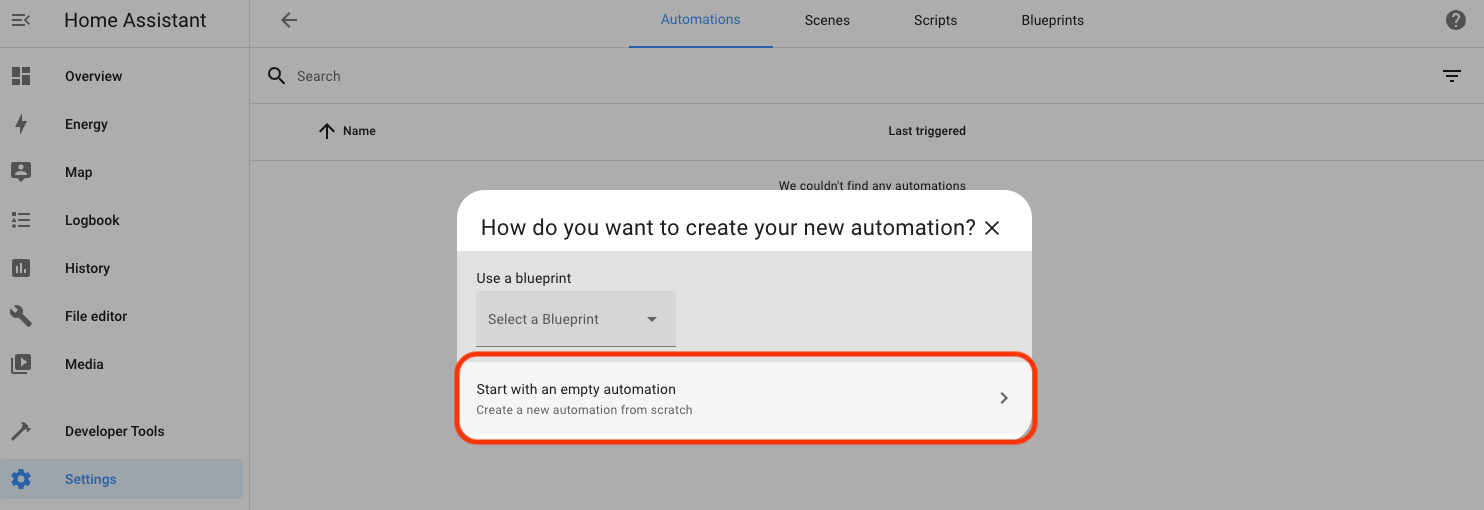
You'll see a window where the "flow" should make sense. We're going to add a Trigger, a Condition, and an Action.

Start by adding ("+") a Trigger, which will be a "State" change.
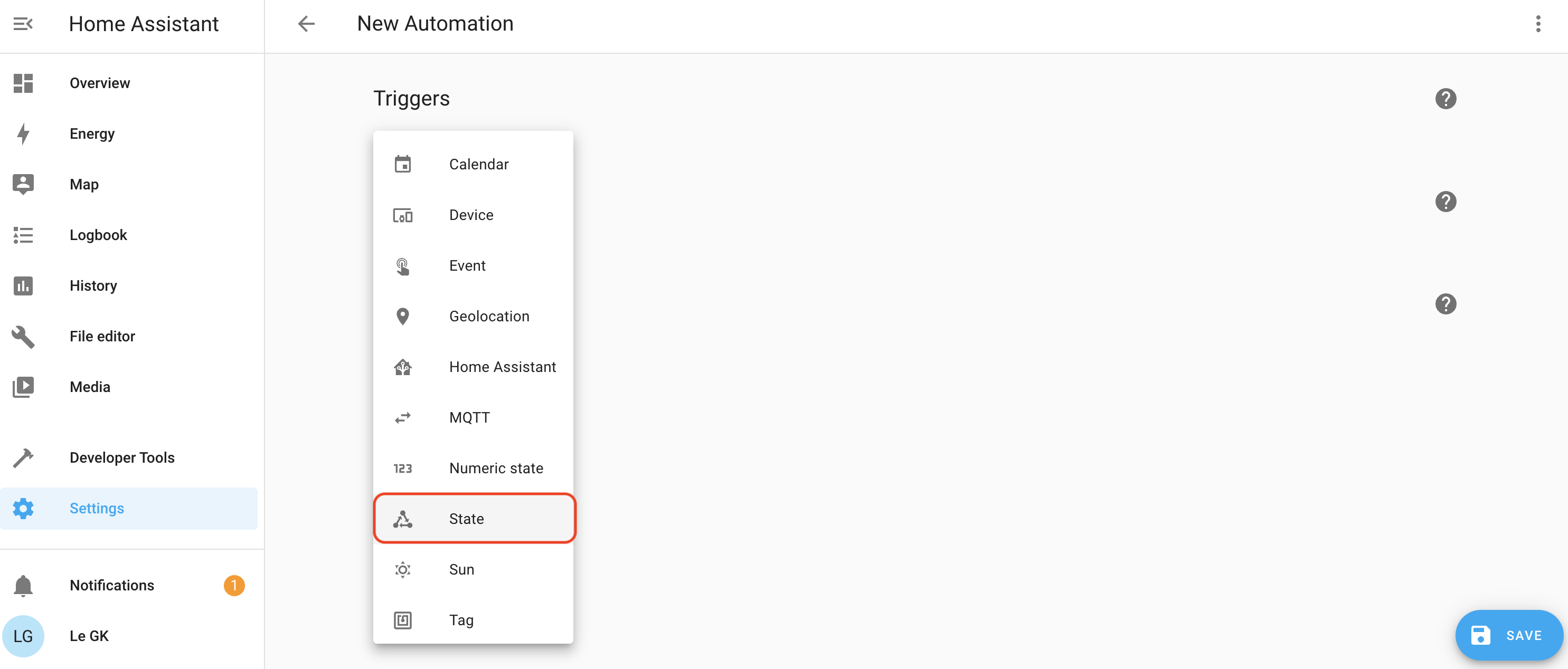
  • Trigger name: When Gate Sensor changes from off to on.
  • Entity: Gate Sensor
  • From: Off
  • To: On
  • For: 0:00:00

Now we'll set a Condition for the State of the sun so that this only fires when the sun ain't out. You may rush, as I did, into using the Condition of Sun, instead of a State. It probably doesn't matter, but for my Automation, which is tested and works, I used the State, which is indicated by that little triangle of arrows.
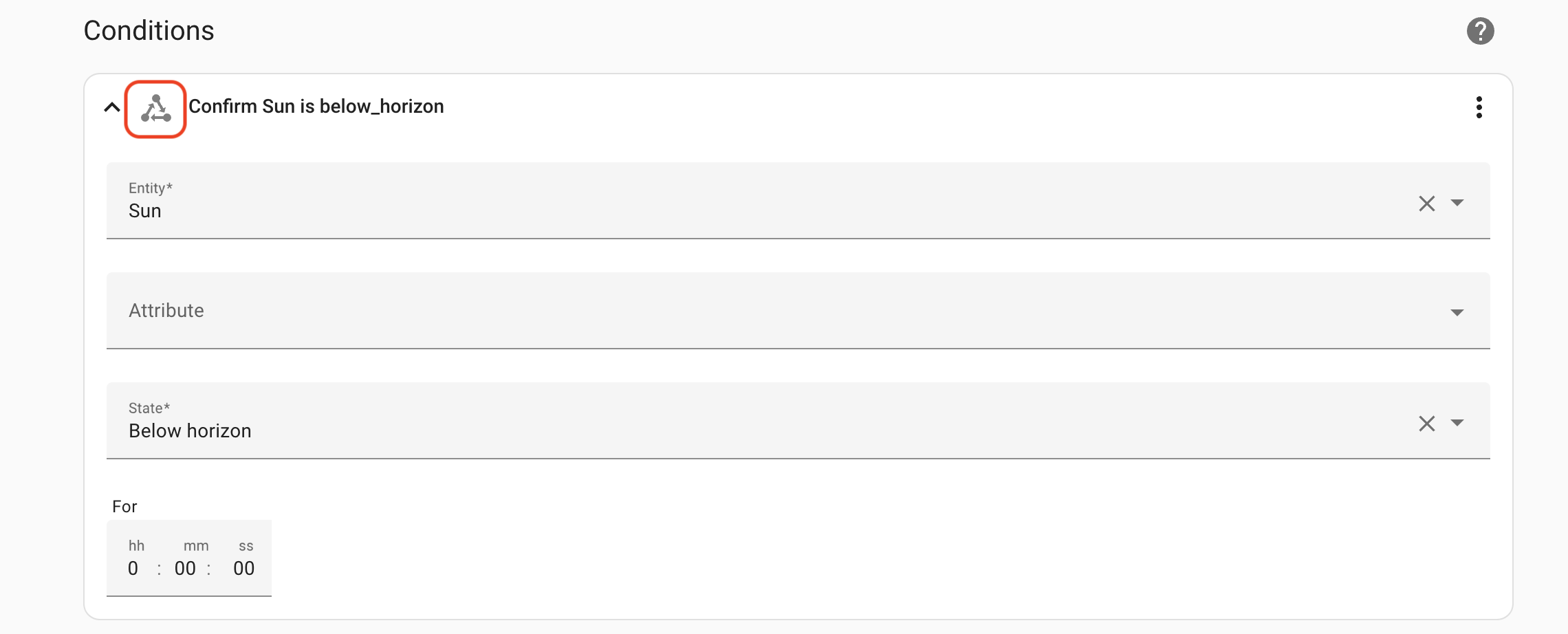
Finally, we'll set the Action, which will be a Device action, as indicated by the little Device symbol outlined in red, below.
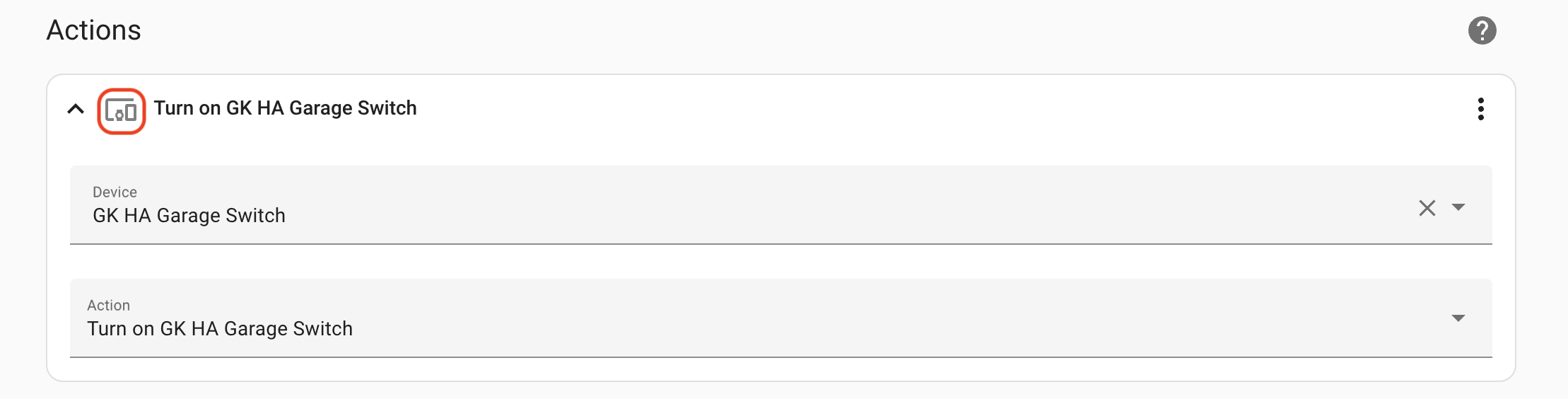
You done, dawg. Open and close the sensor a few times to make sure the light switches. It should. If it doesn't, go back and carefully check you followed the instructions. One little thing, like the wrong decoder, or choosing the wrong thing from a dropdown, or whatever, will stop the flow of operations needed to make the magic work.

A quick and geeky note: Home Assistant won't know the state of your sensor until the sensor sends a message. That happens the first fimte you open or close the sensor. This is because sensors in the world of IoT typically don't constantly broadcast their state. That would be a waste of energy. The gate sensor only needs to broadcast one message, as it happens. "I opened." Or, "I closed". That's it. It doesn't need to say "I'm open I'm open I'm open I'm open etc" until it runs out of juice. This is why in the Trigger in HA has to be "Gate sensor changes from off to on", not "Gate sensor is on".

With that...

El FIN. Congrats! You are now a stone cold HA MQTT sensor integration killer. Now get out there and dream up some rad new automations for Home Assistant, and please, make sure you share your best one with the rest of us over on the GK Discord.

A GIANT THANK YOU to Dirk Beer (dirkbeer#3592 on Discord) for walking me through this thing soup to nuts and making sure that us non-engineers have access to getting deep in the weeds with Helium. Rock on Dirk! Additionally, the secretive group known only as the "AF" were instrumental in making sure I got through several hurdles in the realm of MQTT and home networking. AFF!

Archived Comments

Jeremy Wesley - 8/21/2023

Thank you SOO much for putting this together.. As a long time Home assistant user and helium user since the Gen1 Hotspots, this has been on my wish list for a very long time. The MQTT section is the GOLD that I was missing. I really appreciate your post and the videos you make for the community.


Nik - 8/21/2023

No prob, happy it was helpful. Crush!


WJ - 9/11/2023

Does this walk through still work with the Solana Change? I've been following Helium a little the last year or so and have been blown away on how awesome a network like this can work for remote areas like where I'm from.


Nik - 9/11/2023

In general, yes. The rub will be in connecting to MQTT, which not every Console offers.


After Action Report - Helium In The Wild

· 12 min read
Nik
Site Owner

From Nov 4th through 17th of 2022, Gristle King Inc conducted the Helium In The Wild tour on behalf of the Helium Foundation.  This idea was conceived, developed, and supported by Nik Hawks, Joey Hiller and Scott Sigel to help get boots on the ground off US soil and demonstrate the Helium Foundation’s commitment to building the IoT network.  

The tour started in Lisbon with Solana Breakpoint, included coverage of the Hackathon Train event, moved to London where we held a larger event, then on to Paris where we held a small meetup.  We finished in Barcelona where we attended the Smart Cities Expo and organized another meetup.

During that time we met Helium enthusiasts, took the pulse of the community, shared as much content as we could through formal presentations and informal conversations, and gathered video to be developed into a 5 part series of short videos to be released on the GK YouTube documenting the tour.

SEGMENTS (5)

Lisbon - Solana Breakpoint

In Solana we attempted to meet devs building on the Helium Network but, frankly, failed.  I’m not saying they weren’t there, but in moving through the crowds and talking to many folks at the booths, I met very few people who had done anything more than “heard of” Helium. There were major presentations by Amir Haleem (CEO of NOVA), Abhay Kumar (CEO of Helium Foundation), Joey Hiller (Technical Director at Helium) as well as others, and all were reasonably well attended. Still, the general public I met just walking through the crowds wasn't, in general, familiar with Helium.

https://youtu.be/JG3KZm6IlhY

Lisbon - Hackathon train

On the Hackathon train we obviously had a different crowd.  Two things stood out:  First, just getting Helium to work is still a struggle, even for geeks.  While everyone seemed to eventually sort out getting their sensor onto the network and passing data, the event highlighted that Helium as a useable network is still in its infancy.

Second, some people have been in the LoRaWAN field for a long time.  The expertise to build on this network is there, though concentrated in just a few experts.  These people should be cultivated and supported as public educational resources.  More on that later.

https://youtu.be/DaeRL\_SKTJg

London - Here Be Dragons & Building an IoT Business

In London we had our largest gathering. 35-ish people showed up at a great venue and participated in two separate events.  

First, a mapping game in the morning called Here Be Dragons.  Participants were given mappers provided by RAK Wireless or Trackpac and then instructed to map locations throughout London selected by Dave Akers (Helium Analytics).  Each location was assigned points, and the team who collected the most points won two Hotspots provided by Linxdot.

Second, a series of presentations and panels on building a IoT business.  These ranged from Neil talking about Trackpac, Rob talking about the challenges of building a backend, Dave Akers walking through using Analytics to guide business decisions, a panel of Adrian (Waveform for Helium Foundation), Adrian (Linxdot), and Skye (RAK) discussing the next 6 months to a year of development in their respective systems, and finishing up with a presentation from a locally successful IoT business owner (Bill Clee at Novacene) talking about how to save the world and build a business with LoRaWAN.

This meetup was generally well received, and feedback included thanks for making industry connects for participants as well as excitement for people who had their first exposure to Helium here.

https://youtu.be/afky2LVl6nY

Paris - Meetup

We ran a small meetup with university students on a financial track who were interested in DeFi/CeFi and the intersection with Helium as well as YouTuber SMOKLM.  The students knew very little about Helium, but were curious about it and very interested to learn how it worked and how including a blockchain aspect into the project made it more useful. I had planned a trip down to visit with Paul (disk91), but the logistics turned out to be too much to be worth the effort. It basically added 2 days of traveling for about 4 useable hours with Paul.

https://youtu.be/\_leABVyAN8k

Barcelona - Meetup

Marc Pous from Balena has a local IoT meetup group who came out.  Heavy on telecom engineers, we also had folks from Ibiza very interested in building a Helium based business.

Barcelona - Smart Cities Expo

We attended the Smart Cities Expo and talked with many businesses about Helium.  Sophi Kravitz and Alex Coffman from Helium Foundation were also there.  Almost all businesses I talked to were familiar with LoRaWAN.  Very few had heard of Helium.  

A good example of this was business owner Ed Robinson at ParkHelp, a San Francisco based parking management company.  They’re using LoRa for their sensors but are convinced that LoRaWAN isn’t a good solution because good coverage for parking lot sensors (with a car or truck over them) doesn’t exist.

https://youtu.be/ggQJWe5zcdM

COMMUNITY QUESTIONS (2)

These were questions I heard over and over, and are worth exploring as they give insight into current opinion, understanding, and perspective.

Is Helium dead?  

This appears to be at the intersection of 5 beliefs.  I strongly caution against arguing whether or not these are actually true; these are just perceptions from the general public:

  1. The public perception that Helium/Nova is abandoning IoT in favor of 5G.

  2. The Solana/FTX meltdown and connection with MultiCoin and Helium investors

  3. The network isn't yet reliable.  Blockchain halts, data credit issues.

  4. PoC & data credits "temporarily" not earning enough.  While those of us who understand it know that PoC & DC will never again pay our mortgage (or anything close), there's still a hope that one day we'll rewind the earning clock to, say, January of 2021.  If Hotspots don't earn money, most people don't see how the network can survive.  They don't care about building an IoT business; they just want free money.  A common question they ask is, “If PoC and Data Credits don’t make money, why will people leave their miners plugged in?”

  5. HF/N isn’t doing enough to fix gaming, and most HNT on the network is going to gamers.
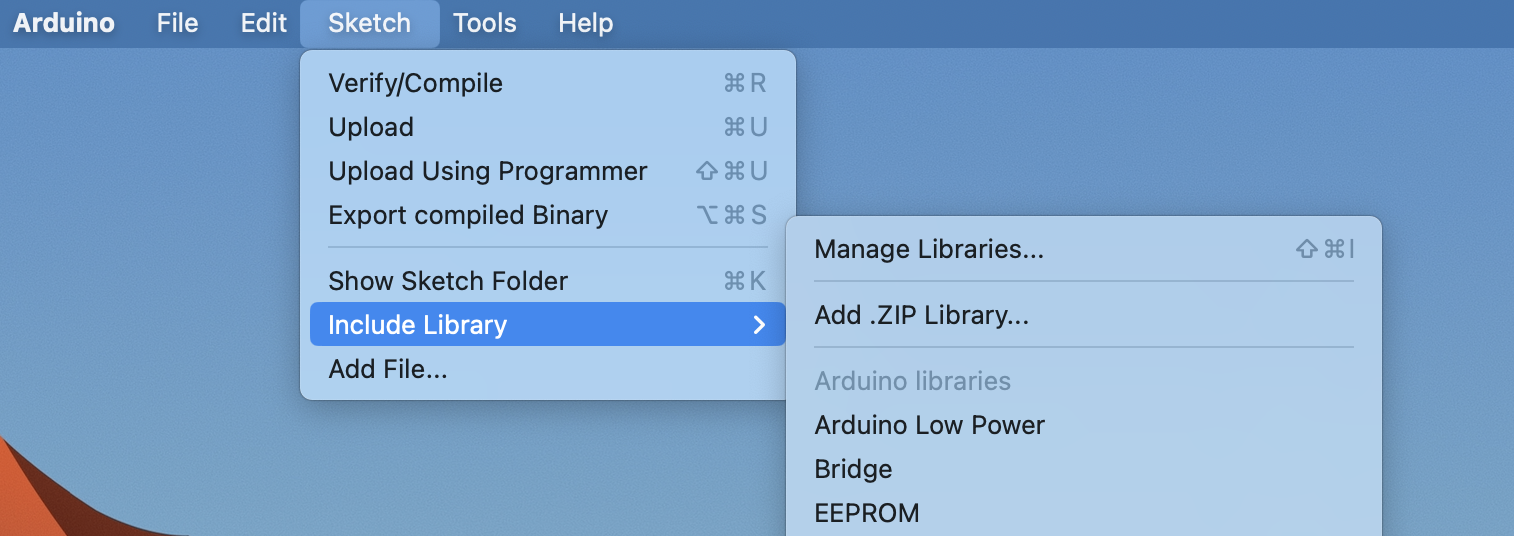
How do I make money on Helium?

Answering this got the most positive response, though for many it’s not what they want to do.  Fairly obviously, a large percentage of the Helium Network was built by people who wanted to plug, play, and earn.  They don’t want to build a business.

Nurturing those who do want to build a business and/or support the community is critical to long term success.

ACTION ITEMS (3)

Manage Information Flow

HF and Nova are not yet doing a good enough job of keeping the community informed on what is happening in the space.  This needs to be a concerted, long term effort that will frankly seem to smart engineers like “dumbed down repetitive overkill”.  It’s not.  Not everyone is searching hard for all the information available.  Most people look at what shows up in their feeds and don’t go beyond that.  Providing both a consistent data flow as well as a coherent and easily followable story line is important for the long term health of the community.

This should come from insiders and outside influencers on all channels; Discord, Twitter, YouTube, email, Facebook, etc.

Message to Specific Audiences

People fairly neatly matched up into four groups.  Addressing each group specifically will help either minimize damage control or maximize opportunities.

Businesses - Support & Promote 

Run by tech-savvy people who see the opportunity in a global permissionless LoRaWAN network, these were 1-10 person operations deploying anywhere from 100 to 1,200 sensors.  They include Heliotics based out of Slovakia, CM7 Group based out of Lebanon, Trackpac, based out of the UK, and a WISP with coverage throughout Ibiza.
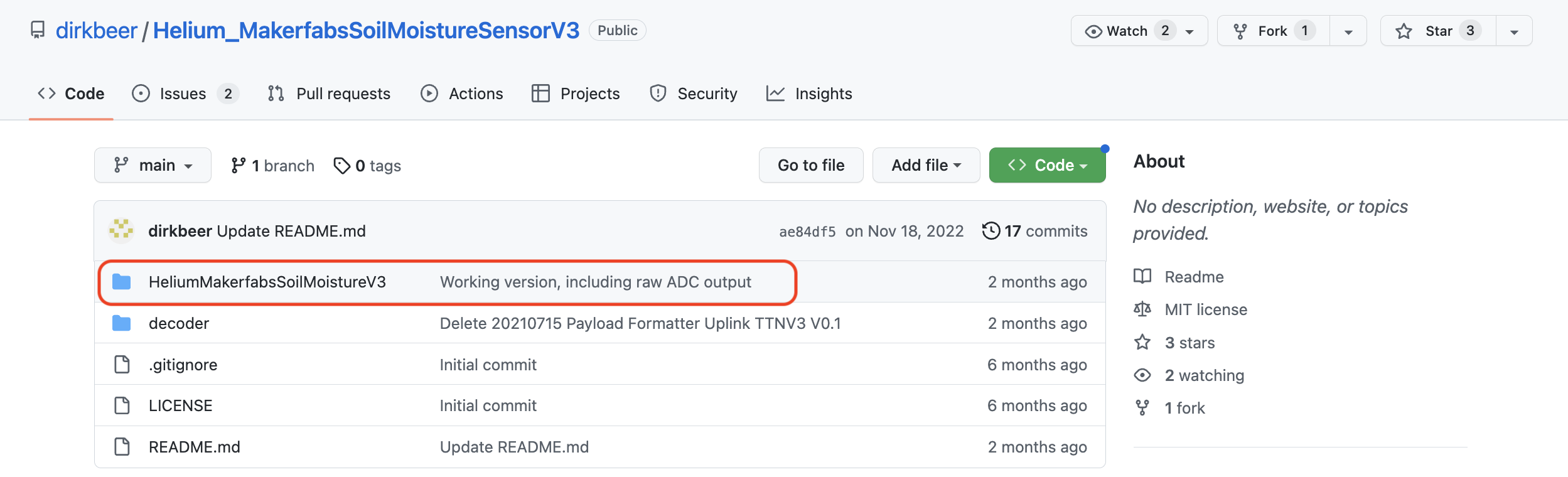
Early Adopters - Invite to help

People who bought miners early on and roughly understand that profitability of PoC/DC will never be what it was.  They are curious about IoT business and love meeting up. Generally not motivated to start their own business in Helium, but open to learning about other projects that will deliver "passive income". For this, I'd recommend using the HF/NOVA marketing channels to make sure anyone who has a Hotspot knows about DIMO, Hivemapper, React Network, and possibly GEODNET. All of those are TIPIN/blockchain + meatspace/PoPW projects that are or will probably use the Helium LoRaWAN.
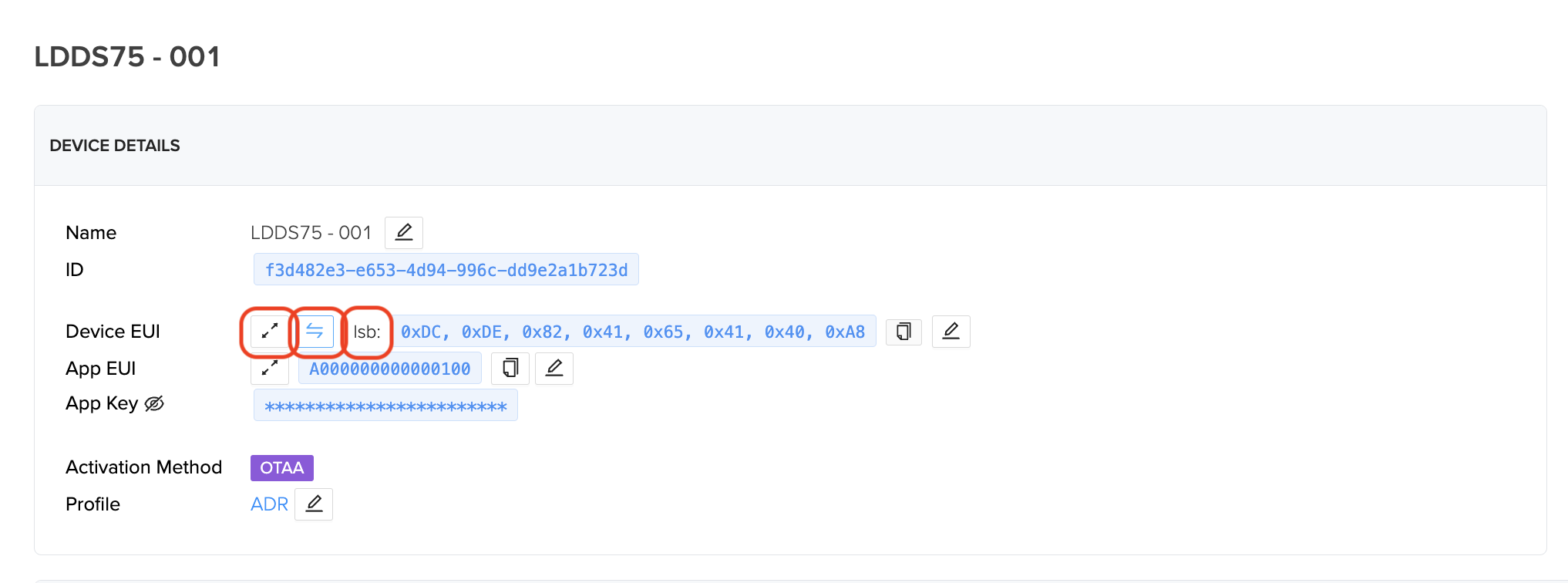
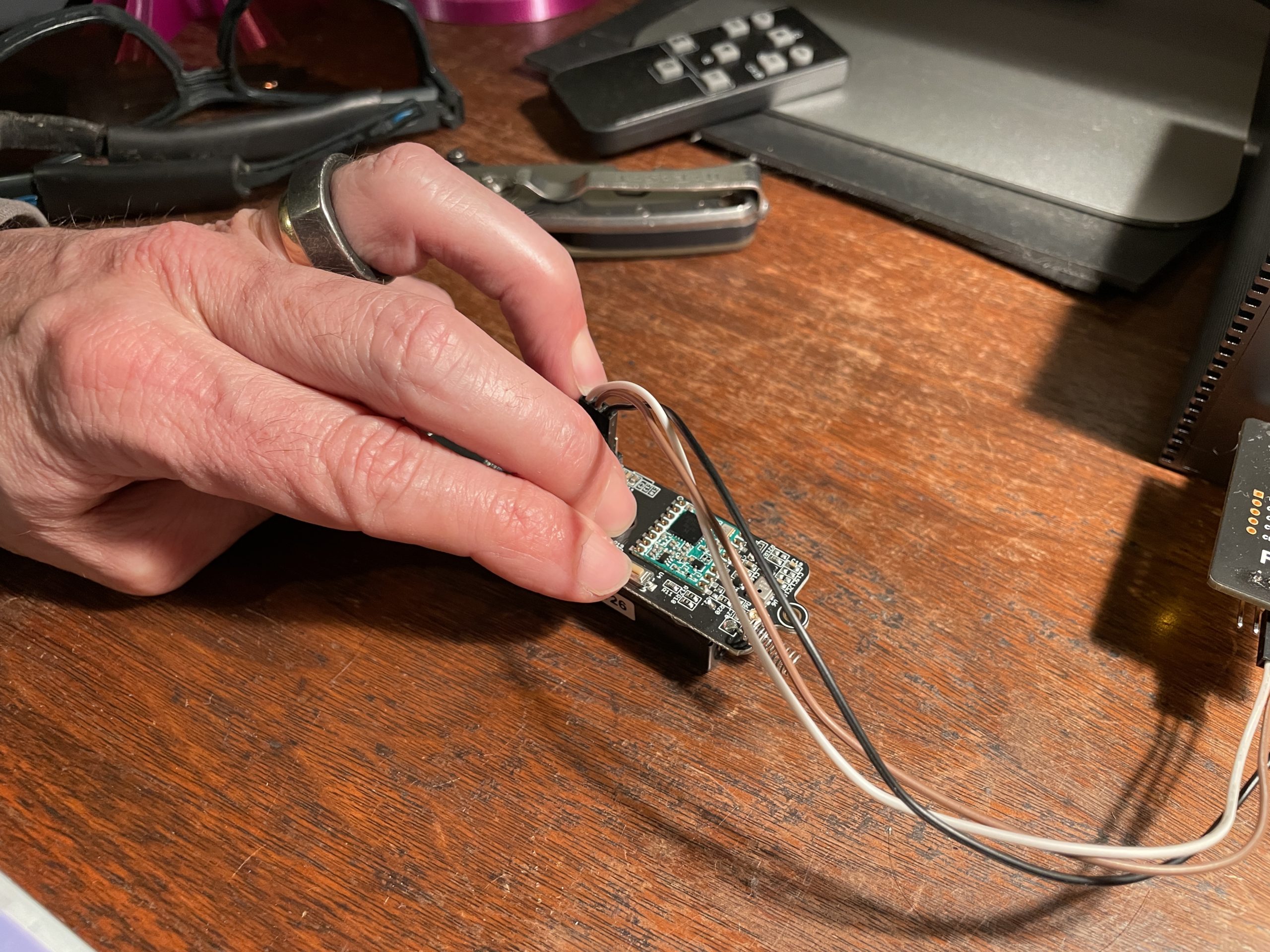
Recent Adopters - Manage information flow.

People who bought miners recently.  They are generally operating on the belief that PoC/DC will pay off their miners within a few months to a year and are disheartened to hear that they’ve missed the “passive income” opportunity.

Skeptics - Provide clear onboard path and “Helium 101” resources.

These are people who are curious but skeptical about Helium and haven’t yet bought a miner. This is a large and untapped market, and a "Helium 101" effort could help bring in many more Hotspot owners and sensor users into the Helium ecosystem.

Build Local - The problem

Supporting local points of contact to build their community isn’t being done well enough yet.  The early Discord channels for cities was a good start, but eventually was outgrown.  

Building a strategy to target local/regional audiences and help them connect at physical events is important.  Email lists are probably the easiest way to do this.  

I asked Bobcat, Nebra, Linxdot, Hotspotty, Parley Labs, and the Helium Foundation to send to their email lists regarding the London event and we still only had 35-ish people show up.  I don’t think anyone yet has figured out how to identify/activate/manage a strong local community, though there is definite hunger for it.

In London we had organizational help from the Trackpac team (Neil, Rob, and George) Dave Akers, Adrian (Waveform), Liam (Fish), and AP, as well as support from Hotspotty for the Here Be Dragons mapping event.  This was a good start, but definitely still short of the mark. There are 6,000 asserted Hotspots in London, of which 2,700 have been active lately (data from Dave at Helium Analytics). Those 2700 Hotspots belong to 2183 wallets. 35 showing up out of 2,100 wallets means there's room for improvement. Lots of room.

In Paris we had another YouTube, SMOKLM, help identify a place to meet, but due to date restrictions and a lack of market penetration/language ksills on my side, only had 4 people show up.  

In Lisbon we managed to rally a few more people, including 2 of the most successful businesses building on Helium, but again, coordination, lack of resources, and lack of a local organizer made the meetup small.

In Barcelona we were helped by Marc Pous from Balena.  He’s been running local IoT meetups there for 10 years but said that lately interest has been way down.  We had perhaps 10 people attend that.

Build Local - Proposed Solution

A repeatable package for locally based Helium Ambassadors to organize and support ongoing network health should be built and implemented.  

An example of this package could include:

-Identify potential local Helium ambassadors, ideally through inbound requests.

-Develop a structure for how to build and activate a local network (enthusiasts, schools, businesses)

-Demonstrate and guide ambassadors on how to structure a monthly meetup (updates, biz opps, Mapping or other games, networking)

-Teach ambassadors as part of the onboarding process how and when to reach out to HF for assistance.

-Instruct ambassadors on how to find and activate local experts who understand LoRaWAN AND can teach others how to use it.

By putting all this together and funding a robust Helium Ambassador program, the Helium Foundation can help decentralize efforts to teach the world about Helium and support those who are willing to learn, use, and build with it.

What's Next?

The Helium In The Wild tour was a success in terms of goals set and achieved. Much remains to be done. Explaining Helium to a larger audience, reassuring the current community regarding the longevity and stability of the ecosystem, and constantly amplifying the efforts of those who are building on the network are all long term works, not one time trips.

Finally, an enormous thanks to my wife & business partner, Lee Selman, who ran cameras, recorders, microphones, took care of hotels, tickets, trains, and baggage, and managed to shoot some of the best footage on the trip. Without her, none of this would have been possible.

Reports from the Field - Helium In The Wild, Hackathon Train

· 5 min read
Nik
Site Owner

"The job right now isn't to make IoT easy. It's to make it work".

As I look across the Helium ecosystem in early December of 2022, I'm starting to see the emergence of working businesses built on Helium. Baxus may be the most recent example; a company tracking all the conditions of items as they move around, though mostly focused on their storage conditions. They're starting with whiskey casks and wine barrels and what they're demonstrating is what we saw on the Hackathon train: Helium still requires technical expertise, but it works.

Whether you're figuring out how to use a people counter, a temperature and humidity sensor, or have an idea that the world hasn't yet explored, the time to build is now.

In contrast, if you're looking for an easy "Apple/Mac" experience, Helium isn't yet the place for you across the board. That's not to say it doesn't exist, and the leading example is Trackpac, built by longtime Helium community member Neil Skoglund.

After spending 18 days traveling around Europe and talking to people across the Helium space, one of the key takeaways is that this is what I think of as "the blind period" in the growth of an industry. "Blind" because it's hard to know what's going on. We just came through a massive burst bubble of unhealthy growth. HNT went from less than $2 up to $55, then back down to $2. The fallout from that is felt across the Helium community as those who rushed into this for "on the couch profit" get shaken out, sometimes very vocally.

Many people I met had the question: Is Helium dead? I can see why they'd ask that; especially if they came into Helium, like many, from the access point of mining crypto.

In the graph above (not to scale), at stage 1 we had Helium Inc casting about in the wilderness for years, trying to figure out what it would do. Helium was always about IoT, so that was their North Star. During that time (2013-2019) nobody really knew about them. They they stumbled on the idea of hooking IoT to a blockchain, birthing an industry with exquisite (and probably completely accidental timing. It still took a year to fire; it wasn't until sometime around late 2020 that things started to go parabolic.

That brings us to stage 2, which transformed the company and the community from a few engineers with a geeky idea to several hundred thousand mostly cryptocurrency enthusiasts who were speculating during the great boom of '20-'21. For a while, you couldn't lose. Like all booms, that went up, a few lucky ones (no one I know, and as far as I can tell, no one at Helium Inc) got off at the top, and the rest of us rode the wrong side of the parabolic curve back down to where we are now.

That brings us to the beginning of stage 3. The beginning is the blind period. In the curve above, it's probably the period between the beginning of the stage up until where you see the number 3. Now keep in mind, this curve is just a prediction. And the time scale is funky. Seriously funky. I could be completely wrong about it.

However, what I saw on the Hackathon train, and in Lisbon before that, and London, Paris, and Barcelona after is a period of growth ahead that goes steadily upward, though not at any kind of "change your life" rate for a while. The whole time we're stage 3, the only noticeable improvement will be measured in months at a minimum. Hours, days, or even weeks aren't particularly useful.

Of course, stage 4 is when everyone will want to pile in again. I don't have any predictions worth sharing about when that will be.

In the meantime, the important takeaway from the Hackathon train experience in particular is that NOW is the time to be head down and building.

Find a place you can learn, whether that's a friend, a group of friends, or Helium's #sensor-dev channel on Discord. If you want a first project, start with Joey's IKEA sensor project. There's plenty of info online about it and the community in general is well versed in it.

Just by getting one sensor on board, from soup to nuts, my feeling is that you'll be vaulting yourself well past the "blind spot" on the graph above and be well on your way to capitalize on the growth when it comes.

Here's to your ongoing success in this incredible project, LFG!