Mitutoyo 547-401 Digital Thickness Gauge
The Mitutoyo 547-401 is a 0–12mm Digimatic digital thickness gauge with 0.001mm (1 micron) resolution and ±3µm accuracy, commonly used for measuring thin film, paper, and plastic sheet. I'm using it for weather balloon envelope material.
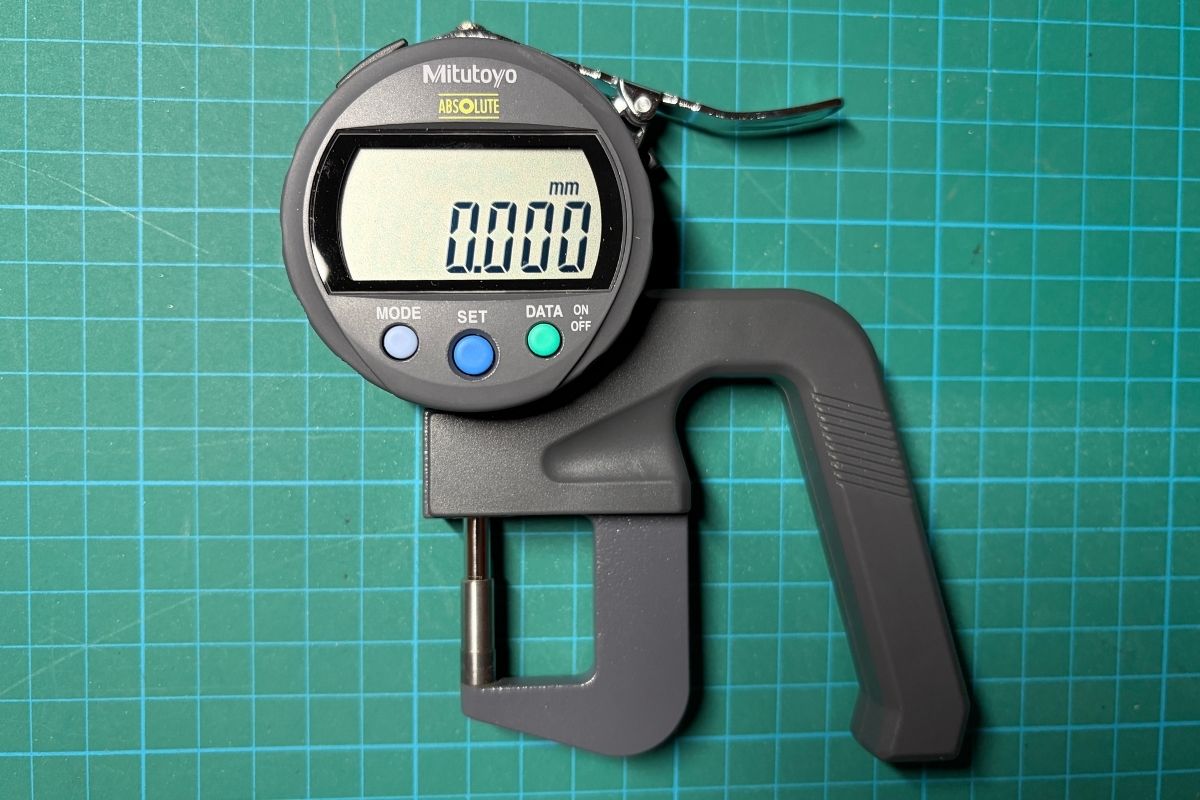
Specifications – Mitutoyo 547-401
- Product Name: Mitutoyo 547-401 Digital Thickness Gauge
- Measurement Range: 0–12 mm
- Resolution: 0.001 mm (1 micron)
- Accuracy: ±3 µm
- Measuring Force: ≤ 3.5 N
- Output: Digimatic SPC
- Battery: SR44
This is a comprehensive guide to using the Mitutoyo 547-401 for measuring ultra-thin materials like balloon envelope films.
Just want to measure something? Clean the spindle and anvil, press SET to zero, then measure. That's it.
Parts Overview
| Part | Description |
|---|---|
| Display Head | The digital readout unit with buttons and LCD |
| Spindle | The moving probe that contacts the top of your material |
| Anvil | The fixed base that your material rests on |
| Lifting Lever | Raises the spindle for placing material |
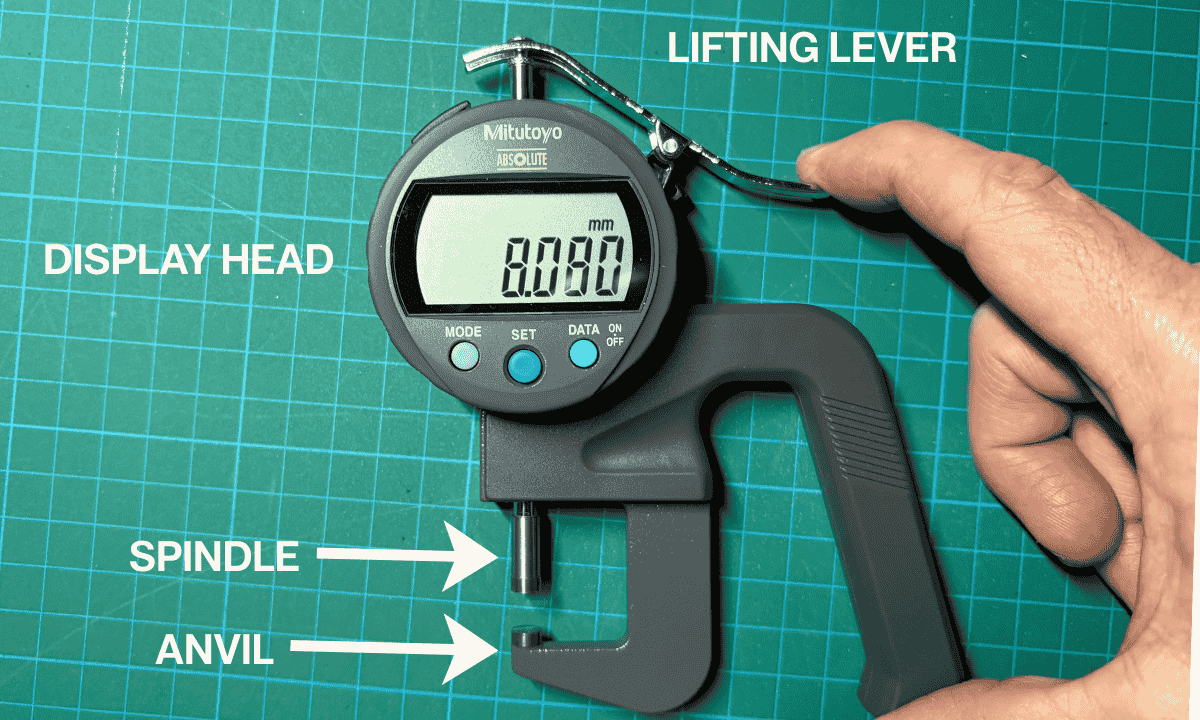
Button Quick Reference
| Button | Short Press | Long Press |
|---|---|---|
| MODE | Nothing (in normal mode) | Open settings menu |
| SET | Context dependent (see below) | Toggle INC/ABS mode (firmware dependent) |
| DATA | Toggle "H" indicator | Power off |
SET Button Behavior (Context Dependent)
The SET button does different things depending on where you are:
| Context | SET Behavior |
|---|---|
| Measurement mode | Zeros the display (sets INC reference) |
| Menu navigation | Enters the selected menu item |
| Digit edit mode | Advances to the next digit |
This head has three states:
- Measurement mode (numbers only): SET = zero (INC).
- Menu navigation (dir/tol/rES…): MODE = next item, SET = enter.
- Digit edit (blinking digit/icon): MODE = change value, SET = advance.
INC vs ABS Mode (Important)
The 547-401 supports two measurement reference systems:
| Mode | Name | Behavior |
|---|---|---|
| INC | Incremental | Temporary relative zero—resets when you press SET |
| ABS | Absolute | Stored reference that survives power cycles |
INC Mode
Press SET while measuring and the current position becomes 0.000. All measurements are shown relative to that point.
This is what most users want.
ABS Mode
Uses a stored reference value that survives power cycles. If ABS contains an offset (for example 0.300 mm), closing the anvils may show 0.300 mm instead of zero.
This does NOT mean the gauge is broken. It means the preset reference was changed at some point.
Switching Between INC and ABS
Long press SET to toggle between INC and ABS mode (if your firmware supports it). Look for an indicator on the display showing which mode is active.
Basic Operation
Zeroing the Gauge
- Clean the spindle tip and anvil with a lint-free cloth
- Lower the spindle until it contacts the anvil
- Press SET to zero the display
- Lift the spindle and place your material on the anvil
- Lower the spindle gently onto the material
- Read the thickness
Taking Accurate Measurements
- Always zero before a measurement session
- Take 3+ readings at different points and average them
- For thin films, let the spindle settle for 1-2 seconds before reading
- Clean contact surfaces between different materials
Measuring Thin Film (Balloon Envelope Material)
If you're measuring ~30 µm film (0.030 mm), the gauge's ±3 µm accuracy is a non-trivial percentage.
Best practice: Stack 5–10 layers, measure the stack, then divide by the number of layers. This reduces per-layer error and improves repeatability.
Mitutoyo 547-401 Manual: Menu & Settings
The display head is universal across multiple Mitutoyo instruments, so the menu includes options that may not apply to the 547-401. (See Operating States above for how buttons behave in menu mode.)
To enter the menu: Long press MODE
To navigate: Short press MODE to cycle through menu items
To exit: Long press MODE
Menu Items
| Menu | Purpose | Relevant to 547-401? |
|---|---|---|
dir | Reverse measurement polarity | No (ignore) |
tol | Set pass/fail tolerance limits | Yes |
rES | Change display resolution | Maybe (firmware dependent) |
CAL | Calibration mode | Yes (for calibration) |
Fn-Loc | Function lock | Yes |
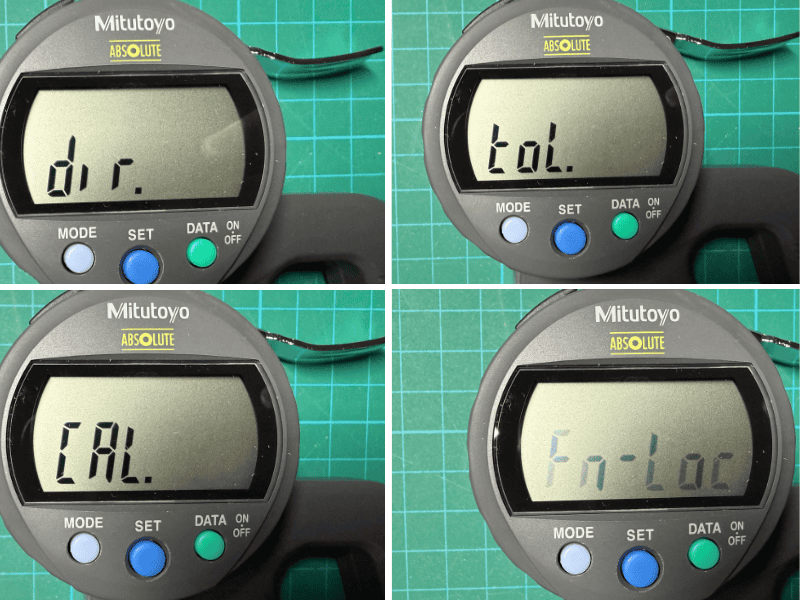
Menu Details
dir (Direction)
What it does: Reverses measurement polarity. On a thickness gauge, the reading increases as the spindle retracts away from the anvil (gap gets larger), and decreases as it closes. Thicker material = larger reading. On depth gauges, you'd want the opposite.
For the 547-401: Leave this alone. You probably don't want negative readings.
How to check: Press SET when in dir menu. A triangle indicator appears when polarity is reversed. Use MODE to toggle. Press SET to confirm and move to next menu.
tol (Tolerance)
What it does: Turns the gauge into a pass/fail comparator. Define upper and lower limits, and the gauge shows whether measurements are below, within, or above tolerance. When tolerance mode is ON, the comparator icon remains visible on the display (even when you're not actively setting limits).
To disable tolerance mode: Enter the tol menu → press SET → use MODE until off blinks → press SET to confirm.
The 0.01/0.001 setting inside TOL controls the tolerance/comparator step size, not the base measurement resolution.
Setting Tolerance Limits
- Enter
tolmenu (you'll see blinking "off") - Press SET to toggle to "on"
- Screen shows
<o>indicator, then+000.000with a right arrow (upper limit) - Long press SET to edit digits
- Use MODE to change each digit (0-9)
- Press SET to move to the next digit
- After the last digit, short press SET to switch to left arrow (lower limit)
- Repeat digit editing for lower limit
- Press SET to confirm and exit to next menu
rES (Resolution)
What it does: Controls display resolution.
547-401 Specs:
- Native resolution: 0.001 mm
- Accuracy: ±3 µm
Available resolutions (firmware dependent):
| Setting | Resolution |
|---|---|
| 0.001 | 0.001 mm (1 micron) |
| 0.01 | 0.01 mm (10 micron) |
How to change: Press SET when in rES menu, use MODE to toggle, press SET to confirm.
Some 547-401 units have fixed resolution and won't allow switching. If pressing SET does nothing, your unit doesn't support this.
CAL (Calibration)
What it does: Enables calibration mode for adjusting the gauge against a known reference.
How to use: Press SET in CAL menu to see blinking "OFF". Use MODE to toggle between off/on. Press SET to confirm.
Only enable calibration mode if you have a certified reference standard and know what you're doing. Incorrect calibration will make all your measurements wrong.
Fn-Loc (Function Lock)
What it does: Locks the menu to prevent accidental changes to settings.
How to use: Press SET in Fn-Loc menu, use MODE to toggle lock on/off, press SET to confirm.
DATA Button
The DATA button controls the hold function and power:
- Short press: Toggles "H" indicator (hold mode)
- Long press: Powers off the unit
When "H" is displayed, the reading is frozen until you press DATA again.
Troubleshooting
Why Does My Gauge Show 0.300 mm When Closed?
This usually means:
- The ABS preset reference has been changed
- You are not in INC mode
Fix:
- Close the anvils completely
- Press SET to zero (this sets INC mode)
- If still incorrect, check if you're in ABS mode and switch to INC
- If problem persists, check CAL settings
When in doubt, close the anvils and press SET. This resets the INC reference to zero and is safe to do anytime.
Verification
The 547-401 is specified at ±3µm accuracy. Occasional readings between 0.997–1.004 mm on a 1mm reference block are normal and within specification, depending on seating and cleanliness. To verify your gauge is reading correctly, measure a known reference:
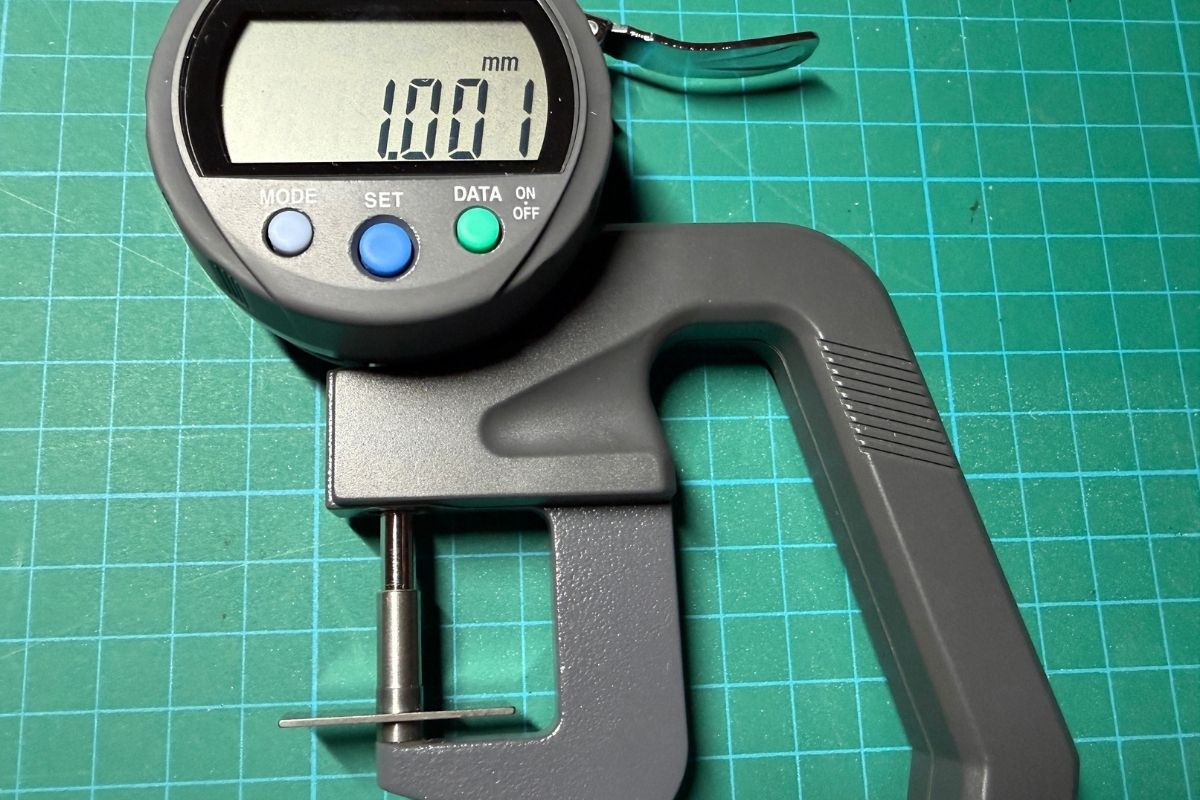
Example: 1mm gauge block
| Reading | Value |
|---|---|
| 1 | 1.003 mm |
| 2 | 1.004 mm |
| 3 | 1.003 mm |
| Average | 1.003 mm |
This is within the ±3 µm accuracy spec for the 547-401.
FAQ
Why does my Mitutoyo 547-401 read 0.300 mm when closed?
This usually means the ABS preset reference has been changed.
What is INC mode on a Mitutoyo thickness gauge?
INC mode is incremental mode, which allows temporary relative zeroing.
Is ±3 µm variation normal?
Yes. The 547-401 is specified at ±3 µm accuracy.
Some links on this page may be Amazon affiliate links. If you purchase through them, I may earn a small commission at no additional cost to you.